
Introduction
The BOAVISION X5 Universal Baby Monitor Mount provides a flexible and adjustable solution for positioning your baby monitor or infant camera. This mount is designed for compatibility with most nanny cameras, infant cameras, and WiFi IP cameras, offering a 360-degree adjustable stand to achieve optimal viewing angles. Its versatile design allows for easy installation on various surfaces without the need for drilling or wall adhesives.

Image: The BOAVISION X5 Universal Baby Monitor Mount positioned near a baby, demonstrating its use for monitoring.
Product Features
- Universal Compatibility: Designed to fit most baby monitors, IP monitors, and nanny cameras with an open size of up to 4 inches wide.
- Flexible and Adjustable: Features a 33.46-inch (85 cm) flexible arm and a 360-degree rotating clip for precise camera positioning.
- Easy Installation: Clamp-style base allows for secure attachment to surfaces up to 2.8 inches (7 cm) thick, such as cribs, windowsills, shelves, or tables, without drilling.
- Durable Material: Constructed from silicone for flexibility and stability.
Setup Instructions
- Attach the Mount to a Surface:
Identify a suitable surface (e.g., crib rail, shelf, table edge) that is up to 2.8 inches (7 cm) thick. Unscrew the clamp at the base of the mount to open it. Position the clamp securely onto the chosen surface and tighten the screw until the mount is firmly attached. Ensure the mount is stable and does not wobble.

Image: The clamp mechanism of the mount, showing how it attaches to a surface up to 2.8 inches thick.
- Attach Your Baby Monitor:
Gently open the camera clip at the top of the flexible arm. Carefully place your baby monitor or camera into the clip, ensuring it is centered and held securely. The clip is designed to accommodate cameras up to 4 inches (10 cm) wide and 1.6 inches tall.

Image: Multiple mounts displaying their universal fit for various baby monitor models, highlighting the maximum 4-inch width capacity.
- Adjust the Viewing Angle:
Bend the flexible arm to position your camera at the desired height and distance. The camera clip also offers 360-degree rotation, allowing you to fine-tune the camera's orientation for the best view of your baby. Ensure the arm is bent into a stable position that will not shift.
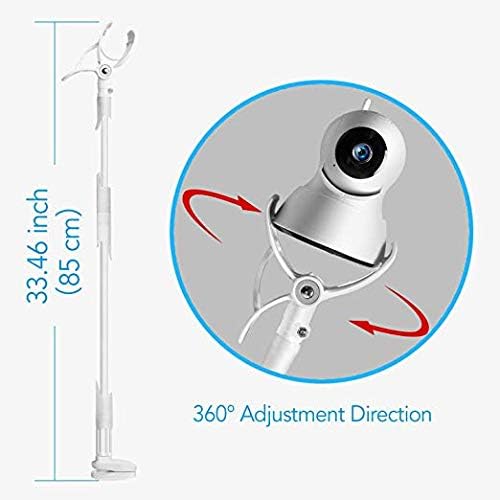
Image: A diagram illustrating the 33.46-inch length of the flexible arm and the 360-degree adjustment capability of the camera clip.
Operating Instructions
Once the BOAVISION X5 mount is securely installed and your baby monitor is attached, you can easily adjust its position as needed. The flexible arm allows for quick repositioning to track your baby's movements or change the monitoring area. The 360-degree rotating clip ensures that you can always achieve the perfect camera angle without needing to re-clamp the entire unit.
- To adjust the height or distance, gently bend the flexible arm to the desired position.
- To change the camera's orientation, rotate the camera within its clip.
- Always ensure the mount remains stable after any adjustments to prevent accidental falls.
Maintenance
To ensure the longevity and proper function of your BOAVISION X5 Universal Baby Monitor Mount, follow these simple maintenance guidelines:
- Cleaning: Wipe the silicone and plastic surfaces with a soft, damp cloth. Avoid using harsh chemicals or abrasive cleaners, as these can damage the material.
- Regular Checks: Periodically inspect the clamp and camera clip for any signs of wear or loosening. Ensure all connections are secure to maintain stability.
- Storage: If storing the mount for an extended period, keep it in a clean, dry place away from direct sunlight and extreme temperatures.
Troubleshooting
If you encounter any issues with your BOAVISION X5 Universal Baby Monitor Mount, refer to the following common troubleshooting tips:
- Mount is not stable: Ensure the base clamp is fully tightened onto a sturdy surface. Verify that the surface thickness is within the 2.8-inch limit.
- Camera slips out of the clip: Check that your camera's dimensions are within the 4-inch width and 1.6-inch height limit. Ensure the camera is properly seated and centered in the clip. Some cameras may benefit from additional securing methods if they are particularly heavy or have an unusual shape.
- Flexible arm does not hold position: Over time, constant repositioning or heavy cameras might cause the arm to lose some rigidity. Try to distribute the camera's weight evenly and ensure the arm is bent into a stable, self-supporting shape.
If these steps do not resolve your issue, please contact customer service for further assistance.
Specifications
| Brand | BOAVISION |
| Model Number | X5 |
| Material | Silicone |
| Color | White |
| Item Dimensions (L x W x H) | 15.5 x 15.5 x 0.75 inches |
| Item Weight | 1.05 Pounds |
| Flexible Arm Length | 33.46 inches (85 cm) |
| Clamp Opening (Max) | 2.8 inches (7 cm) |
| Camera Clip Opening (Max) | 4 inches (10 cm) wide, 1.6 inches tall |
| Field Of View | 360 Degrees (adjustable) |
| Mounting Type | Clamp (No-drill) |
| UPC | 799355648950 |
Warranty and Support
The BOAVISION X5 Universal Baby Monitor Mount comes with a worry-free 12-month warranty. If you experience any issues with your product or are not completely satisfied, please contact our friendly customer service for assistance with replacement or refund options.
For customer service inquiries, please refer to the contact information provided in your product packaging or visit the official BOAVISION website.
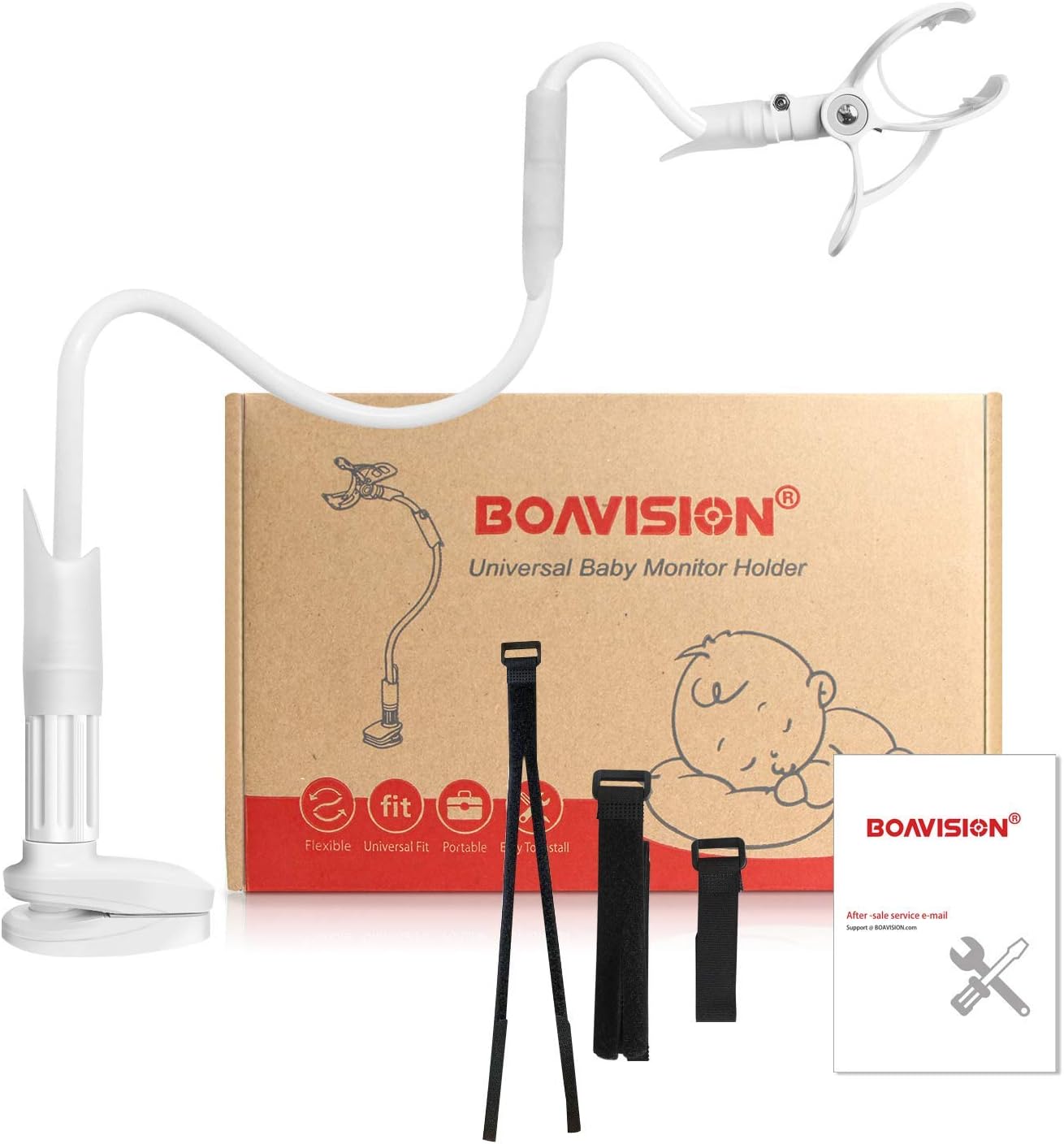
Image: The product packaging for the BOAVISION X5 Universal Baby Monitor Holder, showing the mount, straps, and a welcome guide manual.


