
1. Product Overview
The GermGuardian AC4820 Air Purifier is designed to provide cleaner, fresher air in your home. Featuring Genuine GermGuardian HEPA Pure filtration technology, it effectively captures 99.97% of airborne particles as small as 0.1 microns, including dust, pollen, pet dander, and other allergens. An activated carbon pre-filter also helps reduce odors from smoking, cooking, and pets.
This unit offers three speed settings, with the lowest setting providing ultra-quiet operation suitable for restful sleep. It is capable of circulating air in a large 743 sq. ft. room every 60 minutes or a medium 150 sq. ft. room every 12.5 minutes, making it versatile for various living spaces.

Image: The GermGuardian AC4820 Air Purifier, highlighting its Genuine HEPA Pure filter, 740 sq. ft. coverage in 60 minutes, and 22-inch tall slim design for tight spaces.
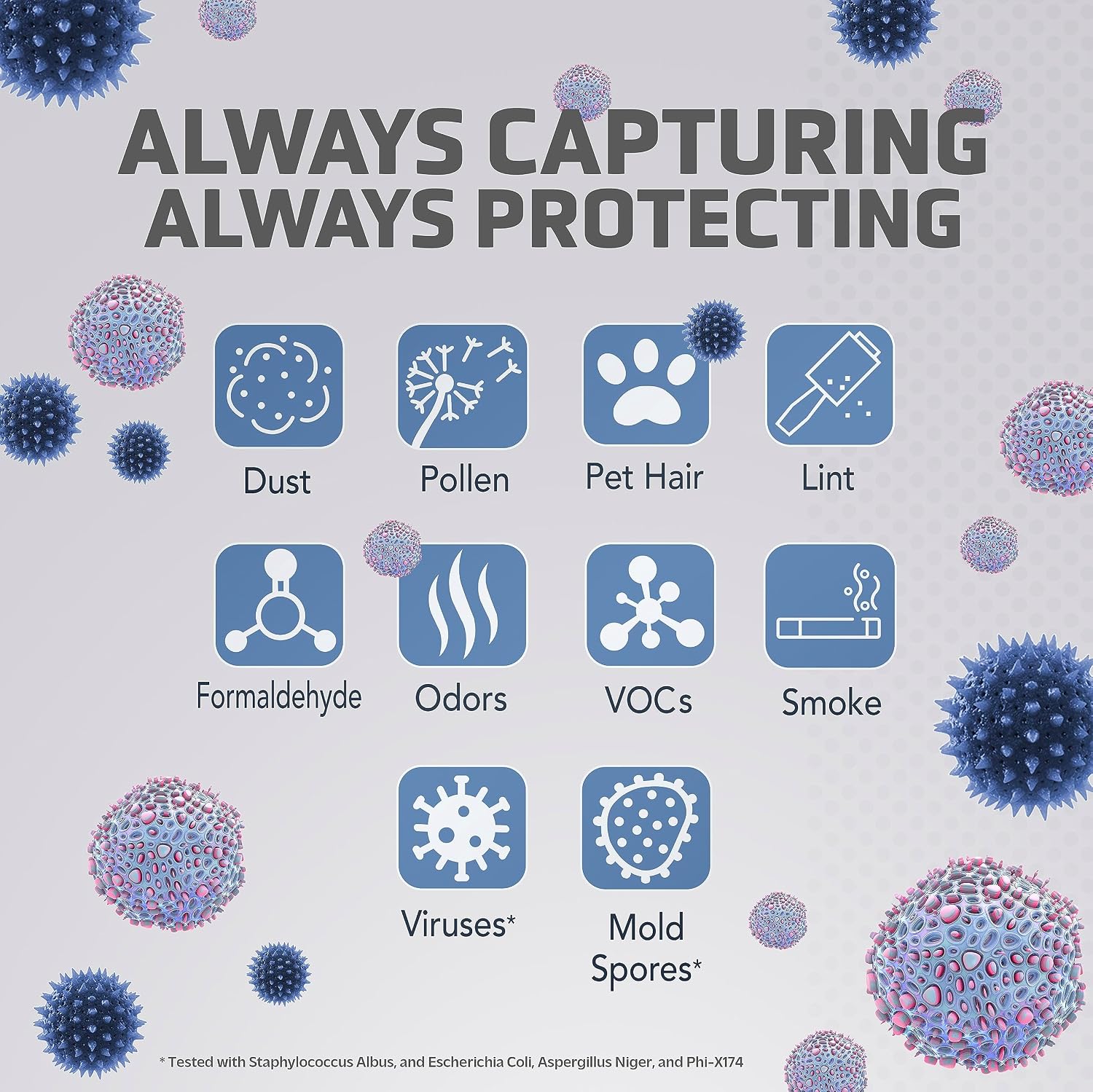
Image: Visual representation of pollutants captured, including dust, pollen, pet hair, lint, formaldehyde, odors, VOCs, smoke, viruses, and mold spores.
2. Setup Instructions
2.1 Unboxing and Placement
- Carefully remove the air purifier from its packaging.
- Place the unit on a firm, level surface. Ensure there is at least 6 inches of clear space on all sides for optimal airflow.
- Avoid placing the unit near heat sources, direct sunlight, or in areas with high humidity.
2.2 Filter Installation
The AC4820 comes with a pre-installed HEPA Pure filter. Before first use, ensure the filter is correctly seated and any protective packaging is removed.
- Open the rear cover of the air purifier.
- Verify the HEPA filter (Filter B, FLT4825) and activated carbon pre-filter are securely in place.
- Close the rear cover firmly.

Image: Rear view of the air purifier, illustrating the filter access panel.
3. Operating Instructions
3.1 Power On/Off
- Plug the power cord into a standard electrical outlet.
- Turn the fan speed dial on the top of the unit clockwise from the 'OFF' position to select a speed setting (I, II, or III). The power indicator light will illuminate.
- To turn off the unit, rotate the dial counter-clockwise to the 'OFF' position.
3.2 Fan Speed Settings
The AC4820 offers three fan speed settings:
- I (Low): Quiet operation, ideal for overnight use or when minimal air purification is needed.
- II (Medium): Balanced performance for everyday use.
- III (High): Maximum air purification for rapid cleaning or when air quality is poor.
3.3 UV-C Light Function
The unit includes an optional UV-C light to further enhance air purification by reducing airborne germs.
- Press the 'UV' button on the control panel to turn the UV-C light on or off.
- The UV-C light indicator will illuminate when active.

Image: Close-up of the top control panel, showing the fan speed dial, UV button, and filter reset indicator.
4. Maintenance
4.1 Filter Replacement
The 'Change Filter' indicator light will flash red when it's time to replace the filter. For optimal performance, replace the filter every 6-8 months, depending on usage.
- Ensure the air purifier is turned off and unplugged.
- Open the rear cover by pressing the tab and pulling it outwards.
- Remove the old HEPA filter (Filter B, FLT4825) and activated carbon pre-filter.
- Insert a new Genuine GermGuardian replacement filter, ensuring it is correctly oriented.
- Close the rear cover securely.
- To reset the 'Change Filter' indicator, press and hold the 'HEPA/UV RESET' button for 5 seconds until the light turns off.
Image: Packaging for GermGuardian Filter B (FLT4825) replacement filter.
4.2 Pre-Filter Cleaning
The activated carbon pre-filter can be gently vacuumed monthly to extend its life and the life of the HEPA filter.
- Turn off and unplug the unit.
- Remove the rear cover and the pre-filter.
- Use a soft brush attachment on your vacuum cleaner to gently remove dust and debris from the pre-filter.
- Reinstall the pre-filter and close the cover.
5. Troubleshooting
- Unit not turning on: Ensure the power cord is securely plugged into a working outlet and the fan speed dial is turned to a numbered setting (I, II, or III).
- Reduced airflow: Check if the filters are clogged. Clean the pre-filter or replace the HEPA filter if the 'Change Filter' light is on. Ensure there is adequate space around the unit.
- Unusual noise: Verify that the filters are correctly installed and the rear cover is securely closed. Check for any foreign objects obstructing the fan.
- 'Change Filter' light remains on after replacement: Press and hold the 'HEPA/UV RESET' button for 5 seconds to reset the indicator.
6. Specifications
| Feature | Detail |
|---|---|
| Brand | GermGuardian |
| Model Number | AC4820 |
| Color | Gray |
| Product Dimensions | 6.75"D x 10.25"W x 21.5"H |
| Item Weight | 8.6 Pounds |
| Power Source | Corded Electric |
| Control Method | Touch / Hand Control (Dial) |
| Filter Type | HEPA |
| Floor Area Coverage | Up to 740 Square Feet (1 air change per hour) |
| Noise Level | 55 Decibels (Max) |
| Particle Retention Size | 0.1 Micrometer |
| Wattage | 55 watts |
| Special Features | HEPA Filter, 3 Speeds, UV-C Light |
| Certifications | CARB Certified, ETL Certified |

Image: Product dimensions showing 21.5" H x 10.25" W x 6.75" D.
7. Warranty & Support
7.1 Warranty Information
GermGuardian offers a 5-year limited warranty with the purchase of this air purifier. Please refer to the warranty card included in your product packaging for full terms and conditions.
7.2 Customer Support
For technical assistance, troubleshooting, or to inquire about replacement parts, please contact GermGuardian customer support. Contact information can typically be found on the official GermGuardian website or on the product packaging.


