1. Introduction
Thank you for choosing the Milton Heavy-Duty Digital Tire Pressure Gauge and Inflator, Model S-568. This device is designed for accurate tire pressure measurement and inflation, featuring a digital display, ergonomic design, and robust construction. Please read this manual thoroughly before use to ensure proper operation and safety.
2. Safety Information
- Always wear appropriate eye protection when working with compressed air.
- Do not exceed the maximum pressure rating of the inflator (255 PSI) or the tire being inflated.
- Ensure all connections are secure before applying air pressure to prevent accidental disconnections and potential injury.
- Keep the device away from children and untrained personnel.
- Use in a well-ventilated area.
- Do not modify the inflator or its components.
3. Package Contents
The Milton S-568 Digital Tire Pressure Gauge and Inflator package includes:
- Milton Heavy-Duty Digital Inflator (Model S-568)
- 2 AAA Batteries (pre-installed or included separately)
4. Product Features Overview

Figure 4.1: Milton S-568 Digital Tire Pressure Gauge and Inflator. This image shows the complete assembly of the digital inflator, including the pistol grip handle, digital gauge, 20-inch hose, and lock-on chuck.

Figure 4.2: Detailed diagram highlighting key features such as the 360° swivel gauge head, 20" EPDM rubber hose, power button, shock-absorbing rubber boot, deflate button, ergonomic trigger, 1/4" NPT brass inlet, and strong grip lock-on air chuck.
- Digital Backlit Readout: Easy-to-read display, perfect for low-light conditions. Auto-on when pressure is detected, auto-off after 15 seconds of inactivity to conserve battery.
- 360° Swivel Gauge: Allows for reading at any angle and convenient storage.
- Pressure Range and Accuracy: Measures 0-255 PSI with 0.1 PSI resolution, also displays in kPa (0-1800), kg/cm² (0-18), and Bar (0-18). Meets ANSI/ASME B40.1 standard.
- Ergonomic Pistol Grip Handle: Comfortable and designed for ease of use.
- Integrated Inflate/Deflate Trigger: Allows for precise pressure adjustment. A full pull inflates, a half pull deflates.
- Durable 20" Rubber Air Hose: Equipped with a lock-on brass inflator air chuck for one-handed inflation.
- Air Inlet: 1/4" NPT.
5. Setup
- Battery Installation: The unit requires 2 AAA batteries. Ensure they are correctly installed according to polarity markings. The batteries are typically pre-installed.
- Connect to Air Supply: Attach your air compressor hose to the 1/4" NPT brass inlet on the inflator handle. It is recommended to use thread sealant tape (not included) on the threads to ensure an airtight connection and prevent leaks.
6. Operation
6.1 Power On/Off
- The gauge will automatically power on when pressure is detected by connecting the chuck to a tire valve.
- To manually power on, press the red power button (⏻) located on the gauge face.
- The gauge will automatically power off after 15 seconds of inactivity to save battery life.

Figure 6.1: Close-up of the digital gauge display, showing the power button and unit selection button.
6.2 Changing Measurement Units
To cycle through the available measurement units (PSI, kPa, Bar, kg/cm²), press the "UNIT" button located on the gauge face.
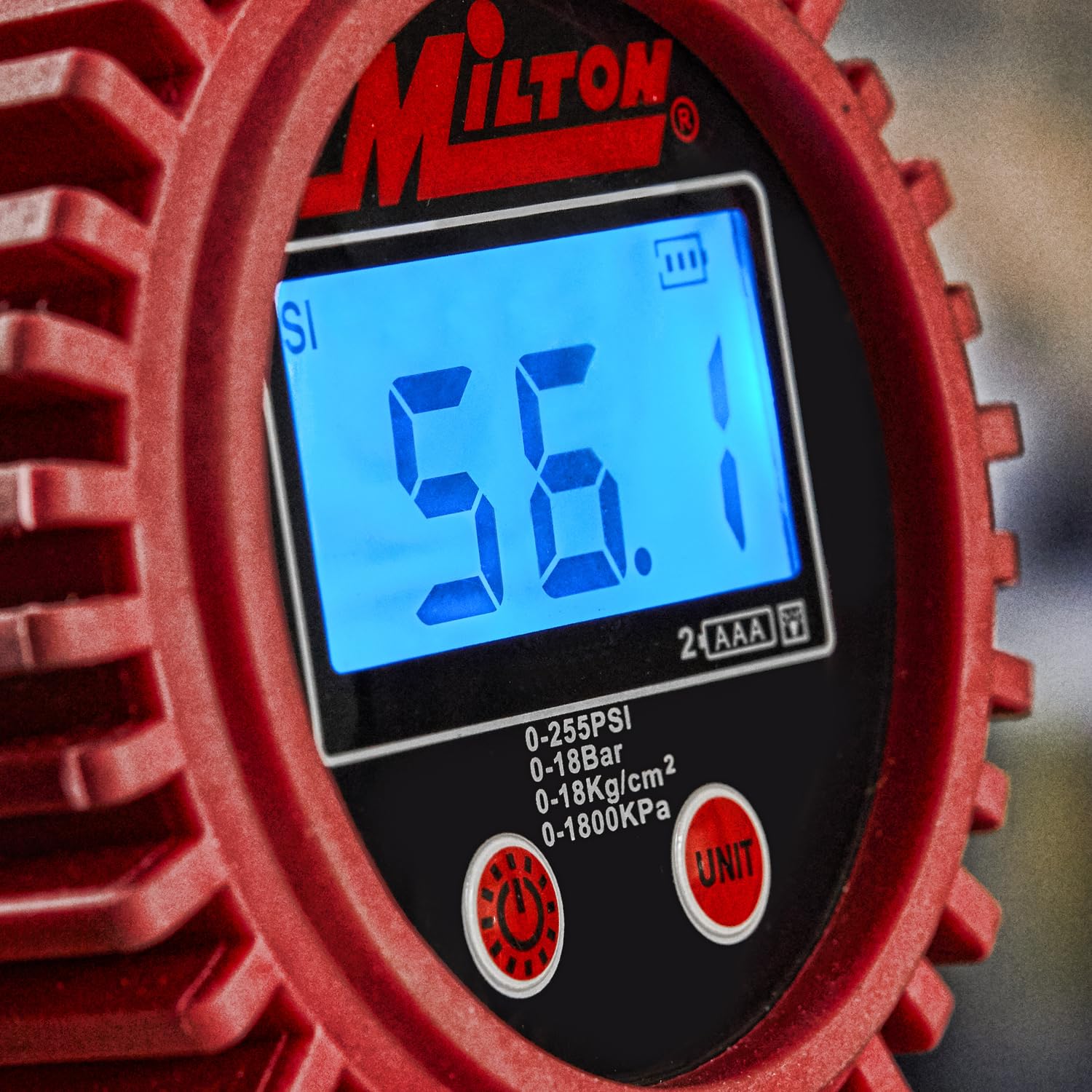
Figure 6.2: The digital display showing a pressure reading in PSI, with the unit selection button visible.
6.3 Checking Tire Pressure
- Ensure the inflator is connected to an air supply.
- Press the lock-on brass inflator air chuck firmly onto the tire valve stem. The gauge will automatically power on and display the current tire pressure.
- Read the pressure displayed on the digital screen.
- Remove the chuck from the valve stem.

Figure 6.3: A user holding the Milton S-568 inflator, demonstrating how to check tire pressure by connecting the chuck to a tire valve.
6.4 Inflating Tires
- Connect the inflator to an air supply and the lock-on chuck to the tire valve stem.
- Pull the pistol grip trigger fully to begin inflating the tire. The digital display will show the increasing pressure.
- Release the trigger when the desired pressure is reached.
- Verify the final pressure reading.

Figure 6.4: Close-up of the pistol grip trigger mechanism, used for both inflation and deflation.
6.5 Deflating Tires
- With the lock-on chuck connected to the tire valve stem and the pressure displayed, gently pull the pistol grip trigger halfway. This will release air from the tire.
- Alternatively, press the brass deflate button located on the side of the handle to release air.
- Monitor the digital display until the desired lower pressure is achieved.

Figure 6.5: Close-up of the brass deflate button on the side of the inflator handle, allowing for precise air release.
7. Maintenance
- Battery Replacement: When the battery indicator on the display shows low power, replace the 2 AAA batteries. Open the battery compartment, remove old batteries, and insert new ones, observing correct polarity.
- Cleaning: Wipe the device with a clean, damp cloth. Do not use harsh chemicals or abrasive cleaners.
- Storage: Store the inflator in a clean, dry place, away from extreme temperatures and direct sunlight. The 360° swivel gauge allows it to lay flat for easy storage.
- Air Connections: Periodically check all air connections for leaks. Apply new thread sealant tape if necessary.
8. Troubleshooting
| Problem | Possible Cause | Solution |
|---|---|---|
| Gauge does not power on. | Dead or incorrectly installed batteries. | Replace batteries (2 AAA) and ensure correct polarity. |
| Inaccurate pressure reading. | Low battery; improper connection to valve stem; gauge malfunction. | Replace batteries. Ensure chuck is firmly seated on valve stem. If problem persists, contact support. |
| Air leaks from connections. | Loose fittings; worn seals; insufficient thread sealant. | Tighten all connections. Apply thread sealant tape to NPT connections. Inspect seals for damage and replace if necessary. |
| Cannot inflate or deflate. | No air supply; chuck not properly seated; trigger mechanism jammed. | Ensure air compressor is on and connected. Re-seat chuck firmly. Check trigger for obstructions. |
9. Specifications
- Model: S-568
- Pressure Range: 0-255 PSI (0-18 Bar, 0-18 kg/cm², 0-1800 kPa)
- Resolution: 0.1 PSI
- Accuracy: Meets ANSI/ASME B40.1 standard
- Air Inlet: 1/4" NPT
- Hose Length: 20 inches
- Power: 2 x AAA Batteries (included)
- Auto-Off: 15 seconds of inactivity
- Materials: Aluminum, Metal, Plastic, Polyurethane
- Product Dimensions: 1.6 x 7 x 14.4 inches
- Item Weight: 1 Pound
10. Warranty and Support
Milton products are manufactured to high-quality standards. For warranty information or technical support, please refer to the official Milton website or contact their customer service directly. Keep your purchase receipt for warranty claims.
Manufacturer: Milton
Website: www.miltonindustries.com (Example link, actual link may vary)


