1. Introduction and Overview
The Kurzweil KA-70-U is an 88-note portable digital piano designed for both home and portable use. It features a spring-action keyboard with adjustable touch sensitivity, offering a responsive playing experience. The instrument includes a variety of sound selections, such as the Triple Strike piano, organs, guitars, and strings.
Equipped with 50 auto-accompaniment styles, the KA-70-U allows users to create real-time arrangements by triggering built-in interactive backing patterns across various musical genres using left-hand chords. The unit is housed in an attractive stage piano-style cabinet and includes a detachable music stand and an integrated speaker sound system. Its intuitive control panel and clear display provide straightforward access to all system functions. Additionally, the KA-70-U supports song recording, enabling users to record and store up to 5 of their own keyboard performances.

Image 1.1: Front view of the Kurzweil KA-70-U Portable Digital Piano, showing the 88-key keyboard, control panel, and integrated speakers.
2. What's in the Box
Please verify that all items listed below are included in your package:
- KA-70 Portable Digital Piano Unit
- Music Stand
- DC 12V 2.0A External Power Supply
- Switch/Sustain Pedal
3. Setup
3.1 Unpacking and Placement
Carefully remove the KA-70-U from its packaging. Place the instrument on a stable, flat surface. Ensure adequate ventilation around the unit and avoid placing it near heat sources or in direct sunlight.
3.2 Attaching the Music Stand
Locate the slots on the top panel of the KA-70-U. Insert the tabs of the music stand into these slots until it is securely in place.
3.3 Connecting the Sustain Pedal
Connect the included switch/sustain pedal to the 'SUSTAIN' jack located on the rear panel of the digital piano. This pedal allows for sustain effects during play.
3.4 Power Connection
- Ensure the KA-70-U is powered off.
- Connect the DC 12V 2.0A external power supply to the 'DC IN' jack on the rear panel of the instrument.
- Plug the power supply into a standard AC electrical outlet.
3.5 Powering On/Off
Press the POWER button located on the control panel to turn the instrument on. The display will illuminate. To turn off the instrument, press the POWER button again.
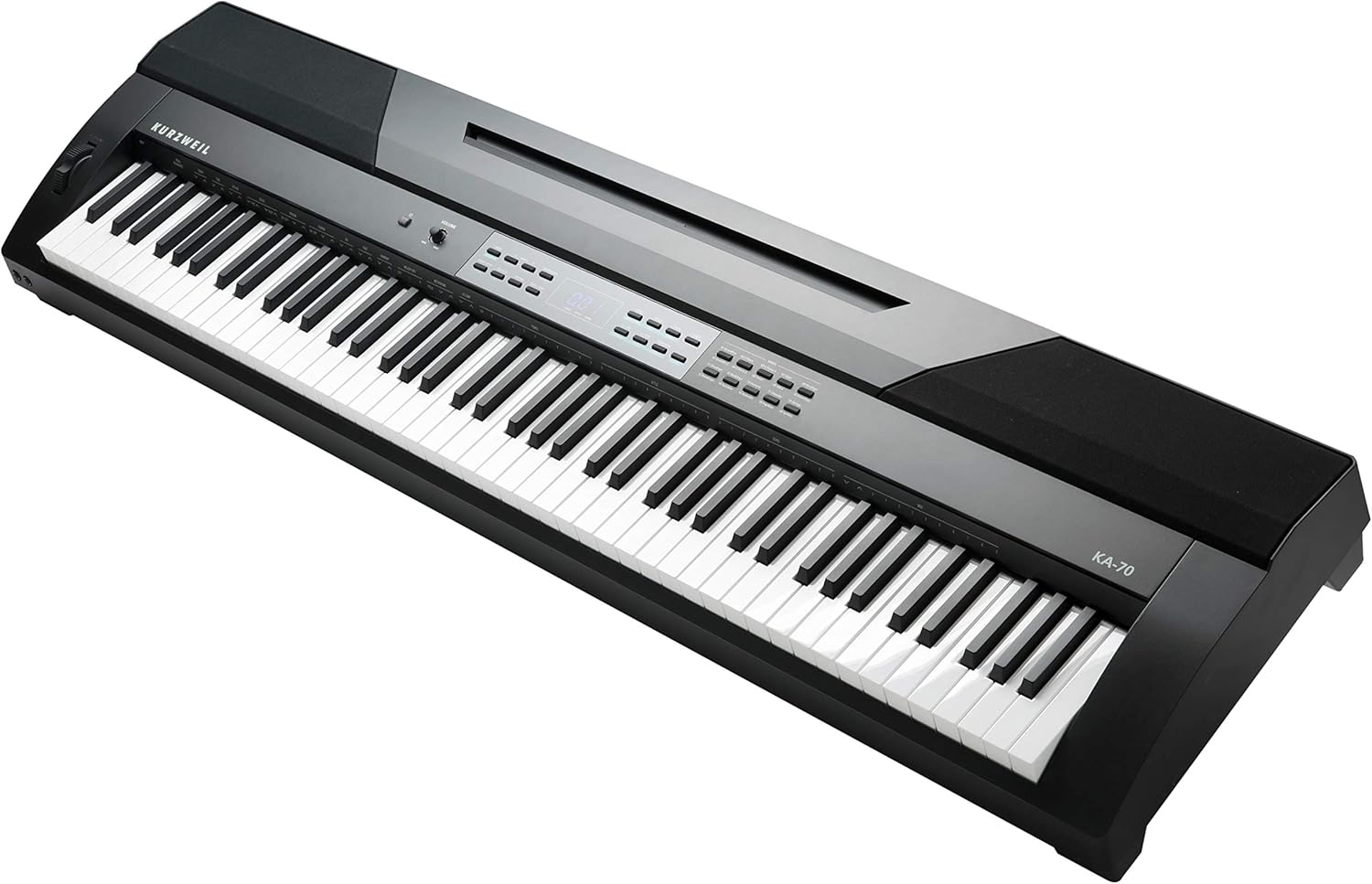
Image 3.1: Angled view of the Kurzweil KA-70-U, highlighting the keyboard, control panel, and the overall cabinet design.
4. Operating Instructions
4.1 Volume Adjustment
Use the VOLUME knob on the control panel to adjust the overall output level of the instrument. Turn clockwise to increase volume, counter-clockwise to decrease.
4.2 Selecting Instrument Voices
The KA-70-U offers a variety of instrument sounds. To select a voice:
- Press the VOICE button.
- Use the +/- buttons or the numeric keypad to navigate through the available voices. The selected voice number and name will appear on the display.
- Press ENTER to confirm your selection.
4.3 Adjusting Touch Sensitivity
The touch sensitivity of the keyboard can be adjusted to match your playing style. Refer to the display and control panel for specific settings, typically accessed via a FUNCTION or SETTINGS button, followed by selecting the 'Touch' parameter.
4.4 Using Auto-Accompaniment Styles
The KA-70-U includes 50 auto-accompaniment styles. To use them:
- Press the STYLE button.
- Select a desired style using the +/- buttons or numeric keypad.
- Play chords with your left hand in the lower section of the keyboard to trigger the accompaniment patterns.
- Press START/STOP to begin or end the accompaniment.
4.5 Recording Performances
The instrument allows you to record up to 5 of your performances:
- Press the RECORD button.
- Select an empty song slot.
- Begin playing. The recording will start automatically.
- Press STOP to end the recording.
- To play back a recorded song, select the song and press PLAY.
5. Maintenance
5.1 Cleaning
To clean the instrument, use a soft, dry cloth. For stubborn dirt, slightly dampen the cloth with water and a mild, non-abrasive cleaner, then wipe dry immediately. Avoid using harsh chemicals, solvents, or abrasive materials, as these can damage the finish.
5.2 Storage
When not in use for extended periods, store the KA-70-U in a cool, dry place, away from direct sunlight, extreme temperatures, and high humidity. It is recommended to cover the instrument to protect it from dust.
6. Troubleshooting
6.1 No Sound
- Check if the power is on and the volume knob is turned up.
- Ensure no headphones are plugged into the headphone jack, which would mute the internal speakers.
- Verify that the correct instrument voice is selected and not a silent patch.
6.2 Keys Not Responding
- Restart the instrument by turning it off and on again.
- Ensure no demo songs are playing or other modes are active that might disable manual input.
6.3 Power Issues
- Confirm the power adapter is securely connected to both the instrument and a working electrical outlet.
- Check if the power outlet is functional by plugging in another device.
If problems persist after attempting these troubleshooting steps, please contact customer support.
7. Specifications
| Feature | Specification |
|---|---|
| Model Name | KA-70 |
| Item Model Number | AMS-K2700 |
| Number of Keys | 88 |
| Keyboard Type | Spring-action with adjustable touch sensitivity |
| Instrument Voices | Triple Strike piano, organs, guitars, strings, and more |
| Auto-Accompaniment Styles | 50 |
| Recording Feature | Up to 5 user performances |
| Connectivity Technology | Auxiliary |
| Power Source | DC 12V 2.0A External Power Supply (USB compatible for power input) |
| Item Weight | 24 Pounds (approx. 10.9 kg) |
| Product Dimensions | 14.4 x 53.7 x 5.4 inches (approx. 36.6 x 136.4 x 13.7 cm) |
| UPC | 883793414915 |
8. Warranty and Support
Warranty information for the Kurzweil KA-70-U Portable Digital Piano is typically provided with the product at the time of purchase or can be found on the official Kurzweil website. Please retain your proof of purchase for warranty claims.
For technical support, service, or further inquiries, please refer to the contact information provided in your product documentation or visit the Kurzweil official support website. When contacting support, please have your model number (KA-70) and serial number ready.


