1. Introduction
This manual provides detailed instructions for the safe and effective operation of your BAOFENG UV-82 High Power Ham Radio. Please read this manual thoroughly before using the device to ensure proper functionality and to prevent damage.
The BAOFENG UV-82 is a compact dual-band FM transceiver designed for amateur radio use, offering reliable communication with features such as 128 channel memory, power saving modes, VOX, scan, and dual watch functions. It is FCC certified under FCC ID: 2AJGM-UV82.
2. Safety and Regulatory Information
FCC Compliance: This device complies with part 15 of the FCC Rules. Operation is subject to the condition that this device does not cause harmful interference. FCC ID: 2AJGM-UV82.
Occupational Use: This device is restricted to occupational use to satisfy FCC RF exposure limits. Modification of this device to receive cellular radiotelephone service signals is prohibited under FCC rules and federal law.
Ham Radio License: A valid amateur radio license is required for transmitting on amateur radio frequencies. Please ensure you comply with all local and national regulations regarding radio operation.
3. Package Contents
Verify that all items are present in your package:
- 1 x BAOFENG UV-82 Radio
- 2 x 2800mAh Lithium Polymer Battery
- 1 x Hand Speaker Microphone
- 1 x BAOFENG Programming Cable
- 1 x BAOFENG UV-82 Charger (Desktop Charger with AC Adapter)
- 1 x Walkie Talkie Earpiece
- 1 x Antenna
- 1 x Belt Clip
- 1 x Hand Strap

Image: The BAOFENG UV-82 radio shown with all included accessories: radio unit, two 2800mAh batteries, hand speaker mic, programming cable, charger, and earpiece.
4. Product Features
- Dual Band Operation: Supports both VHF and UHF frequencies.
- High Power Output: Up to 8W maximum power for extended range.
- 128 Channel Memory: Store a large number of frequencies and settings.
- Dual PTT Button: Allows selection between two frequencies (A/B) for transmission.
- VOX Function: Voice-activated transmission for hands-free operation.
- Scan Function: Automatically scans through frequencies or channels.
- Dual Watch: Monitors two different frequencies simultaneously.
- Power Save Mode: Extends battery life.
- Built-in LED Flashlight: For illumination in low-light conditions.
- Busy Channel Lock-out (BCLO): Prevents transmission on an occupied channel.
- Time-out Timer (TOT): Limits transmission duration to prevent accidental long transmissions.
- Alarm Function: For emergency signaling.
- Large Capacity Battery: Includes two 2800mAh Lithium Polymer batteries for extended use.
- Programming Cable: USB programming cable for computer-based configuration (Chirp software compatible).
- Handheld Speaker Microphone: External microphone with speaker for convenient operation.

Image: Detailed view of the BAOFENG UV-82 highlighting the LED flashlight, dual Push-to-Talk (PTT) buttons, earphone jack, and the large LCD display.

Image: A comparison illustrating the BAOFENG UV-82's unique A/B key for dual Push-to-Talk (PTT) functionality versus a standard radio with only a single PTT key.
5. Setup
5.1. Battery Installation and Charging
- Align the battery pack with the grooves on the back of the radio.
- Slide the battery pack upwards until it clicks into place.
- To remove, press the release latch at the bottom of the battery and slide it downwards.
- Place the radio (with battery installed) into the desktop charger. Ensure the charging contacts align.
- Connect the AC adapter to the desktop charger and plug it into a power outlet.
- The charger indicator light will show charging status (typically red for charging, green for fully charged).
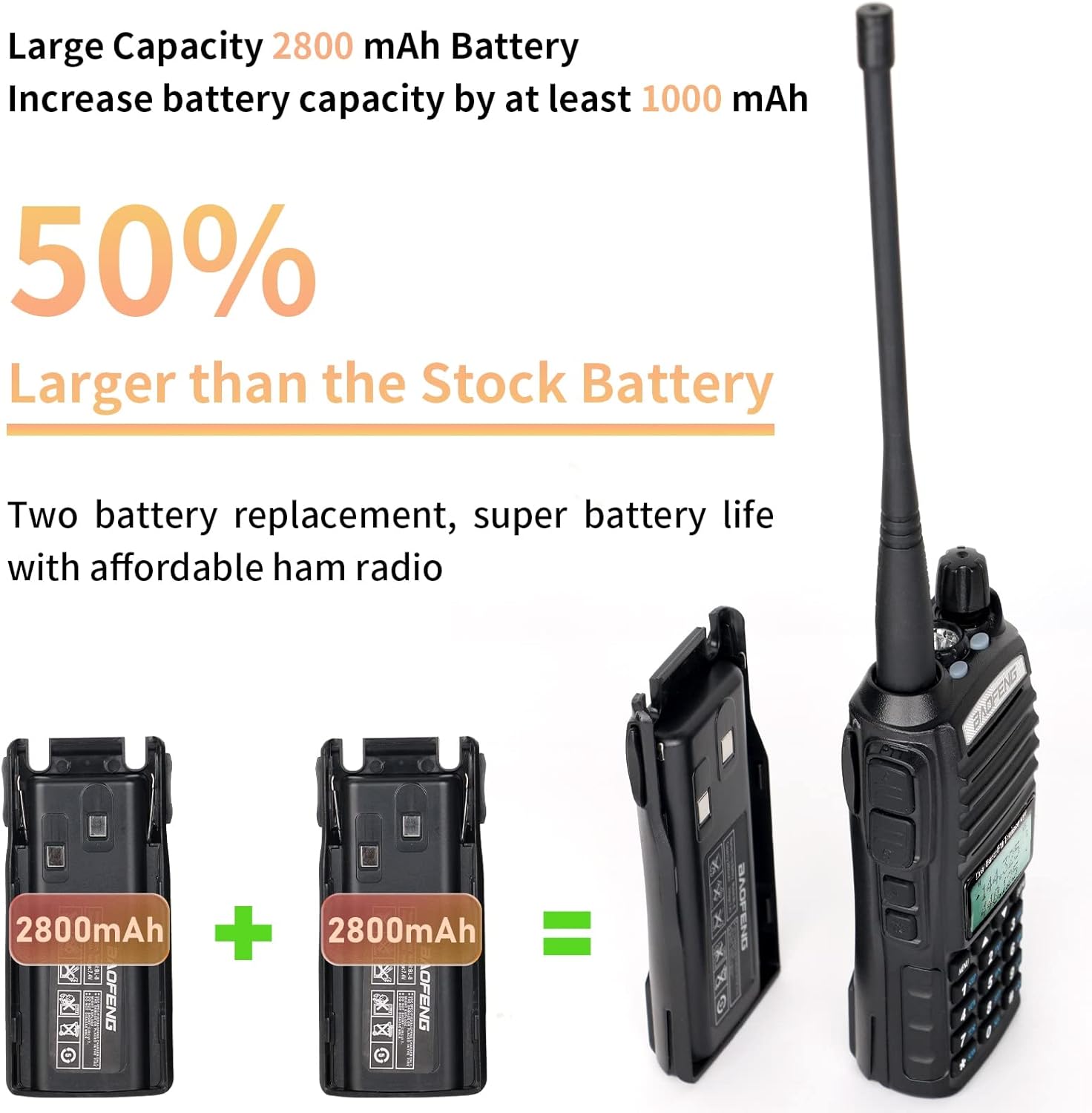
Image: Two 2800mAh batteries are shown alongside the BAOFENG UV-82 radio, emphasizing the increased battery capacity compared to standard batteries.
5.2. Antenna Attachment
Screw the antenna clockwise into the connector on the top of the radio until it is finger-tight. Do not overtighten.
5.3. Attaching Belt Clip and Hand Strap
Attach the belt clip to the back of the radio using the provided screws. Thread the hand strap through the loop on the side of the radio.
6. Operating Instructions
6.1. Power On/Off and Volume Control
Rotate the power/volume knob clockwise to turn on the radio and adjust the volume. Rotate counter-clockwise until it clicks to turn off.
6.2. Frequency/Channel Selection
- Use the UP/DOWN arrow keys to navigate through channels or frequencies.
- Enter frequencies directly using the keypad in Frequency Mode.
- Press the VFO/MR button to switch between Frequency (VFO) mode and Channel (MR) mode.
6.3. Transmitting and Receiving
- To transmit, press and hold the PTT (Push-to-Talk) button on the side of the radio. Speak clearly into the microphone.
- The UV-82 features a dual PTT button. The top button transmits on the upper display frequency (A), and the bottom button transmits on the lower display frequency (B).
- Release the PTT button to receive.
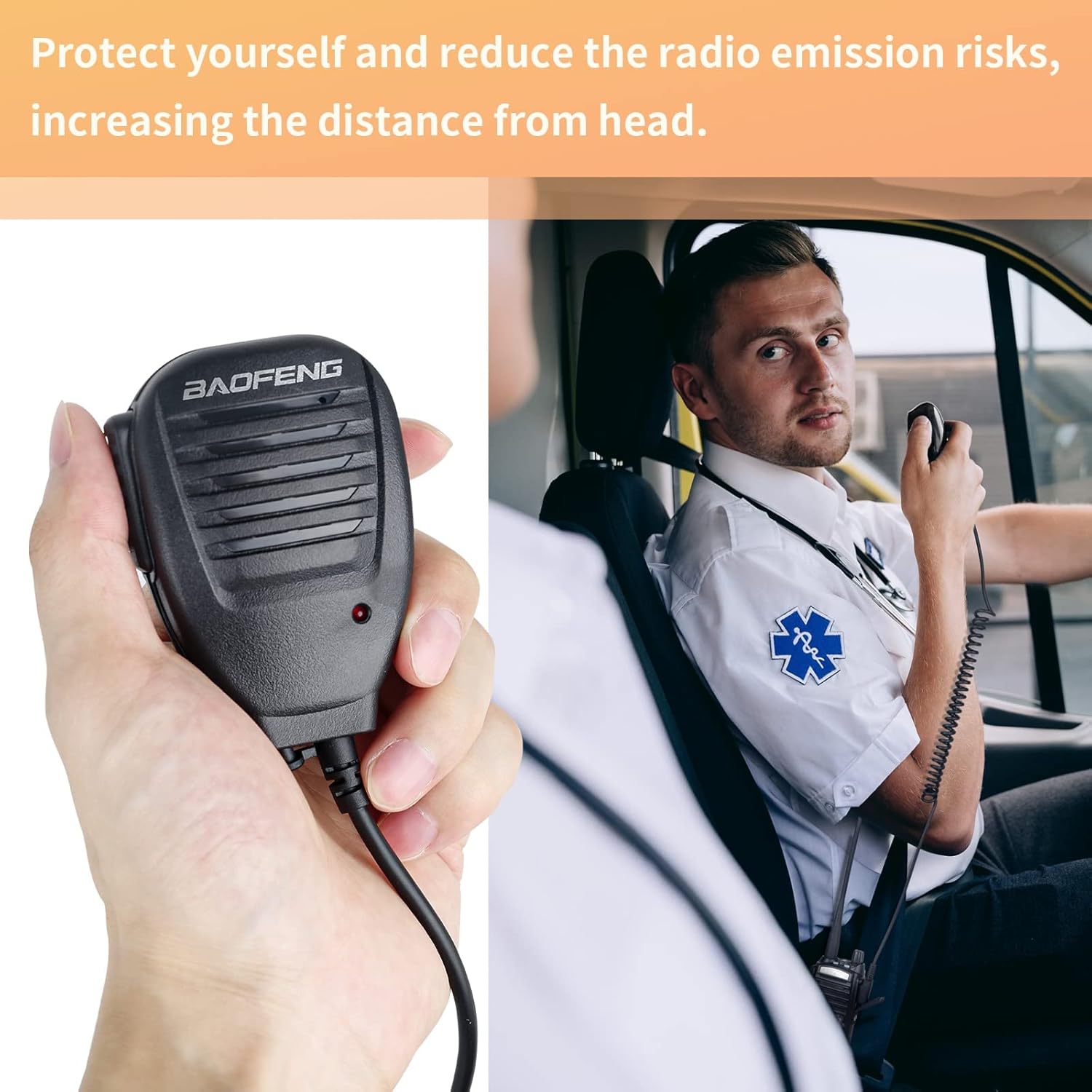
Image: A user operating the BAOFENG handheld speaker microphone, demonstrating its use for convenient communication while the radio is secured.
6.4. Programming the Radio
The BAOFENG UV-82 can be programmed manually via the keypad or using a computer with the provided programming cable and software.
- Manual Programming: Refer to the detailed programming section in the full user manual for specific menu options and steps to set frequencies, tones, and other parameters directly on the radio.
- Computer Programming:
- Install the necessary drivers for the programming cable on your computer (compatible with Windows 7/10).
- Download and install programming software such as Chirp.
- Connect the programming cable to your radio and computer's USB port.
- Follow the software instructions to read from and write to the radio, configuring channels, frequencies, and settings.

Image: The BAOFENG UV-82 radio connected to a USB programming cable, with a programming guide visible in the background, illustrating the computer programming setup.
7. Maintenance
- Cleaning: Use a soft, damp cloth to clean the radio's exterior. Do not use harsh chemicals or solvents.
- Battery Care: Charge batteries fully before first use. Avoid overcharging or completely draining the battery for optimal lifespan. Store batteries in a cool, dry place when not in use.
- Storage: Store the radio in a dry, dust-free environment away from extreme temperatures.
- Antenna: Ensure the antenna is securely attached but do not overtighten. Inspect for damage periodically.
8. Troubleshooting
| Problem | Possible Cause | Solution |
|---|---|---|
| Radio does not power on. | Battery is dead or not properly installed. | Charge the battery or re-install it correctly. |
| Cannot transmit. | Incorrect frequency/channel, Busy Channel Lock-out (BCLO) active, or PTT button issue. | Verify frequency/channel. Check BCLO setting. Ensure PTT button is fully pressed. |
| Poor reception/transmission range. | Antenna not properly attached, low battery, or environmental interference. | Check antenna connection. Charge battery. Move to an area with less obstruction. |
| Programming cable not recognized. | Missing or incorrect drivers. | Install the correct USB drivers for the programming cable. Try a different USB port. |
9. Specifications
| Feature | Detail |
|---|---|
| Model Number | UV-82 |
| Brand | BAOFENG |
| Frequency Range | VHF & UHF |
| Number of Channels | 128 |
| Max Talking Range | 10 Kilometer (approx. 6.2 miles) |
| Battery Type | Lithium Polymer (2 included) |
| Battery Capacity | 2800mAh |
| Voltage | 7.4 Volts |
| Product Dimensions | 5.08"D x 2.29"W x 1.15"H (12.9 x 5.8 x 2.9 cm) |
| Item Weight | 1.7 pounds (approx. 0.77 kg) |
| Water Resistance Level | Water Resistant |
| FCC ID | 2AJGM-UV82 |

Image: The BAOFENG UV-82 radio with its display showing frequency information and a prominent FCC logo, along with a note indicating the absence of an FM broadcast receiver function due to chip shortages.

Image: Rear view of the BAOFENG UV-82 radio, detailing the battery contacts and regulatory information label, including the model number and FCC ID.
10. Warranty and Support
Specific warranty information is not provided in the product details. For support or warranty inquiries, please refer to the contact information provided with your purchase or visit the official BAOFENG website.


