
Introduction
The DUKABEL USB Headphone Adapter is an external sound card designed to provide dual listening and speaking functions for your devices. It easily adds a 3.5mm TRRS auxiliary port, integrating both microphone-in and audio-out interfaces. This adapter is ideal for use with PCs, PS4, PS5, laptops, and desktops, offering a convenient solution for audio connectivity.
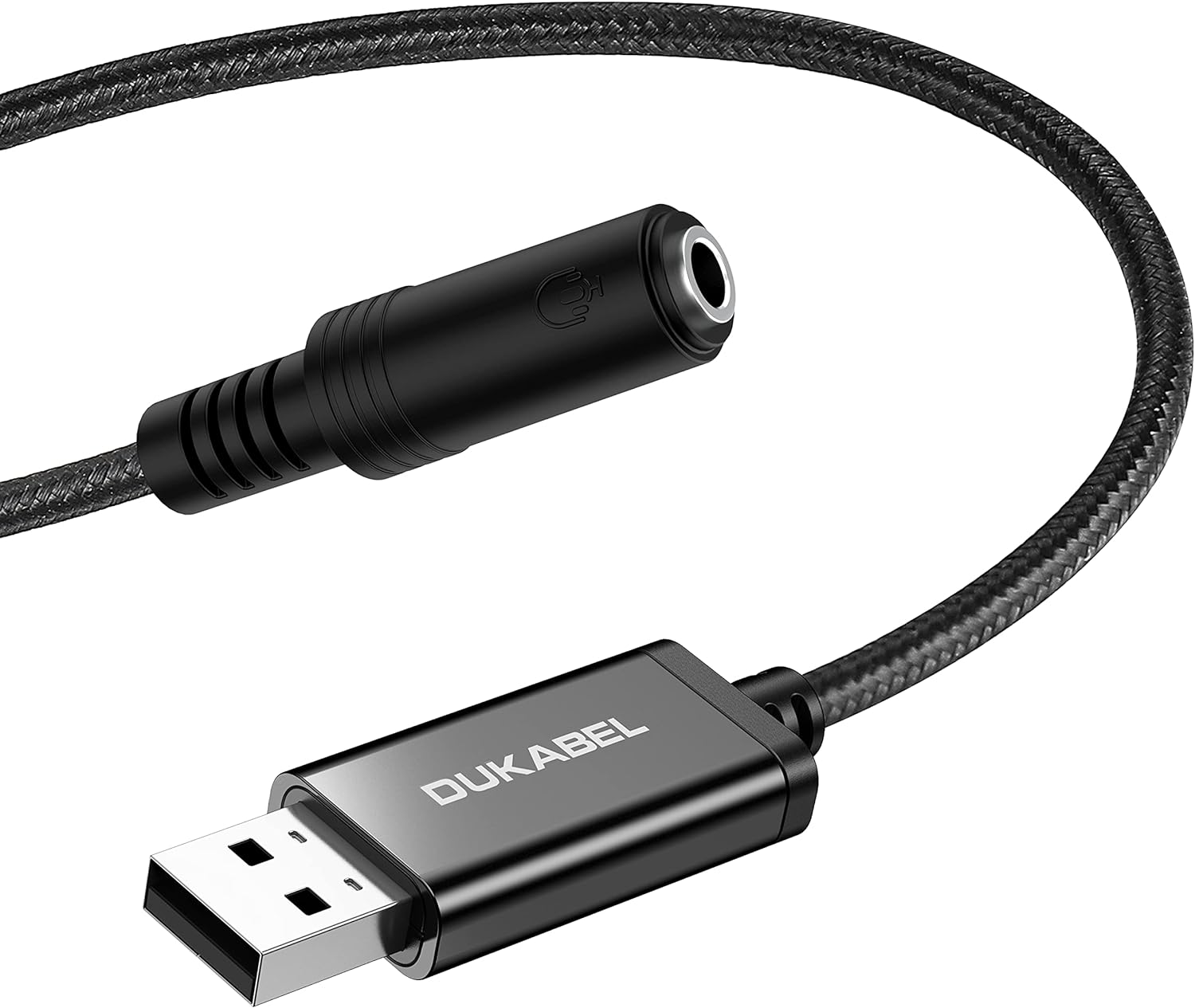
Figure 1: DUKABEL USB Headphone Adapter, showing the USB-A connector and the 3.5mm TRRS jack.
Setup
The DUKABEL USB Headphone Adapter features a Plug and Play design, requiring no driver installation or external power. Simply connect it to a compatible device, and it will be automatically recognized by the system within seconds.
Compatibility
- Operating Systems: Windows 10/8.1/8/7/Vista/XP, Mac OS X, Linux, Google Chromebook.
- Devices: PC, PS4, PS5, Laptop, Desktop, Windows Surface 3 Pro, Raspberry Pi.
- Headsets: Supports CTIA standard TRRS headsets and microphones.
Important Note:
- This adapter DOES NOT work for TV, Car systems, PS3, or Trucks.
- For microphone functionality, ensure your headset or microphone uses a TRRS 4-pole plug. Standard TRS (3-pole) plugs will not support microphone input through this adapter.

Figure 2: Visual representation of compatible devices and audio peripherals.

Figure 3: Demonstrating the simple plug-and-play setup by connecting the adapter to a computer's USB port.

Figure 4: Illustrating the requirement for a TRRS 4-pole plug for microphone functionality.
Operating Instructions
Once connected, the DUKABEL USB Headphone Adapter functions as an external sound card, allowing for both audio output (listening) and audio input (speaking) simultaneously. This 2-in-1 functionality is essential for applications requiring both audio playback and microphone use.
Enhanced Audio Experience
The adapter incorporates DUKABEL's exclusive advanced smart chip. This chip efficiently decodes sound signals and optimizes analog signal amplification, resulting in clearer audio output and improved listening experience. It also serves as a reliable alternative to a faulty or broken 3.5mm mini jack port on your device.

Figure 5: The adapter serving as an alternative to a faulty sound card or 3.5mm port.

Figure 6: Depiction of the independent sound card chip for enhanced audio quality.
Maintenance
The DUKABEL USB Headphone Adapter is designed for durability with its premium metal casing and durable braided cord, ensuring a longer lifespan compared to plastic alternatives. To maintain optimal performance and extend the product's life, follow these general guidelines:
- Storage: Store the adapter in a cool, dry place away from direct sunlight and extreme temperatures.
- Cleaning: Use a soft, dry cloth to clean the adapter. Avoid using harsh chemicals or abrasive materials.
- Handling: Avoid excessive bending or pulling on the cable, especially near the connectors, to prevent internal damage.
- Connection: Always grasp the plug, not the cable, when connecting or disconnecting the adapter.

Figure 7: The compact and lightweight design, highlighting its portability and durability.
Troubleshooting
If you encounter issues with your DUKABEL USB Headphone Adapter, please refer to the following common troubleshooting steps:
| Problem | Possible Cause | Solution |
|---|---|---|
| No sound output | Incorrect audio device selected; loose connection; faulty headphones. |
|
| Microphone not working | Incorrect microphone type (TRS instead of TRRS); incorrect recording device selected; privacy settings. |
|
| Intermittent connection/sound | Loose connection; damaged cable; USB port issue. |
|
Specifications
| Feature | Detail |
|---|---|
| Product Dimensions | 11.81 x 0.79 x 0.31 inches |
| Item Weight | 0.635 ounces |
| Model Number | 796358100966 |
| Compatible Devices | Laptop, PC, PS4, PS5 |
| Hardware Interface | USB |
| Audio Output Mode | Stereo |
| Platform Compatibility | Linux, Mac OS X, PlayStation 4, Windows 10 |
| First Available Date | June 17, 2019 |
Warranty and Support
The DUKABEL USB Headphone Adapter comes with a 12-month free warranty from the date of purchase. This warranty covers manufacturing defects and ensures product reliability.
For technical support, warranty claims, or any inquiries regarding your DUKABEL product, please contact DUKABEL customer service through the retailer's platform or visit the official DUKABEL website for contact information.