
POWRUI AHR-087
POWRUI Smart Plug with USB Wall Charger User Manual
Model: AHR-087
Introduction
Thank you for choosing the POWRUI Smart Plug with USB Wall Charger. This device combines a surge protector with smart home capabilities, allowing you to control your appliances remotely, set schedules, and use voice commands through Amazon Alexa or Google Assistant. It also features multiple USB charging ports for your convenience.
This manual provides detailed instructions for setting up, operating, and maintaining your smart plug to ensure optimal performance and safety.
Safety Information
Please read and understand all safety instructions before using this product. Failure to follow these instructions may result in electric shock, fire, or serious injury.
- Do not exceed the maximum load rating of the device.
- Use indoors only. Do not expose to moisture or extreme temperatures.
- Do not disassemble or modify the device.
- Keep out of reach of children.
- Ensure the device is properly plugged into a grounded outlet.
- Unplug the device from the power outlet before cleaning.
Product Overview
The POWRUI Smart Plug features three smart AC outlets and four USB charging ports, designed to provide both power extension and smart control for your electronic devices.
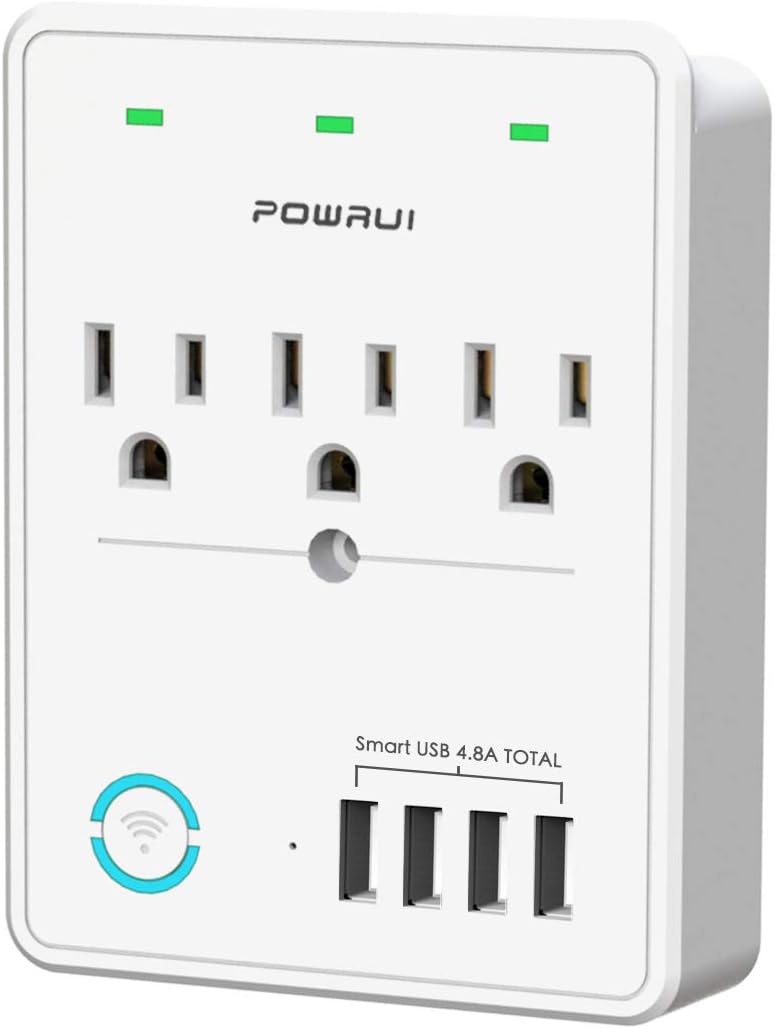
Figure 1: Front view of the POWRUI Smart Plug, showing the three AC outlets and four USB charging ports. The device is white with green power indicators above each outlet.
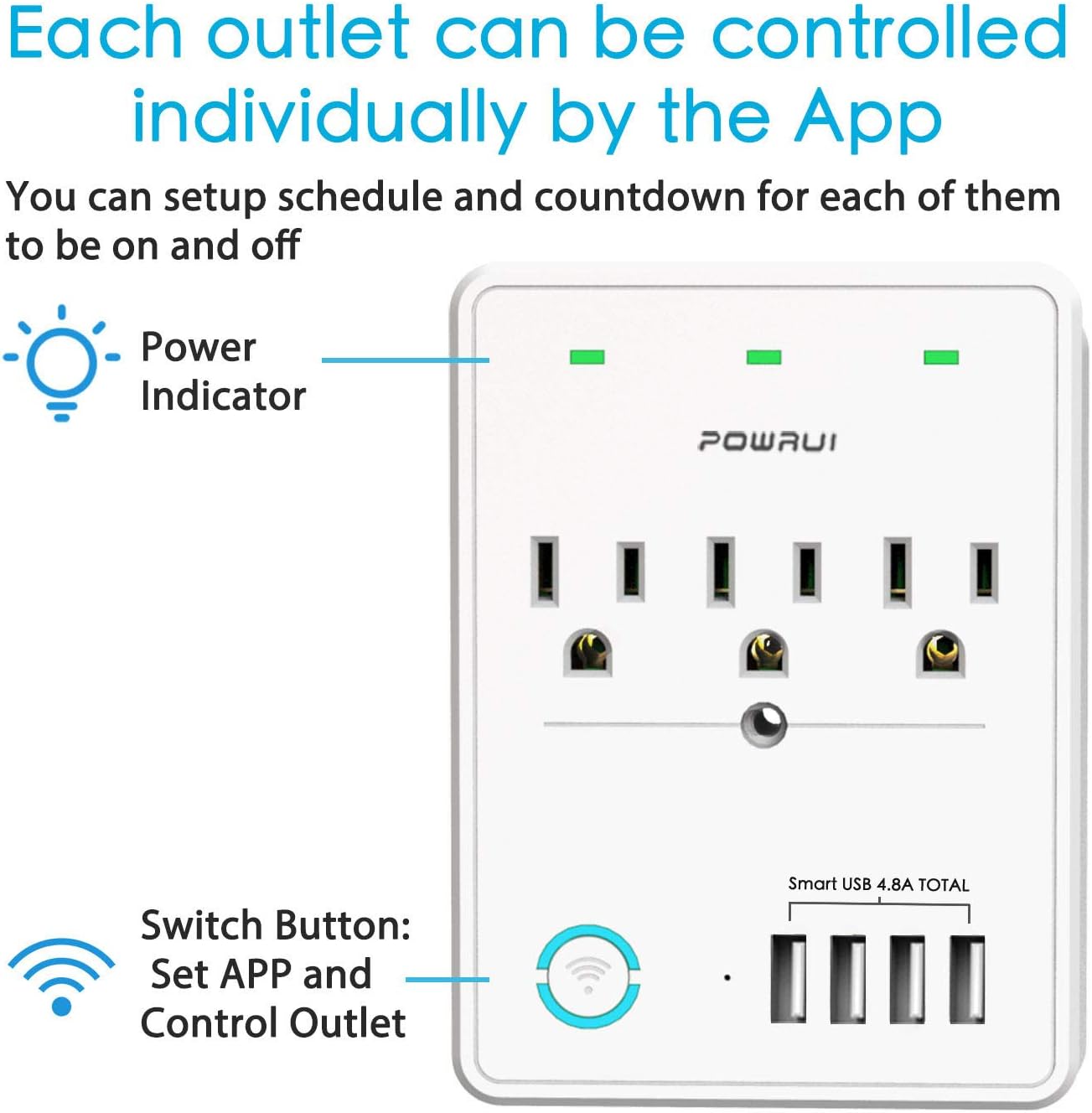
Figure 2: Diagram illustrating that each of the three AC outlets can be controlled individually through the mobile application. It also points out the power indicators and the main switch button.
Key Features:
- 3 Smart AC Outlets: Independently controllable via app, voice, or schedule.
- 4 USB Charging Ports: Total output DC 5V/4.8A (24W), not app-controlled.
- Surge Protection: Built-in 540 Joules surge protector.
- Wi-Fi Connectivity: Supports 2.4GHz Wi-Fi networks only.
- Voice Control: Compatible with Amazon Alexa and Google Assistant.
- Remote Control: Manage devices from anywhere using the mobile app.
- Scheduling & Timer: Set custom schedules and countdown timers for connected appliances.
Setup Guide
Step 1: Download the App
The POWRUI Smart Plug uses a mobile application for smart control. Search for "Smart Life" or "Home+" in your device's app store (App Store for iOS, Google Play Store for Android) and download it. Create an account or log in if you already have one.
Step 2: Plug In the Smart Plug
Plug the POWRUI Smart Plug into a standard wall outlet. Ensure the outlet is within range of your 2.4GHz Wi-Fi network. The power indicators on the smart plug should light up.
Step 3: Add Device to App
- Open the Smart Life app.
- Tap the "+" icon in the top right corner to add a device.
- Select "Electrical Outlet" or "Power Strip" from the device list.
- Follow the on-screen instructions to put the device into pairing mode. This usually involves pressing and holding the main switch button on the smart plug until the Wi-Fi indicator light blinks rapidly.
- Enter your 2.4GHz Wi-Fi network name and password. Note: This device does not support 5GHz Wi-Fi networks.
- Wait for the app to connect to the device. Once connected, you can rename the smart plug and its individual outlets for easier identification.

Figure 3: Illustration of remote control via smartphone app, showing the app interface and a house in the background, indicating control from anywhere.
Step 4: Connect to Voice Assistants (Optional)
To enable voice control with Amazon Alexa or Google Assistant:
- Open the Amazon Alexa or Google Home app.
- Go to "Skills & Games" (Alexa) or "Works with Google" (Google Home).
- Search for the "Smart Life" skill/service and enable it.
- Link your Smart Life account when prompted.
- Discover devices. Alexa or Google Home will find your POWRUI Smart Plug and its individual outlets. You can then assign them to rooms or groups.
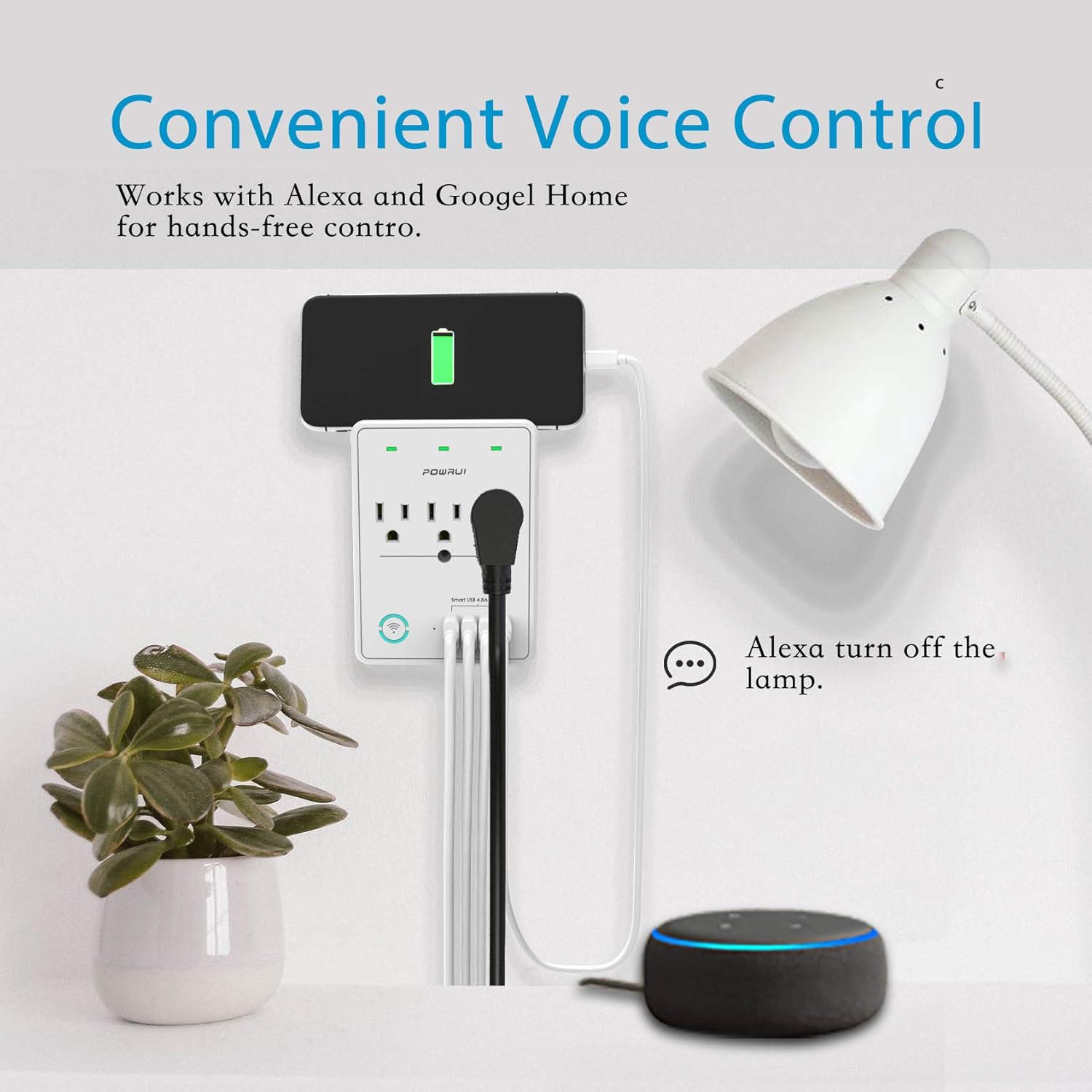
Figure 4: Depiction of voice control in action, with a user speaking to an Amazon Echo device to turn off a lamp connected to the smart plug.
Operating Instructions
App Control
Once connected, you can control your smart plug using the Smart Life app:
- Individual Outlet Control: Tap on the smart plug in the app to see its individual outlets. Each outlet can be turned on/off independently.
- Scheduling: Set daily or weekly schedules for each outlet to turn on or off automatically. For example, schedule lights to turn on at dusk.
- Countdown Timer: Use the countdown feature to automatically turn off an appliance after a set period.
- Grouping: Create groups of smart devices to control multiple devices with a single command.
Voice Control Commands
After linking with Alexa or Google Assistant, use the following example commands:
- "Alexa, turn on [device name]." (e.g., "Alexa, turn on living room lamp.")
- "Hey Google, turn off [device name]." (e.g., "Hey Google, turn off fan.")
- "Alexa, set [device name] to turn off in 30 minutes."
USB Charging Ports
The four USB charging ports provide a total output of 5V/4.8A (24W). These ports are always on when the smart plug is powered and are not controlled by the app or voice commands. They are suitable for charging smartphones, tablets, e-readers, and other USB-powered devices.

Figure 5: Detailed view of the four USB charging ports, highlighting their fast and smart charging capabilities for various devices.
No Wi-Fi Mode
If there is no Wi-Fi connection, the POWRUI Smart Plug functions as a standard multi-outlet extender with USB charging. The individual AC outlets can still be manually controlled using the physical switch button on the device.

Figure 6: Image showing the smart plug operating as a regular power extender when Wi-Fi is unavailable, emphasizing manual control via the button.
Maintenance
To ensure the longevity and proper functioning of your POWRUI Smart Plug:
- Cleaning: Unplug the device before cleaning. Use a soft, dry cloth to wipe the surface. Do not use liquid cleaners or aerosols.
- Storage: Store the device in a cool, dry place away from direct sunlight and moisture when not in use for extended periods.
- Inspection: Periodically check the power cord and plug for any signs of damage. Do not use if damaged.
Troubleshooting
If you encounter issues with your POWRUI Smart Plug, refer to the following common problems and solutions:
| Problem | Possible Cause | Solution |
|---|---|---|
| Device cannot connect to Wi-Fi. | Incorrect Wi-Fi band (5GHz not supported), wrong password, weak signal, device not in pairing mode. |
|
| Voice control not working. | Smart Life skill not enabled/linked, incorrect device name, internet connectivity issues. |
|
| Individual outlets not controllable via Alexa/Google Home. | Voice assistant may only recognize the main unit, not individual outlets. |
|
| USB ports are not turning off. | USB ports are designed to be always on. | This is normal operation. The USB ports are not app-controlled and remain active as long as the smart plug is powered. |
Specifications
| Feature | Detail |
|---|---|
| Model Number | AHR-087 |
| AC Outlets | 3 Smart Outlets |
| USB Ports | 4 (Total 5V/4.8A, 24W) |
| Surge Protection | 540 Joules |
| Wi-Fi Standard | 2.4GHz only |
| Voltage | 120 Volts (AC) |
| Item Weight | 9.1 ounces |
| Dimensions | 5.12 x 3.82 x 2.2 inches |
| Manufacturer | POWRUI |
Warranty and Support
POWRUI provides a comprehensive support guarantee for this product:
- Customer Service: Our friendly and reliable customer service team will respond to your inquiries within 24 hours.
- Money Back Guarantee: Enjoy a 30-day money back guarantee from the date of purchase.
- Replacement Warranty: A 12-month replacement warranty is provided for manufacturing defects.
For support, please refer to the contact information provided on the product packaging or the official POWRUI website.
Related documentsAHR-087

Ask a question about this manual
Ask about setup, troubleshooting, compatibility, parts, safety, or missing instructions. Manuals+ will review the question and use this page’s manual context to help answer it.