
ORIA OUS-WA28
ORIA Wireless Digital Refrigerator/Freezer Thermometer
Model: OUS-WA28
Introduction
The ORIA Wireless Digital Refrigerator/Freezer Thermometer provides accurate temperature monitoring for your refrigerator, freezer, and indoor/outdoor environments. Featuring two wireless sensors, an audible alarm, and a clear backlit display, this device helps you maintain optimal temperatures for food safety and comfort. It is suitable for use in homes, offices, and restaurants.
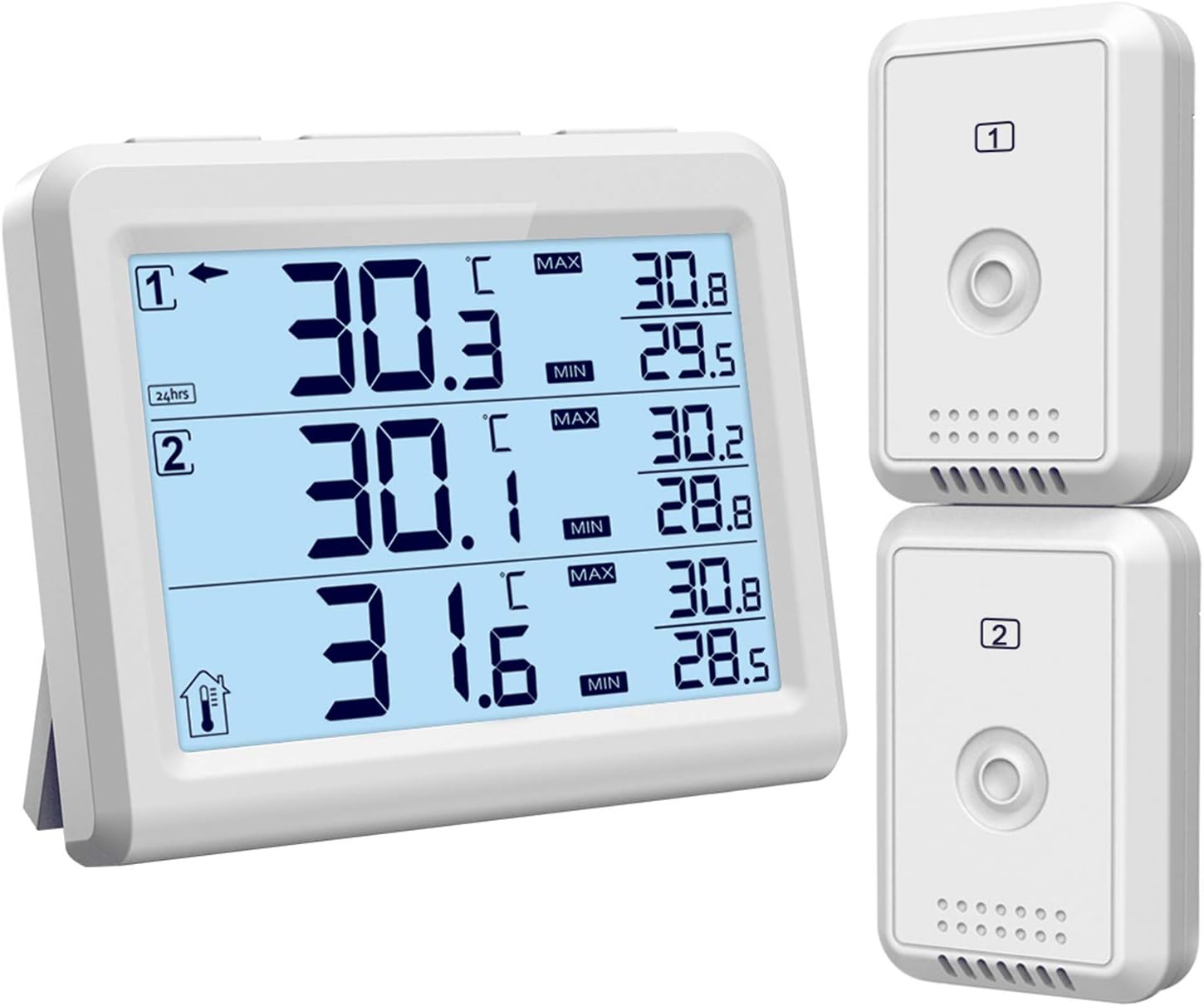
Image: The main display unit and two wireless remote sensors of the ORIA thermometer.
Safety Information
- Do not disassemble the product. Unauthorized modifications can void the warranty and cause malfunction.
- If the display becomes blurry or dim, replace the batteries promptly.
- Avoid placing the product in hot, wet, dusty, or corrosive gas environments to prevent damage to electronic components.
- Do not install batteries in reverse polarity.
- Keep the receiver away from large metal objects, which can interfere with wireless signal transmission.
- Do not use rechargeable batteries. Fresh alkaline batteries are recommended for optimal performance, especially in temperatures between -20 °C and 60 °C.
- Ensure remote sensors are not transmitting through solid metal, as this can block the signal.
- Move the display console away from electrical noise-generating devices such as computers, TVs, and other wireless transmitters or receivers to avoid interference.
Package Contents
Please check the package for the following items:
- 1 x Main Unit (Display Console)
- 2 x Transmitters (Wireless Sensors)
- 1 x User Manual
Product Overview
The ORIA thermometer system consists of a main display unit and two wireless remote sensors. The main unit displays temperatures from both remote sensors, as well as its own indoor temperature. It features a large backlit LCD for easy reading and various function buttons for settings.
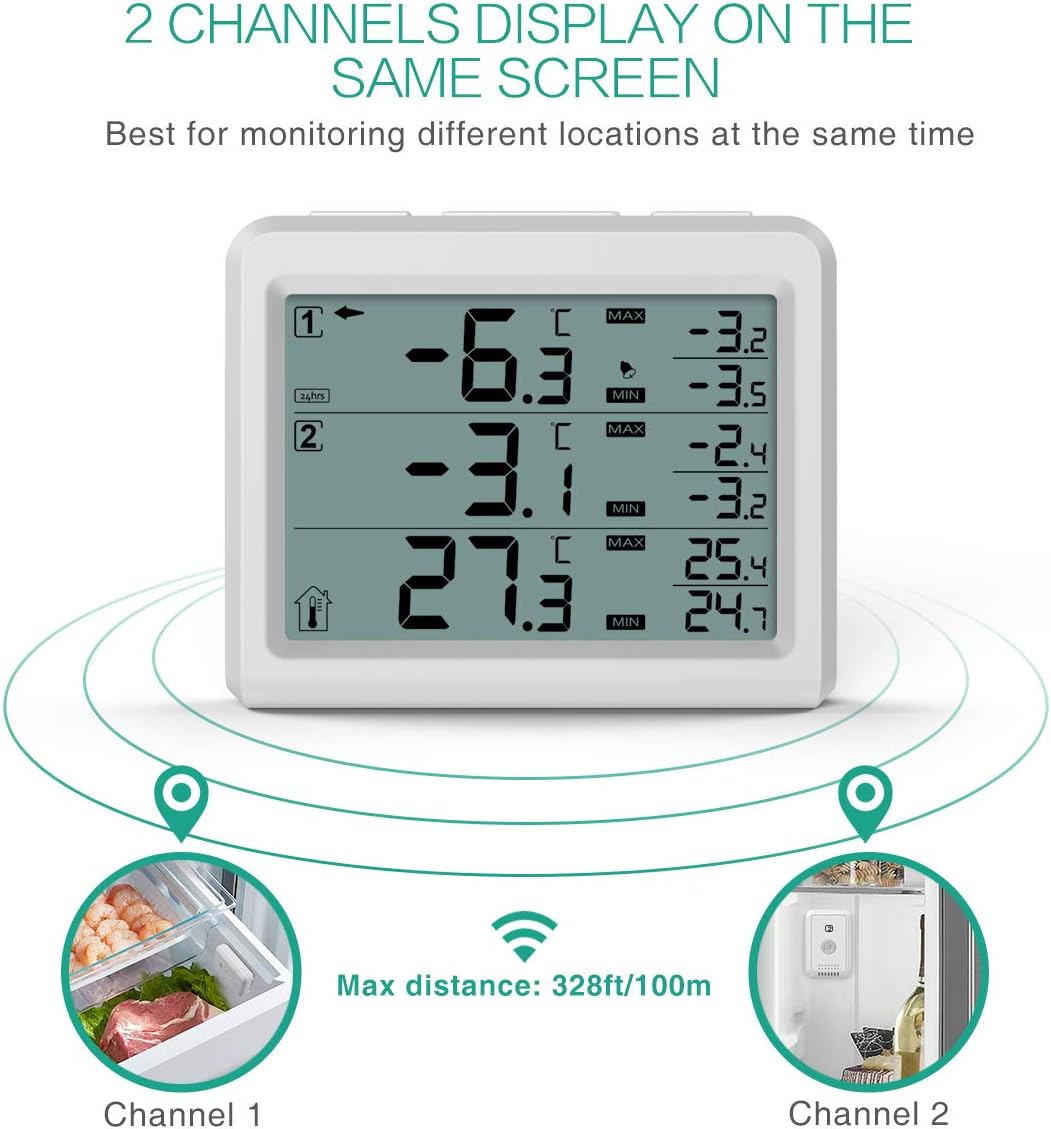
Image: The main display unit showing temperature readings for two channels simultaneously.
Main Unit Features:
- Large Backlit LCD Display: Ensures easy viewing in low light conditions.
- Dual-Channel Display: Shows temperatures from two remote sensors and the main unit's indoor temperature.
- Min/Max Record: Tracks the highest and lowest temperatures recorded.
- Audible Alarm: Alerts you when temperatures exceed pre-set limits.
- Temperature Unit Selector: Switch between Celsius (°C) and Fahrenheit (°F).
- Time Display: Option for All Time or 24-hour records.
- Low Battery Indicator: Notifies you when batteries need replacement.
Wireless Sensor Features:
- Wireless Transmission: Sends temperature data to the main unit.
- Compact Design: Easy to place inside refrigerators, freezers, or outdoors.
Setup
1. Battery Installation:
For proper synchronization, install batteries in the sensors first, then in the main unit.
- Transmitters (Wireless Sensors): Open the battery compartment on each sensor. Insert 4 x AAA batteries (not included) into each transmitter, observing polarity (+/-). Close the compartment.
- Main Unit: Open the battery compartment on the back of the main unit. Insert 3 x AAA batteries (not included), observing polarity (+/-). Close the compartment.
The main unit will automatically search for signals from the sensors. Do not touch any buttons until all remote sensors have reported in.
2. Sensor Connection:
If any sensor communication is lost (dashes "--.-" displayed), press and hold the "CH/+" button on the main unit for 3 seconds. The remote search signal icon will be constantly displayed. Once the signal is reacquired, the icon will turn off, and current values will be displayed.
3. Placement Options:
The main unit offers versatile placement:
- Tabletop Stand: Use the integrated stand to place the unit on a desk or counter.
- Wall Mount: Utilize the hang hole on the back to mount it on a wall.
- Magnetic Attachment: The main unit can also be attached to a refrigerator door using its magnetic back.
The wireless sensors are designed to be placed inside refrigerators, freezers, or outdoors. Ensure they are within the maximum transmission distance of 328ft/100m in an open area.
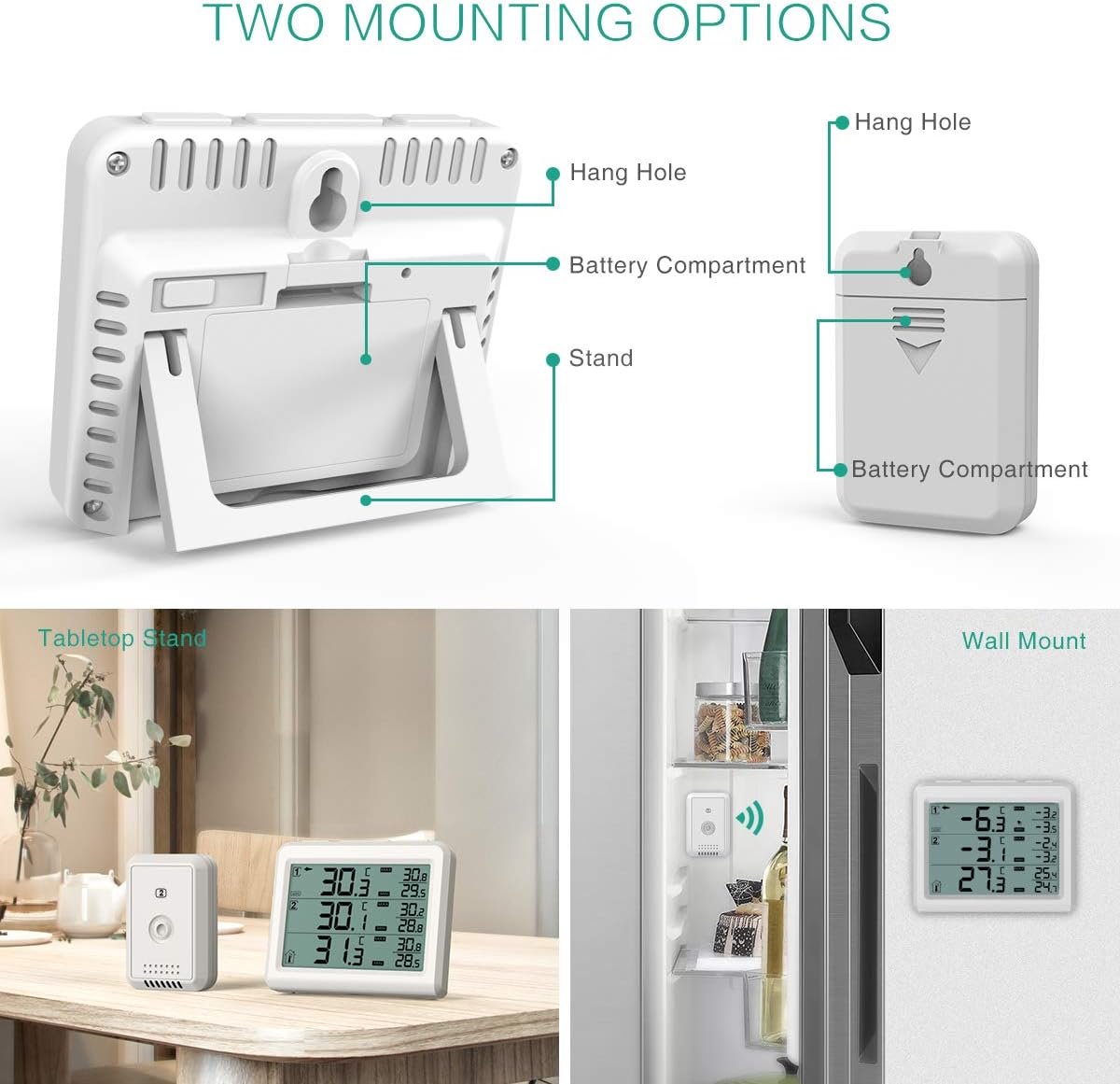
Image: Demonstrates the tabletop stand and wall mount options for the main display unit.
Operating Instructions
1. Temperature Display and Unit Selection:
- The main unit displays the indoor temperature (from its built-in sensor) and the temperatures from the two wireless sensors (Channel 1 and Channel 2).
- To switch between Celsius (°C) and Fahrenheit (°F), locate the °C/°F switch inside the battery compartment of the main unit and slide it to your desired unit.
- To select which channel's temperature is displayed or to cycle through channels, press the "CH/+" button.
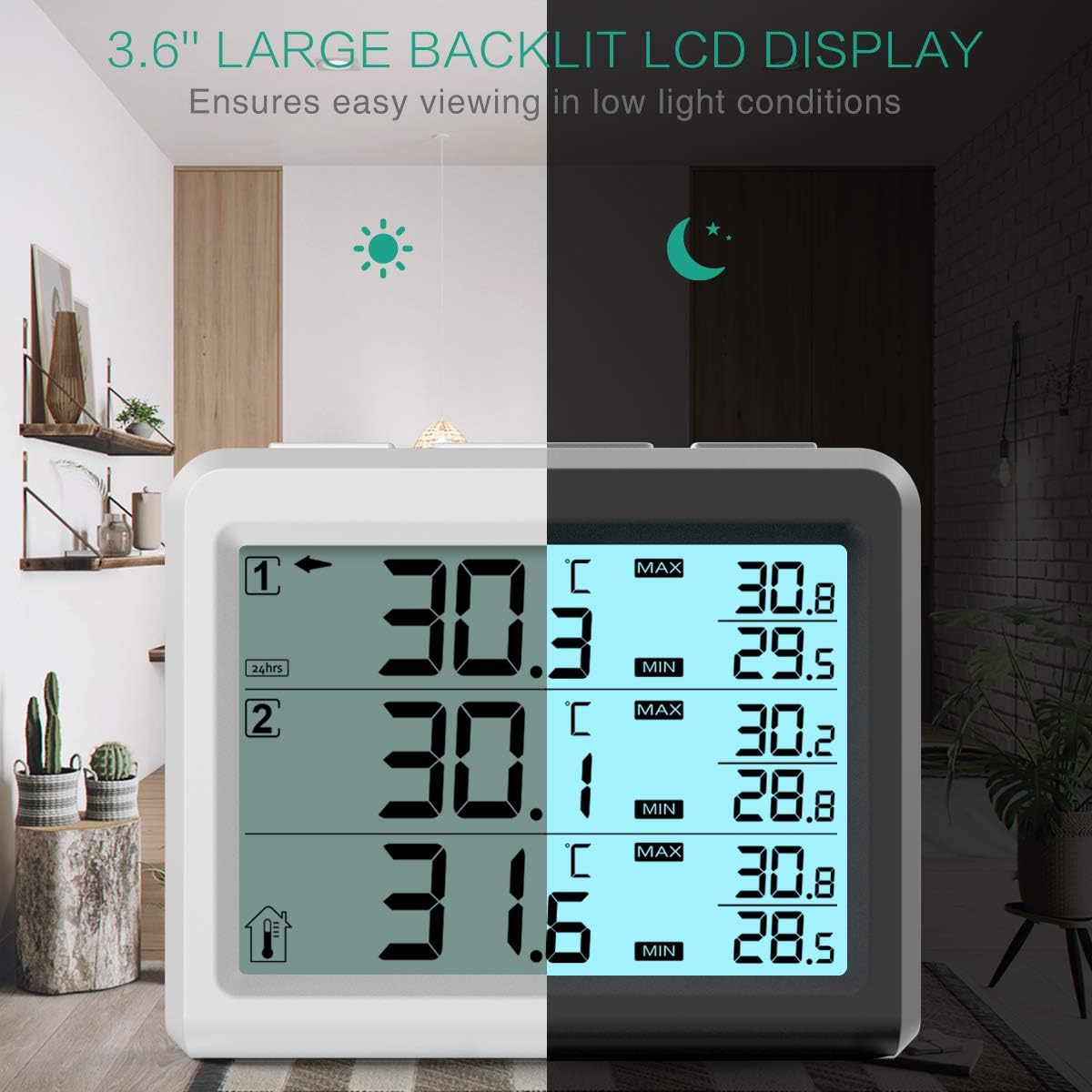
Image: The 3.6-inch large backlit LCD display of the ORIA thermometer, showing clear temperature readings in both bright and low-light conditions.
2. Min/Max Record:
The thermometer records the minimum and maximum temperatures for each channel. To view these records, press the "MAX/MIN" button. Press again to cycle through the current, maximum, and minimum readings.
3. Setting Temperature Alarms:
You can set minimum and maximum temperature alarms for Channel 1 and Channel 2. If the temperature exceeds the pre-set alarm value for more than 10 minutes, an audible alert will occur, and the alarm value will flash. To silence the alarm, press any button.
- Press and hold the "ALARM" button for 3 seconds. The MAX alarm value will flash.
- Use the "CH/+" or "CLEAR/-" buttons to adjust the MAX alarm value.
- Press the "ALARM" button again to switch to setting the MIN alarm value. The MIN alarm value will flash.
- Use the "CH/+" or "CLEAR/-" buttons to adjust the MIN alarm value.
- Once complete, press the "ALARM" button again to return to normal mode.
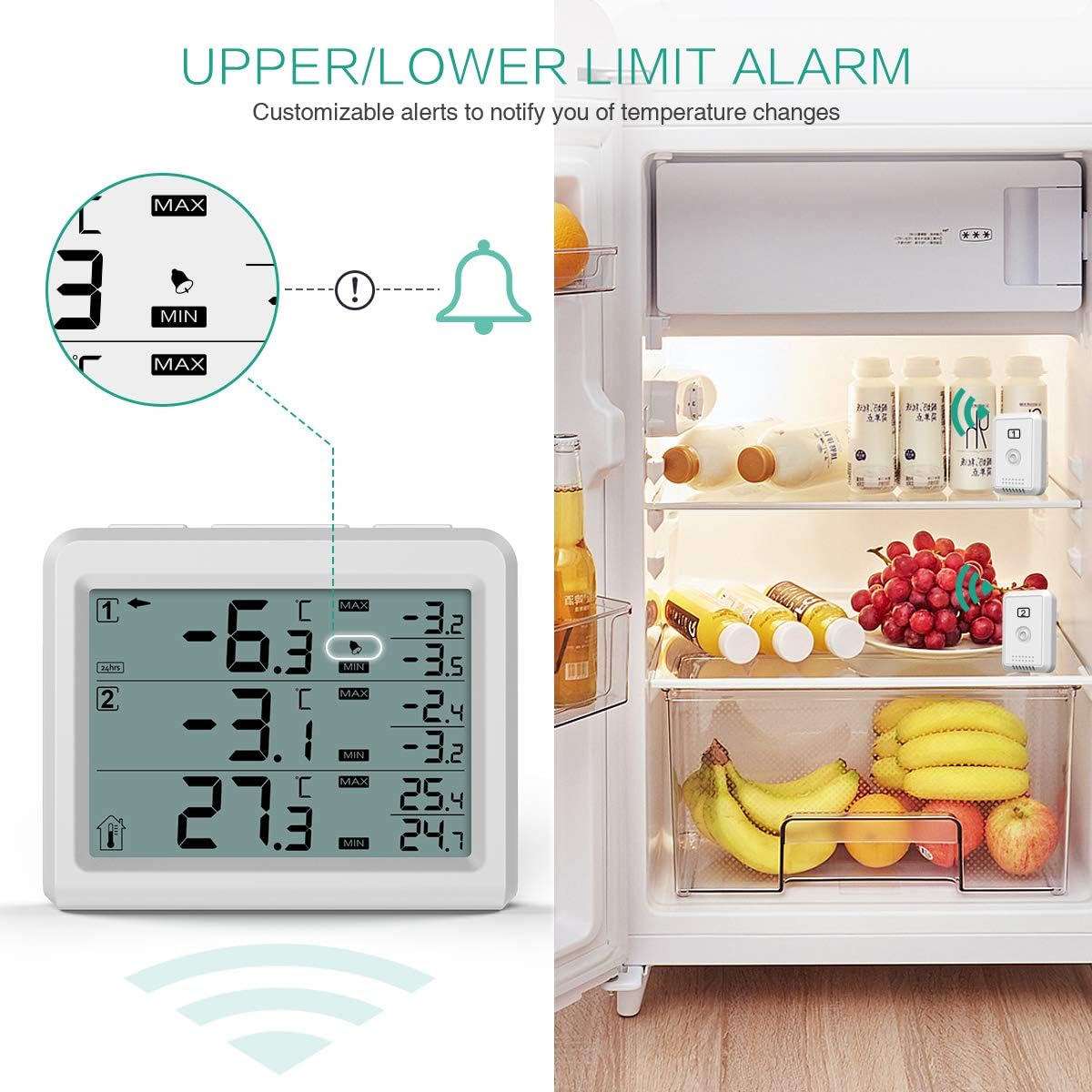
Image: The main display unit showing the alarm function, indicating customizable upper and lower temperature limits with an alert bell icon.
4. 24H/ALL TIME Switch:
In normal mode, press and hold the "CLEAR/-" button for 3 seconds to switch between 24-hour and All Time records for the Min/Max temperatures.
5. Backlight:
Press the "Light" button to activate the backlight for 10 seconds, improving visibility in dark conditions.
6. Instructional Video:
Video: An official ORIA video demonstrating the setup, temperature unit switching, alarm setting, and mounting options for the wireless thermometer.
Download Closed Captions (English)Maintenance
- Cleaning: Wipe the main unit and sensors clean with a soft, damp cloth. Do not use abrasive cleaners or immerse the units in water.
- Battery Replacement: Replace batteries when the low battery indicator appears on the display. Ensure to use fresh alkaline batteries for optimal performance.
- Storage: If storing the device for an extended period, remove all batteries to prevent leakage.
Troubleshooting
| Problem | Possible Cause | Solution |
|---|---|---|
| Dashes (--.-) displayed for sensor temperature. | Lost communication with sensor. | Press and hold the "CH/+" button for 3 seconds on the main unit to re-establish connection. Ensure sensors are within range and not obstructed by solid metal. |
| Inaccurate temperature readings. | Interference from other electronic devices; sensor placed in an unsuitable location. | Move the main unit away from other wireless devices. Ensure sensors are not directly exposed to heat sources or extreme cold that might affect their accuracy. Allow 30 minutes for sensors to stabilize after placement. |
| Alarm sounds frequently or not at all. | Alarm limits set incorrectly; temperature fluctuation. | Review and adjust your MAX/MIN alarm settings as per the "Setting Temperature Alarms" section. Remember the alarm triggers after 10 minutes of exceeding the set value. |
| Display is dim or blank. | Low batteries. | Replace all batteries in the main unit and sensors with fresh alkaline batteries. |
Specifications
| Feature | Detail |
|---|---|
| Model Name | OUS-WA28 |
| Display Type | Digital |
| Connectivity Technology | 433MHz Wireless |
| Power Source (Main Unit) | 3 x AAA batteries (not included) |
| Power Source (Transmitters) | 4 x AAA batteries (not included) |
| Indoor Temperature Range | 0 to 60 °C (32 to 140 °F) |
| Outdoor Temperature Range | -40 to 60 °C (-40 to 140 °F) |
| Temperature Accuracy | ±1°C / ±2.5°F |
| Wireless Range | Up to 328ft / 100m (open air) |
| Response Time | 500 Milliseconds |
| Special Features | Alarm, Min/Max Record, Backlight |
| Material | Plastic |
| Item Weight | 7.4 ounces |
| Package Dimensions | 5.79 x 3.58 x 3.03 inches |
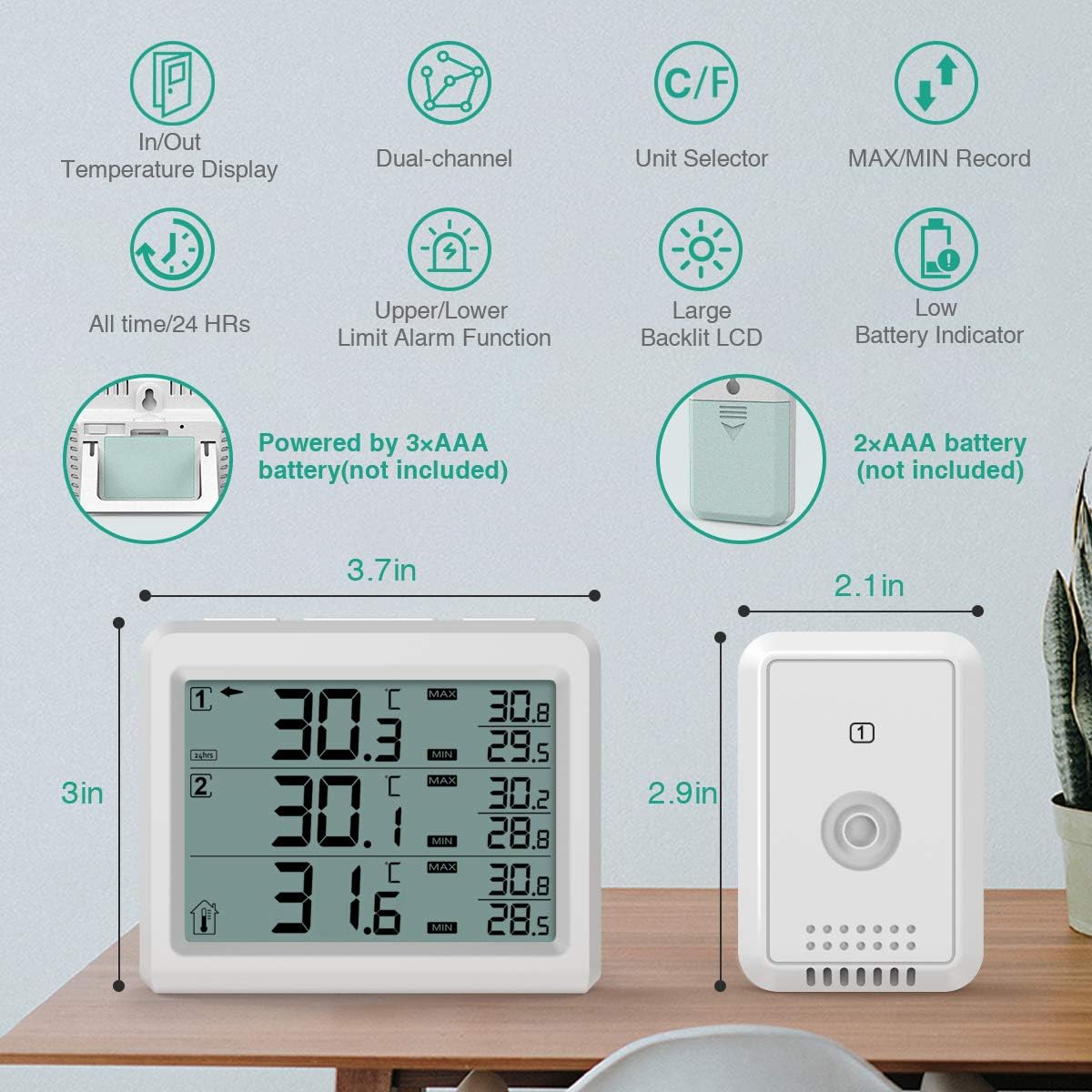
Image: Detailed diagram showing the dimensions of the main unit and a sensor, along with icons representing key features like temperature display, dual-channel, unit selector, MAX/MIN record, 24HR/All Time, alarm, backlight, and low battery indicator.
Warranty and Support
For warranty information or technical support, please refer to the contact details provided with your purchase or visit the official ORIA website. Keep your purchase receipt as proof of purchase for any warranty claims.
You can also visit the ORIA Store on Amazon for more products and information.
Ask a question about this manual
Ask about setup, troubleshooting, compatibility, parts, safety, or missing instructions. Manuals+ will review the question and use this page’s manual context to help answer it.