
1. Introduction
Thank you for purchasing the OMRON C101 Essential Compressor Nebulizer. This device is designed to efficiently deliver medication to the airways for the treatment of respiratory conditions such as asthma, chronic bronchitis, and allergies. It is intended for use in a home environment under the supervision of a medical professional.
Please read this instruction manual thoroughly before using the device to ensure safe and effective operation. Keep this manual for future reference.
2. Important Safety Information
Always follow basic safety precautions when using electrical products, especially when children are present. Read all instructions before use.
- Do not immerse the compressor unit in water or other liquids.
- Do not use the device near flammable gases or anesthetic agents.
- Do not block the air vents of the compressor.
- Ensure the power cord is not damaged and is properly connected.
- Use only OMRON original accessories and parts.
- Keep out of reach of children and pets.
- Consult your physician or pharmacist to determine the appropriate medication, dosage, and regimen for your specific condition.
- Unplug the device from the electrical outlet immediately after use and before cleaning.
3. Product Components
The OMRON C101 Essential Compressor Nebulizer comes with the following components:
- Compressor Unit
- Nebulizer Kit (Medication Cup, Top Section, Mouthpiece)
- Air Tube (PVC)
- Adult Mask
- Child Mask
- Nosepiece
- Air Filters (spare)
- Instruction Manual

Image 1: OMRON C101 Essential Compressor Nebulizer with its main components assembled, including the compressor unit, nebulizer kit, air tube, and mouthpiece. This image illustrates the complete setup of the device ready for use.
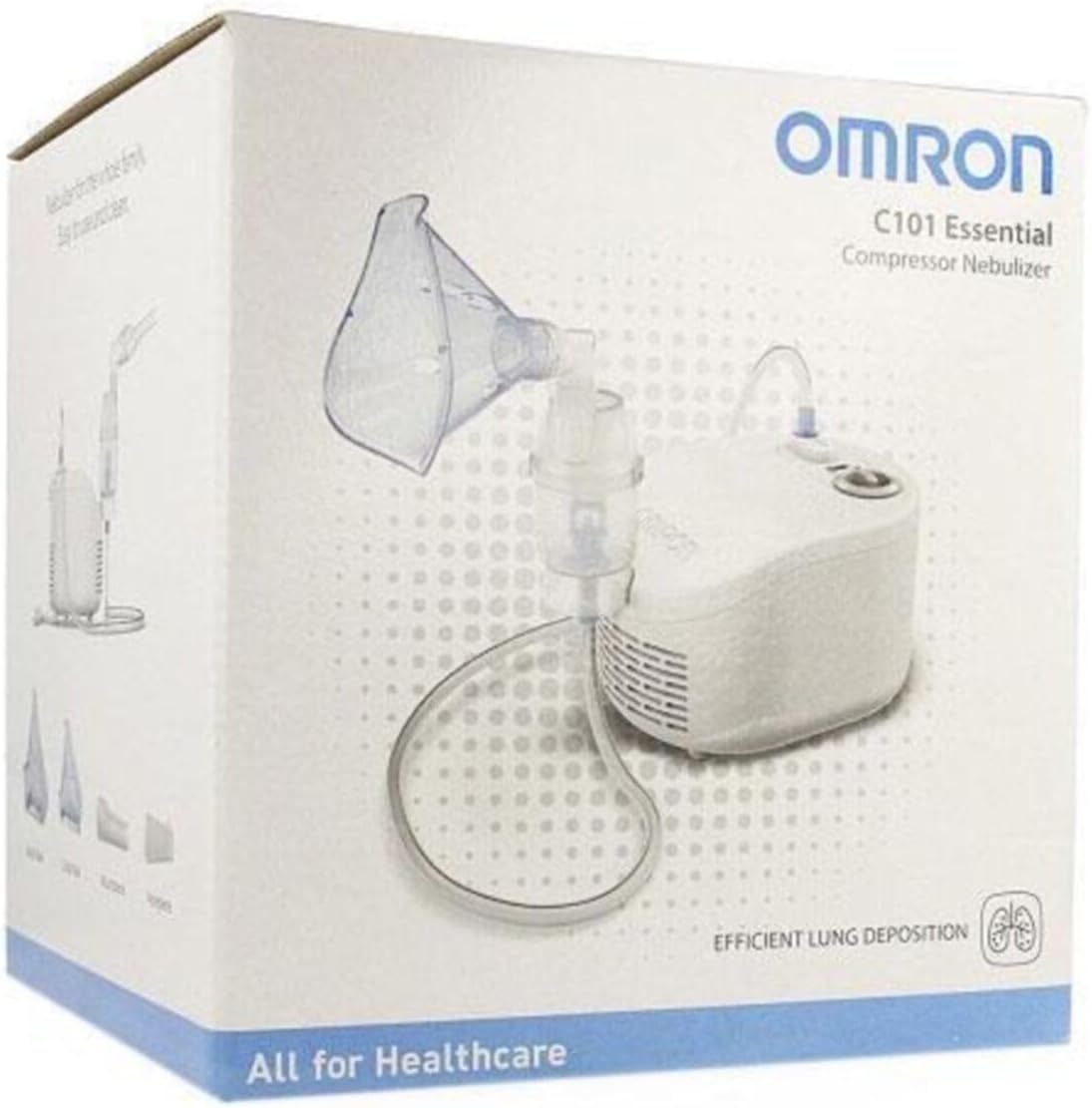
Image 2: The retail packaging box for the OMRON C101 Essential Compressor Nebulizer, showing the product name and brand. The box design highlights the device's key features and includes an illustration of the nebulizer.
4. Setup and Assembly
- Unpack the Device: Carefully remove all components from the packaging.
- Check Air Filter: Ensure the air filter is clean and properly installed in the compressor unit. The filter cover is usually located on the side of the compressor.
- Assemble Nebulizer Kit:
- Twist the top section of the nebulizer kit counter-clockwise to open it.
- Pour the prescribed amount of medication into the medication cup. Do not overfill.
- Twist the top section clockwise to securely close the nebulizer kit.
- Attach Accessories: Connect the mouthpiece, adult mask, child mask, or nosepiece to the nebulizer kit as required for your treatment.
- Connect Air Tube: Firmly insert one end of the air tube into the air tube connector on the compressor unit. Insert the other end of the air tube into the air tube connector on the nebulizer kit.
- Connect to Power: Plug the power cord into a suitable electrical outlet.
Note: Always ensure all connections are secure before starting treatment.
5. Operating Instructions
- Preparation: Ensure the nebulizer kit is filled with the correct medication and assembled as per the setup instructions.
- Positioning: Sit upright in a comfortable position. If using a mask, ensure it fits snugly over your nose and mouth. If using a mouthpiece, place it between your teeth and seal your lips around it.
- Start Treatment: Press the power switch on the compressor unit to turn on the device. The compressor will begin to generate air flow, and the nebulizer will start producing a fine mist.
- Inhalation: Breathe normally and deeply through your mouth. Inhale the mist until the medication cup is empty. This usually takes 5-15 minutes, depending on the medication volume.
- End of Treatment: Once the medication is fully nebulized and no more mist is being produced, turn off the compressor unit by pressing the power switch.
- Disconnect: Unplug the device from the electrical outlet.
Important: Do not tilt the nebulizer kit more than 45 degrees during operation to prevent medication spillage.
6. Maintenance and Cleaning
Proper cleaning and maintenance are essential for the longevity and hygienic operation of your nebulizer.
Daily Cleaning (After Each Use):
- Disassemble: Disconnect the air tube and disassemble the nebulizer kit (medication cup, top section, mouthpiece/mask).
- Wash: Wash all disassembled parts (except the air tube and compressor unit) in warm tap water with a mild detergent.
- Rinse: Rinse thoroughly under clean running water.
- Dry: Air dry the parts completely in a clean, dry place. Do not use a towel.
- Store: Once dry, reassemble the nebulizer kit and store it in a clean, sealed bag or container.
Weekly Disinfection:
- Prepare Solution: Prepare a disinfection solution using either a medical disinfectant or a solution of 3 parts water to 1 part white vinegar.
- Soak: Soak the disassembled nebulizer kit parts (excluding air tube and compressor) in the disinfection solution for 30 minutes.
- Rinse: Rinse thoroughly under clean running water.
- Dry: Air dry completely.
Compressor Unit and Air Tube:
- Wipe the exterior of the compressor unit with a soft, damp cloth. Do not immerse in water.
- The air tube does not require washing. If it becomes dirty, replace it.
Air Filter Replacement:
- Check the air filter regularly (approximately every 60 days of use or sooner if it discolors).
- Replace the filter when it turns grey or brown.
- Use only OMRON original air filters.
7. Troubleshooting
If you experience issues with your OMRON C101 Essential Nebulizer, refer to the table below for common problems and solutions.
| Problem | Possible Cause | Solution |
|---|---|---|
| No mist produced or very little mist. |
|
|
| Compressor unit does not turn on. |
|
|
| Loud noise from compressor. |
|
|
If the problem persists after attempting these solutions, please contact OMRON customer support.
8. Technical Specifications
| Feature | Specification |
|---|---|
| Product Name | OMRON C101 Essential Compressor Nebulizer |
| Model | C101 Essential |
| Power Supply | 230V ~ 50Hz |
| Power Consumption | 150 VA |
| Nebulization Rate | Approx. 0.35 ml/min (by weight loss) |
| Particle Size (MMAD) | Approx. 2.6 µm |
| Medication Capacity | 2 ml (min) - 10 ml (max) |
| Operating Temperature/Humidity | 10°C to 40°C (50°F to 104°F) / 30% to 85% RH |
| Storage Temperature/Humidity | -20°C to 60°C (-4°F to 140°F) / 10% to 95% RH |
| Weight | Approx. 1.0 kg (compressor only) |
| Dimensions | Approx. 145 (W) × 124 (H) × 182 (D) mm |
9. Warranty Information
OMRON products are manufactured under strict quality standards. This OMRON C101 Essential Compressor Nebulizer is covered by a limited warranty against manufacturing defects from the date of purchase. The warranty period typically varies by region and product. Please refer to the warranty card included in your product packaging or visit the official OMRON website for specific warranty terms and conditions applicable to your region.
The warranty does not cover damage caused by improper use, unauthorized repairs, or the use of non-OMRON accessories. Keep your purchase receipt as proof of purchase for warranty claims.
10. Customer Support
For any questions, technical assistance, or to order replacement parts, please contact OMRON customer support. You can find contact information, including phone numbers and email addresses, on the official OMRON website or on the product packaging.
OMRON Healthcare Official Website: www.omron-healthcare.com
When contacting support, please have your product model number (C101 Essential) and serial number (if applicable) ready.

