
1. Introduction
This manual provides essential information for the safe and effective use of your Wathai 30x10mm 5V DC Brushless Cooling Blower Fan. Please read these instructions carefully before installation and operation. Retain this manual for future reference.
2. Product Overview
The Wathai 30x10mm 5V DC Brushless Cooling Blower Fan is a compact and efficient cooling solution designed for various electronic applications. Its small form factor allows for installation in tight spaces, providing targeted airflow to prevent overheating. This fan is suitable for DIY projects, electronic components, and small appliances requiring active cooling.
2.1 Applications
This blower fan is versatile and can be used in a range of applications, including:
- Cooling for 3D printers and custom builds.
- Enhancing airflow in cosplay masks and helmets.
- Cooling Raspberry Pi boards and other single-board computers.
- Heat dissipation in small electronic devices like projectors, laser engravers, and dash cams.
- Ventilation for small enclosures such as humidors or plant grow light setups.

Image: Wathai 30x10mm 5V DC Blower Fan installed on a 3D printer for cooling.

Image: Various applications of the Wathai 30x10mm 5V DC Blower Fan, including electronics and small appliances.
3. Package Contents
The package includes the following items:
- 2 x Wathai 30x10mm 5V DC Blower Fans
- 4 x Mounting Screws
- 4 x Nuts
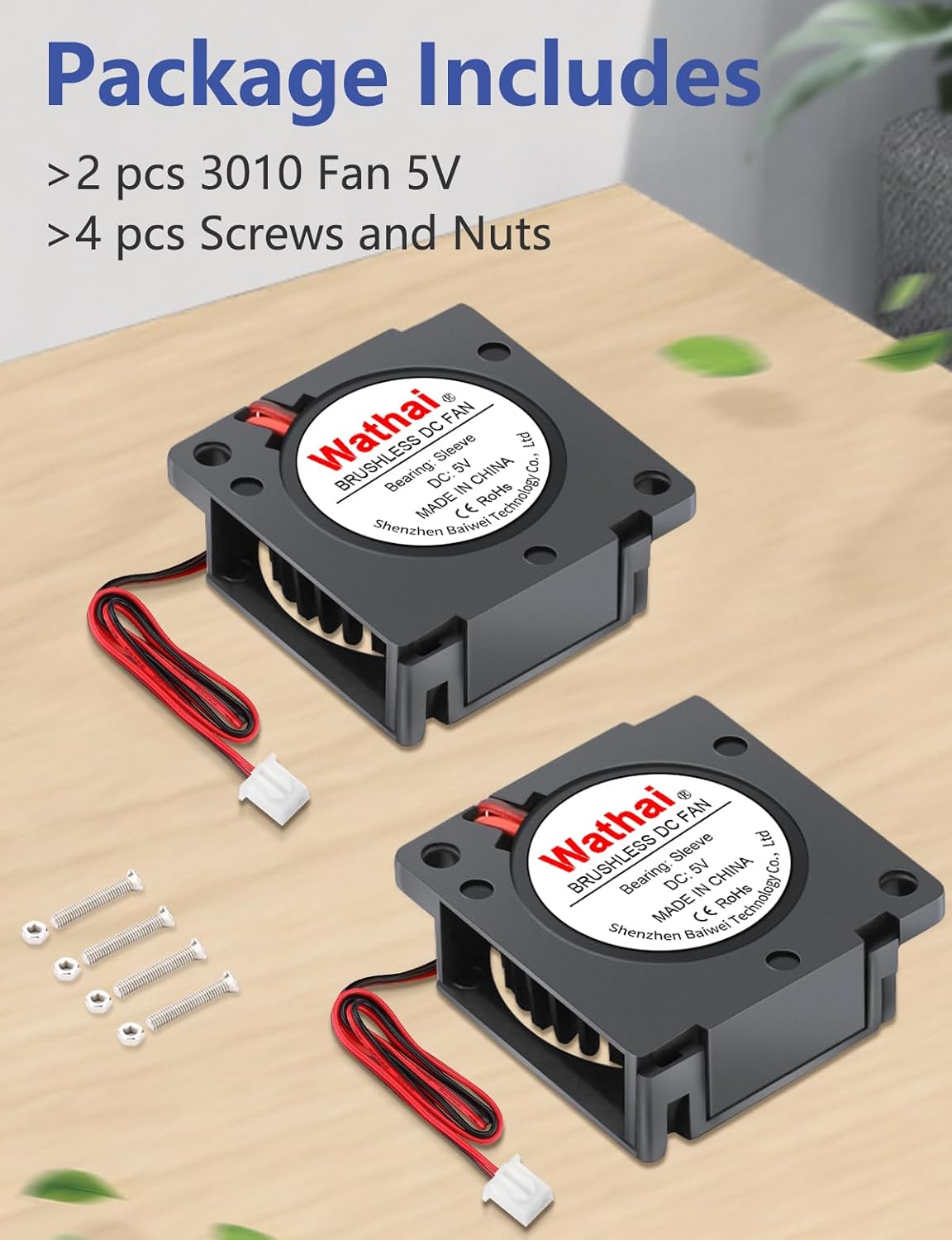
Image: Contents of the package, showing two fans and their mounting hardware.
4. Specifications
Refer to the table below for detailed technical specifications of the Wathai 30x10mm 5V DC Brushless Cooling Blower Fan.
| Feature | Specification |
|---|---|
| Model | 2pcs3010S5V2PBlower |
| Dimensions (LxWxH) | 30mm x 30mm x 10mm (1.18" x 1.18" x 0.4") |
| Rated Voltage | 5V DC |
| Rated Current | 0.2A |
| Speed | 9500 RPM |
| Air Flow | 1.85 CFM |
| Noise Level | 29 dBA |
| Bearing Type | Sleeve Bearing |
| Life Expectancy | 35,000 hours |
| Connector Type | XH2.54-2Pin |
| Cable Length | 15cm (6 inches) |
| Material | Plastic |
| Weight (per fan) | Approximately 0.28 ounces (0.56 ounces for 2 fans) |

Image: Technical specifications and physical dimensions of the fan.
5. Setup and Installation
Follow these steps for proper installation of your Wathai blower fan:
- Mounting: Secure the fan in the desired location using the provided screws and nuts. Ensure the fan is positioned to direct airflow effectively towards the components requiring cooling.
- Power Connection: Connect the fan's XH2.54-2Pin connector to a compatible 5V DC power source. The red wire is positive (+), and the black wire is negative (-). Ensure correct polarity to prevent damage.
- Airflow Direction: Observe the arrows on the fan housing, if present, to confirm the intended airflow direction. Position the fan to draw hot air away or blow cool air onto components.

Image: A single Wathai 30x10mm 5V DC Blower Fan, showing its compact design and connector.
6. Operation
Once properly installed and connected to a 5V DC power source, the fan will begin operation. The fan is designed for continuous use.
- Noise Level: The fan operates at approximately 29 dBA. While designed to be quiet for its performance, some audible noise is normal during operation.
- Speed: The fan operates at a maximum rotational speed of 9500 RPM.

Image: Visual representation of the fan's airflow and performance characteristics.
7. Maintenance
To ensure optimal performance and longevity of your Wathai blower fan:
- Cleaning: Periodically inspect the fan for dust accumulation on the blades and housing. Use a soft brush or compressed air to gently clean the fan. Ensure the power is disconnected before cleaning.
- Bearing: This fan utilizes a sleeve bearing, designed for a life expectancy of approximately 35,000 hours under normal operating conditions.
8. Troubleshooting
If you encounter issues with your fan, refer to the following troubleshooting steps:
- Fan Not Spinning:
- Check if the fan is correctly connected to a 5V DC power source.
- Verify that the power source is active and providing 5V DC.
- Ensure the polarity of the connection (red to +, black to -) is correct.
- Check for any obstructions preventing the fan blades from rotating.
- Low Airflow:
- Ensure the fan is not obstructed by dust or other debris.
- Verify the fan is installed with the correct airflow direction for your application.
- Excessive Noise:
- Check for any loose mounting screws or vibrations.
- Ensure no cables or objects are touching the fan blades.
- Dust accumulation can sometimes cause increased noise; clean the fan if necessary.
9. Warranty and Support
For product support or warranty inquiries, please contact Wathai customer service through the retailer where the product was purchased. Please have your model number (2pcs3010S5V2PBlower) and purchase details available.