
Hot Wheels GJM75
Hot Wheels Rapid Raceway Champion Track Set Instruction Manual
Brand: Hot Wheels | Model: GJM75
Introduction
This manual provides instructions for the assembly, operation, and maintenance of your Hot Wheels Rapid Raceway Champion Track Set. Please read all instructions carefully before use to ensure proper function and safety.
What's in the Box
- The Rapid Raceway Champion set includes a starting gate with countdown.
- Launchers.
- Two lengths of side-by-side straight track.
- A winner's flag.
- One 1:64 scale Hot Wheels vehicle.
Additional Hot Wheels vehicles and track sets are sold separately and can be connected for expanded play.
Setup
Follow these steps to assemble your Rapid Raceway Champion Track Set:
- Unpack Components: Carefully remove all track pieces, the launcher mechanism, and the Hot Wheels car from the packaging.

Image: The Hot Wheels Rapid Raceway Champion Track Set box, showing the assembled track and included car.
- Assemble the Track Loop: Connect the curved track pieces to form the oval raceway. Ensure all connections are secure.

Image: A fully assembled Hot Wheels Rapid Raceway Champion track, featuring an oval layout with a launcher and a single car.
- Attach the Launcher: Integrate the multi-car launcher and starting gate into the track loop as shown in the diagrams. The launcher features a lever for initiating the race countdown.
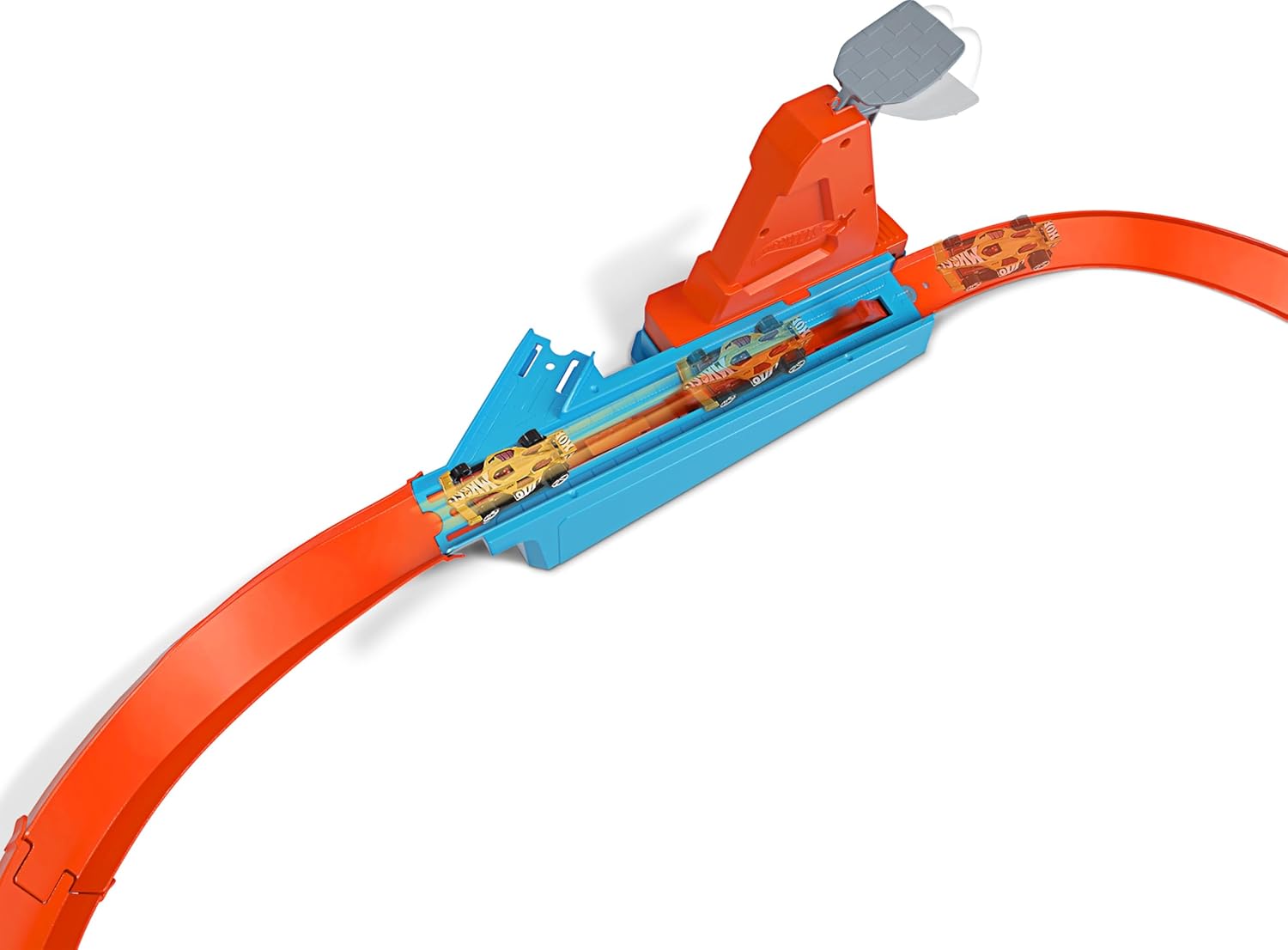
Image: A close-up view of the Hot Wheels track's multi-car launcher, showing the mechanism for releasing cars onto the track.
- Position the Winner's Flag: Ensure the winner's flag mechanism is correctly installed at the end of the race section.
- Connect to Other Sets (Optional): This track set is designed to connect with other Hot Wheels track sets (sold separately) for expanded configurations.

Image: An overhead view of the Hot Wheels track with multiple cars in motion, illustrating the racing action and potential for cars to fall off if speed is not optimal.
Visual Setup Guide
Watch this official video for a visual guide on setting up and operating the track set:
Video: Official Hot Wheels video demonstrating the assembly and racing action of the Rapid Raceway Champion track set.
Operating the Track Set
Once assembled, follow these steps to begin racing:
- Place Cars: Position one or more Hot Wheels 1:64 scale cars into the launcher slots.

Image: Multiple Hot Wheels cars actively racing on the track, demonstrating the multi-car launch feature.
- Initiate Countdown: Pull the lever on the starting gate upwards and then release it to begin the countdown.
- Launch Cars: The gate will open, launching the cars onto the track for a side-by-side race.
- Determine Winner: The first car to complete the loop and trigger the winner's flag will be declared the champion.
Experiment with different Hot Wheels cars and launch speeds to optimize performance and achieve the best race results.
Maintenance
To ensure the longevity and optimal performance of your Hot Wheels track set:
- Keep the track pieces clean and free from dust and debris. Use a soft, dry cloth for cleaning.
- Store the track set in a cool, dry place away from direct sunlight when not in use.
- Avoid applying excessive force when connecting or disconnecting track pieces to prevent damage.
Troubleshooting
If you encounter issues with your track set, consider the following:
- Cars not launching properly: Ensure cars are correctly seated in the launcher. Check that the lever mechanism moves freely.
- Cars falling off the track: This can occur if cars are launched too fast or too slow for the track's curves. Experiment with launch force. Ensure all track connections are secure and the track is on a flat, stable surface.
- Track pieces not connecting: Verify that the connectors are aligned correctly and apply gentle, even pressure. Do not force connections.
Specifications
| Feature | Detail |
|---|---|
| Product Dimensions | 36 x 18 x 5 inches |
| Item Weight | 1.05 pounds |
| Item Model Number | GJM75 |
| Manufacturer Recommended Age | 5 years and up |
| Release Date | November 1, 2019 |
| Manufacturer | Mattel |
Warranty and Support
For information regarding product warranty or customer support, please visit the official Hot Wheels website or contact Mattel customer service directly. Specific warranty details may vary by region and purchase location.
You can find more information and contact details on the Hot Wheels Brand Store.
Related documentsGJM75


Ask a question about this manual
Ask about setup, troubleshooting, compatibility, parts, safety, or missing instructions. Manuals+ will review the question and use this page’s manual context to help answer it.