
1. Introduction
Thank you for choosing the Timex The Waterbury Quartz Movement Watch TW2R43400. This manual provides detailed instructions for setting up, operating, and maintaining your new timepiece. Please read this manual carefully to ensure proper use and to enjoy all the features of your watch.
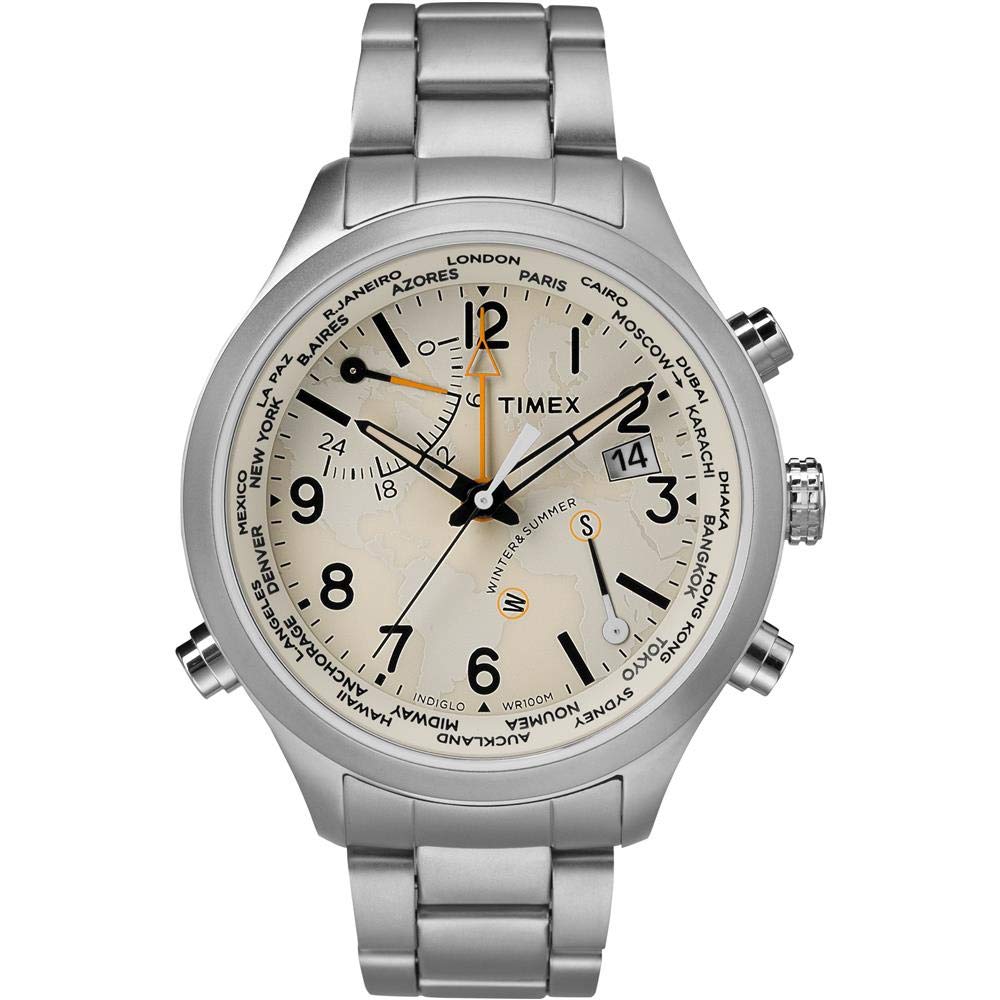
Figure 1: Front view of the Timex The Waterbury Quartz Movement Watch TW2R43400, showcasing its cream dial, stainless steel case, and bracelet.
2. Product Overview
The Timex The Waterbury TW2R43400 is a sophisticated men's watch featuring a 41 mm silver-tone stainless steel case with a fixed top ring and a cream dial protected by a mineral crystal. It is equipped with black luminous hands, Arabic numeral and index hour markers, and minute markers. Key features include world time with 24 cities, a second time zone display, season setting, Indiglo Night-Light with Night-Mode, and QuickDate functionality. The watch operates on a reliable quartz movement and is water-resistant up to 100 meters.

Figure 2: Side view of the watch, highlighting the crown and pushers used for setting time and functions.

Figure 3: Close-up of the stainless steel deployment clasp with the Timex logo, ensuring a secure fit.
3. Setup
Before initial use, ensure the watch is properly set.
- Unpacking: Carefully remove the watch from its packaging. Inspect for any visible damage.
- Crown Position: The watch crown may be in a pulled-out position to conserve battery during shipping. Gently push the crown fully in towards the watch case to start the movement.
- Initial Time Setting: Refer to the 'Operating Instructions' section for detailed steps on setting the time and date.
- Bracelet Adjustment: If the stainless steel bracelet requires adjustment for size, it is recommended to visit a qualified jeweler or watch repair professional.

Figure 4: The watch packaging, including the box and guarantee information.
4. Operating Instructions
4.1 Setting Time and Date
- Setting the Time:
- Pull the crown out to the furthest position (position 3).
- Rotate the crown clockwise or counter-clockwise to move the hands to the correct time.
- Push the crown back in to position 1 to start the watch.
- Setting the Date (QuickDate Feature):
- Pull the crown out to the middle position (position 2).
- Rotate the crown to adjust the date.
- Once the correct date is displayed, push the crown back in to position 1.
Note: Avoid setting the date between 9 PM and 3 AM, as this may interfere with the automatic date change mechanism.
4.2 World Time and Second Time Zone
Your watch features world time with 24 cities and a second time zone display. Consult the specific instructions provided with your watch for detailed operation of these advanced features, typically involving the pushers on the side of the case and specific crown positions to cycle through cities and set the second time zone.
4.3 Indiglo Night-Light with Night-Mode
The Indiglo Night-Light illuminates the entire dial for easy reading in low light conditions.
- To activate Indiglo: Press and hold the crown (or the designated pusher, if applicable) briefly. The dial will illuminate.
- Night-Mode: For continuous illumination for a few seconds, activate Night-Mode. This is typically done by pressing and holding the crown for a longer duration until the light stays on, or by a specific pusher combination. Refer to your watch's specific instructions for exact activation.
5. Maintenance
5.1 Cleaning
- Wipe the watch case and bracelet with a soft, dry cloth regularly to remove dust and dirt.
- For stainless steel, a slightly damp cloth can be used, followed by a dry cloth. Avoid harsh chemicals or abrasive materials.
5.2 Water Resistance
Your watch is water-resistant up to 100 meters (10 ATM). This means it is suitable for swimming, snorkeling, and showering. However, it is not suitable for diving. Always ensure the crown is fully pushed in before exposing the watch to water. Do not operate the crown or pushers while the watch is wet or submerged.
5.3 Battery Replacement
The watch is powered by a quartz movement, which requires a battery. When the watch stops running, the battery needs to be replaced. It is recommended to have the battery replaced by an authorized Timex service center or a professional watchmaker to ensure proper sealing and maintain water resistance.
6. Troubleshooting
- Watch Not Running: Ensure the crown is fully pushed in. If it still does not run, the battery may need replacement.
- Date Not Changing: Check if the time is set correctly (AM/PM). If the date changes at noon, the watch is set for PM instead of AM. Advance the time by 12 hours.
- Condensation Inside Crystal: This may indicate a loss of water resistance. Avoid further exposure to water and have the watch inspected by a professional immediately.
For issues not covered here, please contact Timex customer support or an authorized service center.
7. Specifications
| Feature | Detail |
|---|---|
| Model Number | TW2R43400 |
| Case Material | Stainless Steel |
| Case Diameter | 41 mm (43 mm as per some specifications) |
| Case Thickness | 12 mm |
| Band Material | Stainless Steel |
| Band Width | 22 mm |
| Dial Color | Cream / Beige |
| Crystal | Mineral |
| Movement Type | Quartz (Swiss Quartz) |
| Water Resistance | 100 Metres (10 ATM) |
| Clasp Type | Deployment Clasp |
| Features | World Time (24 cities), Second Time Zone, Season Setting, Indiglo Night-Light with Night-Mode, QuickDate |
8. Warranty and Support
Your Timex watch is covered by a limited warranty against manufacturing defects. Please refer to the guarantee card included with your watch for specific terms and conditions, including the warranty period and coverage details. For customer support, service, or to locate an authorized service center, please visit the official Timex website or contact their customer service department.
Online Resources: For additional information and support, visit www.timex.com.