
Introduction
The Conair CLS2ES Rechargeable Lint Remover is designed to safely and effectively remove lint, fuzz, and pills from clothing and upholstery. Featuring three adjustable depth settings, it adapts to various fabric types, including sweaters, delicate garments, and furniture. Its ergonomic design ensures comfortable, continuous use, and the removable lint compartment allows for easy cleaning. This manual provides instructions for setup, operation, maintenance, and troubleshooting to help you keep your fabrics looking new.
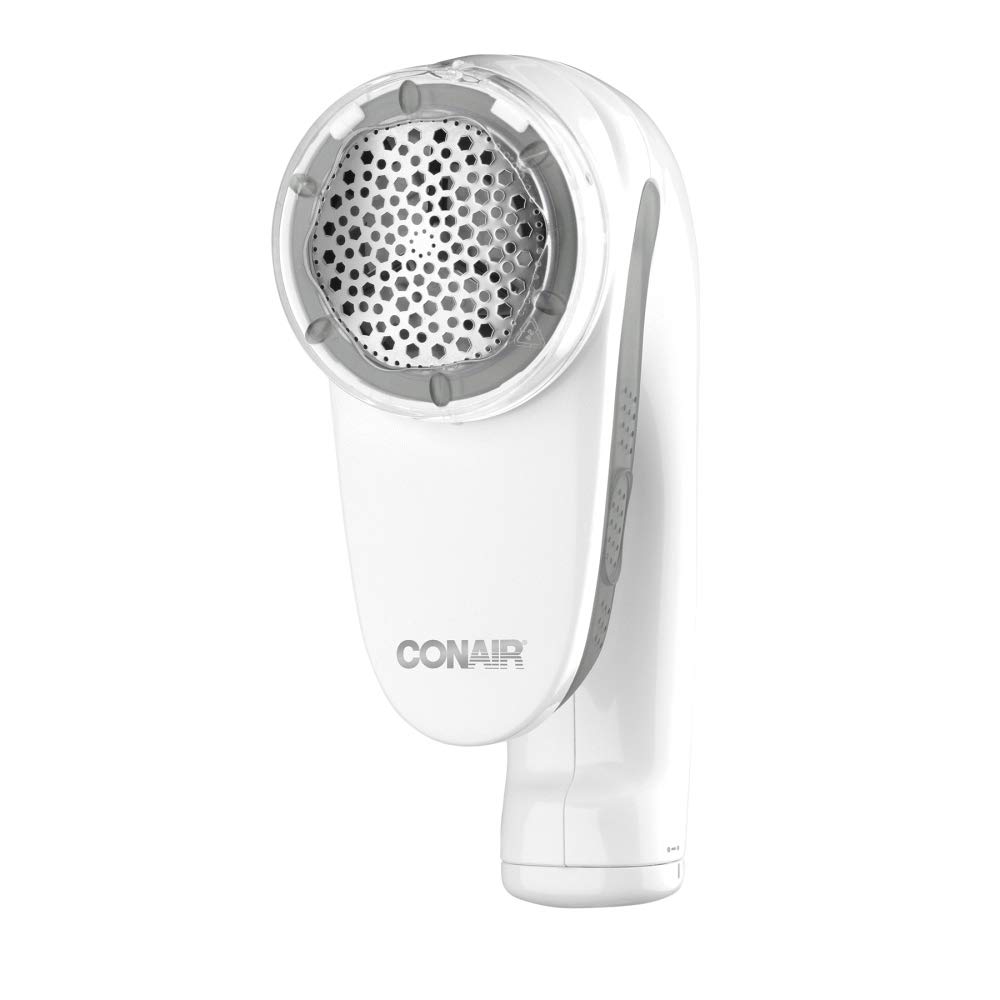
Image: Front view of the Conair CLS2ES Rechargeable Lint Remover. This image displays the device from the front, highlighting its lint-removing head and the Conair brand logo.
Important Safety Information
- Caution: Handle with care. This device contains sharp blades.
- This product is intended for use by individuals over 12 years of age, under adult supervision.
- Warning: Before using this product, please read the instruction manual included in the packaging thoroughly.
- Do not immerse the unit in water or other liquids.
- Keep out of reach of children.
- Do not use on wet fabrics.
- Ensure the lint compartment is securely closed before operation.
Product Features
The Conair CLS2ES Rechargeable Lint Remover offers several features designed for efficient and convenient fabric care:
- 3 Adjustable Depth Levels: Customize the shaving depth to suit various fabric types, from delicate to heavy-duty, preventing damage while effectively removing lint.
- Rechargeable Battery: Equipped with a built-in rechargeable battery for cordless operation, offering flexibility and portability for home or travel use.
- Ergonomic Design: Features a comfortable grip for extended use without fatigue.
- Removable Lint Compartment: Easily detaches for quick and hassle-free disposal of collected lint and fuzz.
- Wide Shaving Surface: A broad shaving head (4.5 cm) covers more area, making the lint removal process faster and more uniform.

Image: Side view of the Conair CLS2ES Rechargeable Lint Remover. This image shows the device from the side, highlighting its ergonomic handle and the transparent lint collection compartment.
Setup
- Unpack the Device: Carefully remove the lint remover and all accessories from the packaging.
- Initial Charge: Before first use, fully charge the lint remover.
- Connect the power adapter to the charging port on the device.
- Plug the adapter into a standard electrical outlet.
- Allow the unit to charge for approximately 8-10 hours for the initial charge. The indicator light will show charging status (refer to your specific model's indicator light behavior in the included manual).
- Familiarize Yourself: Locate the ON/OFF switch, the depth adjustment button, and the removable lint compartment.

Image: Power adapter for charging the Conair CLS2ES Rechargeable Lint Remover. This image shows the white power adapter with its cable and plug.
Operating Instructions
- Prepare the Fabric: Lay the garment or fabric flat on a hard, smooth surface. Ensure the fabric is dry and free of wrinkles.
- Select Depth Setting: Adjust the depth setting according to the fabric type.
- Low Setting: For delicate fabrics like silk, lace, or thin knits.
- Medium Setting: For everyday fabrics such as cotton, linen, and synthetic blends.
- High Setting: For heavy fabrics like wool, fleece, or upholstery.
- Turn On the Device: Slide the ON/OFF switch to the "ON" position. The blades will begin to rotate.
- Remove Lint: Gently glide the shaving head over the affected area of the fabric. Apply light, even pressure. Avoid pressing too hard or holding the device in one spot for too long, as this may damage the fabric.
- Check Progress: Periodically lift the device to check the fabric's appearance. Continue until the desired smoothness is achieved.
- Turn Off the Device: Once finished, slide the ON/OFF switch to the "OFF" position.

Image: A hand operating the Conair CLS2ES Rechargeable Lint Remover on a gray sweater. The image demonstrates the device in action, effectively removing lint and pills from the fabric surface.
Maintenance
Regular cleaning ensures optimal performance and extends the life of your lint remover.
- Empty Lint Compartment: After each use, or when the compartment appears full, slide off the removable lint compartment. Dispose of the collected lint.
- Clean Blades and Screen: Use the small cleaning brush (if included) to gently brush away any lint or debris from the blades and the protective screen. Do not touch the blades directly with your fingers.
- Reassemble: Ensure the lint compartment is securely reattached before storing or using the device again.
- Storage: Store the lint remover in a dry place, away from direct sunlight and extreme temperatures.
Troubleshooting
| Problem | Possible Cause | Solution |
|---|---|---|
| Device does not turn on. | Battery is depleted. | Charge the device fully using the provided power adapter. |
| Device is not removing lint effectively. | Lint compartment is full; Blades are dull or obstructed; Incorrect depth setting. | Empty the lint compartment. Clean the blades and screen. Adjust to a higher depth setting for thicker fabrics. |
| Device stops during use. | Battery is low; Lint compartment is overfilled. | Recharge the device. Empty the lint compartment. |
| Fabric is being damaged. | Depth setting is too high for the fabric; Excessive pressure applied. | Reduce the depth setting. Use lighter pressure and glide gently over the fabric. Ensure fabric is laid flat. |
Specifications
| Feature | Detail |
|---|---|
| Model Number | CLS2ES |
| Brand | Conair |
| Dimensions (L x W x H) | 7 x 8.5 x 6.5 cm (2.76 x 3.35 x 2.56 inches) |
| Weight | 150 g (0.33 lbs) |
| Material | Plastic |
| Color | White |
| Operation Mode | Rechargeable (Cordless) |
| Depth Settings | 3 levels |
| Country of Origin | China |

Image: Conair CLS2ES Rechargeable Lint Remover with dimensions. This image illustrates the physical size of the device, showing its length, width, and height measurements.
Warranty and Support
For warranty information or technical support, please refer to the warranty card included with your product packaging or visit the official Conair website. You may also contact Conair customer service directly for assistance.
Conair Official Website: www.conair.com