
Peteme PE220
Peteme Baby Monitor User Manual
Model: PE220
Introduction
Thank you for choosing the Peteme Baby Monitor. This 1080P WiFi camera is designed to provide comprehensive monitoring for your home, baby, or pets, offering features such as two-way audio, night vision, motion detection, and wide-angle viewing. This manual will guide you through the setup, operation, and maintenance of your device to ensure optimal performance and security.

Image: The Peteme Baby Monitor, a compact white dome camera designed for indoor use.
Package Contents
Please verify that all items are present in your package:
- Peteme Baby Monitor Camera Unit
- Power Adapter
- Mounting Accessories (Screws, Wall Plugs, Mounting Base)
- User Manual (this document)
Setup Guide
1. Physical Installation
- Choose a Location: Select a suitable indoor location for your camera, such as a nursery, living room, or pet area. Ensure it is within range of your Wi-Fi network and a power outlet.
- Power On: Connect the power adapter to the camera's power port and plug it into a wall outlet. The camera will power on and initiate its self-check.
- Mounting (Optional): If wall mounting, use the provided mounting base, screws, and wall plugs to secure the camera to a wall or ceiling. Ensure the camera is securely attached.
2. App Installation and Account Creation
- Download the App: Search for the "Yi Lot" app (or specified app in packaging) on the Apple App Store (for iOS devices) or Google Play Store (for Android devices).
- Install and Open: Install the app and open it once the installation is complete.
- Create Account: Follow the on-screen instructions to register a new account or log in if you already have one.
3. Connecting to Wi-Fi
- Add Device: In the app, tap the "+" icon to add a new device. Select your camera model from the list.
- Follow In-App Prompts: The app will guide you through the Wi-Fi connection process, which typically involves scanning a QR code displayed on your phone with the camera lens.
- Confirmation: Once connected, the camera will indicate successful pairing (e.g., a voice prompt or LED indicator change).
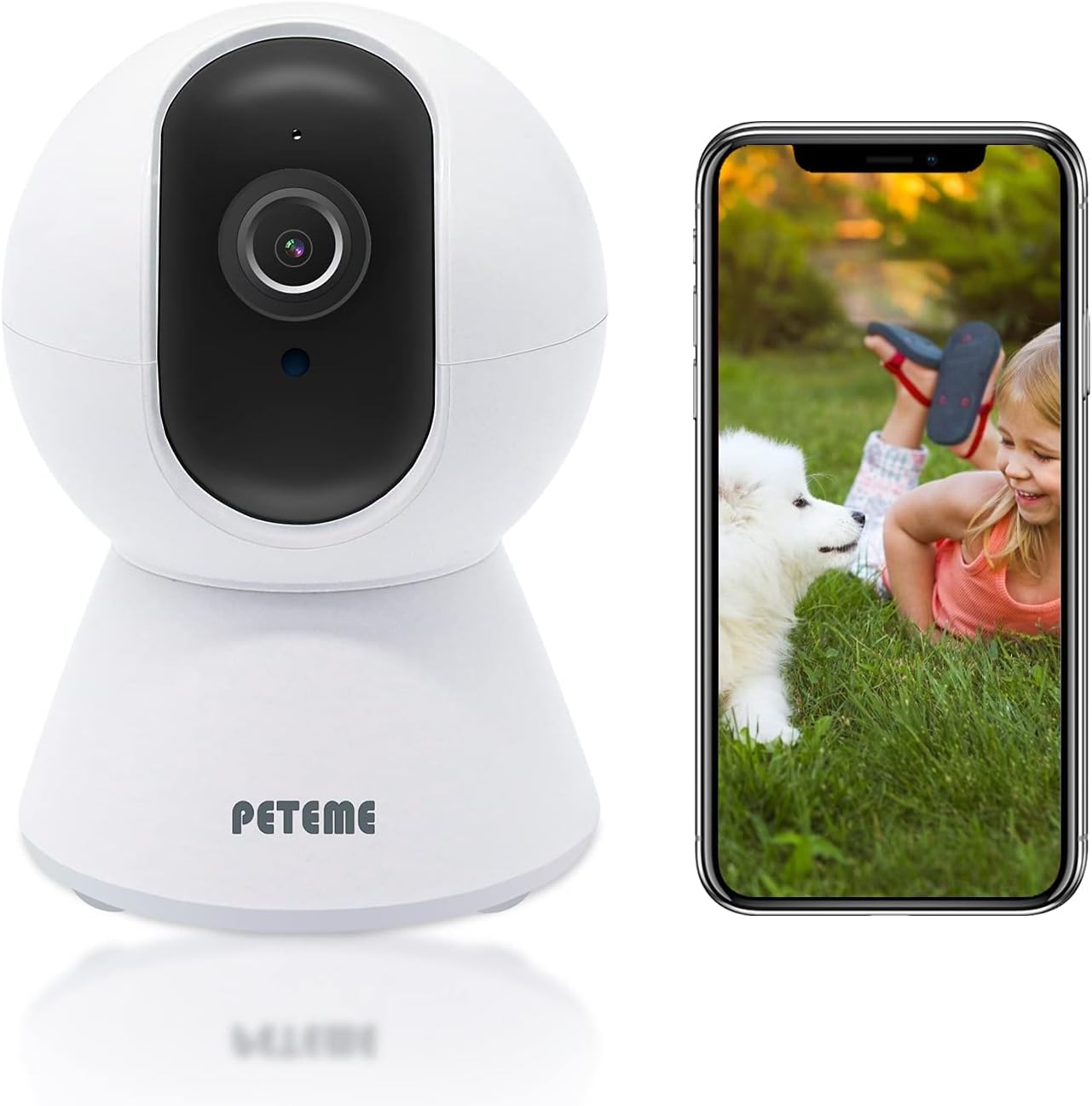
Image: The camera unit shown alongside a smartphone, illustrating the live monitoring capability through the mobile application.
Operating Instructions
Live View and Pan/Tilt Control
Once connected, you can access the live video feed from your camera through the mobile app.
- Access Live Feed: Tap on your camera's name in the app to view the live stream.
- Pan and Tilt: Use the on-screen controls to remotely pan the camera 355° horizontally and tilt it 80° vertically, providing a comprehensive view of your space. The camera also offers a 100° broad viewing angle.

Image: Demonstrates the camera's wide field of vision and remote pan and tilt control via a smartphone app, allowing users to monitor any desired area.
Video Quality and Night Vision
The camera provides a Full HD 1080P resolution (1920x1080P) for clear images. It is equipped with 6 infrared LED lights for crystal-clear night vision, automatically switching modes in low-light conditions.

Image: Illustrates the superior clarity of the 1080P Full HD image provided by the camera compared to standard 720p resolution.
Motion Detection and Alerts
The camera features intelligent motion detection and tracking.
- Real-Time Tracking: The camera can track movements in real-time, automatically adjusting its lens to follow the action within its field of view.
- Alert Notifications: Receive instant alert messages on your smartphone when motion is detected, helping to protect your home day and night.

Image: Shows the camera's motion tracking capability, recording actions in real-time and adjusting its view to follow movement.

Image: Illustrates the motion detection feature, showing an alert notification on a smartphone when movement is detected by the security camera.
Two-Way Audio
The integrated microphone and speaker allow for fluent two-way audio communication without noise. You can remotely talk to and listen to your family or pets from anywhere.
Storage Options and Privacy
The camera supports cloud service for video storage. You can choose your preferred storage method. Peteme emphasizes privacy protection, ensuring that only authorized users can view the recorded content.

Image: Highlights the camera's smart storage options (cloud and SD card) and commitment to privacy protection, ensuring only you can access your footage.
Maintenance
- Cleaning: Use a soft, dry cloth to clean the camera lens and body. Avoid using liquid cleaners or aerosols directly on the device.
- Software Updates: Periodically check the mobile app for firmware updates. Keeping your camera's software up-to-date ensures optimal performance and security.
- Placement: Ensure the camera is placed in a stable, dry indoor environment, away from direct sunlight, heat sources, and excessive moisture.
Troubleshooting
| Problem | Possible Cause | Solution |
|---|---|---|
| Camera offline/Cannot connect to Wi-Fi | Weak Wi-Fi signal; Incorrect Wi-Fi password; Router issues; Camera too far from router. | Ensure camera is within Wi-Fi range. Verify Wi-Fi password. Restart router and camera. Re-add camera in the app. |
| Poor image quality | Dirty lens; Insufficient lighting; Network bandwidth issues. | Clean the lens with a soft cloth. Ensure adequate lighting or check night vision settings. Check internet speed. |
| Two-way audio unclear or no sound | Microphone/speaker blocked; App volume too low; Network latency. | Ensure no obstructions. Adjust app volume. Check network connection stability. |
| Motion detection not working | Sensitivity settings too low; Detection zone not configured; Obstructions in view. | Adjust motion detection sensitivity in app. Configure detection zones. Clear camera's field of view. |
If you encounter any problems or require further support, please refer to the support section or contact Peteme customer service.
Specifications
- Model Number: PE220 (also known as PE228-CAMERA)
- Indoor/Outdoor Usage: Indoor
- Compatible Devices: Smartphone (iOS/Android)
- Power Source: AC/DC
- Connectivity Protocol: Wi-Fi
- Mounting Type: Wall Mount
- Video Capture Resolution: 1080p Full HD (1920x1080P)
- Color: Frosted White
- Number of Channels: 2 (Two-Way Audio)
- Form Factor: Dome
- Viewing Angle: 355° Pan, 80° Tilt, 100° Broad
- Wattage: 5 watts
- Dimensions (L x W x H): 3.19 x 3.11 x 4.6 inches
- Item Weight: 10.5 ounces
- Batteries Required: No
- Focus Type: Manual Focus
- Low Light Technology: Night Color (Infrared Night Vision)
- Alert Type: Motion Only
- Recommended Room Type: Nursery
- Light Source Type: LED
- Video Capture Format: MPEG-4
- International Protection Rating: IP65 (Note: Product is specified for indoor use)
- UPC: 778601230200, 743815678711
- Manufacturer: Peteme
- Special Features: Night Vision, Motion Sensor
Warranty and Support
Peteme is committed to providing quality products and customer satisfaction. If you encounter any issues with your Peteme Baby Monitor, the manufacturer offers service and support.
For assistance, please contact Peteme customer support through their official website or the contact information provided in your product packaging. Please have your model number (PE220) and purchase details ready when contacting support.
Ask a question about this manual
Ask about setup, troubleshooting, compatibility, parts, safety, or missing instructions. Manuals+ will review the question and use this page’s manual context to help answer it.