
Introduction
Thank you for purchasing the Soundcore Icon Mini Portable Speaker. This manual provides important information regarding the setup, operation, and maintenance of your device. Please read this manual thoroughly before using the product to ensure proper function and longevity.
What's in the Box
- Soundcore Icon Mini Portable Speaker (Model: A3122)
- USB Charging Cable
Product Overview

Figure 1: Front view of the Soundcore Icon Mini speaker.
This image displays the Soundcore Icon Mini portable speaker from the front, showcasing its compact, cylindrical design with a mesh grille covering the speaker drivers and a durable strap on the right side.

Figure 2: Angled front view of the Soundcore Icon Mini speaker.
This image provides an angled front view of the Soundcore Icon Mini, highlighting its textured surface and the integrated strap, giving a better perspective of its overall shape.

Figure 3: Side view of the Soundcore Icon Mini speaker showing control buttons.
This image shows the side panel of the speaker, where the control buttons are located. From top to bottom, these include the Bluetooth pairing button, volume up, play/pause, volume down, and power button. A small LED indicator is visible near the top.

Figure 4: Alternate side view of the Soundcore Icon Mini speaker with controls.
Similar to Figure 3, this image provides another side view of the speaker, clearly displaying the tactile control buttons for Bluetooth, volume adjustment, playback, and power, along with the LED indicator.
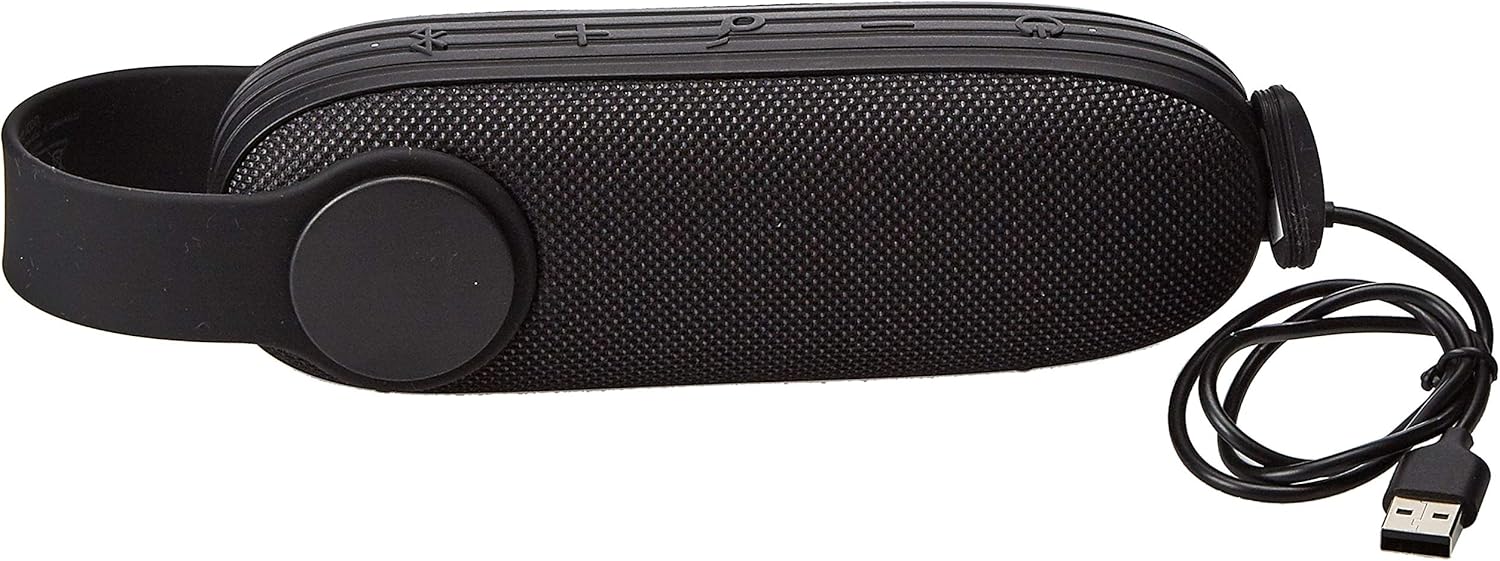
Figure 5: Soundcore Icon Mini speaker with its USB charging cable.
This image shows the Soundcore Icon Mini speaker alongside its included USB charging cable, demonstrating the accessory provided for power replenishment.
Controls and Indicators
| Button/Indicator | Function |
|---|---|
| Power Button | Press and hold to power on/off. |
| Bluetooth Button | Press to enter Bluetooth pairing mode. |
| Volume Up (+) | Press to increase volume. Press and hold for next track. |
| Volume Down (-) | Press to decrease volume. Press and hold for previous track. |
| Play/Pause Button | Press to play/pause audio. Press to answer/end calls. Press and hold to reject calls. |
| LED Indicator | Indicates power status, charging status, and Bluetooth pairing status. |
Setup
1. Charging the Speaker
Before first use, fully charge the Soundcore Icon Mini. Connect the included USB charging cable to the charging port on the speaker and the other end to a USB power adapter (not included) or a computer's USB port. The LED indicator will show charging status and turn off when fully charged.
- A full charge takes approximately 3 hours.
- The speaker provides up to 8 hours of playtime on a single charge, depending on volume and audio content.
2. Bluetooth Pairing
- Power on the speaker by pressing and holding the Power button. The LED indicator will flash blue, indicating it is in pairing mode.
- On your Bluetooth-enabled device (e.g., smartphone, tablet), enable Bluetooth.
- Search for "Soundcore Icon Mini" in the list of available devices and select it.
- Once connected, the LED indicator will turn solid blue, and you will hear an audible confirmation.
- To pair with another device, press the Bluetooth button on the speaker to re-enter pairing mode.
Operating the Speaker
Playing Audio
After successful Bluetooth pairing, you can play audio from your connected device. Use the volume buttons on the speaker or your device to adjust the volume. Use the Play/Pause button to control playback.
Hands-Free Calling
The Soundcore Icon Mini features a built-in microphone for hands-free calls when connected via Bluetooth.
- Answer/End Call: Press the Play/Pause button once.
- Reject Call: Press and hold the Play/Pause button for 2 seconds.
AUX Mode
The speaker supports audio input via a 3.5mm AUX cable (not included). Connect one end of the AUX cable to the speaker's AUX port and the other end to your audio device. The speaker will automatically switch to AUX mode.
Water Resistance (IP67)
The Soundcore Icon Mini is designed with an IP67 water and dust resistance rating. This means it can be submerged in up to 1 meter of water for up to 30 minutes. While it is water-resistant, please observe the following precautions:
- Ensure the charging port cover is securely closed before exposing the speaker to water.
- Do not expose the speaker to saltwater or other chemicals.
- After exposure to water, dry the speaker thoroughly before charging.
- Avoid extreme temperatures while the speaker is wet.
Maintenance and Care
- Clean the speaker with a soft, damp cloth. Do not use abrasive cleaners or solvents.
- Store the speaker in a cool, dry place when not in use.
- Avoid dropping the speaker or subjecting it to strong impacts.
- To preserve battery life, fully charge the speaker at least once every 3 months if not used regularly.
Troubleshooting
| Problem | Possible Solution |
|---|---|
| Speaker does not power on. | Ensure the speaker is charged. Connect it to a power source and try again. |
| Cannot pair with Bluetooth device. |
|
| No sound or low volume. |
|
| Sound distortion. |
|
Specifications
| Feature | Detail |
|---|---|
| Model Number | A3122 |
| Connectivity Technology | Bluetooth |
| Audio Output Mode | Surround |
| Mounting Type | Tabletop |
| Material | Mixed Materials |
| Product Dimensions | 9 x 9 x 15 cm; 580 g |
| Batteries | 1 Lithium Ion battery (included) |
| Manufacturer | ANKER |
| First Available Date | 6 May 2019 |
Warranty and Support
Soundcore products are designed to provide reliable performance. For warranty information or technical support, please refer to the warranty card included with your purchase or visit the official Soundcore website for contact details.


