
RCA W101SA23T2F8
RCA Cambio 10.1" 2-in-1 Tablet User Manual
Model: W101SA23T2F8
Introduction
Welcome to the user manual for your new RCA Cambio 10.1" 2-in-1 Tablet. This device combines the portability of a tablet with the functionality of a laptop, offering a versatile computing experience. It comes pre-installed with Windows 10 and includes Office Mobile applications such as Word Mobile, Excel Mobile, PowerPoint Mobile, and OneNote, making it ideal for productivity on the go.
This manual provides essential information on setting up, operating, maintaining, and troubleshooting your device to ensure optimal performance and longevity.
Setup Guide
1. Unpacking Your Device
Carefully remove all components from the packaging. Ensure the following items are present:
- RCA Cambio 10.1" Tablet
- Folio Keyboard
- Power Adapter
- User Manual (this document)
2. Initial Charging
Before first use, it is recommended to fully charge your RCA Cambio tablet. Connect the power adapter to the charging port on the tablet and plug it into a wall outlet. The charging indicator light will illuminate. A full charge typically takes several hours. The tablet offers up to 6 hours of battery life on a full charge.
3. Attaching the Folio Keyboard
The Folio Keyboard connects magnetically to the tablet, transforming it into a laptop-like device. Align the magnetic connector on the keyboard with the corresponding port on the bottom edge of the tablet. The magnets will snap the keyboard into place. To detach, gently pull the tablet away from the keyboard.

Image: RCA Cambio tablet separated from its folio keyboard, showing the magnetic connection points.
Operating Your RCA Cambio
1. Powering On/Off
- To Power On: Press and hold the Power button located on the side of the tablet until the screen illuminates.
- To Power Off: Click the Start button in Windows 10, then select the Power icon, and choose "Shut down." Alternatively, press and hold the Power button until the "Slide to shut down your PC" message appears, then drag the slider down.
- Sleep Mode: Briefly press the Power button to put the device into sleep mode. Press it again to wake it up.
2. Navigating Windows 10
Your RCA Cambio runs on Windows 10, offering a familiar user interface. You can navigate using the touchscreen, the attached keyboard and trackpad, or an external mouse (sold separately).
- Start Menu: Access applications, settings, and power options from the Start button in the bottom-left corner.
- Taskbar: Pin frequently used applications to the taskbar for quick access.
- Action Center: Swipe in from the right edge of the screen (or click the icon in the taskbar) to access quick settings and notifications.
3. Using as a Tablet
When the keyboard is detached or folded back, the device automatically switches to Tablet Mode (if enabled in settings), optimizing the interface for touch input. Use gestures like tapping, swiping, and pinching to navigate applications and content.
4. Using with the Folio Keyboard
With the Folio Keyboard attached, your RCA Cambio functions like a traditional laptop. Use the physical keys for typing and the integrated trackpad for cursor control. The keyboard also features function keys for quick access to system controls like volume and brightness.
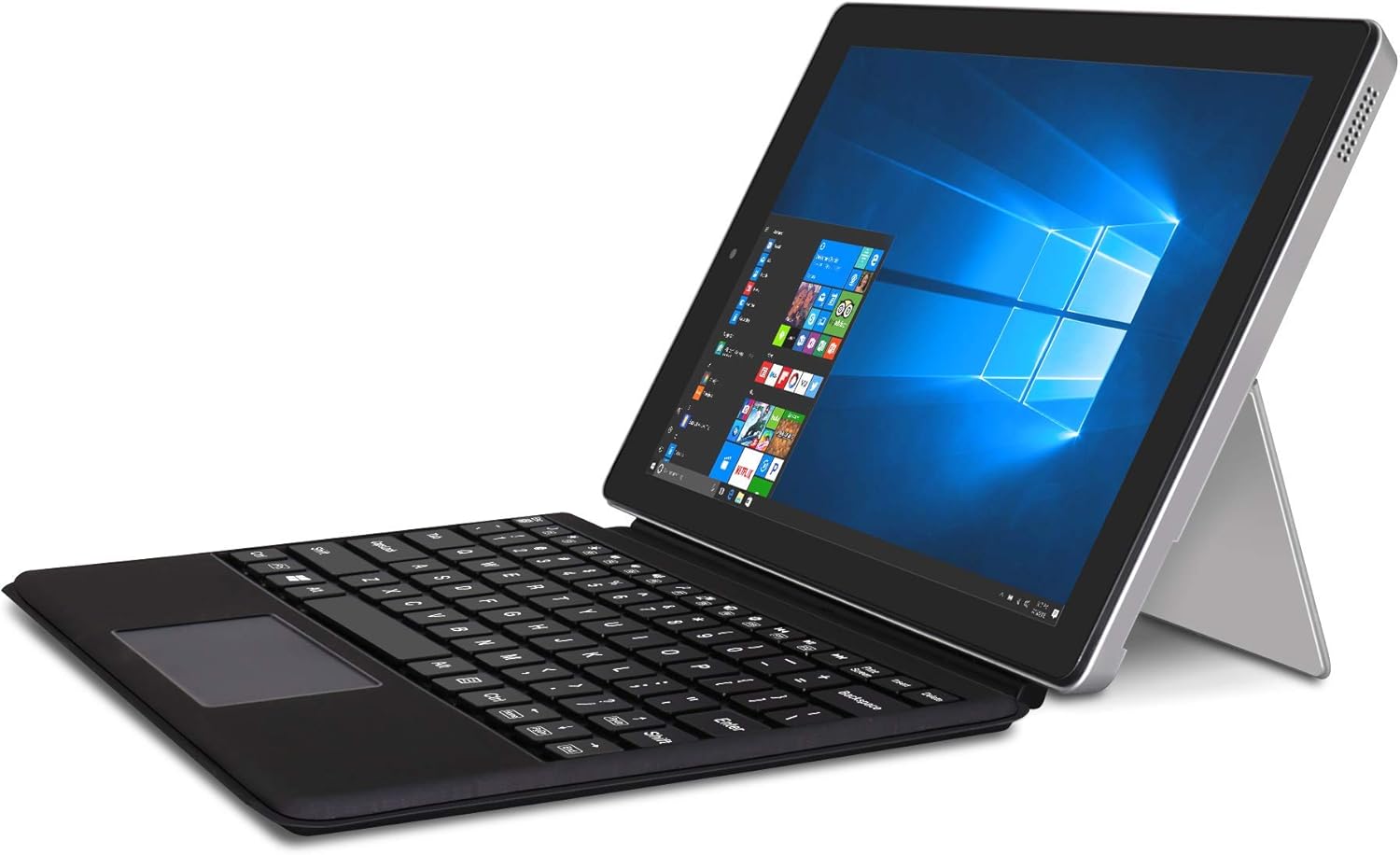
Image: The RCA Cambio 2-in-1 tablet with its folio keyboard attached, set up in laptop mode.
Care and Maintenance
Proper care will extend the life of your RCA Cambio tablet.
1. Cleaning
- Screen: Use a soft, lint-free cloth specifically designed for electronics. For stubborn smudges, slightly dampen the cloth with water or a screen cleaner solution. Avoid harsh chemicals or abrasive materials.
- Body and Keyboard: Wipe the exterior surfaces with a soft, dry cloth. For the keyboard, use compressed air to remove dust and debris from between the keys.
- Always ensure the device is powered off and unplugged before cleaning.
2. Storage
- Store the tablet in a cool, dry place away from direct sunlight and extreme temperatures.
- If storing for an extended period, ensure the battery is charged to about 50% to prevent deep discharge.
- Protect the screen from scratches by using the folio keyboard cover or a protective sleeve.
Troubleshooting Common Issues
If you encounter problems with your RCA Cambio, refer to the following solutions:
1. Device Not Powering On
- Check Battery: Ensure the tablet is sufficiently charged. Connect the power adapter and allow it to charge for at least 30 minutes before attempting to power on again.
- Hard Reset: If the device is unresponsive, press and hold the Power button for 10-15 seconds until it forces a shutdown, then try powering on normally.
2. Keyboard Not Responding
- Check Connection: Ensure the folio keyboard is securely attached to the tablet's magnetic connector. Detach and reattach it.
- Restart Device: Sometimes a simple restart of the tablet can resolve connectivity issues.
- Check Drivers: In Windows, go to Device Manager and check if there are any issues with keyboard drivers. You may need to update or reinstall them.
3. Wi-Fi Connectivity Issues
- Toggle Wi-Fi: Turn Wi-Fi off and then on again from the Action Center or Network & Internet settings.
- Restart Router: Power cycle your Wi-Fi router and modem.
- Forget Network: In Windows Wi-Fi settings, "forget" the problematic network and then reconnect to it.
- Update Drivers: Ensure your wireless adapter drivers are up to date.
Technical Specifications
| Feature | Detail |
|---|---|
| Model Number | W101SA23T2F8 |
| Operating System | Windows 10 |
| Screen Size | 10.1 Inches |
| Screen Resolution | 1280 x 800 pixels (IPS Display) |
| Processor | Intel Atom Processor (4 Cores) |
| RAM | 2 GB DDR4 |
| Storage | 32 GB (Built-in Flash Memory) |
| Cameras | Front and Rear cameras (Rear: 2 MP) |
| Connectivity | 802.11g/b/n WiFi, Bluetooth |
| Ports | Mini HDMI output |
| Battery Life | Up to 6 Hours |
| Item Weight | 1.4 pounds |
| Product Dimensions | 10.5 x 9 x 2 inches (LxWxH) |
| Color | Silver |
What's in the Box
The RCA Cambio 10.1" 2-in-1 Tablet package includes:
- RCA Cambio 10.1" Tablet
- Folio Keyboard
- Power Adapter
Warranty and Support
For warranty information and technical support, please refer to the documentation included with your purchase or visit the official RCA support website. Keep your proof of purchase for warranty claims.
If you require further assistance, please contact RCA customer service.
Ask a question about this manual
Ask about setup, troubleshooting, compatibility, parts, safety, or missing instructions. Manuals+ will review the question and use this page’s manual context to help answer it.