
Introduction
This manual provides comprehensive instructions for the setup, operation, and maintenance of your Acctim 15869 Alta Blue Alarm Clock. Designed with a smooth, matt finish and retro styling, this digital alarm clock features Acctim's reflection luminous display technology for enhanced nighttime viewing, reducing harsh glare. It includes a double couples alarm, calendar, indoor temperature display, crescendo alarm, and snooze function.
Package Contents
- Acctim 15869 Alta Blue Alarm Clock
- Instruction Manual (this document)
Note: 2 x AA batteries are required and are not included in the package.
Product Overview
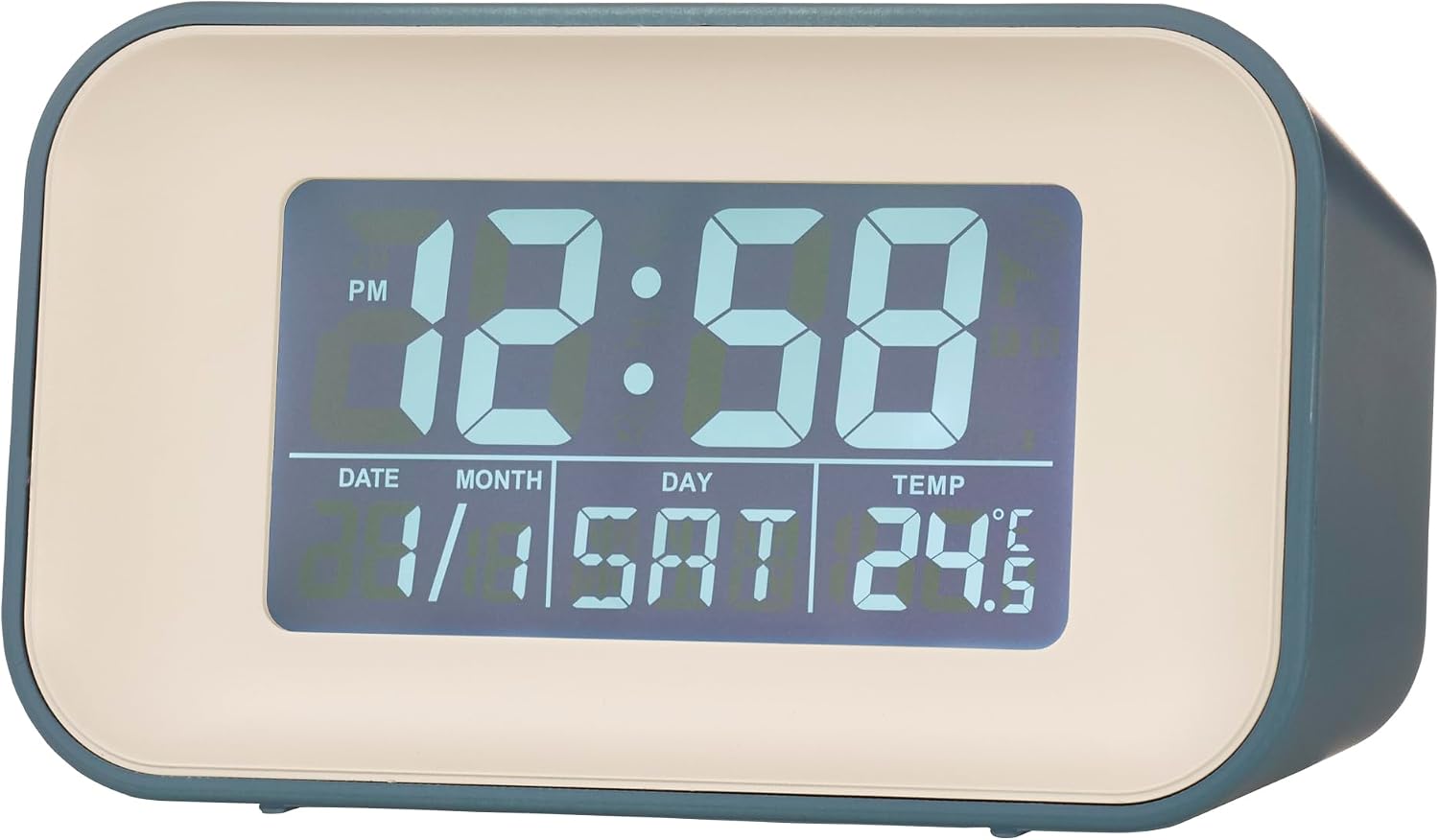
Figure 1: Front view of the Acctim Alta alarm clock, showing the digital display with time, date, day, and indoor temperature.

Figure 2: Rear view of the alarm clock, highlighting the control buttons (UP, ALT1, DOWN, AL2, MODE, SNOOZE/LIGHT) and the battery compartment.
Setup
1. Battery Installation
- Locate the battery compartment on the rear of the clock.
- Open the battery compartment cover.
- Insert 2 x AA batteries (not included), ensuring correct polarity (+/-).
- Close the battery compartment cover securely.
2. Initial Power On
Once batteries are installed, the clock will power on automatically and display default time and date settings. The reflection luminous display will activate.
Operating Instructions
Setting Time and Date
- Press the MODE button repeatedly until the time display flashes.
- Use the UP or DOWN buttons to adjust the hour.
- Press MODE again to move to minutes, then adjust with UP or DOWN.
- Continue pressing MODE to cycle through year, month, and day settings, adjusting each with UP or DOWN.
- Press MODE one last time to exit setting mode.
Setting Alarms (AL1 and AL2)
The clock features two independent alarms (AL1 and AL2).
- Press the AL1 button to enter Alarm 1 setting mode. The alarm time will flash.
- Use UP or DOWN to set the desired hour for Alarm 1.
- Press AL1 again to move to minutes, then adjust with UP or DOWN.
- Press AL1 to confirm and exit Alarm 1 setting.
- Repeat steps 1-4 using the AL2 button to set Alarm 2.
To activate or deactivate an alarm, press the respective AL1 or AL2 button briefly when not in setting mode. An alarm icon will appear on the display when active.
Snooze Function
When an alarm sounds, press the large SNOOZE/LIGHT button on top of the clock to activate the snooze function. The alarm will pause for approximately 9 minutes and then sound again. This can be repeated.
Display Backlight
Press the SNOOZE/LIGHT button briefly to illuminate the display for easier viewing in low light conditions. The reflection luminous display provides continuous visibility without harsh glare.
Temperature Display
The clock continuously displays the indoor temperature. No specific action is required to view this feature.
Maintenance
- Clean the clock with a soft, dry cloth. Do not use abrasive cleaners or solvents.
- Avoid exposing the clock to extreme temperatures, direct sunlight, or high humidity.
- If the display becomes dim or functions erratically, replace the batteries.
- Do not attempt to disassemble the clock; this will void the warranty.
Troubleshooting
| Problem | Possible Cause | Solution |
|---|---|---|
| Display is blank or dim. | Batteries are low or incorrectly installed. | Replace batteries with new AA batteries, ensuring correct polarity. |
| Alarm does not sound or is too quiet. | Alarm is not activated or volume is low (if applicable). | Ensure alarm is activated (icon visible). This model has a fixed crescendo alarm volume. Check batteries. |
| Time is incorrect. | Time not set correctly or batteries were removed. | Reset the time and date as per "Setting Time and Date" instructions. |
Specifications
| Feature | Detail |
|---|---|
| Brand | Acctim |
| Model Number | 15869 |
| Colour | Blue |
| Product Dimensions | 4.8 x 10 x 5.9 cm (H x W x D) |
| Item Weight | 140 g |
| Material | Plastic |
| Display Type | Digital (Reflection Luminous Display) |
| Special Features | Temperature Display, Calendar Display, Double Couples Crescendo Alarm, Snooze |
| Power Source | Battery Powered (2 x AA, not included) |
Warranty and Support
For warranty information and customer support, please refer to the retailer where the product was purchased or visit the official Acctim website. Keep your proof of purchase for any warranty claims.
Acctim Official Website: www.acctim.com


