
Acctim 15861
Acctim Alta Alarm Clock User Manual
Model: 15861
Brand: Acctim
Introduction
The Acctim Alta Alarm Clock, model 15861, features innovative reflection display technology for enhanced visibility. This stylish yellow alarm clock provides a clear, high-definition display, making it easy to read the time, indoor temperature, and calendar information, especially during night-time viewing. It includes a dual crescendo alarm with snooze and backlight functions, designed for reliable daily use.

Figure 1: Front view of the Acctim Alta Alarm Clock, showing the time, date, day, and indoor temperature on its reflection display.
Key Features
- Reflection Display Technology: Provides a higher definition display for improved readability.
- Dual Crescendo Alarm: Two independent alarms with a gradually increasing volume.
- Snooze Function: Allows for temporary silencing of the alarm.
- Backlight: Illuminates the display for easy viewing in low light conditions.
- Indoor Temperature Display: Shows the current room temperature.
- Calendar Display: Displays the current date and day of the week.
- Compact Design: Dimensions of 59 x 100 x 48 mm, making it suitable for various spaces.
Setup Guide
1. Battery Installation
The Acctim Alta Alarm Clock requires 2 x AA batteries (not included) for operation. Ensure correct polarity when inserting the batteries.
- Locate the battery compartment cover on the back of the clock.
- Slide the cover downwards to open the compartment.
- Insert two new AA batteries, matching the (+) and (-) indicators inside the compartment.
- Replace the battery compartment cover by sliding it upwards until it clicks into place.

Figure 2: Rear view of the clock, highlighting the battery compartment and control buttons.
2. Initial Time and Date Setting
Upon battery installation, the display will activate. You will need to set the current time and date.
- Press the MODE button repeatedly until the time setting mode is indicated (e.g., flashing hours).
- Use the UP or DOWN buttons to adjust the flashing value (hours, then minutes).
- Press MODE again to confirm the setting and move to the next adjustable item (e.g., minutes, then year, month, day).
- Repeat steps 2 and 3 until all time and date settings are correct.
- Press MODE one last time to exit the setting mode.
Operating Instructions
Setting the Alarm (AL1 and AL2)
The clock features two independent alarms, AL1 and AL2.
- Press the AL1 or AL2 button to select the desired alarm to set. The alarm time will flash.
- Use the UP or DOWN buttons to adjust the alarm hour.
- Press the selected alarm button (AL1 or AL2) again to confirm the hour and move to minutes.
- Use the UP or DOWN buttons to adjust the alarm minutes.
- Press the selected alarm button one more time to confirm the alarm setting and activate the alarm. An alarm icon will appear on the display.
- To deactivate an alarm, press the corresponding AL1 or AL2 button until the alarm icon disappears.
Snooze and Backlight Function
When the alarm sounds, press the large SNOOZE/LIGHT button located on the top of the clock to activate the snooze function. The alarm will temporarily stop and sound again after a few minutes (typically 5-10 minutes). Pressing this button at any other time will activate the backlight for a few seconds, illuminating the display.
Viewing Temperature and Calendar
The clock continuously displays the indoor temperature and calendar information (date and day of the week) alongside the time. No specific action is required to view these details as they are part of the main display.
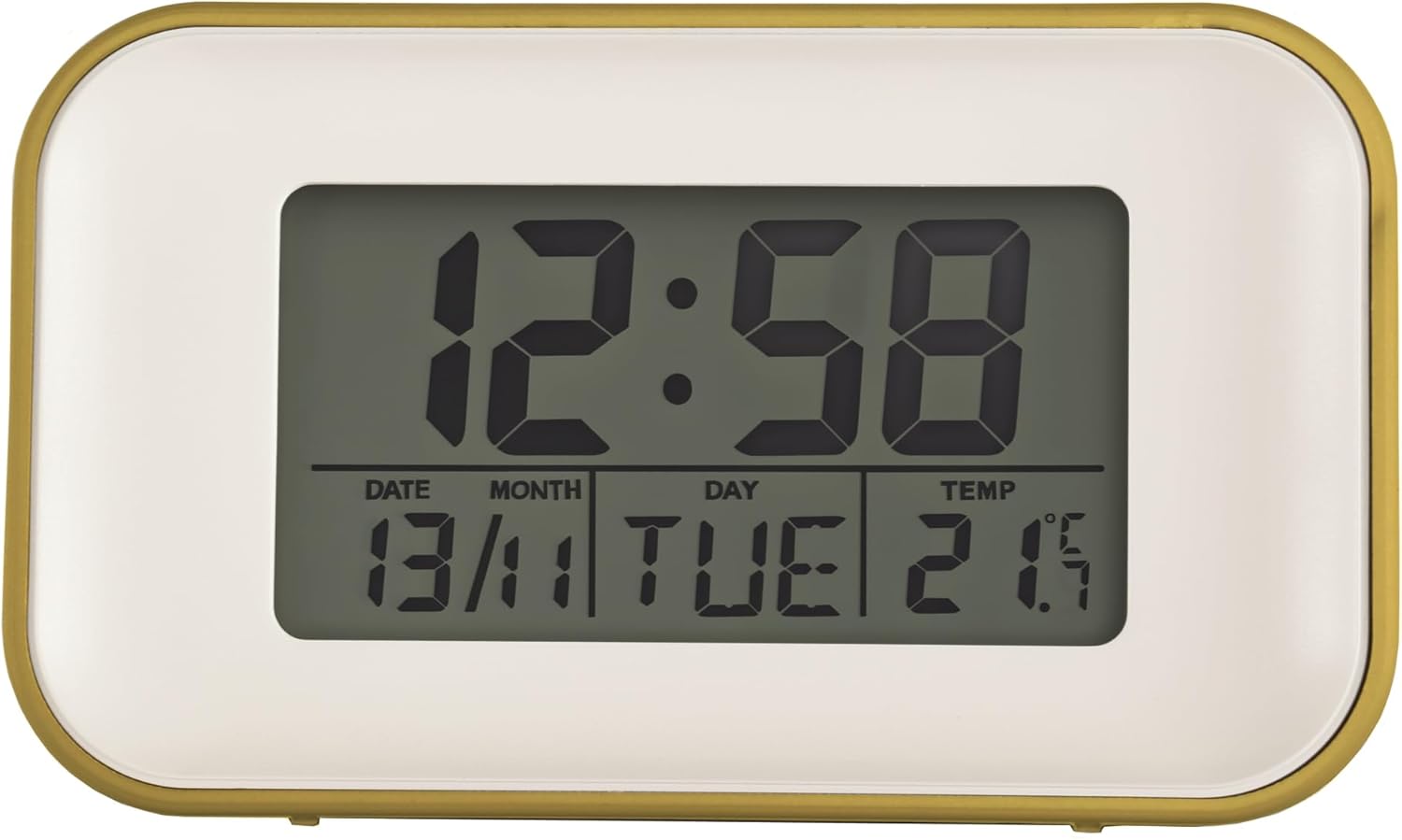
Figure 3: Close-up of the display showing time, date, day, and temperature clearly.
Maintenance
To ensure the longevity and proper functioning of your Acctim Alta Alarm Clock, follow these simple maintenance guidelines:
- Cleaning: Wipe the clock's surface with a soft, dry cloth. Do not use abrasive cleaners, solvents, or chemical sprays, as these can damage the finish and display.
- Battery Replacement: Replace batteries promptly when the display dims or functions become erratic. Remove batteries if the clock will not be used for an extended period to prevent leakage.
- Placement: Avoid placing the clock in direct sunlight, near heat sources, or in areas with high humidity, as extreme conditions can affect performance and display clarity.
Troubleshooting
| Problem | Possible Cause | Solution |
|---|---|---|
| Display is dim or blank. | Low or dead batteries. | Replace with new AA batteries. Ensure correct polarity. |
| Display is difficult to read from certain angles. | This clock uses reflection display technology which can have optimal viewing angles. External light conditions may also affect visibility. | Adjust the viewing angle of the clock or the ambient lighting in the room for better clarity. |
| Buttons are unresponsive or difficult to press. | Possible internal issue or debris. | Ensure no foreign objects are lodged around the buttons. If the issue persists, contact customer support. |
| Alarm does not sound or is too quiet. | Alarm not activated, or volume is crescendoing. | Ensure the alarm icon is displayed for the set alarm. The alarm is a dual crescendo type, meaning it starts softly and gradually increases in volume. |
| Incorrect time or date. | Not set correctly or power interruption. | Refer to the "Initial Time and Date Setting" section to reset the time and date. |
Specifications
| Feature | Detail |
|---|---|
| Brand | Acctim |
| Model Number | 15861 |
| Colour | Yellow |
| Product Dimensions | 4.8 x 10 x 5.9 cm (Depth x Width x Height) |
| Item Weight | 123 Grams |
| Material | Plastic |
| Display Type | Digital (Reflection Display Technology) |
| Special Features | Alarm, Indoor Temperature Display, Calendar Display, Snooze, Backlight |
| Batteries Required | 2 x AA (not included) |

Figure 4: Product dimensions of the Acctim Alta Alarm Clock.
Warranty and Support
Acctim products are manufactured to high quality standards. For specific warranty information, please refer to the documentation included with your purchase or visit the official Acctim website. If you encounter any issues not covered in this manual or require further assistance, please contact Acctim customer support through their official channels.
For the most up-to-date support information, please visit: www.acctim.com
Related documents15861


Ask a question about this manual
Ask about setup, troubleshooting, compatibility, parts, safety, or missing instructions. Manuals+ will review the question and use this page’s manual context to help answer it.