
1. Product Overview
The Waleaf GT 55-inch Gaming Desk is designed for an optimized gaming and computing experience. It features a spacious carbon fiber desktop, a sturdy T-shaped alloy steel frame, and integrated accessories for convenience and organization.

Image: The Waleaf GT 55-inch Gaming Desk showcasing a complete gaming setup with monitor, keyboard, mouse, and accessories.
Key features include a full-desk mouse pad surface, a gaming handle rack, a cup holder, and a headphone hook, all designed to enhance functionality and maintain a tidy workspace.
2. Safety Information
- Always assemble and anchor the desk properly to prevent tipping.
- Do not exceed the maximum weight recommendation of 260 pounds (118 kg).
- Ensure all screws and fasteners are securely tightened before use.
- Keep small parts away from children during assembly.
3. Assembly and Setup
Partial assembly is required for this desk. While assembly tools are not included, the design facilitates a straightforward setup process. It is recommended to carefully review all instructions before beginning assembly.

Image: Detailed dimensions of the Waleaf GT 55-inch Gaming Desk, including desktop size, height, and accessory measurements.
3.1 Components
Before starting, ensure all components are present:
- Desktop sections
- T-shaped leg frames
- Adjustable stable feet
- Gaming handle rack
- Cup holder
- Headphone hook
- Cable management tray
- Fasteners and connectors
3.2 Assembly Steps
- Attach the T-shaped leg frames to the desktop sections using the provided fasteners. Ensure the legs are oriented correctly for stability.
- Secure the adjustable stable feet to the bottom of the leg frames. These feet help level the desk on uneven surfaces.
- Install the gaming handle rack, cup holder, and headphone hook in your desired locations on the desk. These accessories are designed for easy attachment.
- Mount the cable management tray to the underside of the desk to organize power strips and cables.
- Once assembled, gently place the full-desk mouse pad on the desktop.
Video: An overview of the Waleaf Gaming Desk features, including its solid metal frame, easy assembly, carbon fiber desktop, full desk mouse pad, T-shaped legs, cable management tray, cup holder, and headphone hanger.
4. Operating Features
The Waleaf GT Gaming Desk is equipped with several features to enhance your gaming and work environment.
4.1 Full-Desk Mouse Pad
The desk comes with a large, waterproof mouse pad that covers the entire desktop surface, providing ample space for mouse movement and protecting the desk surface. The carbon fiber desktop itself is corrosion resistant.

Image: A close-up view highlighting the waterproof material of the full-desk mouse pad and the texture of the carbon fiber desktop.
4.2 Gaming Handle Rack
Utilize the gaming handle rack to store your game controllers, headphones, or even your phone, keeping them organized and within easy reach.

Image: The gaming handle rack shown with several game controllers and a pair of headphones, demonstrating its storage capacity.
4.3 Cup Holder and Headphone Hook
The integrated cup holder provides a secure place for your beverage, reducing the risk of spills. The headphone hook keeps your headphones conveniently stored and off the desk surface.

Image: A close-up of the headphone hook and cup holder accessories, showing their attachment points on the desk.
4.4 Cable Management
The desk includes a cable management tray and double wire holes to help keep your cables organized and out of sight, contributing to a cleaner and safer workspace.
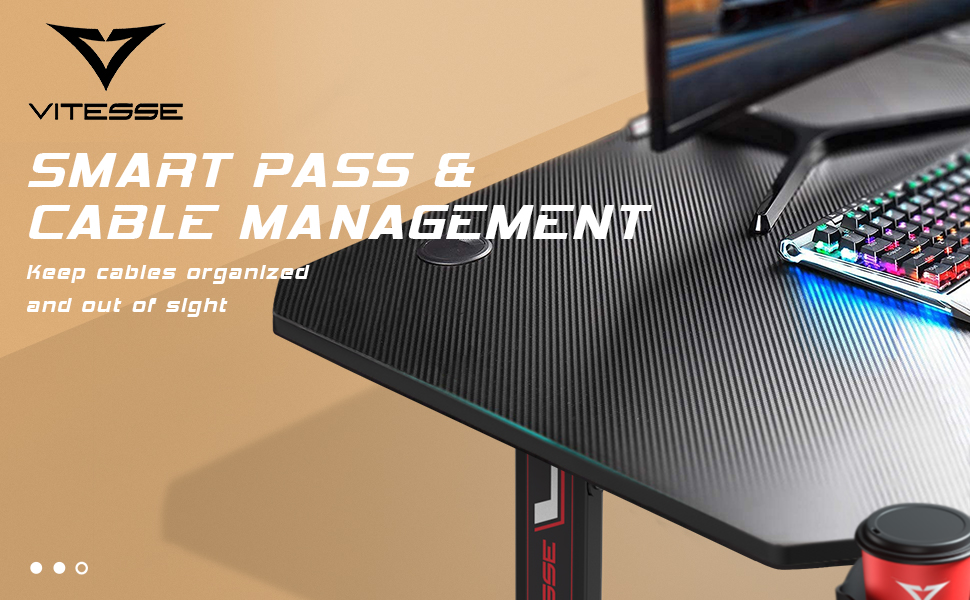
Image: Illustration of the cable management system, showing how wires can be routed through the desk's integrated holes and tray.
5. Maintenance
To ensure the longevity and appearance of your Waleaf GT Gaming Desk, follow these maintenance guidelines:
- Cleaning the Desktop: The carbon fiber desktop is corrosion resistant. Wipe the surface with a soft, damp cloth. Avoid abrasive cleaners or harsh chemicals that could damage the finish.
- Cleaning the Mouse Pad: The full-desk mouse pad is waterproof. For spills, wipe immediately with a dry cloth. For general cleaning, use a mild soap solution and a soft cloth, then air dry.
- Frame Care: Periodically check all screws and connections to ensure they remain tight. Tighten any loose fasteners to maintain stability.
- Weight Distribution: Distribute weight evenly across the desktop. Avoid placing excessively heavy items on one side.
6. Troubleshooting
If you encounter any issues with your Waleaf GT Gaming Desk, consider the following common solutions:
- Desk Instability/Wobbling:
- Ensure all assembly screws are fully tightened.
- Adjust the stable feet at the bottom of the legs to level the desk on uneven floors.
- Difficulty During Assembly:
- Refer back to the assembly instructions and diagrams. Sometimes, a component may be oriented incorrectly.
- Do not force parts together. If a part does not fit, re-check the instructions and the part orientation.
- Damaged or Missing Parts:
- If any parts are damaged or missing upon arrival, contact customer support immediately for assistance.
- Cup Holder Issues:
- Ensure the cup holder is securely attached. Avoid placing excessively heavy or oversized items in the cup holder to prevent damage.
7. Specifications
| Feature | Detail |
|---|---|
| Brand | Waleaf |
| Model Number | GT |
| Product Dimensions (D x W x H) | 23.6"D x 55.1"W x 29.5"H (60cm D x 140cm W x 75cm H) |
| Item Weight | 40 Pounds (18.1 kg) |
| Maximum Weight Recommendation | 260 Pounds (118 kg) |
| Color | Black |
| Style | Gaming |
| Base Material | Alloy Steel |
| Top Material Type | Engineered Wood with Carbon Fiber Laminated Finish |
| Special Features | Cup holder, Full-desk mousepad surface, Gaming handle rack, Headphone hook, Cable management tray, Adjustable stable feet |
| Assembly Required | Yes (Partial Assembly) |
| Includes All Assembly Tools | No |
8. Warranty and Support
8.1 Warranty Information
The Waleaf GT Gaming Desk comes with a Limited Warranty, covering parts and labor for a period of 6 months from the date of purchase. This warranty covers manufacturing defects and material flaws under normal use.
8.2 Customer Support
For any questions, concerns, or assistance with assembly, parts, or warranty claims, please contact Waleaf Customer Support. Refer to your purchase documentation for specific contact details.