
Product Overview
The DACOM L05 V4.1 Sport Wireless Headphones are designed for active lifestyles, offering a secure fit, high-quality audio, and robust water resistance. This manual provides essential information for setup, operation, and maintenance.

Image: DACOM L05 V4.1 Sport Wireless Headphones, black color, with ear hooks designed for a secure fit during physical activity.
What's in the Box

Image: The complete package contents including the headphones, ear tips, USB charging cable, and user guide.
- 1 x Dacom L05 Lightweight Bluetooth Headphones
- 3 Pairs Earphone Tips (Small, Medium, Large)
- 1 x USB Charging Cable
- 1 x User Manual
Setup Guide
Charging the Headphones
Before first use, fully charge your DACOM L05 V4.1 headphones. Use the provided Micro USB charging cable.
- Connect the Micro USB end of the charging cable to the charging port on the headphones.
- Connect the USB-A end of the cable to a standard USB power adapter (e.g., computer USB port, wall charger).
- The indicator light will show charging status (refer to LED indicator section for details).
- Charging time is approximately 1.5-2 hours for a full charge. Avoid using fast chargers.
Pairing with a Bluetooth Device
- Ensure the headphones are turned off.
- Press and hold the Multi-function button on the headphones until the LED indicator flashes red and blue alternately, indicating pairing mode.
- On your device (smartphone, tablet, etc.), enable Bluetooth and search for available devices.
- Select "DACOM L05" from the list of found devices.
- Once connected, the LED indicator will flash blue slowly, and a voice prompt will confirm the connection.
- If prompted for a password, enter "0000".
Operating Instructions
Power On/Off
- Power On: Press and hold the Multi-function button for 3 seconds.
- Power Off: Press and hold the Multi-function button for 3 seconds.
Music Playback
- Play/Pause: Press the Multi-function button once.
- Next Track: Press and hold the Volume + button.
- Previous Track: Press and hold the Volume - button.
- Volume Up: Press the Volume + button once.
- Volume Down: Press the Volume - button once.
Call Management
- Answer/End Call: Press the Multi-function button once.
- Reject Call: Press and hold the Multi-function button for 2 seconds.
- Redial Last Number: Double-press the Multi-function button.
Wearing the Headphones
The DACOM L05 V4.1 features a behind-ear ergonomic design for a stable and comfortable fit, especially during sports activities. The shallow in-ear design allows for some environmental awareness, which is beneficial for outdoor activities.

Image: A person wearing the DACOM L05 V4.1 headphones with the ear hooks securely positioned behind the ears, demonstrating their suitability for sports.
For enhanced noise isolation, you can gently push the earbuds deeper into your ear canal and adjust the volume.
Maintenance and Care
Cleaning
- Wipe the headphones with a soft, dry cloth.
- For ear tips, remove them and clean with a mild soap solution if necessary, then rinse and dry thoroughly before reattaching.
Storage
The headphones feature a soft memory wire for easy storage. Gently coil the headphones to store them in a compact manner.
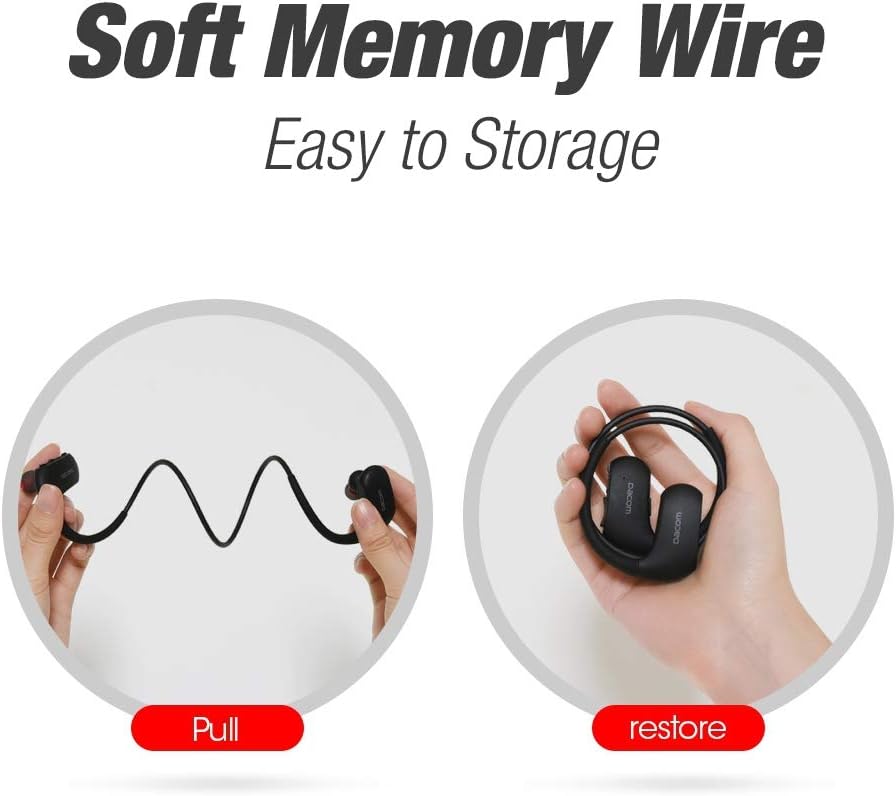
Image: Illustration showing the flexibility of the memory wire, allowing the headphones to be easily pulled and then coiled for compact storage.
Water Resistance (IPX7)
The DACOM L05 V4.1 headphones are IPX7 waterproof, meaning they can withstand immersion in water up to 1 meter for 30 minutes. This makes them suitable for workouts and exposure to rain or sweat.

Image: A person wearing the headphones while being splashed with water, highlighting the IPX7 waterproof feature.
Important Safety Note:
- Avoid exposure to water over a prolonged period of time.
- Ensure the charging port cover is securely closed before exposing to water.
Troubleshooting
| Problem | Possible Cause | Solution |
|---|---|---|
| Headphones do not power on. | Low battery. | Charge the headphones fully. |
| Cannot pair with device. | Headphones not in pairing mode; device Bluetooth off; too far from device. | Ensure headphones are in pairing mode (red/blue flashing LED). Turn on device Bluetooth. Move headphones closer to device (within 30 ft). |
| No sound or poor sound quality. | Volume too low; headphones not connected; interference. | Increase volume on headphones and device. Re-pair headphones. Move away from other wireless devices. |
| Battery drains quickly. | High volume usage; old battery. | Reduce volume. Ensure headphones are fully charged. If issue persists, contact support. |
Technical Specifications
- Model: L05 V4.1
- Bluetooth Specification: 4.1
- Waterproof Rating: IPX7
- Transmission Distance: Up to 30 ft (10 meters)
- Charging Port: Micro USB
- Charging Time: 1.5-2 Hours
- Talking Time: 8 Hours
- Play Time: 7 Hours
- Standby Time: 240 Hours
- Weight: 154 g
- Material: Rubber (ear hooks)
- Features: Wireless, Water-Resistant, Lightweight, Noise Isolation, Microphone Included
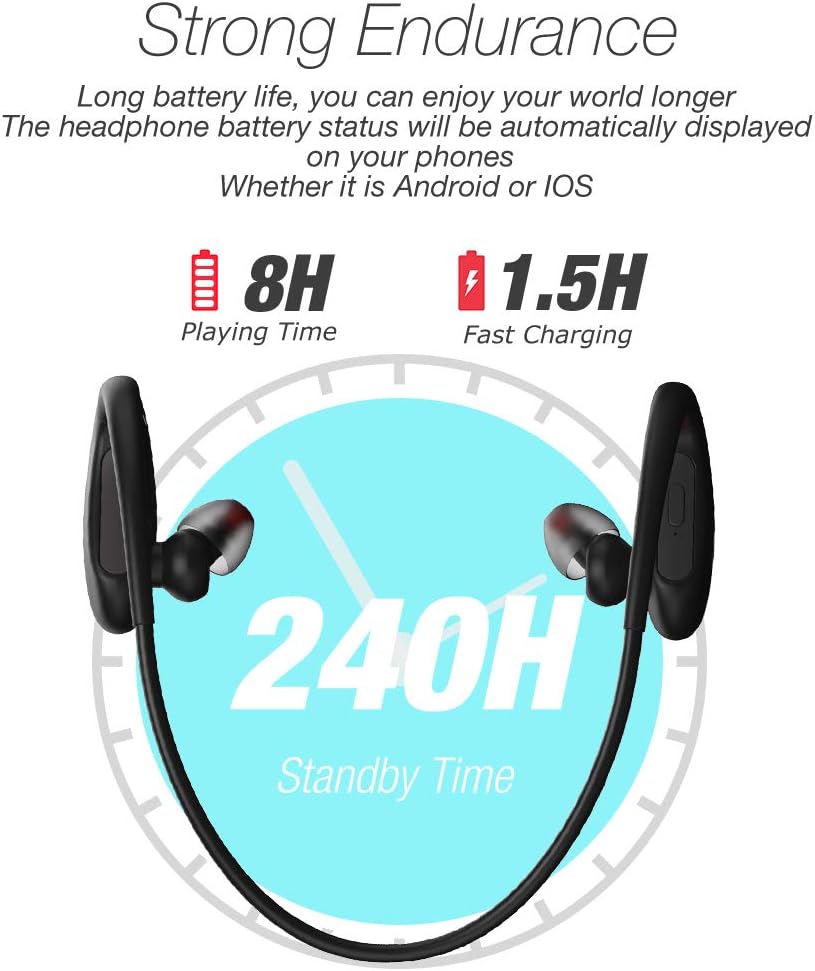
Image: Visual representation of the headphone's battery endurance, showing 8 hours playing time, 1.5 hours fast charging, and 240 hours standby time.

Image: Graphic illustrating the powerful deep bass and stereo sound capabilities of the headphones, with sound waves emanating from the earbud.
Safety Information
- Avoid using fast chargers, as this may damage the battery.
- Avoid exposure to water over a prolonged period of time, despite the IPX7 rating.
- Please keep your headphone charged when in low battery to achieve better Bluetooth connection and battery protection.
- Do not disassemble, repair, or modify the product.
- Keep out of reach of children.
- Do not expose to extreme temperatures (hot or cold).
Warranty and Support
DACOM provides a 1-Year Manufacturer's Warranty for this product. Additionally, a 30-day no-questions-asked return policy is offered. The product also comes with a lifetime sweatproof warranty.
For technical support, warranty claims, or further assistance, please refer to the contact information provided on the product packaging or the official DACOM website.
