
Introduction
Welcome to the Sodo MH1 Twist Out Loud Bluetooth Speaker Headphones. This manual provides detailed instructions for the safe and efficient use of your device. Please read it thoroughly before operation to ensure optimal performance and to prevent damage.
Package Contents
Verify that all items are present in your package:
- Sodo MH1 Headphones
- Protective Case
- User Manual
- Charging Cable
- Audio Cable (3.5mm)
- Ear Cushions
Product Overview
The Sodo MH1 headphones offer a unique twist-out design, allowing them to function as both over-ear headphones and a portable Bluetooth speaker. They feature wireless and wired connectivity, active noise cancellation, and a built-in microphone for hands-free calls. The super soft cushions ensure superior comfort during extended use.
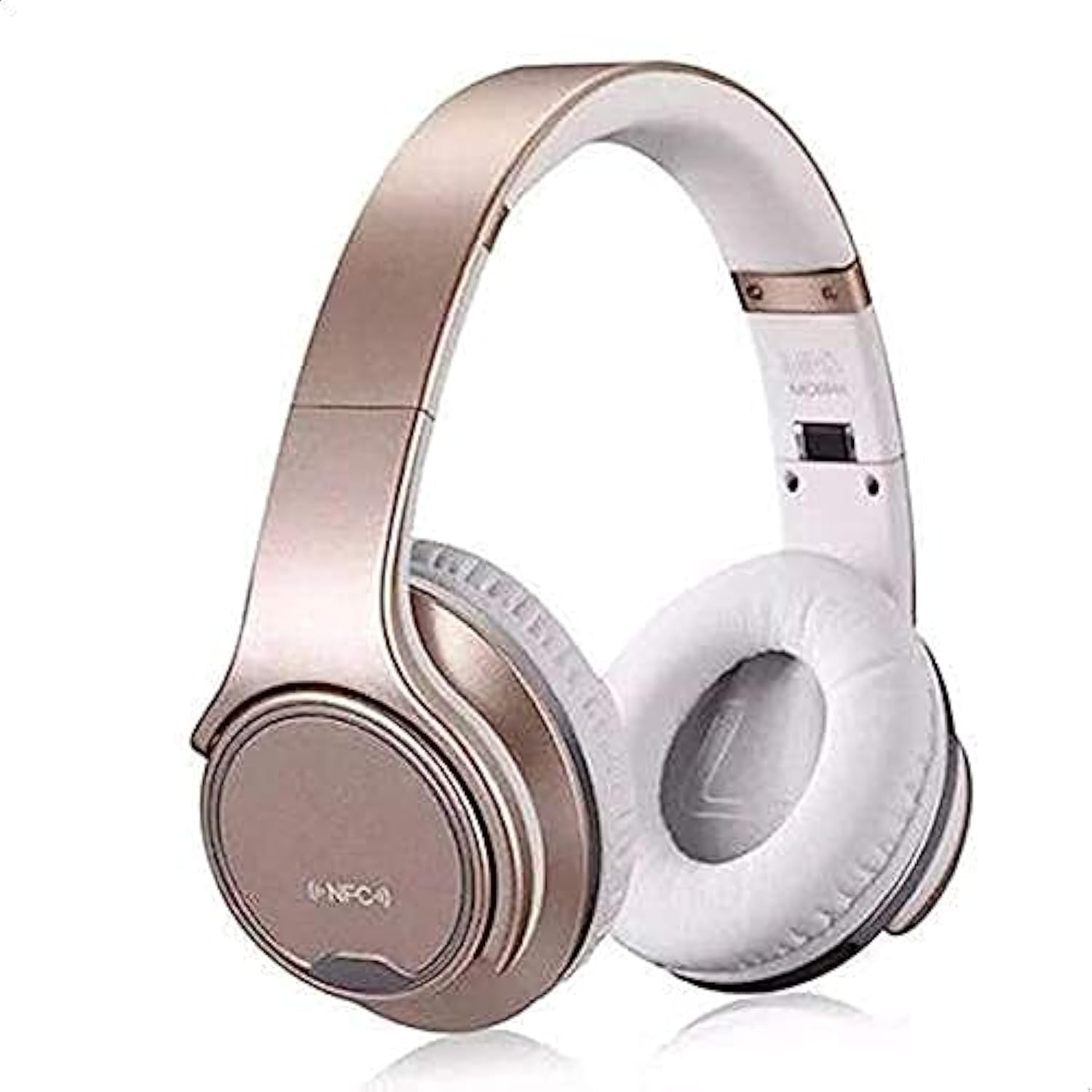
Image: Sodo MH1 Twist Out Loud Bluetooth Speaker Headphones in gold, showcasing their over-ear design.
Setup
Charging the Device
Before first use, fully charge the headphones. Connect the charging cable to the charging port on the headphones and to a compatible USB power source. The indicator light will show the charging status and typically turn off or change color when fully charged.
Bluetooth Pairing
- Ensure the headphones are powered off.
- Press and hold the power button for approximately 5 seconds until the indicator light flashes blue and red alternately, indicating pairing mode.
- On your mobile device or other Bluetooth-enabled device, enable Bluetooth and search for "Sodo MH1" in the list of available devices.
- Select "Sodo MH1" to connect. A voice prompt will confirm successful pairing.
Operating Instructions
Power On/Off
Press and hold the power button for 3 seconds to power on or off the device.
Headphone Mode / Speaker Mode
To switch between headphone and speaker mode, twist the earcups outwards. The device will automatically detect the mode change and adjust audio output accordingly.
Music Playback
- Play/Pause: Press the Multi-function button once.
- Next Track: Press and hold the Volume Up button.
- Previous Track: Press and hold the Volume Down button.
- Volume Up: Short press the Volume Up button.
- Volume Down: Short press the Volume Down button.
Call Management
- Answer/End Call: Press the Multi-function button once.
- Reject Call: Press and hold the Multi-function button for 2 seconds.
- Redial Last Number: Double-press the Multi-function button.
TF Card Mode
Insert a TF (Micro SD) card into the designated slot. The headphones will automatically switch to TF card playback mode for MP3 files.
Voice Control
The device supports voice control for certain functions. Refer to your connected device's voice assistant settings for compatibility and commands.
Maintenance
To ensure longevity and optimal performance of your Sodo MH1 headphones:
- Clean the ear cushions and exterior with a soft, dry cloth.
- Avoid exposing the device to extreme temperatures, humidity, or direct sunlight.
- Do not use abrasive cleaners or solvents.
- Store in the protective case when not in use to prevent scratches and damage.
Troubleshooting
| Issue | Solution |
|---|---|
| Device does not power on | Ensure the battery is charged. Connect to a power source and try again. |
| Cannot pair via Bluetooth | Ensure the headphones are in pairing mode (flashing blue/red). Turn off and on Bluetooth on your device. Move closer to the headphones. |
| No sound | Check volume levels on both the headphones and your connected device. Ensure the headphones are correctly paired. |
| Sound distortion | Move closer to your connected device to avoid interference. Ensure the battery is not critically low. |
Specifications
| Brand | Sodo |
| Model Number | MH1 |
| Color | Gold |
| Connectivity | Wired/Wireless (Bluetooth, 3.5mm Jack) |
| Noise Control | Active Noise Cancellation |
| Headphone Form Factor | Over Ear |
| Headphone Jack | 3.5 mm Jack |
| Included Components | Protective case, User manual, Cable, Ear cushions |
| Material | Polycarbonate (PC), Plastic Leather |
| Recommended Uses | Music |
| Water Resistance Level | Not Water Resistant |
| Special Features | Noise Cancellation, Built-in Microphone |
| Control Type | Noise Control, Voice |
| Compatible Devices | All devices |
| ASIN | B07R964WJ5 |
Warranty and Support
For warranty information or technical support, please refer to the contact details provided in the included user manual or visit the official Sodo website. Keep your purchase receipt for warranty claims.


