
1. Introduction
This manual provides essential information for the safe and efficient operation, maintenance, and troubleshooting of your Dyson V7 Animal Pro+ Cordless Vacuum Cleaner. Please read all instructions before use and retain this manual for future reference.
2. Safety Instructions
Always follow basic safety precautions when using an electrical appliance to reduce the risk of fire, electric shock, or injury:
- Do not use outdoors or on wet surfaces.
- Do not allow to be used as a toy. Close attention is necessary when used by or near children.
- Use only as described in this manual. Use only Dyson recommended attachments.
- Do not use with a damaged cord or plug. If appliance is not working as it should, has been dropped, damaged, left outdoors, or dropped into water, return it to a service center.
- Do not pull or carry by cord, use cord as a handle, close a door on cord, or pull cord around sharp edges. Keep cord away from heated surfaces.
- Do not unplug by pulling on cord. To unplug, grasp the plug, not the cord.
- Do not handle plug or appliance with wet hands.
- Do not put any object into openings. Do not use with any opening blocked; keep free of dust, lint, hair, and anything that may reduce airflow.
- Keep hair, loose clothing, fingers, and all parts of body away from openings and moving parts.
- Do not pick up anything that is burning or smoking, such as cigarettes, matches, or hot ashes.
- Do not use to pick up flammable or combustible liquids, such as gasoline, or use in areas where they may be present.
- Do not use without dust bin and/or filters in place.
- Turn off all controls before unplugging.
3. What's in the Box
Your Dyson V7 Animal Pro+ comes with a range of tools designed for comprehensive home cleaning:
- Dyson V7 Animal Pro+ Main Unit (Handheld)
- Extension Wand (Blue)
- Direct Drive Cleaner Head
- Mini Motorized Tool
- Combination Tool
- Crevice Tool
- Flexi Crevice Tool
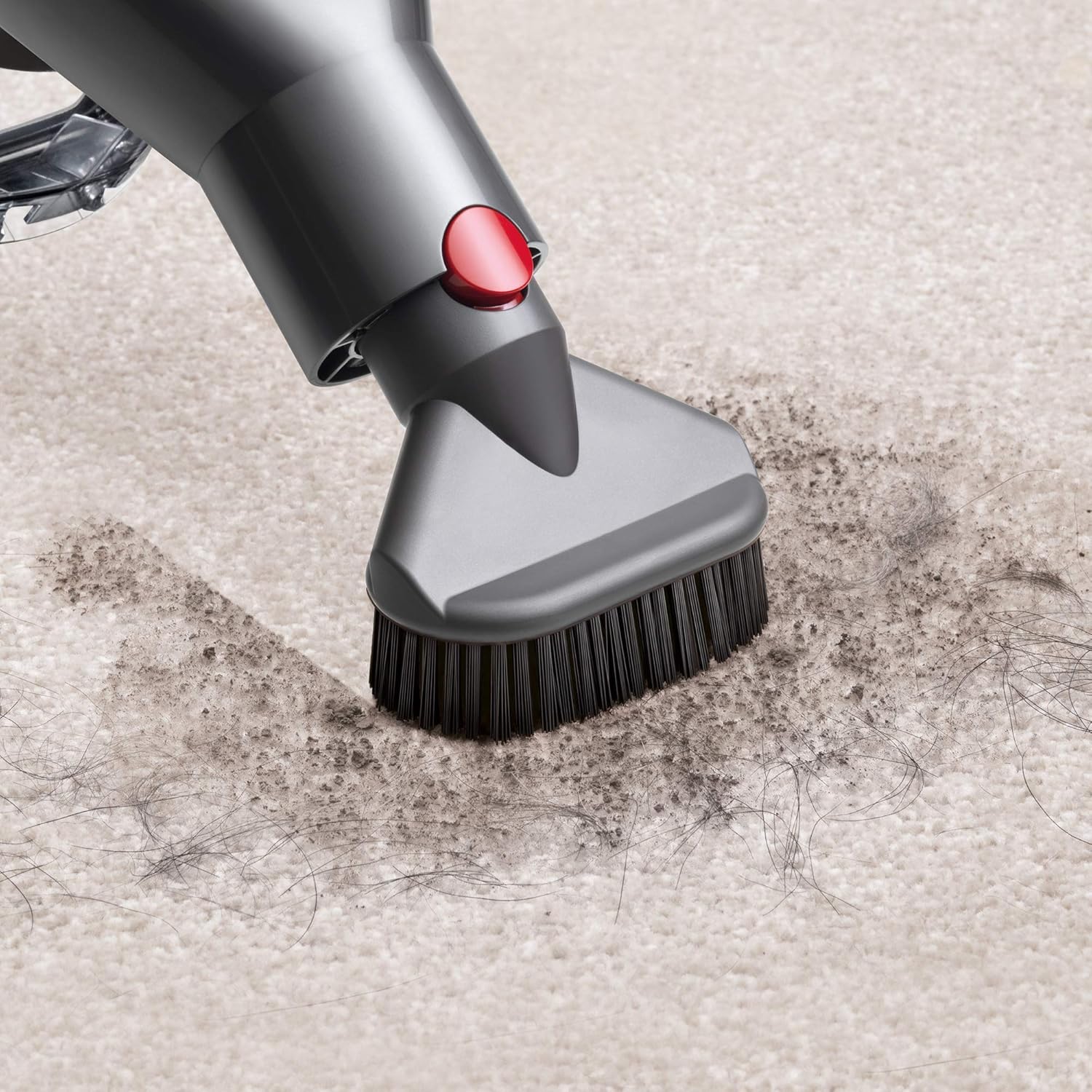
- Stubborn Dirt Brush
- Docking Station
- Charger

The image above displays the main unit, extension wand, and various cleaning tools that come with your Dyson V7 Animal Pro+.
4. Assembly
Your Dyson V7 Animal Pro+ is designed for easy assembly. Simply click the desired cleaning head or tool onto the end of the extension wand, or directly onto the main unit for handheld use. Ensure a secure click to confirm proper attachment.
5. Charging the Appliance
Before first use, fully charge your Dyson V7 Animal Pro+. The convenient docking station allows for easy storage and charging, ensuring your vacuum is always ready for use.
- Mount the docking station in a suitable location near a power outlet.
- Connect the charger to the docking station and plug it into the mains.
- Place the vacuum cleaner into the docking station. The blue indicator light will illuminate to show it is charging.

The image above shows the Dyson V7 Animal Pro+ securely placed in its wall-mounted docking station, indicating it is ready for charging or storage.
6. Operating Instructions
Your Dyson V7 Animal Pro+ offers versatile cleaning with powerful suction across various surfaces.
6.1 Power Modes
The appliance features two power modes:
- Standard Mode: Provides up to 30 minutes of fade-free power for everyday cleaning.
- Max Power Mode: Delivers 6 minutes of higher suction for more difficult tasks and stubborn dirt.
6.2 Using Attachments
The V7 Animal Pro+ includes specialized tools for different cleaning needs:
- Direct Drive Cleaner Head: Drives bristles deeper into carpet to remove ground-in dirt.
- Mini Motorized Tool: Tackles hair and ground-in dirt on upholstery and in tight spaces.
- Combination Tool: Two tools in one, for simple switching between surfaces.
- Crevice Tool & Flexi Crevice Tool: Designed for precise cleaning around edges and narrow gaps.
- Stubborn Dirt Brush: For removing dried-on and stubborn dirt.

The image above illustrates the Direct Drive cleaner head in action, demonstrating its ability to clean carpets.

This image shows the versatility of the Dyson V7 Animal Pro+ as a handheld unit, ideal for cleaning car interiors.
The Mini Motorized Tool is depicted here, demonstrating its capability to clean pet hair and ground-in dirt from fabric surfaces.
6.3 Cleaning Different Surfaces
The V7 Animal Pro+ is balanced for cleaning up top, down below, and in between. It quickly converts to a handheld for quick clean-ups, spot cleaning, and reaching difficult places.

This image highlights the vacuum's ability to reach and clean under low-lying furniture.

The Flexi Crevice Tool is shown here, demonstrating its flexibility for cleaning in tight and awkward spaces.
6.4 Product Video Overview
Watch this official product video for a visual guide on the features and usage of the Dyson V7 Animal Pro+.
7. Maintenance
Regular maintenance ensures optimal performance of your Dyson V7 Animal Pro+.
7.1 Emptying the Bin
The hygienic dirt ejector empties dust from the bin in a single action, minimizing contact with dirt.
- Hold the appliance over a waste bin.
- Push the red lever down to release the bin flap and eject the dirt.
- Close the bin flap securely until it clicks into place.
7.2 Cleaning Filters
The whole-machine filtration system captures 99.97% of particles as small as 0.3 microns. The filter is washable and should be cleaned regularly according to the instructions provided in the full user manual.
7.3 Cleaning the Brush Bar
Periodically check the cleaner head brush bar for any tangled hair or debris. Remove any obstructions to maintain effective cleaning performance.
8. Troubleshooting
If your Dyson V7 Animal Pro+ is not operating correctly, refer to the following common issues:
- No Power: Ensure the battery is fully charged. Check the charger connection.
- Reduced Suction: Check if the dust bin is full and empty it. Inspect the filter for blockages and clean it. Ensure there are no obstructions in the cleaner head or wand.
- Brush Bar Not Rotating: Check for blockages around the brush bar and remove any tangled hair or debris.
- Pulsing/Cutting Out: This often indicates a blockage. Check the bin, filter, and all attachments for obstructions.
For more detailed troubleshooting, please consult the full Dyson V7 Animal Pro+ user manual or contact Dyson customer support.
9. Specifications
| Brand | Dyson |
| Model Name | V7 Animal Pro+ |
| Item Model Number | 289038-01 |
| Filter Type | HEPA Filter |
| Is Cordless? | Yes |
| Capacity | 0.6 Pounds |
| Wattage | 120 watts |
| Battery Life | Up to 30 minutes (Standard Mode) |
| Power Levels | 2 (Standard, Max) |
| Product Dimensions | 8.2 x 49 x 9.8 inches |
| Item Weight | 0.01 ounces |
10. Warranty and Support
After registering your free 2-year warranty, your Dyson machine will be covered for parts and labor (excluding filters) for 2 years from the date of purchase, subject to the terms of the warranty.
If you have any questions about your Dyson machine, call the Dyson Helpline with your serial number and details of where and when you bought the machine. Most questions can be solved over the phone by one of our trained Dyson Helpline staff.
For further assistance, visit the official Dyson website: www.dyson.com


