Introduction
This manual provides instructions for the AULCMEET AA59-00600A replacement remote control. This remote is designed to function as a direct replacement for the original Samsung TV remote, requiring no programming. Please read this manual carefully to ensure proper use and longevity of your remote control.
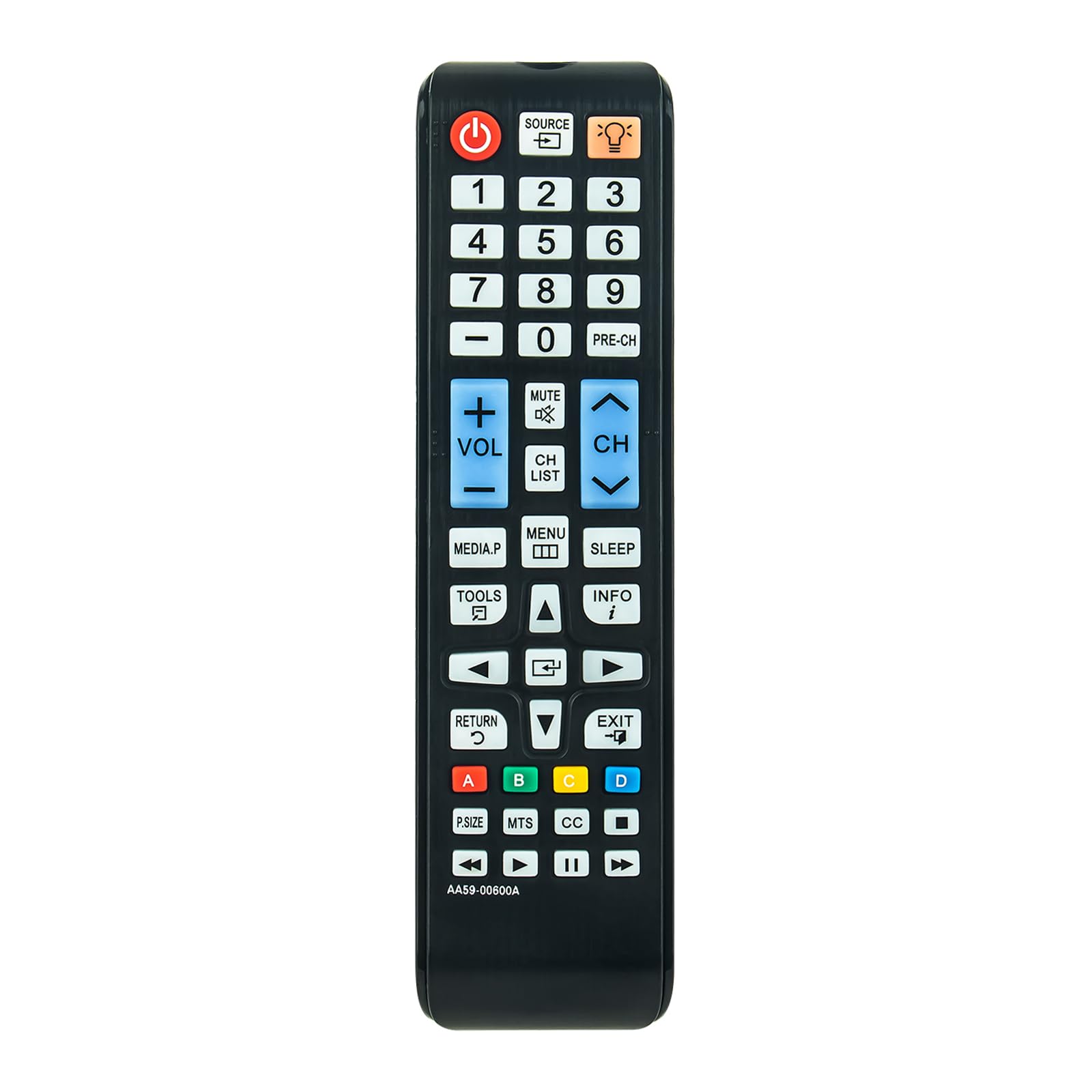
Image: Front view of the AULCMEET AA59-00600A replacement remote control, showing all buttons and layout.
Setup
The AULCMEET AA59-00600A remote control requires two AAA batteries (not included) for operation. No programming is required; simply install the batteries, and the remote is ready for use with compatible Samsung TV models.
Battery Installation:
- Open the Battery Cover: Locate the battery compartment on the back of the remote control. Slide the cover downwards or press the latch to open it.
- Install New Alkaline Batteries: Insert two new AAA alkaline batteries into the compartment, ensuring the positive (+) and negative (-) terminals align correctly with the markings inside the compartment.
- Close the Battery Cover: Slide the battery cover back into place until it clicks securely.
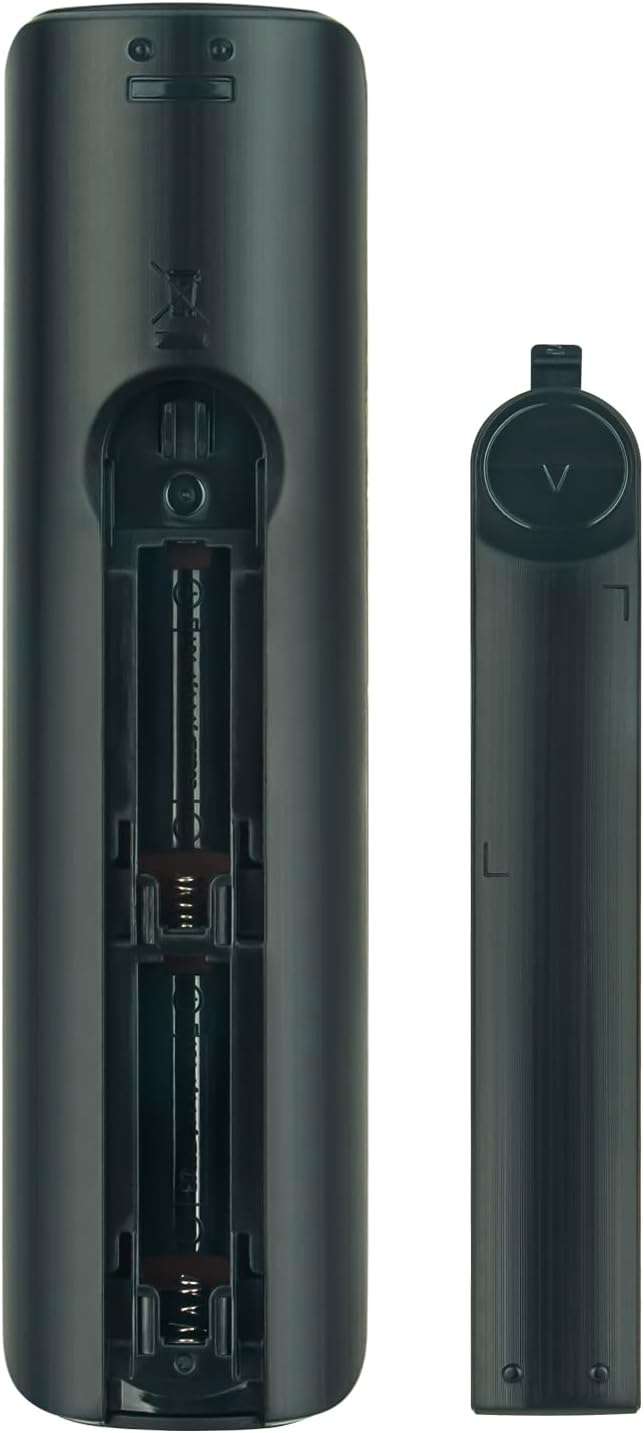
Image: Back view of the remote control with the battery cover open, revealing the two AAA battery slots.

Image: Back view of the remote control with the battery cover securely closed.
Operating Instructions
Once batteries are installed, the remote control is ready for immediate use with your compatible Samsung TV. No additional setup or pairing is required.
Basic Operation:
- Point Towards TV: Ensure you point the remote control directly towards the TV's infrared (IR) sensor.
- Clear Line of Sight: Make sure there are no obstructions between the remote control and the TV's IR sensor.
- Button Functions: Use the various buttons (Power, Volume, Channel, Menu, etc.) to control your television's functions. The button layout is standard for Samsung TVs.

Image: A person using the remote control to change channels on a television, demonstrating typical usage.
Maintenance
Proper maintenance ensures the longevity and reliable performance of your remote control.
Battery Replacement:
- Replace batteries when the remote's response becomes sluggish or stops working. Always replace both batteries at the same time with new AAA alkaline batteries.
- Do not mix old and new batteries, or different types of batteries.
- Remove batteries if the remote will not be used for an extended period to prevent leakage.
Cleaning:
- Wipe the remote control with a soft, dry cloth.
- For stubborn dirt, lightly dampen the cloth with water or a mild cleaning solution, then wipe dry immediately.
- Do not use abrasive cleaners, alcohol, or solvents, as these can damage the remote's surface or internal components.
Troubleshooting
If you encounter issues with your remote control, refer to the following common solutions:
- Remote Not Responding:
- Check if the batteries are installed correctly with the correct polarity (+/-).
- Replace the batteries with new AAA alkaline batteries.
- Ensure there is a clear line of sight between the remote control and the TV's IR sensor. Remove any objects blocking the path.
- Verify that the TV's IR sensor is not obstructed or dirty.
- Intermittent Operation:
- This often indicates low battery power. Replace the batteries.
- Ensure you are within the effective range of the TV's IR sensor.
If problems persist after trying these steps, please refer to the support section.
Specifications
| Feature | Detail |
|---|---|
| Model Number | AA59-00600A |
| Brand | AULCMEET |
| Product Dimensions | 7.8 x 2 x 0.55 inches |
| Item Weight | 2.39 ounces |
| Batteries Required | 2 AAA batteries (not included) |
| Special Feature | Ergonomic design |
| Color | Black |
| Compatible Devices | Television (Samsung) |
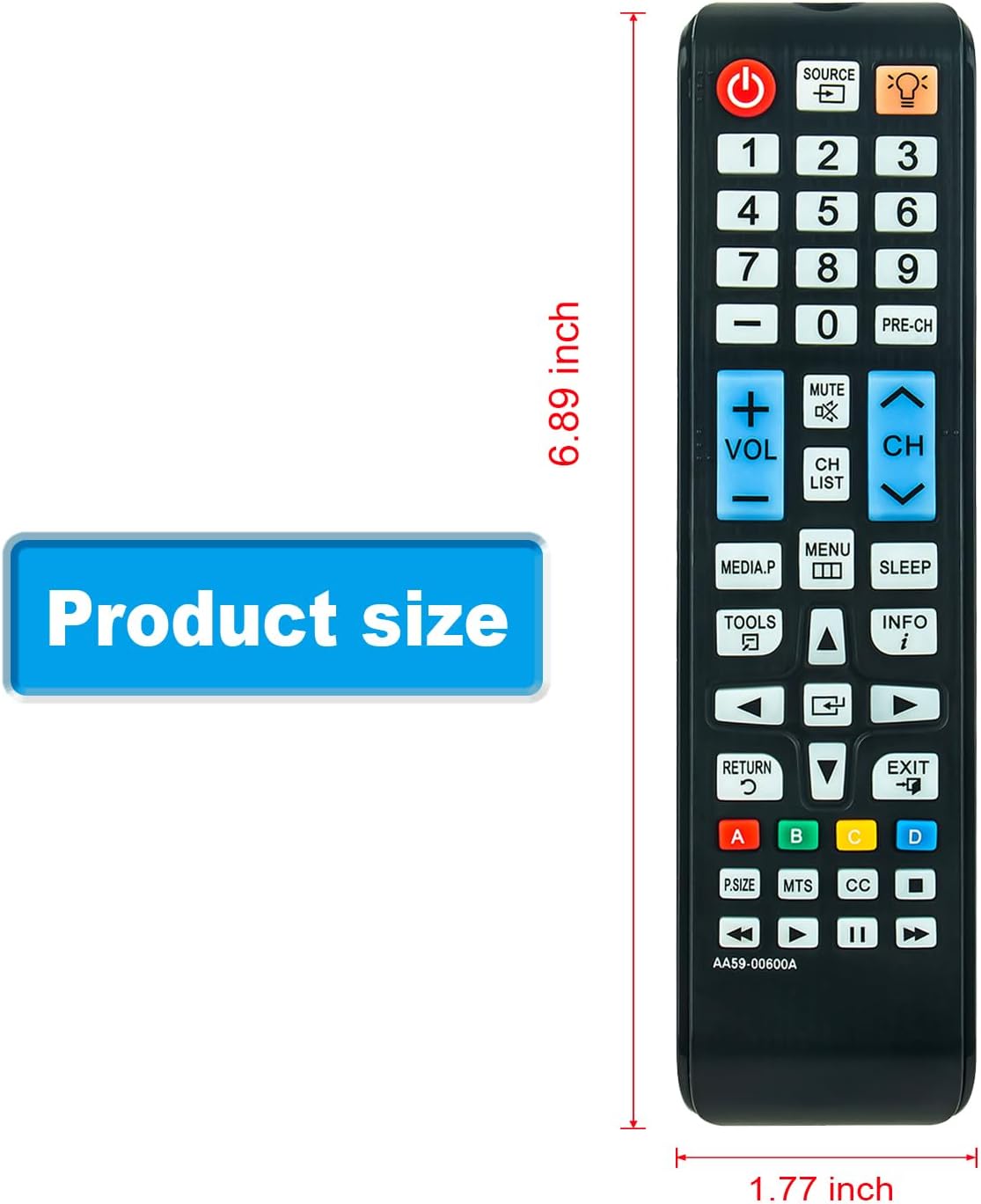
Image: Diagram illustrating the product dimensions of the remote control.
Compatible TV Models
This AULCMEET AA59-00600A remote control is compatible with a wide range of Samsung TV models, including but not limited to:
- Syncmaster TB350, TB300 Series 3, T19B300, T22B350, T24B350, T27B350
- T22B350ND
- UN26EH4000, UN26EH4000F, UN26EH4000FXZA
- UN29F4000
- UN32EH4000, UN32EH4050F, UN32EH5000
- T24B350ND
- LT22B350ND/ZA
- LT24B350, LT24B350ND/ZA, LT24B350NDZA
- LT24D310NH, LT24D310NH/ZA, LT24D310NHZA
- UN37EH5000FXZA
- LT27A300, LT27A300ND, LT27A300ND/ZA, LT27A300NDZA
- T27B350ND
- LT27B350ND/ZA, LT27B350NDZA
- LT28D310NH, LT28D310NH/ZA, LT28D310NHZA
- PN43E440, PN43E440A2F, PN43E440A2FXZA
- PN43E450, PN43E450A1, PN43E450A1F, PN43E450A1FXZA
- PN51E440, PN51E440A2F, PN51E440A2FXZA
- PN51E450, PN51E450A1, PN51E450A1F, PN51E450A1FXZA
- PN51E530, PN51E530A3, PN51E530A3F, PN51E530A3FXZA
- PN51E535, PN51E535A3, PN51E535A3F, PN51E535A3FXZA
- PN60E530, PN60E530A3F, PN60E530A3FXZA
- PN60E535, PN60E535A3F, PN60E535A3FXZA
- TM1240
- T28D310NH
- UN19F4000, UN19F4000AFXZA
- UN22F5000, UN22F5000AFXZA, UN22F5000AFXZA0
Support
For further assistance or if you have any questions regarding your AULCMEET AA59-00600A remote control, please contact the seller or refer to the product listing where you purchased the item for specific support contact information.


