
1. Introduction
Welcome to the GENBOLT GB209X/GB209H3-Z Outdoor Wireless WiFi Surveillance Camera user manual. This guide provides detailed instructions for setting up, operating, maintaining, and troubleshooting your new security camera. Please read this manual carefully before installation and use to ensure proper functionality and safety.
The GENBOLT GB209X/GB209H3-Z camera features a 110° ultra-wide-angle lens, dual-band 2.4/5GHz WiFi connectivity with 2T2R MIMO antennas for enhanced signal stability, Power over Ethernet (POE) capability, active floodlight defense, AI humanoid detection, and color night vision. It is designed to provide reliable outdoor surveillance for your home or business.
2. Product Overview
2.1 Package Contents
- GENBOLT GB209X/GB209H3-Z Camera
- Power Adapter (DC12V/2A, 100 inches cable)
- Mounting Screws and Anchors
- User Manual (this document)
- Ethernet Cable (for initial setup or POE connection)
2.2 Key Features
- 110° Ultra Wide Angle: Provides extensive coverage, reducing the need for multiple cameras.
- Dual-Band WiFi (2.4/5GHz): Supports both frequency bands with 2T2R MIMO antennas for stronger, more stable network signals.
- Active Lighting Defense: Features a customizable alarm and super bright white LEDs that activate upon motion detection to deter intruders.
- Color Night Vision: Automatically switches to color night vision in low-light conditions using integrated floodlights.
- AI Humanoid Motion Detection: Advanced detection reduces false alarms from environmental factors like rain, snow, or moving foliage. Customizable detection zones are supported.
- 24/7 Recording & Compatibility: Supports TF card (32/64/128GB, FAT32) with intelligent loop recording and audio. Compatible with smartphones, tablets, and PCs.
- Power over Ethernet (POE): Offers flexible installation options for both wired and wireless network connections.
- Two-Way Audio: Allows for real-time communication through the camera.
3. Setup
3.1 Initial Power On
Connect the provided DC12V/2A power adapter to the camera and plug it into a power outlet. The camera will power on and initiate its self-test sequence.
3.2 App Installation
Download the official GENBOLT app from your smartphone's app store (iOS App Store or Google Play Store). Follow the on-screen instructions to create an account and log in.
3.3 Network Connection
Wireless (WiFi) Setup:
- Open the GENBOLT app and tap 'Add Device'.
- Select the option for WiFi camera setup.
- Follow the app's prompts to connect the camera to your 2.4GHz or 5GHz WiFi network. Ensure your phone is connected to the same WiFi network during setup.
Wired (POE) Setup:
- Connect an Ethernet cable from your POE-enabled router or switch to the camera's Ethernet port.
- The camera will automatically establish a wired network connection.
- Open the GENBOLT app and tap 'Add Device'. The app should detect the camera on your local network.
3.4 Mounting the Camera
Choose a secure outdoor location with a clear view of the area you wish to monitor. Use the provided mounting screws and anchors to securely attach the camera to a wall or ceiling. Adjust the camera's angle for optimal coverage.

Image: GENBOLT GB209X/GB209H3-Z Outdoor Wireless WiFi Surveillance Camera. This image shows the camera's design and dual antennas.

Image: The camera's 110-degree ultra-wide-angle view, illustrated by a shaded area extending from the camera.
4. Operating Instructions
4.1 Live View and Playback
Access the GENBOLT app to view the live feed from your camera. You can also review recorded footage stored on the TF card or cloud service (if subscribed).
4.2 Motion Detection and Alerts
The camera features AI humanoid detection to minimize false alarms. You can:
- Set up 1 to 4 specific detection zones within the camera's view.
- Adjust motion sensitivity.
- Receive instant alerts on your mobile phone via push notifications or email.

Image: AI Humanoid Detection. A person is highlighted by a yellow box, demonstrating the camera's ability to identify human shapes.

Image: Customizable Detection Zone. A blue shaded area on a driveway indicates a user-defined motion detection zone.

Image: Instant Image Alert. A smartphone shows a GENBOLT alert, and an email displays motion detection notifications with attached images.

Image: Alert Notifications. This image illustrates different notification methods for motion detection, including app notifications, email, FTP, and RTSP.
4.3 Active Alarm and Floodlight Defense
Configure the camera to activate its built-in floodlights and an audible alarm when motion is detected. This feature can be scheduled or triggered by specific events.
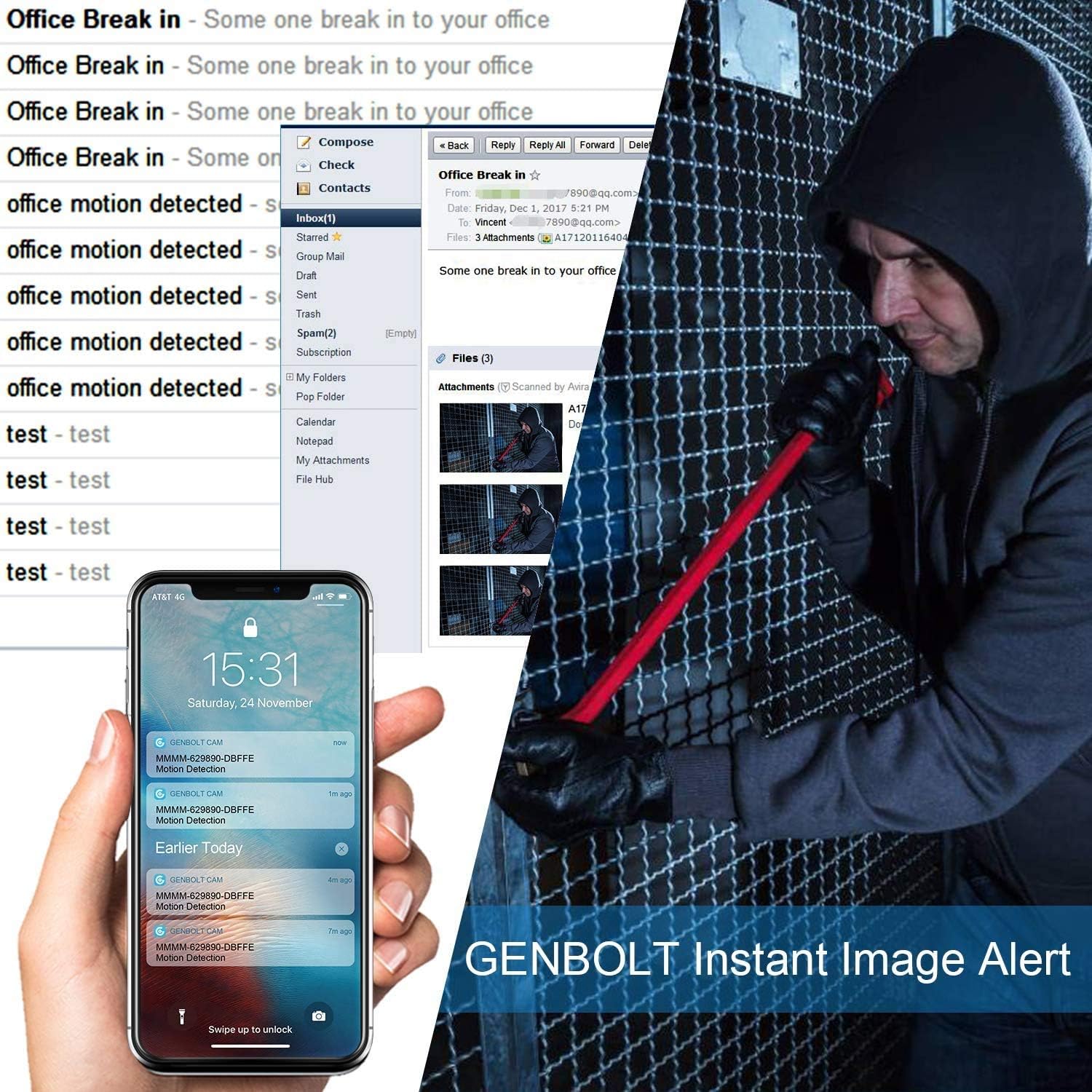
Image: Active Lighting Defense. A GENBOLT camera illuminates an intruder with its floodlight, accompanied by a warning message.

Image: Light Defense Alarm. An intruder is shown climbing through a window, with the camera's floodlight and alarm activated.

Image: Alarm Schedule. A smartphone displays a customizable alarm schedule, allowing users to set specific times for alarm activation.
4.4 Night Vision Modes
The camera supports multiple night vision modes:
- Infrared Night Vision: Standard black and white night vision.
- Color Night Vision: Utilizes built-in floodlights to provide full-color images in low light.
- Auto Mode: Automatically switches between day, infrared, and color night vision based on ambient light conditions.

Image: Day Vision vs. Night Vision. A comparison showing clear daytime footage and detailed black-and-white night vision footage of a garage.

Image: Night Vision Modes. This image compares Infrared Night Vision, Color Night Vision, and Day Vision, highlighting the clarity of color night vision.
4.5 Two-Way Audio
Use the two-way audio feature through the app to listen to the camera's surroundings and speak through its built-in speaker.
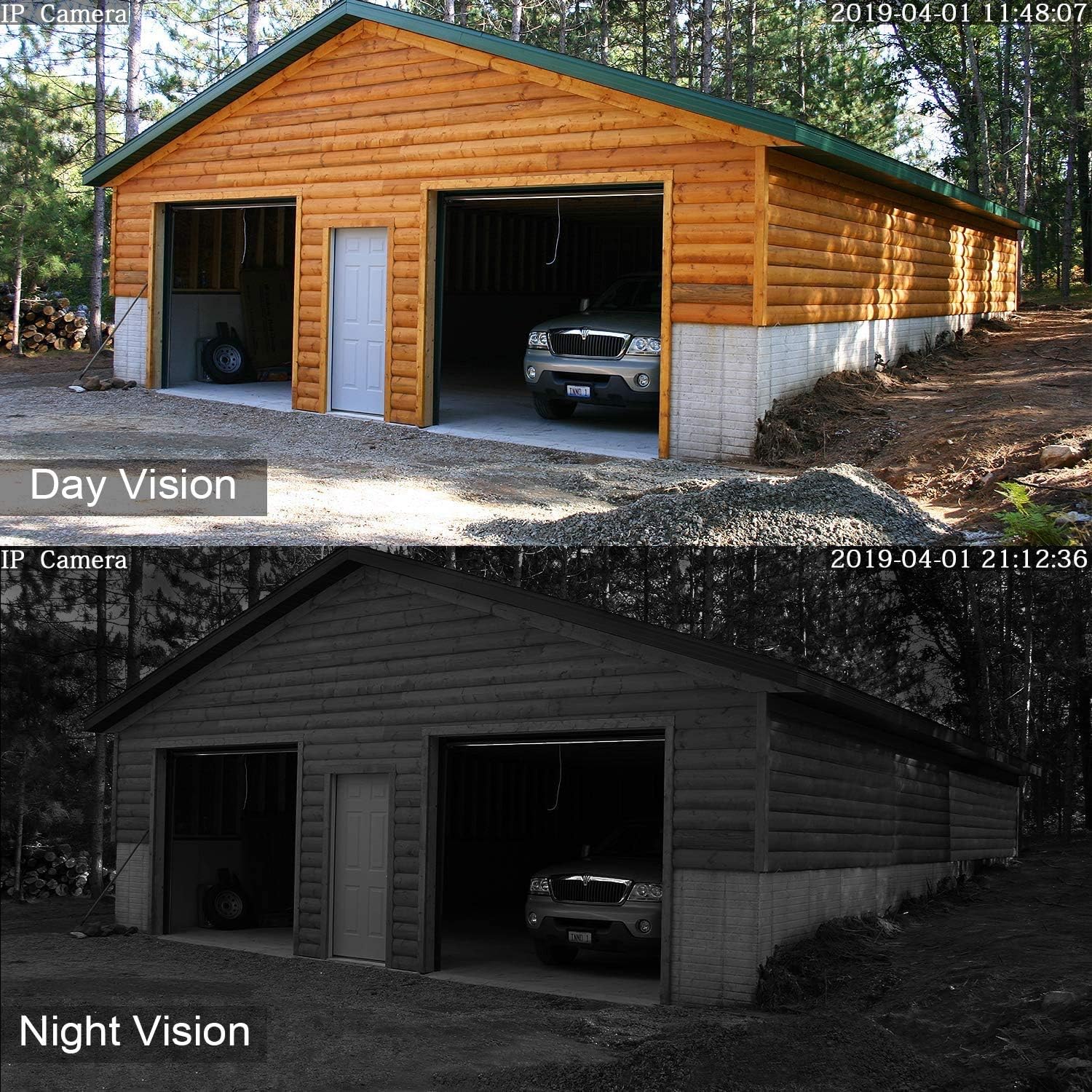
Image: Two-Way Audio. A family in a backyard, with speech bubbles illustrating the camera's two-way audio capability.
4.6 Digital Zoom
The camera supports digital zoom, allowing you to magnify areas of interest within the live or recorded video feed.

Image: 4X Digital Zoom. A child playing on a balcony, with an inset showing a magnified view of the child, demonstrating the 4x digital zoom feature.
5. Maintenance
- Cleaning: Regularly clean the camera lens with a soft, dry cloth to ensure clear image quality. Avoid abrasive cleaners.
- Firmware Updates: Check the GENBOLT app periodically for available firmware updates. Keeping your camera's firmware up-to-date ensures optimal performance and security.
- SD Card Management: If using a TF card for local storage, format it regularly through the app to maintain performance and prevent data corruption. Replace the card if it shows signs of wear or malfunction.
- Power Connection: Ensure the power adapter and cable connections are secure and free from damage.
6. Troubleshooting
| Issue | Possible Solution |
|---|---|
| Camera not connecting to WiFi | Ensure the camera is within range of your router. Verify WiFi password. Try connecting to both 2.4GHz and 5GHz bands if your router supports it. Restart the camera and router. |
| Frequent disconnections | Check WiFi signal strength in the camera's location. Reduce interference from other devices. Ensure 2T2R MIMO antennas are properly positioned. Consider using a wired (POE) connection if possible. |
| Poor image quality | Clean the camera lens. Ensure sufficient lighting for optimal day vision. Check network bandwidth for streaming issues. |
| False motion alarms | Adjust motion detection sensitivity in the app. Define specific detection zones to exclude areas with frequent non-human movement (e.g., trees, pets). Ensure AI humanoid detection is enabled. |
| No night vision | Check if night vision mode is set to 'Auto' or 'Color Night Vision' in the app. Ensure the floodlights are not obstructed. |
| SD card not recording | Ensure the SD card is correctly inserted and formatted (FAT32). Check if the card is full; enable loop recording or replace the card. Verify recording settings in the app. |
7. Specifications
| Feature | Detail |
|---|---|
| Model Numbers | GB209X, GB209H3-Z |
| Material | Metal |
| Voltage | 12 Volts |
| Power Consumption | 4 Watts |
| Dimensions (L x W x H) | 15 x 5 x 8 cm |
| Weight | 500 grams |
| Night Vision Range | Up to 100 inches (approx. 2.5 meters) |
| Effective Video Resolution | 1080 Pixels |
| Connectivity Technology | Power over Ethernet, Wi-Fi (2.4/5GHz) |
| Special Features | 110° Ultra Wide Angle, 2.4/5GHz Wi-Fi, 24/7 All-Weather, Dual 2T2R MIMO Antennas, POE Technology, AI Humanoid Detection, Color Night Vision, Active Floodlight Defense, Two-Way Audio |
| Recommended Use | Outdoor Security |
| Included Components | Surveillance camera, synopsis (manual) |
8. Warranty and Support
GENBOLT provides the following support for your product:
- 30-Day Exchange Policy: For product exchanges.
- 1-Year Limited Warranty: Covers manufacturing defects and malfunctions under normal use.
- Free Local Support: Available Monday to Friday, 7 AM to 10:30 AM (PST).
Contact Information:
- Email: eu1@genbolt.com
- Phone: +1 (778)807-9710

