
1. Important Safety Information
Read and understand all instructions before beginning installation. Failure to follow these instructions may result in electric shock, fire, or other hazards that could cause personal injury or property damage.
- WARNING: Risk of electric shock. Disconnect power at the fuse or circuit breaker before installing or servicing.
- CAUTION: Risk of fire. Consult a qualified electrician to ensure correct branch circuit conductor minimum supply conductors.
- This fixture is intended for indoor use only.
- Ensure all connections are secure and properly insulated.
- Do not attempt to modify the fixture. Any modifications may void the warranty and create safety hazards.
- Wear safety glasses and gloves during installation.
2. Product Overview
The Commercial Electric 24-inch 2,000-Lumen White Integrated LED Wraparound light fixture is designed for various indoor applications, providing efficient and long-lasting illumination. This fixture features an integrated LED light source, delivering 2,000 lumens of bright white light. It is engineered for energy efficiency and a long operational life of approximately 50,000 hours, making it a suitable replacement for traditional fluorescent fixtures.
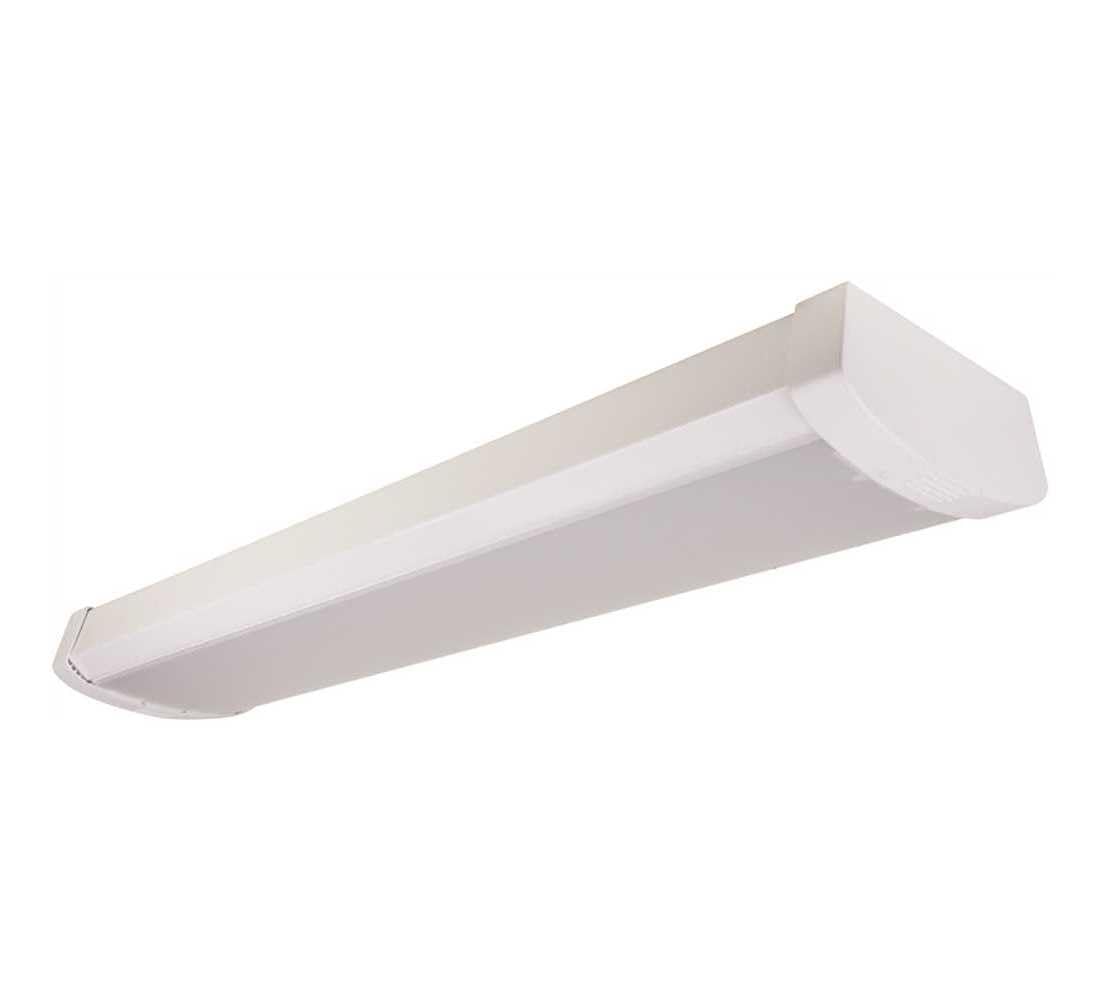
Image: Front view of the Commercial Electric 24-inch LED Wraparound Light Fixture.
3. Package Contents
Carefully unpack the fixture and ensure all items are present and undamaged. If any parts are missing or damaged, do not attempt to assemble or install the product. Contact customer service for assistance.
- Integrated LED Wraparound Light Fixture (1)
- Remote Control (1)
- Installation Hardware (e.g., mounting screws, wire nuts)

Image: Packaging box for the Commercial Electric 24-inch LED Wraparound Light Fixture, showing contents and details.
4. Specifications
| Brand | Commercial Electric |
| Model Number | LED24Wraparound |
| Light Output | 2000 Lumens |
| Wattage | 20 watts |
| Light Source Type | Integrated LED |
| Average Life | 50,000 Hours |
| Color | White |
| Material | Metal, Plastic (Shade) |
| Installation Type | Surface Mount (Ceiling Mount) |
| Control Method | Remote Control |
| Item Weight | 1.95 pounds |
| Package Dimensions | 25 x 5.5 x 2.5 inches |
5. Installation Instructions
This fixture is designed for surface mounting. Professional installation by a qualified electrician is recommended to ensure compliance with local electrical codes and safety standards.
5.1 Preparation
- Turn off Power: Locate the circuit breaker or fuse box and turn off the power to the area where the fixture will be installed. Verify power is off using a voltage tester.
- Gather Tools: You will need a screwdriver, wire strippers, electrical tape, and potentially a drill and mounting hardware (if not included or suitable for your surface).
- Identify Mounting Location: Choose a suitable, sturdy location on the ceiling for mounting the fixture.
5.2 Mounting the Fixture
- Carefully remove the diffuser or lens from the fixture to access the mounting holes.
- Position the fixture against the ceiling at the desired location. Mark the positions for the mounting screws.
- Drill pilot holes if necessary, then secure the fixture to the ceiling using appropriate mounting screws. Ensure the fixture is firmly attached.

Image: Side view of the fixture, illustrating its profile for mounting considerations.
5.3 Wiring Connections
- Feed the electrical supply wires through the appropriate opening in the fixture.
- Connect the wires according to standard electrical practices:
- Connect the black (hot) wire from the supply to the black wire of the fixture.
- Connect the white (neutral) wire from the supply to the white wire of the fixture.
- Connect the green or bare copper (ground) wire from the supply to the ground wire or screw on the fixture.
- Secure all wire connections with approved wire nuts and electrical tape.
- Carefully tuck all wires into the junction box or fixture housing.

Image: Angled view of the fixture, showing the diffuser which needs to be reattached after wiring.
5.4 Final Assembly
- Reattach the diffuser or lens to the fixture, ensuring it is securely fastened.
- Restore power at the circuit breaker or fuse box.
- Test the fixture to ensure proper operation.
6. Operation
This LED wraparound fixture is controlled using the included remote control. Ensure the remote control has functional batteries installed.
- Power On/Off: Press the 'ON' button to turn the light on, and the 'OFF' button to turn it off.
- Brightness Adjustment: If your remote control includes brightness adjustment features, use the designated buttons to increase or decrease the light intensity.
Point the remote control directly towards the fixture for optimal response.
7. Maintenance
The integrated LED design of this fixture requires minimal maintenance. No bulb replacement is necessary.
- Cleaning: Disconnect power to the fixture before cleaning. Use a soft, dry, or slightly damp cloth to wipe the exterior surfaces. Do not use abrasive cleaners, solvents, or cleaners containing alcohol, as these can damage the finish or electrical components.
- Inspection: Periodically inspect the fixture for any signs of damage or loose connections. If any issues are found, disconnect power and consult a qualified electrician.
8. Troubleshooting
If you experience issues with your LED wraparound fixture, refer to the following troubleshooting guide:
| Problem | Possible Cause | Solution |
|---|---|---|
| Fixture does not light up. | No power supply. Loose wiring connection. Remote control batteries are dead. | Check circuit breaker/fuse. Verify all wire connections are secure (ensure power is off first). Replace remote control batteries. |
| Light flickers. | Loose wiring connection. Incompatible dimmer switch (if applicable). | Check all wire connections (ensure power is off first). Ensure the fixture is not connected to an incompatible dimmer. This fixture may not be dimmable unless specified. |
| Remote control not responding. | Dead batteries. Obstruction between remote and fixture. Remote out of range. | Replace batteries. Ensure a clear line of sight to the fixture. Move closer to the fixture. |
If these steps do not resolve the issue, contact customer support or a qualified electrician.
9. Warranty and Support
This Commercial Electric 24-inch 2,000-Lumen White Integrated LED Wraparound light fixture is backed by a 5-year limited warranty. This warranty covers defects in materials and workmanship under normal use and service.
For warranty claims, technical assistance, or to obtain replacement parts, please refer to the contact information provided with your purchase documentation or visit the official Commercial Electric website. Please have your model number (LED24Wraparound) and proof of purchase available when contacting support.


