
Vproof Oth-AB601
Vproof Selfie Stick Instruction Manual
Model: Oth-AB601
Product Overview
The Vproof Selfie Stick is a lightweight, all-in-one extendable Bluetooth selfie stick designed for capturing photos and videos with ease. Its compact design makes it highly portable, and it features an adjustable phone holder and a remote shutter button for convenient use.

Figure 1: Vproof Selfie Stick in extended and compact forms.

Figure 2: The compact and lightweight design of the selfie stick, ideal for carrying.
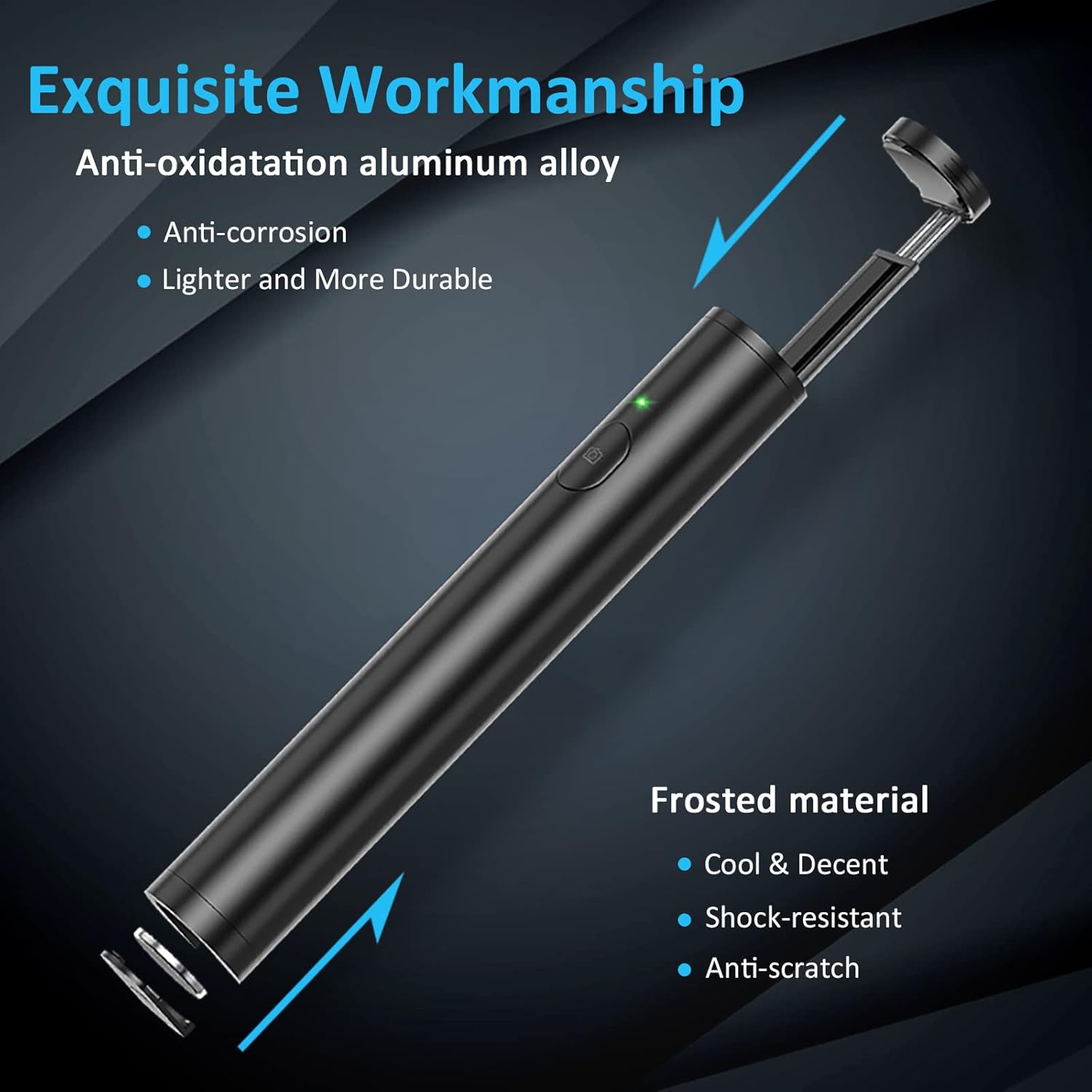
Figure 3: Exquisite workmanship and durable materials of the selfie stick.
Setup
Follow these steps to set up your Vproof Selfie Stick for first use:
- Remove Battery Insulator Film: Before initial use, locate and remove the battery insulator film from the battery compartment.
- Extend the Pole: Gently pull up from the top of the selfie stick to extend the pole to your desired length.
- Bluetooth Pairing:
- Press and hold the power button for 2 seconds to enter pairing mode. The green light will flash quickly.
- On your phone, navigate to Bluetooth settings and connect to the device named "SEAJIC".
- Once connected, the green light on the selfie stick will flash slowly. You are now ready to take photos.
- Power Off: To power off the selfie stick after use, hold the power button for 3 seconds.

Figure 4: Seamless Bluetooth pairing and shooting button control.
Operating Instructions
The Vproof Selfie Stick is designed for intuitive operation. Once paired, simply position your phone and press the shutter button to capture moments.
- Shutter Control: Use the integrated shutter control button on the handle to take photos or start/stop video recording.
- Adjustable Phone Holder: The phone holder is highly adjustable to fit most mobile phones, including various iPhone and Galaxy models. It supports both vertical and horizontal orientations.
- Angle Adjustment: The head of the selfie stick supports 90-180 degree angle adjustment, allowing you to find the best shooting angle for your needs.
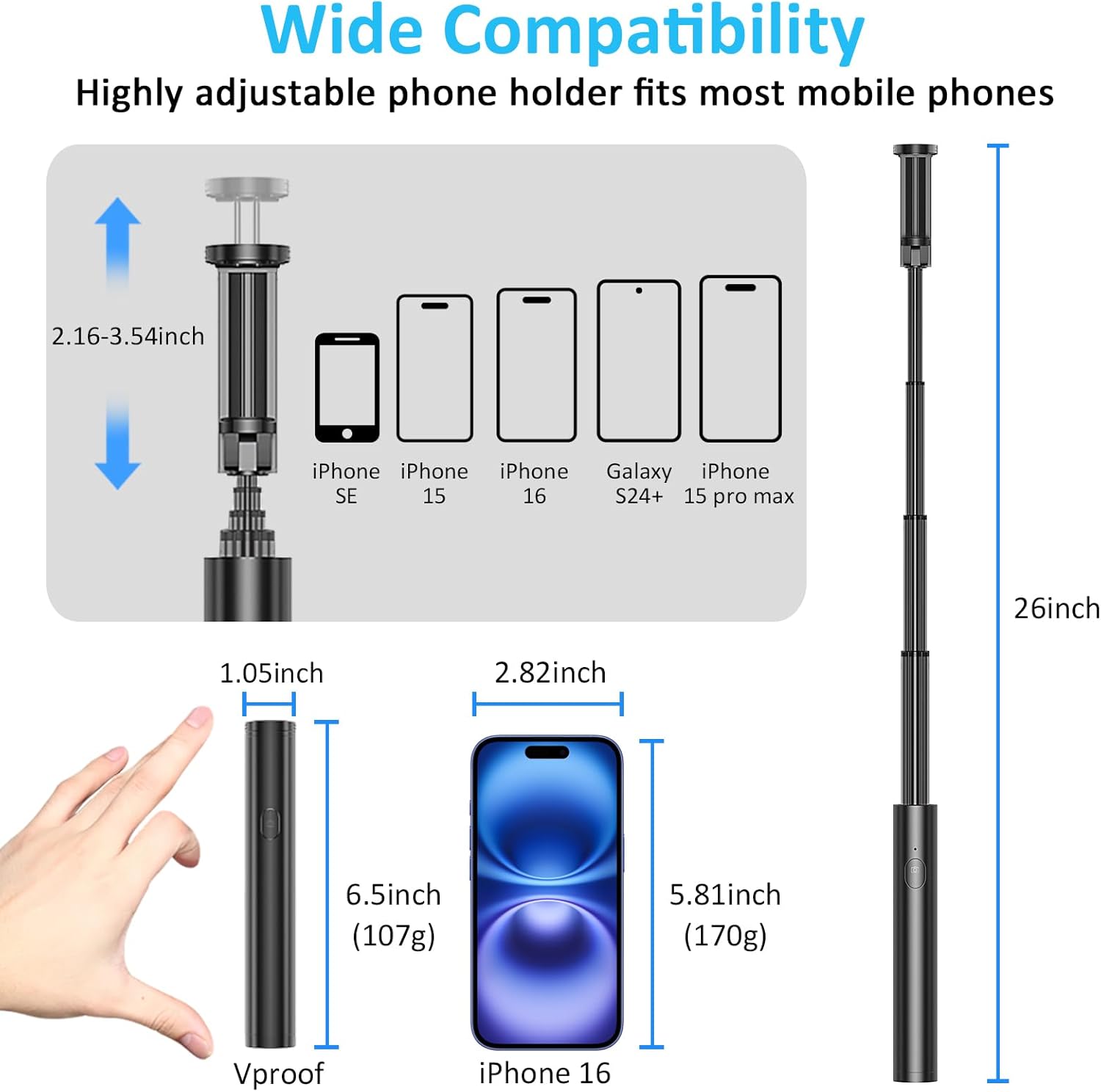
Figure 5: Wide compatibility and adjustable phone holder.

Figure 6: Adjustable head for optimal shooting angles.

Figure 7: Capture every meaningful moment with ease.
Maintenance
Proper maintenance ensures the longevity of your Vproof Selfie Stick.
- Battery Replacement: The selfie stick is powered by a high-quality 65 mAh button battery. When the battery life diminishes, it can be replaced. This battery provides approximately 20-25 hours of shooting time or 10,000 selfies.
- Power Saving: To conserve battery life, the selfie stick will enter standby mode after 5 minutes of inactivity. Always power off the device when not in use to prevent unnecessary power consumption.
- Cleaning: The black cool surface is anti-scratch and easy to clean. Use a soft, dry cloth to wipe the surface. Avoid abrasive cleaners or harsh chemicals.
Troubleshooting
If you encounter issues with your Vproof Selfie Stick, refer to the following troubleshooting steps:
Bluetooth Connection Issues:
- Check Battery Insulator Film: Ensure the battery insulator film has been completely removed.
- Power Button Response: Press and hold the power button for 2 seconds.
- If the green light flashes, proceed to the next step.
- If the green light does not flash, replace the battery or check for device issues.
- Clear Paired Devices: Delete all previously paired Bluetooth devices from your phone's Bluetooth settings.
- Restart Devices: Restart both your phone and the selfie stick. Then, turn on Bluetooth on your phone and attempt to connect to "SEAJIC" again.
Specifications
| Feature | Detail |
|---|---|
| Brand | Vproof |
| Model Number | Oth-AB601 |
| Product Dimensions (Folded) | 6.5 inches (16.59 cm) |
| Product Dimensions (Extended) | 26 inches (66.04 cm) |
| Item Weight | 4.8 ounces (0.3 lbs) |
| Maximum Weight Recommendation | 105 Grams |
| Battery | 1 Lithium Ion battery (included) |
| Color | Black |
| Compatible Devices | iPhone 15/14 Pro Max/14 Pro/14 Plus/14/13 Pro Max/13 Pro/13/12 Pro Max/12 Pro/12, Galaxy S23/S22 and more smart cell phones. |
| Material | Aviation-grade aluminum alloy with anode surface treatment |
Warranty and Support
Vproof is committed to providing high-quality products and customer satisfaction. For further assistance or inquiries, please refer to the resources below:
- User Manual (PDF): A comprehensive user manual is available for download: Download PDF Manual
- Vproof Official Store: For product information, FAQs, and customer service, visit the official Vproof store: Visit Vproof Store
Related documentsOth-AB601


Ask a question about this manual
Ask about setup, troubleshooting, compatibility, parts, safety, or missing instructions. Manuals+ will review the question and use this page’s manual context to help answer it.