
Product Overview
The iRobot Roomba s9+ is a powerful and intelligent robot vacuum designed for thorough cleaning. It features advanced technologies for efficient navigation, powerful suction, and convenient self-emptying capabilities.
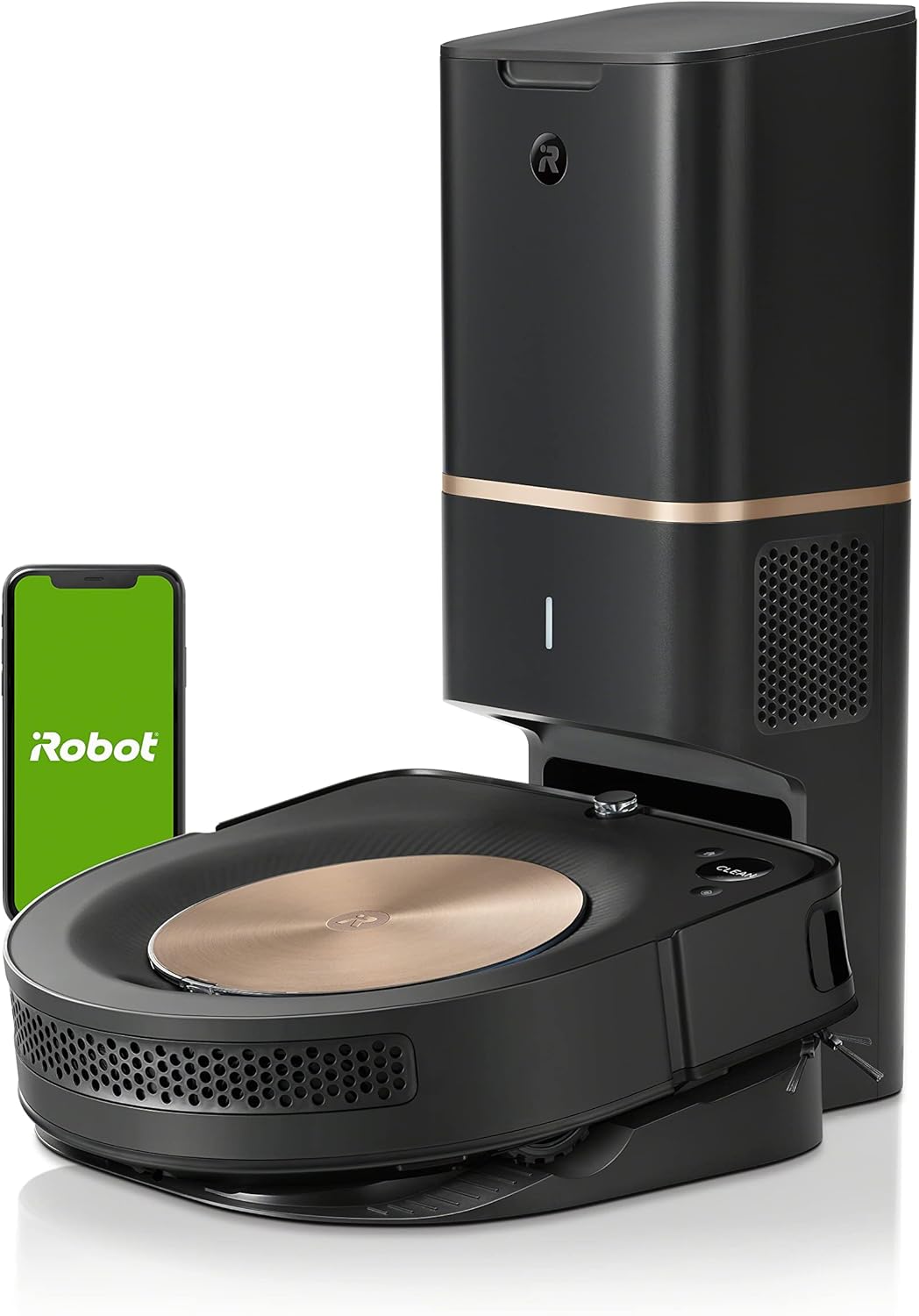
The iRobot Roomba s9+ robot vacuum with its accompanying Clean Base Automatic Dirt Disposal unit.
Key Features:
- Powerful Suction: Delivers 40x more Power-Lifting Suction compared to Roomba i Series robots, utilizing a 3-Stage Cleaning System to lift, loosen, and eliminate debris and pet hair. Automatically increases suction on carpets with power boost technology.
- Self-Emptying Clean Base: The s9+ automatically empties its vacuum bin into an enclosed bag within the Clean Base, holding up to 60 days of debris.
- Imprint Smart Mapping: Learns the layout of your home, builds personal Smart Maps, and allows control and scheduling of specific rooms for cleaning. Supports multiple maps for different levels of your home.
- PerfectEdge Technology: Advanced sensors and a specially designed Corner Brush optimize cleaning deep into corners and along edges. Ideal for homes with pets due to 40% larger Multi-Surface Dual Rubber Brushes that resist tangling.
- Intelligent Navigation: Guided by vSLAM technology, it expertly cleans and navigates in neat, efficient rows. Careful Drive Mode detects objects (taller than 2.5 cm) and cleans around them.
- Personalized Cleaning Suggestions: Powered by iRobot OS, the robot provides tailored cleaning recommendations based on your habits, pollen seasons, and pet-shedding times.
- Automatic Cleaning Schedules: Can be set to automatically start cleaning when you leave and stop when you return.
- Imprint Link Technology: Works with Braava jet m6 robot mop to vacuum then mop automatically in perfect sequence for a comprehensive clean.

The underside of the Roomba s9+ highlighting its 3-Stage Cleaning System with dual rubber brushes for effective debris pickup.

The Roomba s9+ utilizing its PerfectEdge Technology to clean deep into corners and along edges.

The robot vacuum employs vSLAM technology to gather data points and navigate efficiently, creating a detailed map of its environment.

The Roomba s9+ can be directed to spot clean specific messes as they happen, integrating with the iRobot Home App or voice assistants.

iRobot OS provides personalized cleaning suggestions, such as recommending extra cleaning during shedding season, to keep your home tidy.

Through Imprint Link Technology, the Roomba s9+ robot vacuum and Braava jet m6 robot mop can coordinate to vacuum and then mop automatically.

The Roomba s9+ automatically detects carpeted areas and increases its cleaning power for a deeper clean.
Setup Guide
Follow these steps to set up your iRobot Roomba s9+ for the first time.
1. Unboxing and Placement:
- Remove all packaging materials from the robot and the Clean Base.
- Place the Clean Base in an area with good Wi-Fi coverage, on a hard, level surface, and against a wall. Ensure there are no obstacles within 1.5 feet (0.5 meters) on either side of the Clean Base and 4 feet (1.2 meters) in front of it.
2. Initial Charging:
- Plug in the Clean Base.
- Place the Roomba s9+ onto the Clean Base, ensuring the charging contacts align. The light ring on the robot will pulse white to indicate charging.
- Allow the robot to fully charge before its first cleaning mission (approximately 3 hours).
3. Connect to iRobot Home App:
- Download the iRobot Home App from your device's app store.
- Follow the in-app instructions to connect your Roomba s9+ to your home Wi-Fi network. This will enable smart mapping, scheduling, and other advanced features.
Official iRobot video demonstrating the seamless integration of the Roomba s9+ into a clean home routine, highlighting its self-sufficiency.
Operating Your Roomba s9+
Your Roomba s9+ is designed for intelligent and efficient cleaning. Here's how to operate it effectively:
1. Starting a Cleaning Job:
- Press the CLEAN button on the robot or use the iRobot Home App to start a cleaning cycle.
- The robot will automatically navigate and clean your home.
2. Smart Mapping and Customization:
- After a few cleaning runs, the robot will create a Smart Map of your home in the iRobot Home App.
- Use the app to label rooms, set Keep Out Zones (areas the robot should avoid), and define Clean Zones (specific areas for targeted cleaning).
- You can schedule cleaning jobs for specific rooms or your entire home at preferred times.
3. Voice Control:
- Connect your Roomba s9+ to compatible voice assistants like Amazon Alexa or Google Home.
- Use voice commands to start, stop, or send your robot to clean specific areas (e.g., "Alexa, tell Roomba to vacuum the kitchen").
4. Object Detection (Careful Drive Mode):
- The robot is designed to detect and navigate around objects taller than 2.5 cm, reducing the likelihood of collisions.
Maintenance and Care
Regular maintenance ensures your Roomba s9+ operates at peak performance. The iRobot Home App will notify you when maintenance is required.
1. Emptying the Clean Base Bag:
- The Clean Base bag holds up to 60 days of debris. When the bag is full, the app will notify you.
- Lift the lid of the Clean Base. Pull up on the bag's tab to remove it. The bag automatically seals itself.
- Dispose of the full bag and insert a new one, ensuring it clicks into place.

Removing the full dirt disposal bag from the Clean Base. The bag seals automatically upon removal for mess-free disposal.
2. Cleaning the Dustbin and Filter:
- The robot's internal dustbin should be emptied regularly, especially if you don't have the Clean Base.
- Open the robot's lid, press the dustbin release button, and pull out the dustbin.
- Open the dustbin door and empty debris.
- Remove the filter from the dustbin. Tap the filter against a trash can to remove debris. The filter is not washable.
- Rinse the dustbin with water (do not wash the filter). Allow it to air dry completely before reinserting the filter and placing the dustbin back into the robot.

The dustbin of the Roomba s9+ with its filter, which should be regularly cleaned or replaced for optimal performance.
3. Cleaning the Brushes:
- Periodically remove and clean the Multi-Surface Dual Rubber Brushes and the Corner Brush.
- Turn the robot over. Pinch the green tabs to release the brush frame and remove the brushes.
- Remove any hair or debris wrapped around the brushes or trapped in the brush bearings.
- For the Corner Brush, use a small screwdriver to remove the screw, then remove and clean the brush.
- Reinstall all components securely.
Troubleshooting Common Issues
If your Roomba s9+ encounters an issue, the light ring will indicate an error, and the robot may speak a message. Refer to the iRobot Home App for detailed troubleshooting steps.
General Tips:
- Robot Stuck or Error Message: Check the iRobot Home App for specific error codes and instructions. Often, clearing debris from wheels or brushes can resolve the issue.
- Poor Cleaning Performance: Ensure the dustbin is empty, the filter is clean, and the brushes are free of tangled hair or debris.
- Navigation Issues: Ensure your home is well-lit during cleaning for optimal vSLAM navigation. Clear any new obstacles or rearrange furniture that might confuse the robot.
- Wi-Fi Connectivity: If the robot loses connection, check your Wi-Fi router and ensure the robot is within range. Follow app instructions to reconnect.
For more comprehensive troubleshooting, please refer to the official User Manual (PDF).
Technical Specifications
| Feature | Detail |
|---|---|
| Brand | iRobot |
| Model Name | Roomba s9+ |
| Item Model Number | s955020 |
| Product Dimensions | 12.25"L x 12.25"W x 3.5"H |
| Item Weight | 8.15 pounds |
| Color | Black |
| Special Feature | Ideal for Pet Hair, Powerful Suction, Edge Cleaning, Wi-Fi Connected, Self-Emptying |
| Included Components | Dusting Brush, Filter, Dirt Disposal Bag, Charging Station |
| Filter Type | Cartridge |
| Battery Life | 120 minutes |
| Capacity (Clean Base) | 60 days of debris |
| Power Source | Battery Powered |
| Control Method | Voice, App |
| Compatible Devices | Smartphones, Amazon Echo, Tablets, Google Home |
| Specific Instructions for Use | Dual action, hard floor, carpet |
Warranty and Support
Your iRobot Roomba s9+ comes with a manufacturer's warranty and access to comprehensive support resources.
Warranty Information:
- The iRobot Roomba s9+ includes a 1-year limited warranty. Please refer to the official warranty document for full terms and conditions.
Customer Support:
- For additional support, troubleshooting, or to purchase accessories, visit the official iRobot Store.
- You can also download the complete User Manual (PDF) for detailed instructions and information.


