
Introduction
This manual provides detailed instructions for the setup, operation, and maintenance of your MAONO AU-A04T USB Microphone Kit. Please read this manual thoroughly before using the product to ensure optimal performance and longevity.

Image: The MAONO AU-A04T USB Microphone Kit, including the condenser microphone, shock mount, table stand, and pop filter, assembled and ready for use.
Package Contents
Verify that all items listed below are included in your package:
- MAONO USB Condenser Microphone
- Shock Mount
- Table Stand
- Pop Filter
- Wind Foam
- USB-B to USB-A Cable

Image: All individual components of the MAONO AU-A04T kit, including the microphone, shock mount, table stand, pop filter, wind foam, and USB cable, displayed separately.
Setup Instructions
- Assemble the Table Stand: Secure the microphone stand base to the vertical support rod.
- Attach the Shock Mount: Screw the shock mount onto the top of the table stand.
- Insert the Microphone: Carefully place the MAONO USB Condenser Microphone into the shock mount.
- Attach the Pop Filter: Secure the pop filter to the table stand or a suitable surface, positioning it in front of the microphone.
- Connect the USB Cable: Plug the USB-B end of the cable into the microphone and the USB-A end into an available USB 2.0 port on your computer.
- Adjust Microphone Position: Adjust the angle and height of the microphone using the stand's adjustable joints for optimal sound capture.

Image: A visual guide demonstrating the step-by-step assembly and adjustment of the microphone, shock mount, and table stand.
Plug and Play Connectivity
The MAONO AU-A04T microphone features a USB 2.0 data port for direct connection to your computer. No additional driver software or external sound card is required for operation on Windows, Mac OS, or Linux systems. The double-shielded USB cable helps reduce interference, ensuring clear audio transmission.

Image: The MAONO AU-A04T microphone connected to a laptop, visually emphasizing its plug-and-play USB connectivity.
Operating Instructions
Sound Quality and Performance
The AU-A04T microphone is equipped with a professional sound chipset, supporting a high-resolution sampling rate of 192kHz/24bit. Its smooth, flat frequency response from 30 Hz to 16 kHz is suitable for various audio applications, including singing, speech, and voice-overs.

Image: A close-up of the microphone accompanied by a frequency response graph, illustrating its 192kHz/24bit sampling rate capabilities.
Cardioid Pickup Pattern
This condenser microphone features a cardioid polar pattern, which primarily captures sound from the front of the microphone while minimizing noise from the sides and rear. This design is ideal for isolating the desired sound source and reducing ambient room noise.

Image: An illustration demonstrating the cardioid pickup pattern, visually explaining how the microphone focuses on sound from the front while rejecting side and rear noise.
Durability and Construction
The MAONO AU-A04T features an all-metal construction, providing robustness and durability for long-term use.
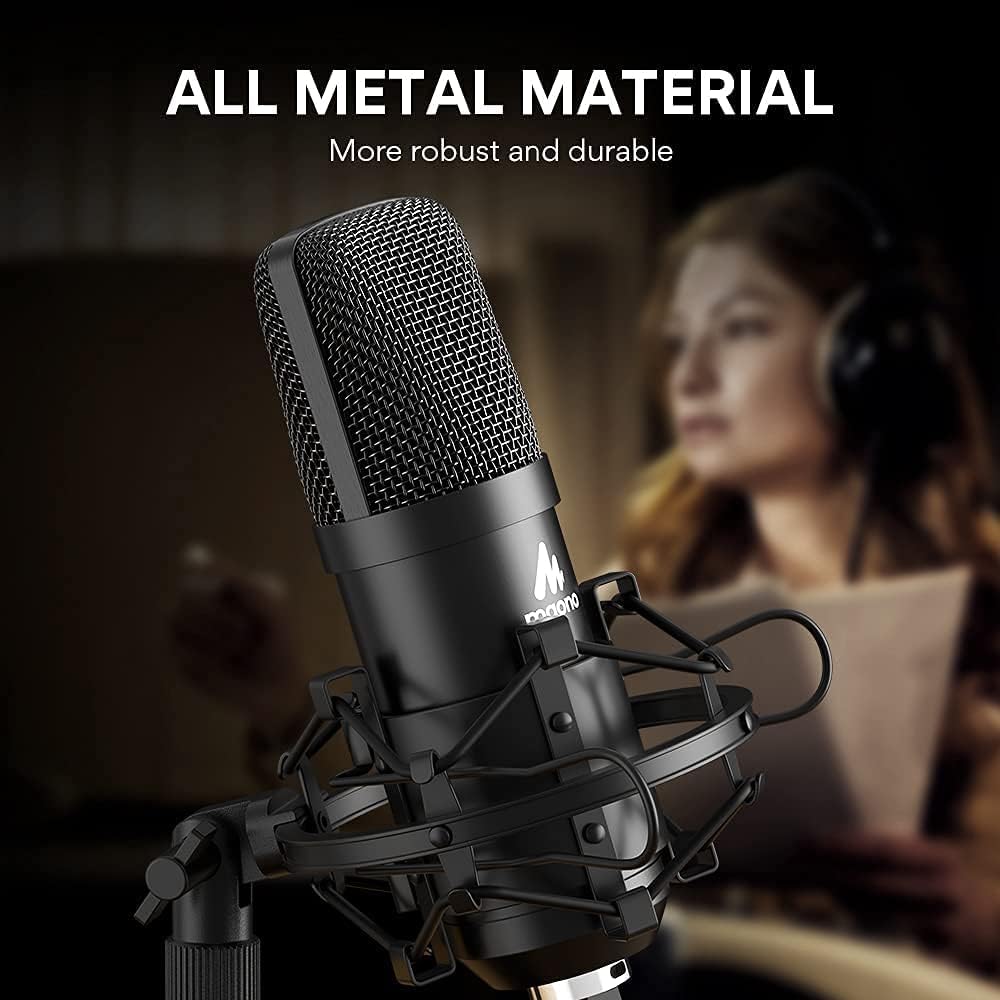
Image: A close-up view of the MAONO AU-A04T microphone, emphasizing its robust all-metal construction.
Compatibility
The MAONO AU-A04T is compatible with various operating systems, including Windows, Mac OS, and Linux. It can be used with laptops, desktop PCs, and certain mobile phones (an OTG adapter is required for mobile phone connection, not included).

Image: Visual representation of the microphone's broad compatibility across different operating systems and platforms, including Windows, Mac OS, Linux, Chrome OS, and PS4.

Image: A user actively recording audio with the MAONO AU-A04T microphone in a typical studio or home recording environment.
Maintenance and Care
- Cleaning: Use a soft, dry cloth to clean the microphone body and stand. Avoid using liquid cleaners or solvents.
- Storage: When not in use, store the microphone in a dry, dust-free environment.
- Handling: Handle the microphone carefully to prevent damage to the condenser capsule. Avoid dropping or subjecting it to strong impacts.
- Cable Care: Do not bend or crimp the USB cable excessively. Store it neatly to prevent tangles and damage.
Troubleshooting
| Problem | Possible Cause | Solution |
|---|---|---|
| No sound output from microphone. |
|
|
| Sound is distorted or unclear. |
|
|
| Microphone not recognized by mobile phone. | OTG adapter not used or incompatible. | Ensure you are using a compatible OTG adapter for your mobile device. The OTG adapter is not included with the kit. |
Technical Specifications
| Model Name | AU-A04T |
| Microphone Form Factor | Microphone System |
| Polar Pattern | Unidirectional (Cardioid) |
| Sampling Rate | 192kHz/24bit |
| Frequency Response | 30 Hz - 16 kHz |
| Signal-to-Noise Ratio | 96 dB |
| Connectivity Technology | USB 2.0 |
| Power Source | USB Powered |
| Material | Metal |
| Item Dimensions (L x W x H) | 10.63 x 8.07 x 4.41 inches |
| Item Weight | 3.32 pounds |
| Compatible Devices | Computer, Laptop, PC (OTG adapter required for mobile phones) |
Warranty and Support
For warranty information and technical support, please refer to the official MAONO website or contact MAONO customer service directly. Details regarding product registration and support channels can typically be found on the manufacturer's packaging or website.
Manufacturer: MAONO
Website: www.maono.com


