
Dorman 96472
Dorman 96472 Interior Door Handle Installation and Maintenance Manual
Model: 96472 | Brand: Dorman
1. Product Overview
This manual provides instructions for the Dorman 96472 Interior Door Handle, designed as a direct replacement for the original handle in specific Dodge vehicle models. It ensures a matching fit and appearance, facilitating a seamless replacement process.
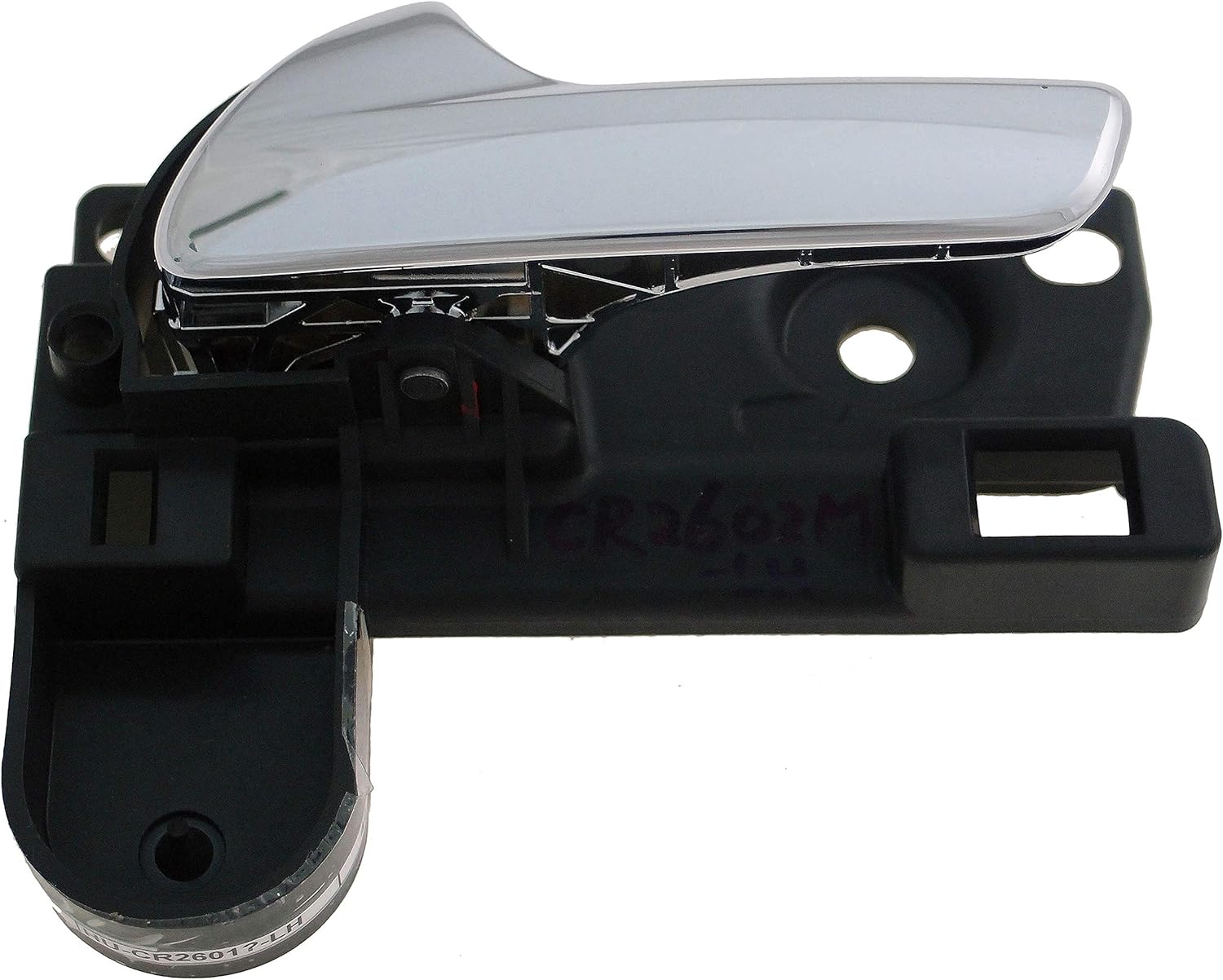
Image 1: Front view of the Dorman 96472 Interior Door Handle, showcasing its chrome finish and black base.
2. Compatibility and Fitment
The Dorman 96472 Interior Door Handle is compatible with the following vehicle models:
- Dodge Journey: 2011, 2012, 2013, 2014, 2015, 2016, 2017, 2018, 2019
This handle is vehicle position specific. Verify that this handle corresponds to the correct position (e.g., front left, rear right) and side of the vehicle you intend to replace.
3. What's in the Box
The package for the Dorman 96472 Interior Door Handle typically includes:
- 1x Dorman 96472 Interior Door Handle
Note: Additional fasteners or tools required for installation are not included unless specified.
4. Installation Instructions
Installation of the Dorman 96472 Interior Door Handle requires basic automotive repair knowledge and tools. If you are unsure about any step, it is recommended to consult a professional mechanic.
Required Tools (Not Included):
- Screwdrivers (Phillips and flathead)
- Panel removal tools
- Socket wrench set
- Gloves (recommended)
Installation Steps:
- Prepare the Vehicle: Ensure the vehicle is parked on a level surface with the engine off.
- Remove Door Panel: Carefully remove the interior door panel. This typically involves removing screws hidden behind trim pieces, door handle bezels, or window switch panels. Use a panel removal tool to pry off the panel without damaging clips.
- Disconnect Cables/Wiring: Disconnect any electrical connectors for window switches, door locks, or other components attached to the door panel. Detach the door handle cables from the existing handle mechanism.
- Remove Old Handle: Locate the mounting screws or clips securing the old interior door handle. Remove these fasteners and carefully extract the old handle from its position.
- Install New Handle: Position the new Dorman 96472 handle into the opening. Secure it with the original mounting screws or clips. Ensure it is firmly seated.
- Reconnect Cables/Wiring: Reattach the door handle cables to the new handle mechanism. Ensure they are properly seated and allow for smooth operation. Reconnect any electrical connectors to the door panel components.
- Test Operation: Before reattaching the door panel, test the new handle's function. Ensure the door opens and closes correctly from the inside, and that the lock mechanism operates as expected.
- Reinstall Door Panel: Carefully align and reattach the interior door panel, ensuring all clips engage properly. Reinstall any screws or trim pieces removed in Step 2.

Image 2: Rear view of the Dorman 96472 Interior Door Handle, showing the mounting points and cable attachment mechanism.

Image 3: Angled view of the Dorman 96472 Interior Door Handle, illustrating its form and how it integrates with the mounting base.
For visual assistance, refer to vehicle-specific repair manuals or online resources for detailed door panel removal procedures for your Dodge Journey model.
5. Operating the Door Handle
The Dorman 96472 Interior Door Handle operates identically to the original equipment. To open the door from the inside, pull the handle towards you. Ensure the door is unlocked before attempting to open it.
6. Maintenance
The Dorman 96472 Interior Door Handle is designed for durability and requires minimal maintenance. To ensure longevity and proper function:
- Cleaning: Clean the handle surface with a soft, damp cloth and mild automotive interior cleaner. Avoid abrasive cleaners or solvents that may damage the finish.
- Inspection: Periodically inspect the handle for any signs of wear, looseness, or damage. Ensure the cables connected to the handle are not frayed or obstructed.
- Lubrication: If the handle mechanism feels stiff, a small amount of silicone-based lubricant can be applied to the moving parts of the internal mechanism (accessing these parts may require partial door panel removal).
7. Troubleshooting
| Problem | Possible Cause | Solution |
|---|---|---|
| Handle feels loose or wobbly | Mounting screws are loose; internal clips are not fully engaged. | Re-tighten mounting screws. Ensure the handle is properly seated in its housing. |
| Door does not open when handle is pulled | Door is locked; cable disconnected or improperly attached; cable stretched or broken. | Ensure door is unlocked. Recheck cable connection to the handle and latch mechanism. If cable is damaged, it may need replacement. |
| Handle is stiff or difficult to pull | Lack of lubrication; obstruction in the mechanism. | Apply silicone lubricant to moving parts. Inspect for any debris or obstructions. |

Image 4: An assortment of door handle components, illustrating the variety of parts involved in door handle systems. This image emphasizes the importance of correct part selection and installation.
8. Specifications
| Feature | Detail |
|---|---|
| Model Number | 96472 |
| Brand | Dorman |
| Material | Alloy Steel |
| Color | Chrome |
| Exterior Finish | Machined |
| Specific Uses | Interior Door |
| Item Weight | 6.5 ounces |
| Product Dimensions | 5.63 x 5.03 x 3.07 inches |
| Manufacturer Part Number | 96472 |
| OEM Part Number | 68103387AA |
9. Warranty and Support
Dorman products are engineered for quality and reliability. For specific warranty information regarding your Dorman 96472 Interior Door Handle, please refer to the documentation included with your purchase or visit the official Dorman website.
For technical assistance or further inquiries, please contact Dorman customer support through their official channels. When contacting support, have your product model number (96472) and vehicle information readily available.
You can find more information and contact details on the Dorman Brand Store.
Related documents96472


Ask a question about this manual
Ask about setup, troubleshooting, compatibility, parts, safety, or missing instructions. Manuals+ will review the question and use this page’s manual context to help answer it.