
L8star B1
L8star Fitness Tracker User Manual
Model: B1
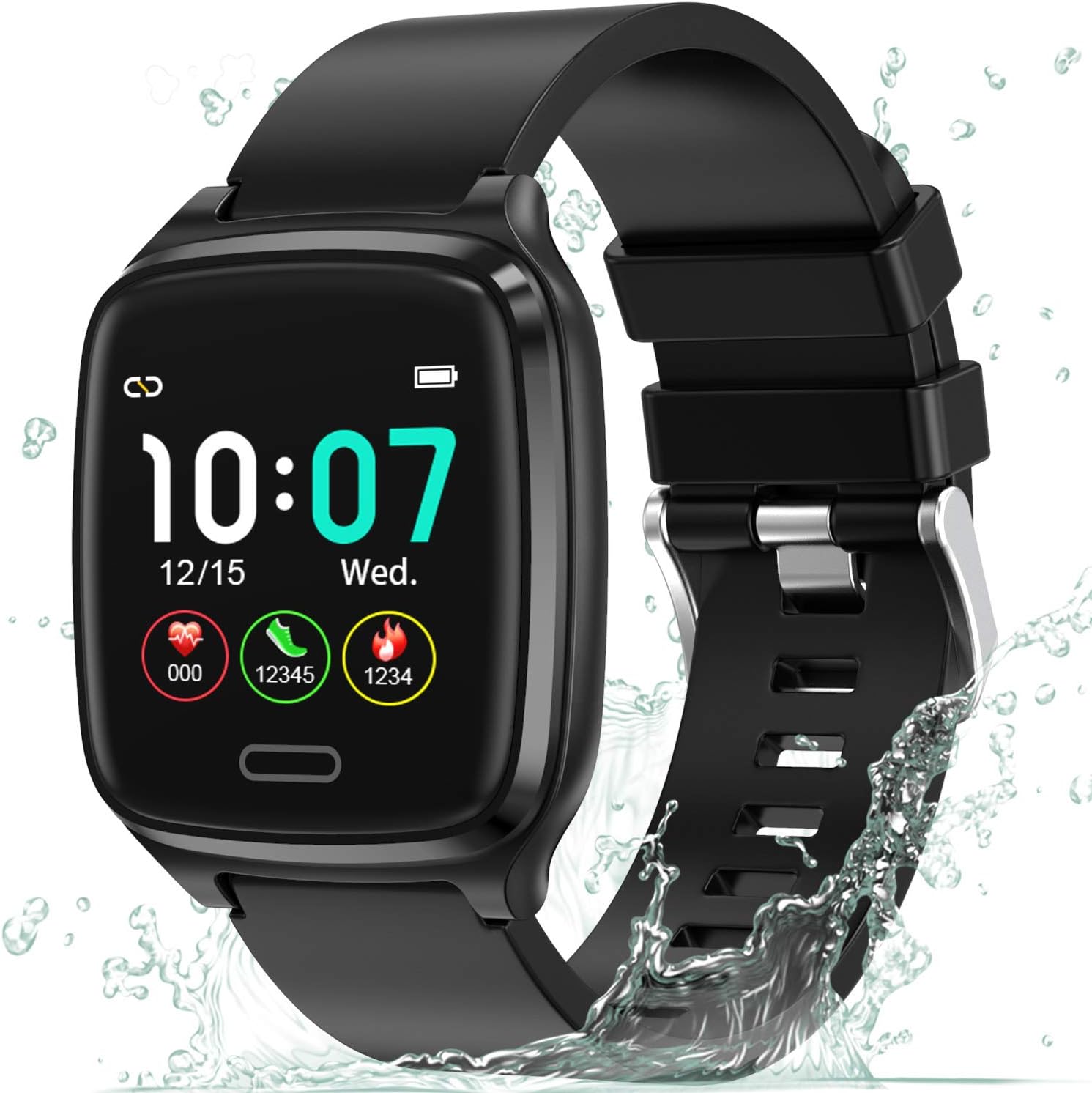
The L8star Fitness Tracker, a versatile device designed to monitor your daily activity and health metrics.
1. Introduction
This manual provides detailed instructions for setting up, operating, maintaining, and troubleshooting your L8star Fitness Tracker. Please read this manual carefully before using the device to ensure proper function and longevity.
2. Setup
2.1 Unboxing and Initial Charge
Upon opening the package, you will find the L8star Fitness Tracker and its charging cable. Before first use, ensure the device is fully charged.
Official video demonstrating the unboxing and initial setup of the L8star Fitness Tracker.
To charge, connect the charging cable to the designated port on the back of the tracker and plug the USB end into a power source (e.g., computer USB port, USB wall adapter). A full charge typically takes 2-3 hours and provides up to 5 days of use or 10 days of standby time.
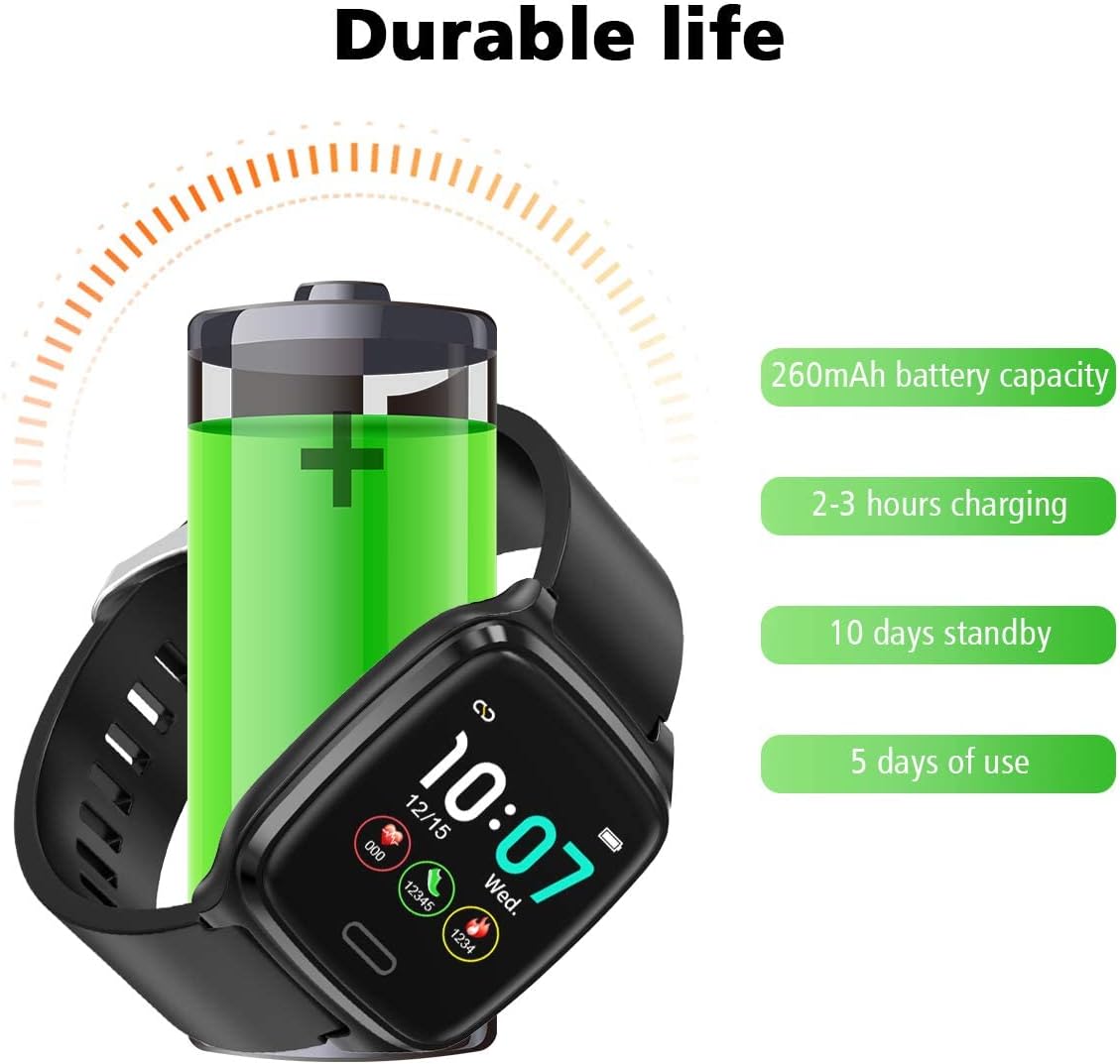
Illustration of the fitness tracker's durable battery life and charging specifications.
2.2 App Download and Pairing
To unlock the full potential of your L8star Fitness Tracker, download the companion app. Scan the QR code provided in the manual or search for "Flagfit 2.0" on your device's app store (Google Play for Android, App Store for iOS).
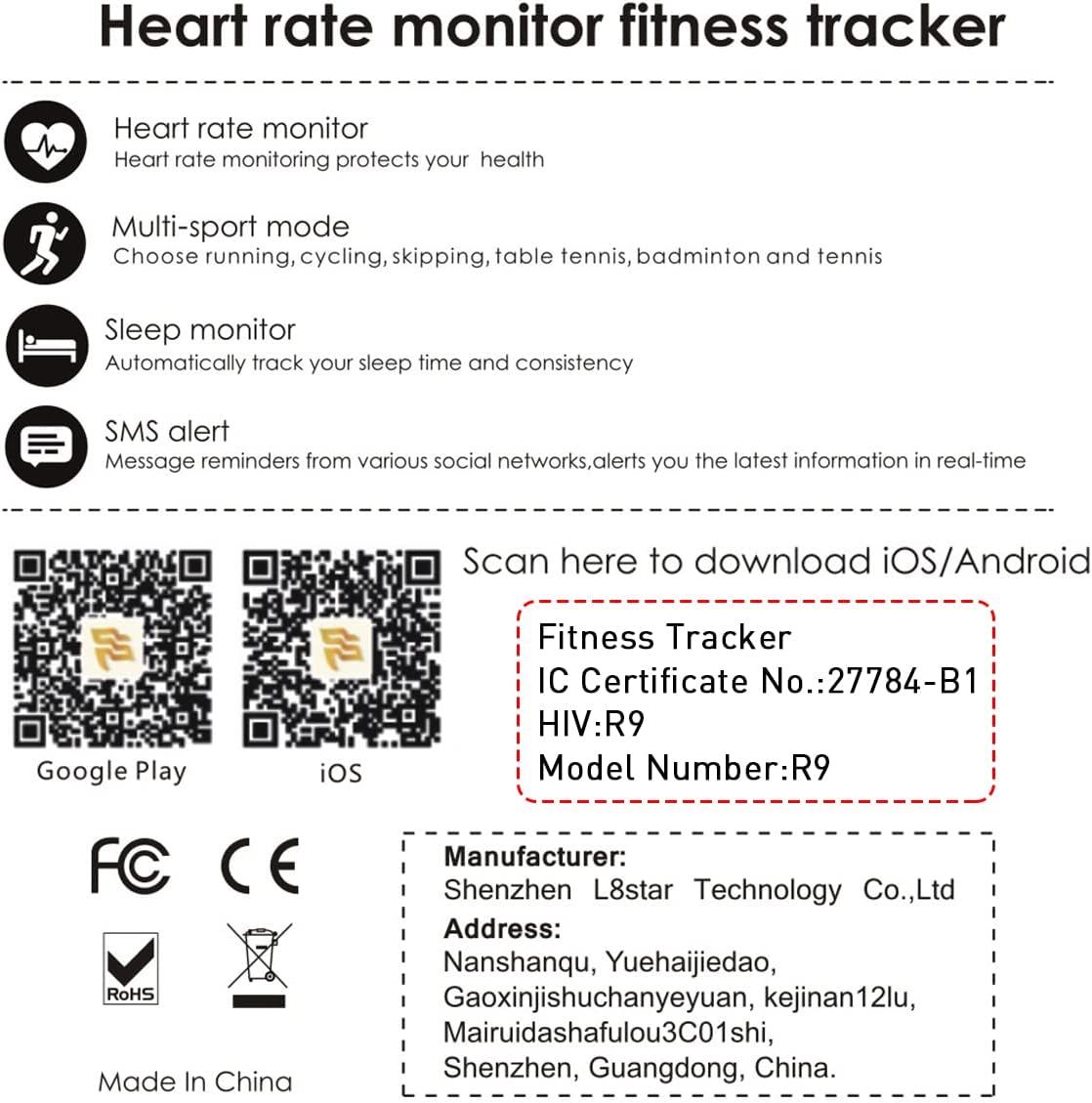
QR codes for downloading the Flagfit 2.0 app on iOS and Android devices.
Once installed, open the app and follow the on-screen instructions to pair your fitness tracker via Bluetooth. Ensure Bluetooth is enabled on your smartphone.

The Flagfit 2.0 app interface, showing various data tracking screens.
3. Features
The L8star Fitness Tracker offers a range of features to help you monitor your health and fitness:

An overview of the fitness tracker's key functions, represented by icons.
- Heart Rate Monitoring: Continuously tracks your heart rate throughout the day.
- Multi-Sport Mode: Supports various activities including running, cycling, skipping, table tennis, badminton, and tennis.
- Sleep Monitoring: Automatically tracks your sleep patterns and consistency.
- SMS & SNS Alerts: Receives message reminders from various social networks and alerts you to the latest information in real-time.
- Step Counter & Calorie Counter: Tracks your daily steps and estimated calories burned.
- Connected GPS: Utilizes your smartphone's GPS to track routes and distance during outdoor activities.
- Remote Camera Shooting: Allows you to control your phone's camera by shaking your hand while wearing the tracker.

The fitness tracker continuously monitors your heart rate.

Visual representation of the six different sports modes available on the tracker.

The sleep tracking feature helps you understand your sleep quality.

The tracker displays smart notifications from your connected smartphone.

The remote camera shooting function, activated by shaking the wrist.
4. Operating Instructions
The L8star Fitness Tracker features a 1.3-inch IPS color touch screen for easy navigation.

The vibrant 1.3-inch IPS HD color touch screen of the fitness tracker.
4.1 Basic Navigation
- Single Press: Tap the touch button (located below the screen) to cycle through different display screens (time, steps, distance, calories, heart rate, messages, etc.).
- Long Press: Press and hold the touch button for 3 seconds to enter a specific function or confirm a selection (e.g., start a workout, power on/off).
4.2 Function Overview
Navigate through the following main functions by single-pressing the touch button:
- Home Screen: Displays time, date, battery level, and quick access to daily activity metrics (steps, distance, calories).
- Steps: Shows your total steps for the day.
- Distance: Displays the total distance walked/run.
- Calories: Shows estimated calories burned.
- Heart Rate: Initiates a heart rate measurement or displays current heart rate.
- Message: View recent notifications received from your paired smartphone.
- Training: Access various sports modes (running, cycling, skipping, table tennis, badminton, tennis). Long press to select a mode.
- Stopwatch: Use as a timer.
- Brightness: Adjust screen brightness.
- Find Phone: Triggers an alert on your paired phone to help locate it.
- Info: Displays device information (e.g., firmware version).
- Power Off: Long press to power off the device.
5. Maintenance
5.1 Cleaning
Regularly clean your fitness tracker to ensure optimal performance and hygiene. Wipe the screen and band with a soft, damp cloth. Avoid using harsh chemicals or abrasive materials.
5.2 Water Resistance
The L8star Fitness Tracker is IP67 daily waterproof, meaning it can withstand splashes, rain, and brief immersion in water (e.g., washing hands). It is not suitable for swimming, showering with hot water, or diving.

The fitness tracker is designed to meet daily waterproof needs, such as hand washing.
5.3 Charging Best Practices
- Use the original charging cable provided.
- Do not charge the device in wet conditions.
- Avoid exposing the charging contacts to metal objects to prevent short circuits.
6. Troubleshooting
- Device not turning on: Ensure the device is fully charged. Connect it to the charger and wait a few minutes.
- Unable to pair with smartphone:
- Ensure Bluetooth is enabled on your phone.
- Make sure the tracker is within range of your phone.
- Restart both the tracker and your phone.
- Check if the app has necessary permissions enabled.
- Inaccurate readings (steps, heart rate):
- Ensure the tracker is worn snugly on your wrist, about one finger's width from your wrist bone.
- Clean the sensor on the back of the device.
- Calibrate the tracker through the app if an option is available.
- Notifications not appearing:
- Ensure the tracker is connected to the app via Bluetooth.
- Check notification settings within the Flagfit 2.0 app and your phone's system settings.
- Ensure the app is running in the background.
7. Specifications
| Feature | Detail |
|---|---|
| Brand | L8star |
| Model Number | B1 |
| Screen Size | 0.96 Inches (Standing screen display size: 0.96 Inches) |
| Color | Black |
| Material | Plastic, Silica Gel |
| Item Weight | 2.88 ounces |
| Item Dimensions (LxWxH) | 4.1 x 3.4 x 1.6 inches |
| Operating System | Proprietary Fitness Tracker OS |
| Special Feature | Heart Rate Monitor |
| Connectivity Technology | Bluetooth |
| Battery Cell Composition | Lithium Ion |
| GPS | No GPS (uses connected phone's GPS) |
| Manufacturer | edwarD |
| Date First Available | April 15, 2019 |
8. Warranty and Support
L8star stands behind the quality of its products. Your L8star Fitness Tracker comes with a 12-month warranty, which includes replacement or a full refund for manufacturing defects. Our dedicated customer service team is available to assist you with any questions or issues you may encounter.
For support, please refer to the contact information provided on the guarantee card included in your product packaging or visit the official L8star store on Amazon.

The tracker boasts up to 10 days of battery life on a single charge.
Related documentsB1

Ask a question about this manual
Ask about setup, troubleshooting, compatibility, parts, safety, or missing instructions. Manuals+ will review the question and use this page’s manual context to help answer it.