
ReplacementScrews UN60ES6100 (UN60ES6100FXZA)
Instruction Manual
ReplacementScrews Stand Screws for Samsung UN60ES6100
Product Overview
This manual provides instructions for the ReplacementScrews stand screw kit, designed specifically for the Samsung UN60ES6100 television model (UN60ES6100FXZA). This kit includes a complete set of eight black self-tapping machine screws, which are metric and intended for attaching the original factory stand or legs to your TV.
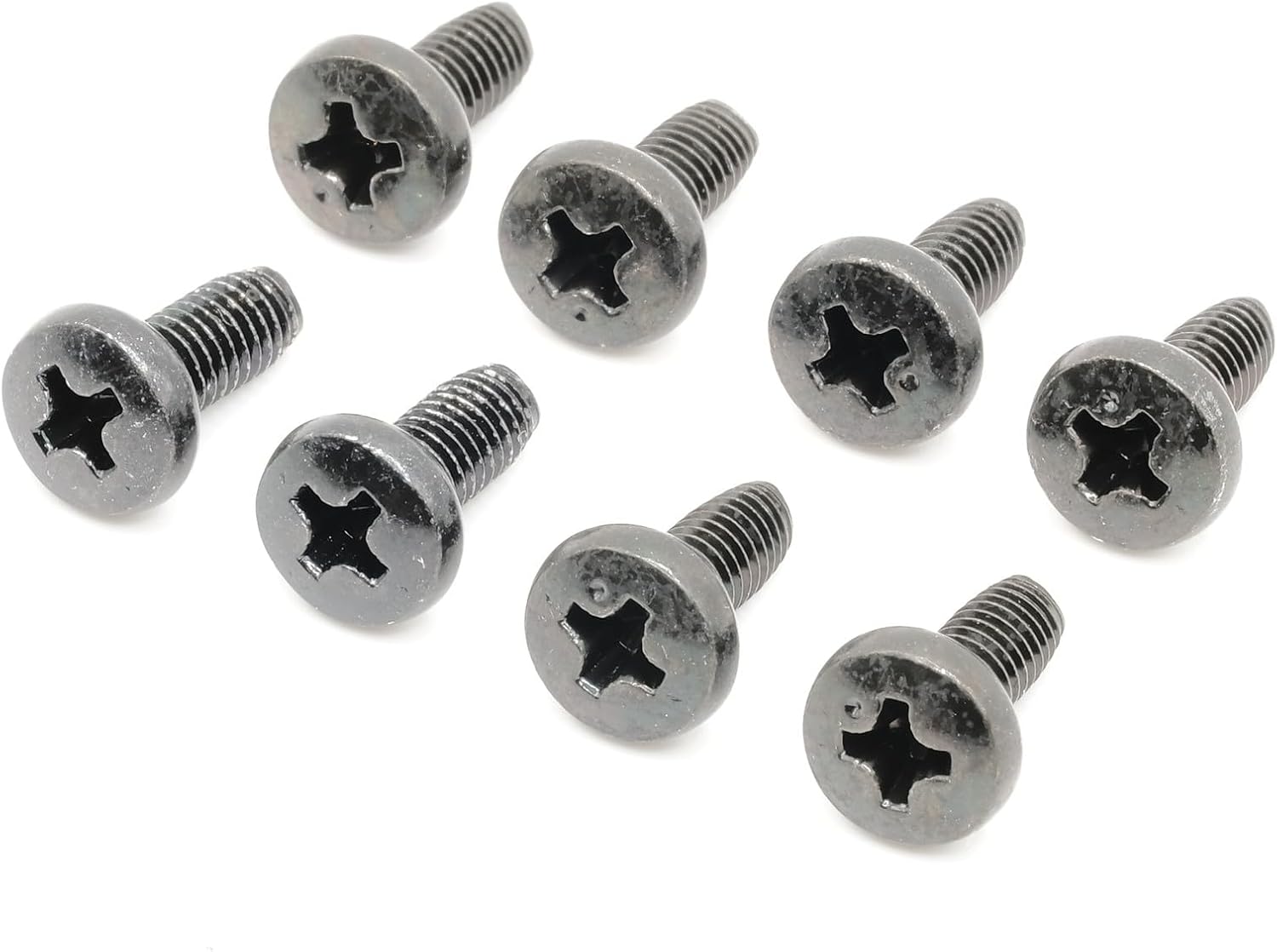
Image: A complete set of eight black replacement screws, laid out on a white background.
Important Safety Information
- Always ensure the television is unplugged from the power source before beginning installation.
- Handle screws carefully to avoid dropping or losing them.
- Do not overtighten screws, as this can damage the TV or the stand. Tighten until snug.
- This screw kit is ONLY for attaching the original factory legs or stand. It is NOT suitable for universal stands or wall mounting applications.
- Verify the model number UN60ES6100 on your TV's back label to ensure compatibility before installation.
Setup and Installation
This screw kit is designed for straightforward installation of your Samsung UN60ES6100 TV stand.
Required Tools:
- Phillips head screwdriver or Slotted screwdriver (compatible with the screw head type).
Installation Steps:
- Carefully place your Samsung UN60ES6100 television face down on a soft, clean, and stable surface to prevent screen damage.
- Identify the mounting points for the stand legs on the back or bottom of your TV.
- Align the original factory stand legs with the corresponding mounting holes on the television.
- Insert one of the provided black self-tapping machine screws into each mounting hole. There are eight screws in total for a complete set.
- Using a Phillips head or Slotted screwdriver, gently tighten each screw until the stand legs are securely fastened to the TV. Do not overtighten.
- Once all screws are tightened, carefully lift the TV with the stand attached and place it on a flat, stable surface.

Image: A set of eight black screws, showing their design and quantity.
Operating Considerations
Once the stand is securely attached using the ReplacementScrews, the television is ready for normal operation. These screws ensure the stability of the TV on its original stand.
- Ensure the TV is placed on a level and stable surface to prevent tipping.
- Do not apply excessive force or pressure to the TV when moving it, as this could stress the stand connections.
- Regularly check the tightness of the screws to ensure the stand remains secure.
Maintenance
The ReplacementScrews are designed for durability and corrosion resistance due to their black oxide plating. Minimal maintenance is required.
- Periodically inspect the screws for any signs of loosening. If found, gently retighten them with the appropriate screwdriver.
- Keep the screws and the TV stand area clean and free of dust or debris.
- Avoid exposing the screws to harsh chemicals or abrasive cleaners, which could damage the black oxide finish.

Image: A detailed side view of one of the black screws, highlighting its threading and black oxide finish.
Troubleshooting
If you encounter issues during installation or with the stability of your TV stand, refer to the following common solutions:
| Problem | Possible Cause | Solution |
|---|---|---|
| Screws do not fit into TV holes. | Incorrect TV model or incorrect screw type for application. | Verify your TV model number (UN60ES6100) on the back label. Ensure you are using these screws only for the original factory stand, not for wall mounts or universal stands. |
| Stand feels wobbly after installation. | Screws are not fully tightened or stand is not properly aligned. | Ensure all eight screws are inserted and tightened securely. Re-align the stand legs with the TV's mounting points. |
| Screw head strips during tightening. | Incorrect screwdriver size or excessive force. | Use the correct size Phillips or Slotted screwdriver. Apply firm, even pressure and avoid overtightening. |
Specifications
| Product Name | ReplacementScrews Stand Screws |
| Compatible Model | Samsung UN60ES6100 (UN60ES6100FXZA) |
| Quantity | 8 screws per set |
| Fastener Size | M5 x 25mm |
| Material | Alloy Steel |
| Exterior Finish | Black Oxide |
| Drive System | Slotted or Phillips |
| Head Style | Flat |
| Thread Type | Fine, Unified National Coarse (UNC) |
| Item Weight | 0.4 Ounces |
| Manufacturer | ReplacementScrews |
| Country of Origin | USA |
Warranty and Support
For any questions regarding the ReplacementScrews product or for support, please contact the manufacturer directly.
- Manufacturer: ReplacementScrews
- Website: Visit the ReplacementScrews Store on Amazon
- Please refer to the product listing on Amazon for the most current warranty information.
Ask a question about this manual
Ask about setup, troubleshooting, compatibility, parts, safety, or missing instructions. Manuals+ will review the question and use this page’s manual context to help answer it.