
Introduction
This manual provides essential information for the proper installation, operation, and maintenance of your JBL Marine 2-Channel Powersports Amplifier APEX PA1502. Please read this manual thoroughly before attempting to install or operate the amplifier to ensure optimal performance and safety.
The JBL APEX PA1502 is a compact, efficient Class D amplifier designed for powersports and marine environments. It features 2-channels of output power, selectable electronic crossover frequency adjustment, low-pass capability, and selectable bass boost for versatile audio system integration. Its robust design is engineered to withstand harsh outdoor conditions.
Safety Information
Always observe the following safety precautions during installation and operation:
- Disconnect the vehicle's negative battery terminal before starting any electrical work.
- Ensure all wiring is properly routed and secured to prevent damage from moving parts or sharp edges.
- Use appropriate gauge wiring for power and ground connections to prevent overheating and potential fire hazards.
- Install the amplifier in a location that allows for adequate ventilation to prevent overheating.
- Avoid mounting the amplifier in direct sunlight or areas exposed to extreme temperatures.
- Do not operate the amplifier if it has been exposed to water or moisture beyond its intended marine rating, or if it shows signs of damage.
- Refer to a qualified professional for installation if you are unsure about any steps.
What's in the Box
Verify that all items are present before beginning installation:
- 1x JBL APEX PA1502 Amplifier
- Stainless steel mounting hardware
- 2x High-level input adapters
- 4x Zip ties
- 1x Spare fuse
- 2x JBL Stickers
- Quick Start Guide (refer to this manual for detailed instructions)
Setup
Mounting the Amplifier
The APEX PA1502 amplifier is designed for surface mounting. Choose a location that is dry, well-ventilated, and protected from direct exposure to elements beyond its marine rating. Ensure there is enough space around the amplifier for air circulation.
- Select a suitable mounting surface.
- Use the provided stainless steel mounting hardware to secure the amplifier. Mark the mounting holes, drill pilot holes if necessary, and attach the amplifier firmly.
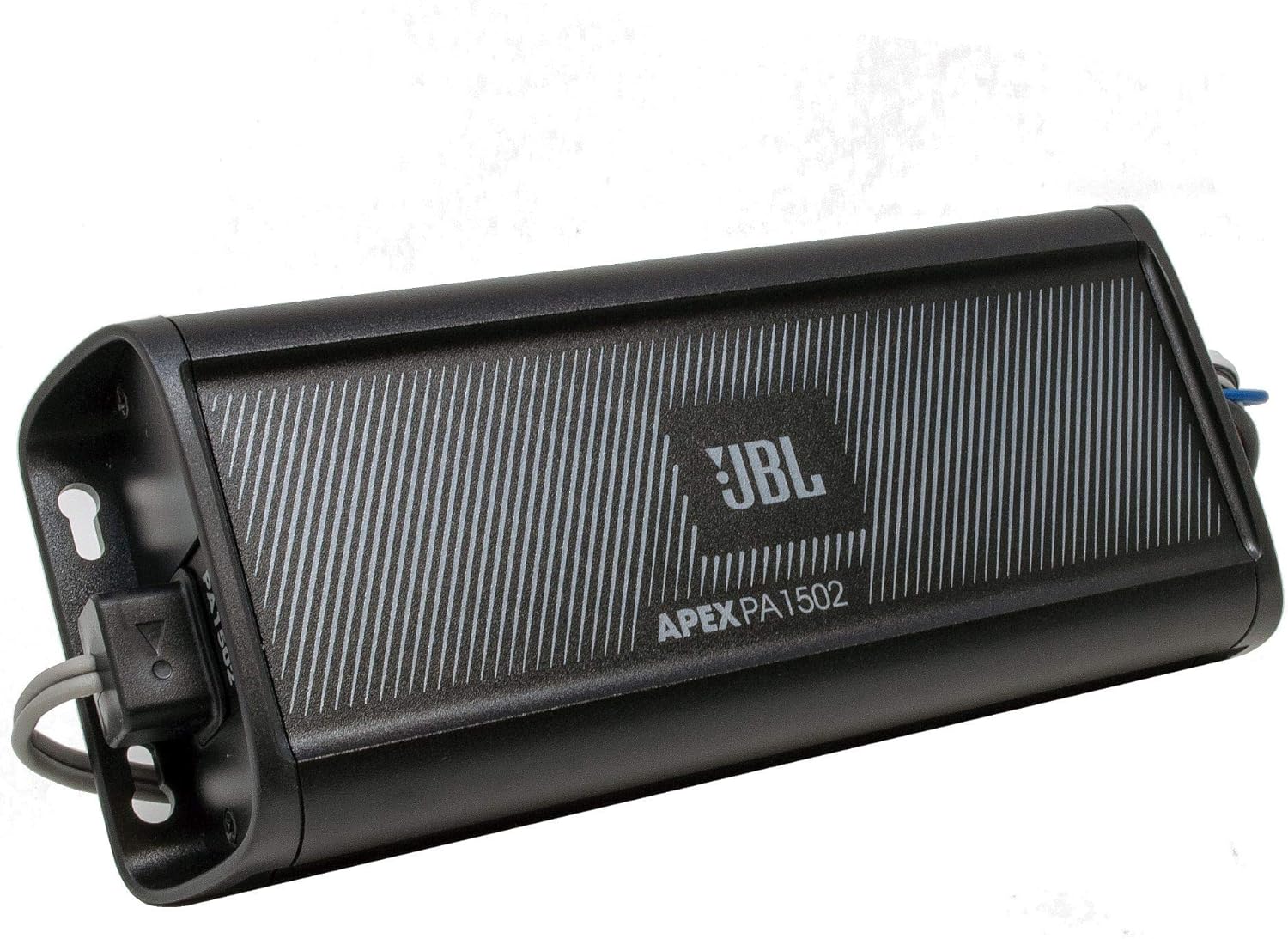
Image: Angled view of the JBL APEX PA1502 amplifier, highlighting its compact design and mounting tabs.
Wiring Connections
Proper wiring is crucial for performance and safety. Refer to the Quick Start Guide for specific wiring diagrams. The amplifier supports both high-level and low-level inputs.
- Power Connection: Connect the main power wire to the positive terminal of the vehicle's battery, ensuring an in-line fuse is installed close to the battery.
- Ground Connection: Connect the ground wire to a clean, unpainted metal surface on the vehicle chassis.
- Remote Turn-On: Connect the remote turn-on wire to the head unit's remote output.
- Speaker Outputs: Connect your speakers to the amplifier's speaker output terminals, observing correct polarity.
- Input Signal: Use either the RCA (low-level) inputs or the provided high-level input adapters to connect to your head unit.

Image: Top view of the JBL APEX PA1502 amplifier, showing the RCA input cables on the left and the speaker/power wiring harness on the right.
Input Level Adjustment
The amplifier features an input level switch (HI/LO) and a gain control knob to match the output of your head unit.
- If using RCA outputs from your head unit, set the input level switch to 'LO'. If using speaker-level outputs with the high-level adapters, set it to 'HI'.
- Turn the gain control knob to its minimum (fully counter-clockwise) position.
- Play a dynamic music track through your head unit at about 75% of its maximum volume.
- Slowly increase the amplifier's gain control until you hear distortion, then back it off slightly until the sound is clear.

Image: Detailed view of the amplifier's control panel, illustrating the input level switch, gain adjustment, crossover frequency selector, and bass boost controls.
Crossover Settings
The APEX PA1502 includes selectable electronic crossover frequency adjustment.
- OFF: Full-range output. Use this setting if your speakers are designed to play all frequencies or if you are using an external crossover.
- HPF (High-Pass Filter): Allows frequencies above the selected point to pass through. Useful for protecting smaller speakers from low bass frequencies.
- LPF (Low-Pass Filter): Allows frequencies below the selected point to pass through. Typically used for subwoofers.
Adjust the crossover frequency knob to suit your speakers and listening preferences. Common settings for full-range speakers might involve a high-pass filter around 80-120 Hz.
Bass Boost
The amplifier features a selectable bass boost function to enhance low-frequency output.
- Use the bass boost control to add a desired amount of low-end emphasis.
- Start with the bass boost at its minimum setting and increase gradually to avoid distortion.
Operating the Amplifier
Once properly installed and configured, the amplifier will turn on automatically with your head unit (via the remote turn-on wire). No further user interaction is typically required during normal operation.
- Ensure your head unit's volume is set to a comfortable listening level.
- Avoid prolonged listening at extremely high volumes to prevent hearing damage and potential speaker or amplifier damage.
- If you notice any distortion or unusual sounds, reduce the volume immediately and check your gain and crossover settings.
Maintenance
The JBL APEX PA1502 is designed for durability in marine and powersports environments, requiring minimal maintenance.
- Cleaning: Periodically wipe the amplifier's exterior with a soft, damp cloth. Do not use harsh chemicals or abrasive cleaners.
- Inspection: Regularly check all wiring connections for corrosion or looseness. Ensure the mounting hardware remains secure.
- Ventilation: Keep the area around the amplifier clear of obstructions to ensure proper airflow and prevent overheating.
Troubleshooting
If you experience issues with your amplifier, consult the following table before seeking professional service.
| Problem | Possible Cause | Solution |
|---|---|---|
| No audio output | No power to amplifier; Remote turn-on not connected; Input signal missing; Speaker wires disconnected or shorted. | Check power, ground, and remote connections. Verify head unit is on and sending signal. Inspect speaker wiring for continuity and shorts. |
| Distorted sound | Gain set too high; Crossover settings incorrect; Speaker impedance mismatch; Damaged speakers. | Reduce gain. Adjust crossover settings. Verify speaker impedance is compatible. Test speakers with another amplifier if possible. |
| Amplifier overheats | Insufficient ventilation; Speaker impedance too low; Prolonged high volume use. | Ensure adequate airflow around amplifier. Check speaker impedance. Reduce volume. |
| Amplifier turns off randomly | Overheating (thermal protection); Low voltage; Short circuit in speaker wiring. | Check for overheating. Verify stable power supply. Inspect speaker wiring for shorts. |
Specifications
Technical specifications for the JBL APEX PA1502 amplifier:
| Feature | Specification |
|---|---|
| Model Number | APEX PA1502 |
| Brand | JBL |
| Number of Channels | 2 |
| Output Power | 100 Watts (per channel) |
| Dimensions (L x W x H) | 4.73 x 10.63 x 3.94 inches |
| Item Weight | 2.77 pounds |
| Mounting Type | Surface Mount |
| Supply Current | 23.75 Milliamps |
| Material | Plastic |
| UPC | 050036359115 |
Warranty and Support
JBL products are designed for reliability and performance. For warranty information, please refer to the warranty card included with your product or visit the official JBL website. For technical support or service inquiries, please contact JBL customer service through their official channels.
Keep your proof of purchase for warranty claims.


