
iRobot m611020
iRobot Braava Jet M6 (6110) Ultimate Robot Mop User Manual
Model: m611020 | Brand: iRobot
The Braava jet m6 robot mop helps tackle sticky messes, grime, and kitchen grease keeping the hard floors throughout your home effortlessly clean. Just attach a mopping or sweeping pad and the robot automatically takes it from there. When you’re on the go, control and customize how your robot cleans with the iRobot Home App. Tested in spot clean mode. Important: Do not spray cleaning solution or water onto the sensors or sensor openings.
1. Introduction and Overview
The iRobot Braava Jet M6 (6110) is an ultimate robot mop designed to efficiently clean hard floors throughout your home. It utilizes a precision jet spray to tackle sticky messes, grime, and kitchen grease, leaving your floors effortlessly clean. With Wi-Fi connectivity, smart mapping capabilities, and compatibility with voice assistants like Alexa, the Braava Jet M6 offers convenient and automated floor care.
This manual provides essential information on setting up, operating, and maintaining your robot mop to ensure optimal performance and longevity.
2. Setup
2.1 Unboxing and Included Components
Upon unboxing your iRobot Braava Jet M6, ensure all components are present:
- 1 Braava jet® m6 Robot Mop
- 1 Charging Dock
- 1 North American Line Cord
- 1 Mop Pad
- 2 Single-Use Dry Sweeping Pads
- Cleaning Solution
- Docking Station
2.2 Charging and Docking
Place the Charging Dock in an open, clear area against a wall. Plug the line cord into the dock and then into a power outlet. Position the Braava Jet M6 onto the charging dock. The robot will indicate charging status with light indicators.
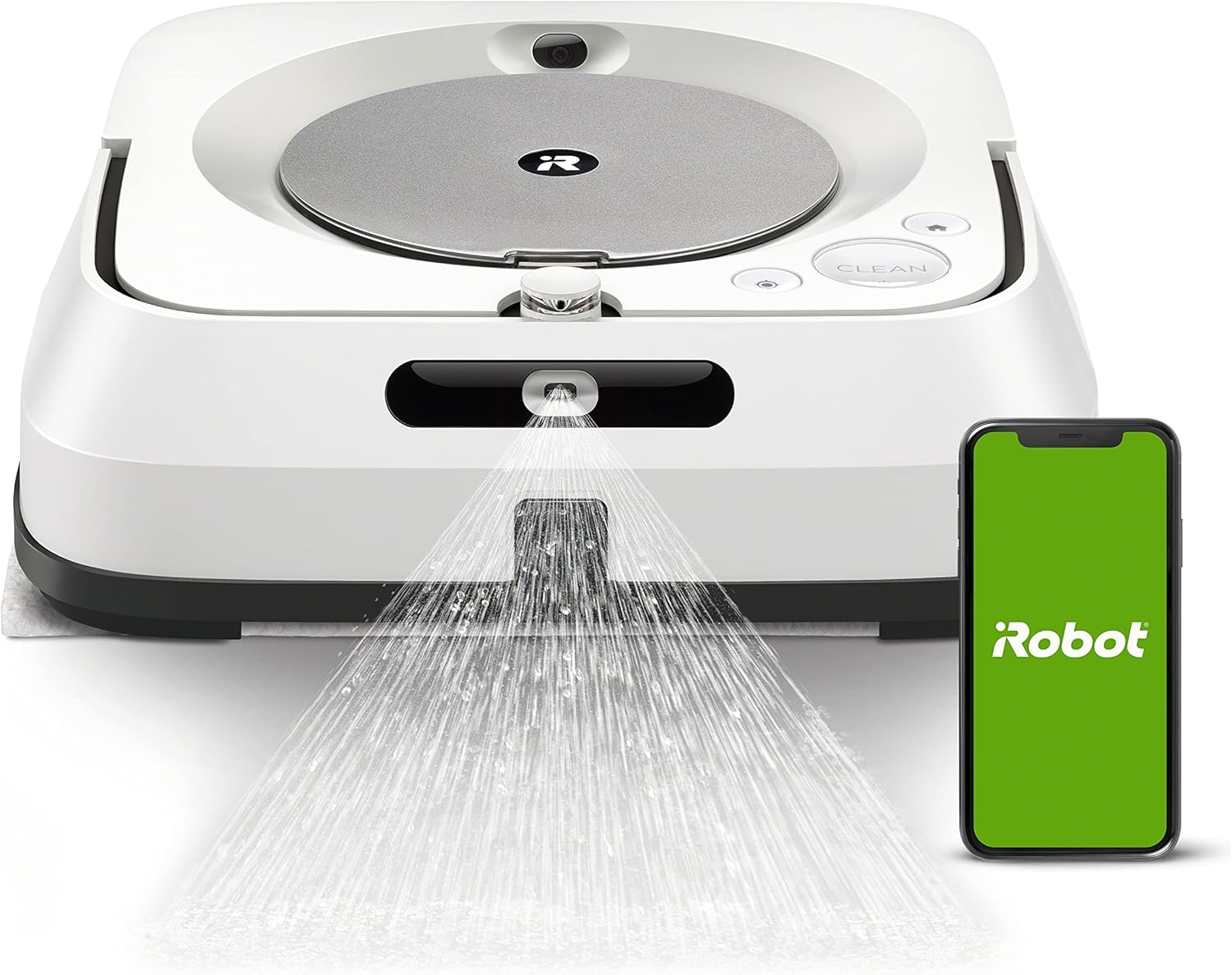
Figure 2.1: The iRobot Braava Jet M6 on its charging dock, ready for operation. The accompanying smartphone shows the iRobot Home App interface.
2.3 App Setup and Connectivity
Download the iRobot Home App from your device's app store. Follow the in-app instructions to connect your Braava Jet M6 to your home Wi-Fi network. This app allows for remote control, scheduling, and customization of cleaning tasks.

Figure 2.2: The iRobot Home App provides options for scheduling cleaning sessions and managing favorite cleaning routines.
2.4 Pad Attachment and Water Tank Fill
Attach either a wet mopping pad or a dry sweeping pad to the robot. The robot automatically detects the pad type and adjusts its cleaning mode accordingly. For wet mopping, fill the internal water tank with water and a small amount of cleaning solution (if desired, use iRobot Braava jet Hard Floor Cleaning Solution or Bona Hardwood Floor Cleaner). Ensure the lid is securely closed.

Figure 2.3: Used mopping pads can be easily ejected from the robot with the push of a button, minimizing contact with dirt.
Video 2.1: This video demonstrates the easy setup process, including filling the water tank and attaching the cleaning pad.3. Operating the Braava Jet M6
3.1 Cleaning Modes and Precision Jet Spray
The Braava Jet M6 offers various cleaning modes to suit different needs, including extended mode for lighter messes, standard for thorough cleaning, and deep for tougher jobs. Its Precision Jet Spray targets messes without spraying solution everywhere, ensuring efficient and contained cleaning.

Figure 3.1: The Precision Jet Spray feature of the Braava Jet M6 effectively targets and loosens dirt on hard floors.

Figure 3.2: The robot mop is designed to help break up sticky messes, grime, and kitchen grease, as demonstrated on a tiled floor.
3.2 Smart Mapping and Navigation
Equipped with iAdapt 3.0 Navigation and vSLAM technology, the robot precisely maps your home, allowing you to define specific cleaning areas and "Keep Out Zones" through the app. It moves in neat, straight rows to ensure comprehensive coverage and avoids obstacles with ease.

Figure 3.3: The robot is guided by smart technology to clean floors in neat, organized rows, ensuring thorough coverage.

Figure 3.4: The Braava Jet M6 learns and maps your home's layout, allowing you to specify where and when it should clean.

Figure 3.5: "Keep Out Zones" can be set up in the app to prevent the robot from entering specific areas, providing added control over cleaning.
Video 3.1: This video provides a detailed review and demonstration of the iRobot Braava Jet M6, showcasing its features and performance.Video 3.2: A comprehensive review of the iRobot Braava Jet M6, highlighting its smart features and cleaning capabilities.3.3 App and Voice Control
Control your robot mop from anywhere using the iRobot Home App. You can start, stop, schedule, and customize cleaning routines. The Braava Jet M6 also works with Amazon Alexa and Google Assistant, allowing for convenient voice commands.

Figure 3.6: The Braava Jet M6 can sync with compatible Roomba robot vacuums to perform a sequential vacuuming and mopping routine.
3.4 Imprint Link Technology
The Imprint Link Technology allows the Braava Jet M6 to coordinate with compatible iRobot Roomba robot vacuums. After the Roomba finishes vacuuming, it signals the Braava Jet M6 to begin mopping, ensuring a comprehensive floor cleaning process.
3.5 Automatic Recharge and Resume
For larger cleaning areas, the Braava Jet M6 automatically returns to its charging dock to recharge when its battery is low. Once sufficiently charged, it resumes cleaning from where it left off, ensuring the entire job is completed without manual intervention.
Figure 3.7: The robot automatically recharges and resumes cleaning until the job is complete, ensuring continuous operation for large areas.
Video 3.3: A detailed review of the iRobot Braava Jet M6, including its smart mapping, cleaning modes, and integration with other iRobot devices.4. Maintenance
4.1 Cleaning Pads
After each wet mopping session, remove the used pad and wash it with a little dish detergent. Allow it to air dry completely to prevent unpleasant odors. Disposable pads should be discarded after use. The robot intelligently knows which mode to use based on pad type (electrostatic force for sweeping, wicking fibers for mopping).
4.2 Water Tank
Regularly refill the water tank as needed. Avoid spraying cleaning solution or water directly onto the sensors or sensor openings to prevent damage.
4.3 General Care
To ensure optimal performance, keep the robot's sensors clean and free of debris. Avoid letting the robot get stuck on rugs or other obstacles by setting "Keep Out Zones" in the app. Some users have reported issues with tire deterioration over time, which can affect docking. If this occurs, contact iRobot customer support for assistance.
5. Troubleshooting
If you encounter issues with your Braava Jet M6, refer to the following common problems and solutions:
- Robot cannot dock: Some users have reported issues with the robot's tires deteriorating, affecting its ability to dock. This may require tire replacement. Contact iRobot customer support.
- Lid won't lock / "Fill Tank" error when full: This can sometimes be resolved by simply opening and closing the lid once or twice to ensure it's properly seated.
- Navigation problems / Robot spins in circles: This issue has been reported by some users, potentially due to firmware updates or internal PCB problems. Try resetting the robot, remapping, or recalibrating. If the problem persists, contact iRobot customer support.
- Streaking on floors: To reduce streaking, ensure you are using distilled water and the correct amount of cleaning solution. Setting a "favorite" mopping schedule that allows the mop to slowly return to the dock as it cleans can also help prevent dragging wet pads across previously cleaned areas.
6. Specifications
| Feature | Detail |
|---|---|
| Brand | iRobot |
| Model Name | iRobot Braava jet m6 Wi-Fi Connected Robot Mop |
| Special Feature | Ultimate Robot Mop- Wi-Fi Connected, Precision Jet Spray, Smart Mapping, Works with Alexa, Ideal for multiple rooms, Recharges and Resumes |
| Color | White |
| Product Dimensions | 10.6"L x 10.6"W x 3.5"H |
| Included Components | 1 Charging Dock, Mop Pad, 1 North American Line Cord, 1 Braava jet® m6 Robot Mop, 2 Single-Use Dry Sweeping Pad, Cleaning Solution, Docking Station |
| Filter Type | Cartridge |
| Battery Life | 150 minutes |
| Voltage | 100-240 Volts |
| Power Source | Battery Powered |
| Batteries Included | Yes (1 Lithium Ion battery required) |
| Control Method | Voice |
| Compatible Devices | Amazon Echo |
| Form Factor | Robotic |
| Item Weight | 4.85 pounds |
| Manufacturer | iRobot |
| Item Model Number | m611020 |
7. Warranty and Support
For detailed warranty information and support, please refer to the official documents provided by iRobot:
You can also visit the iRobot Store on Amazon for additional product information and support resources.
Related documentsm611020


Ask a question about this manual
Ask about setup, troubleshooting, compatibility, parts, safety, or missing instructions. Manuals+ will review the question and use this page’s manual context to help answer it.