
1. Introduction
This manual provides detailed instructions for the safe and effective operation of your XZL Y11S Bluetooth Karaoke Microphone. Please read this manual thoroughly before using the product and retain it for future reference.
The XZL Y11S is a versatile wireless microphone featuring a built-in stereo speaker, echo and duet modes, recording capabilities, and music playback. It is designed for both kids and adults, offering a portable and enjoyable karaoke experience.
2. Product Overview
The XZL Y11S Bluetooth Karaoke Microphone integrates a microphone and speaker into a single, portable unit. It features intuitive controls and multiple connectivity options for a seamless user experience.

Figure 1: XZL Bluetooth Karaoke Microphone
2.1 Key Features
- Built-in Stereo Speaker: Delivers clear audio output for music and vocals.
- Echo Mode: Adds reverberation to your voice for a professional singing effect.
- Duet Mode: Allows two microphones to connect to one device for synchronized singing.
- Recording Function: Capture your performances directly.
- Music Playback: Connect via Bluetooth, TF card, or audio cable to play music.
- Premium Leather Handle: Designed for comfort, durability, and anti-slip grip.
- Long Battery Life: Integrated 3000mAh rechargeable battery for extended use.

Figure 2: Remarkable Audio Performance Features

Figure 3: Battery Life and Charging Information
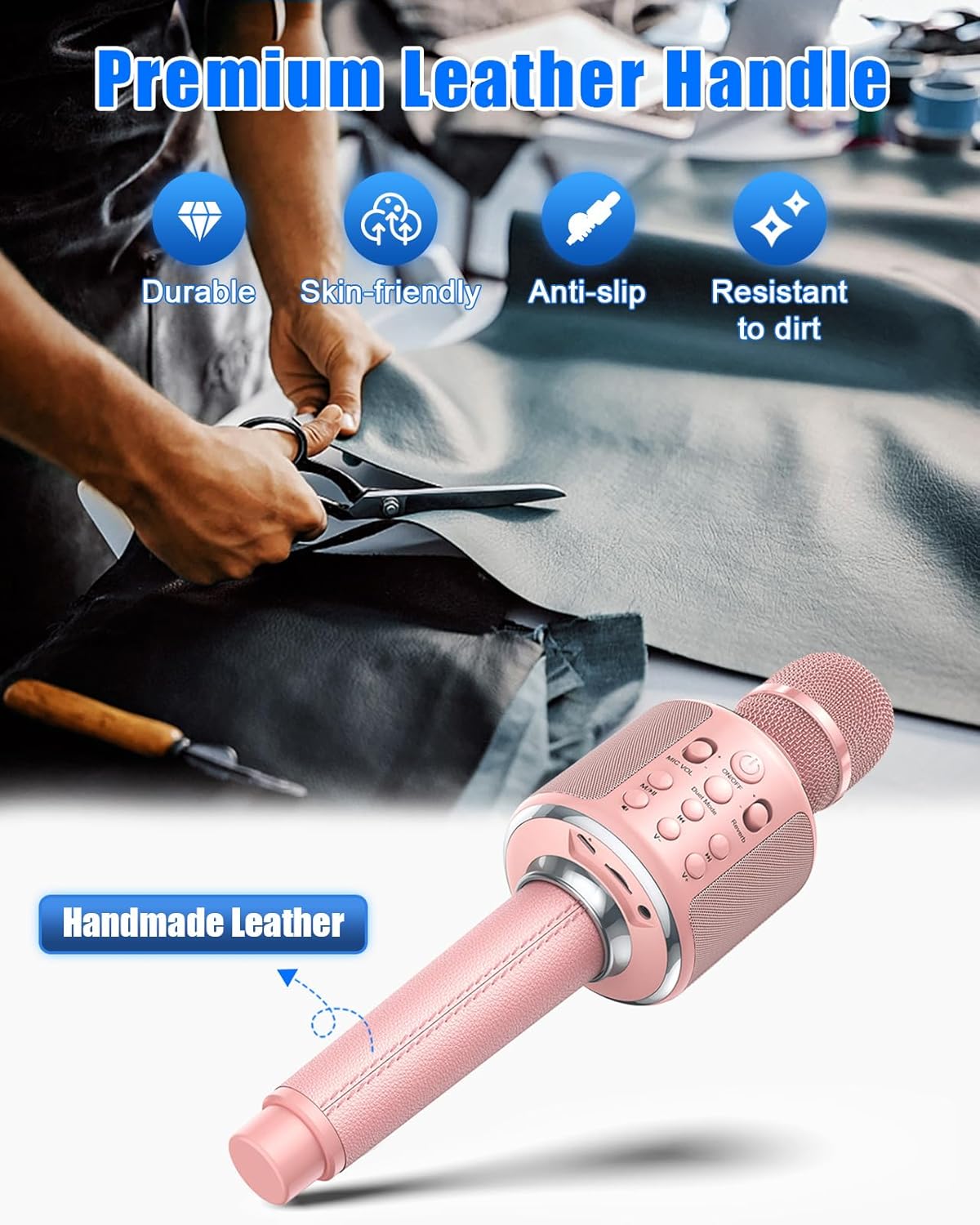
Figure 4: Premium Leather Handle Detail
3. Package Contents
Please check the package contents upon unboxing to ensure all items are present:
- XZL Y11S Karaoke Microphone
- PU Storage Case
- Audio Cable
- Charging Cable
- Foam Mic Cover
- User Manual (this document)
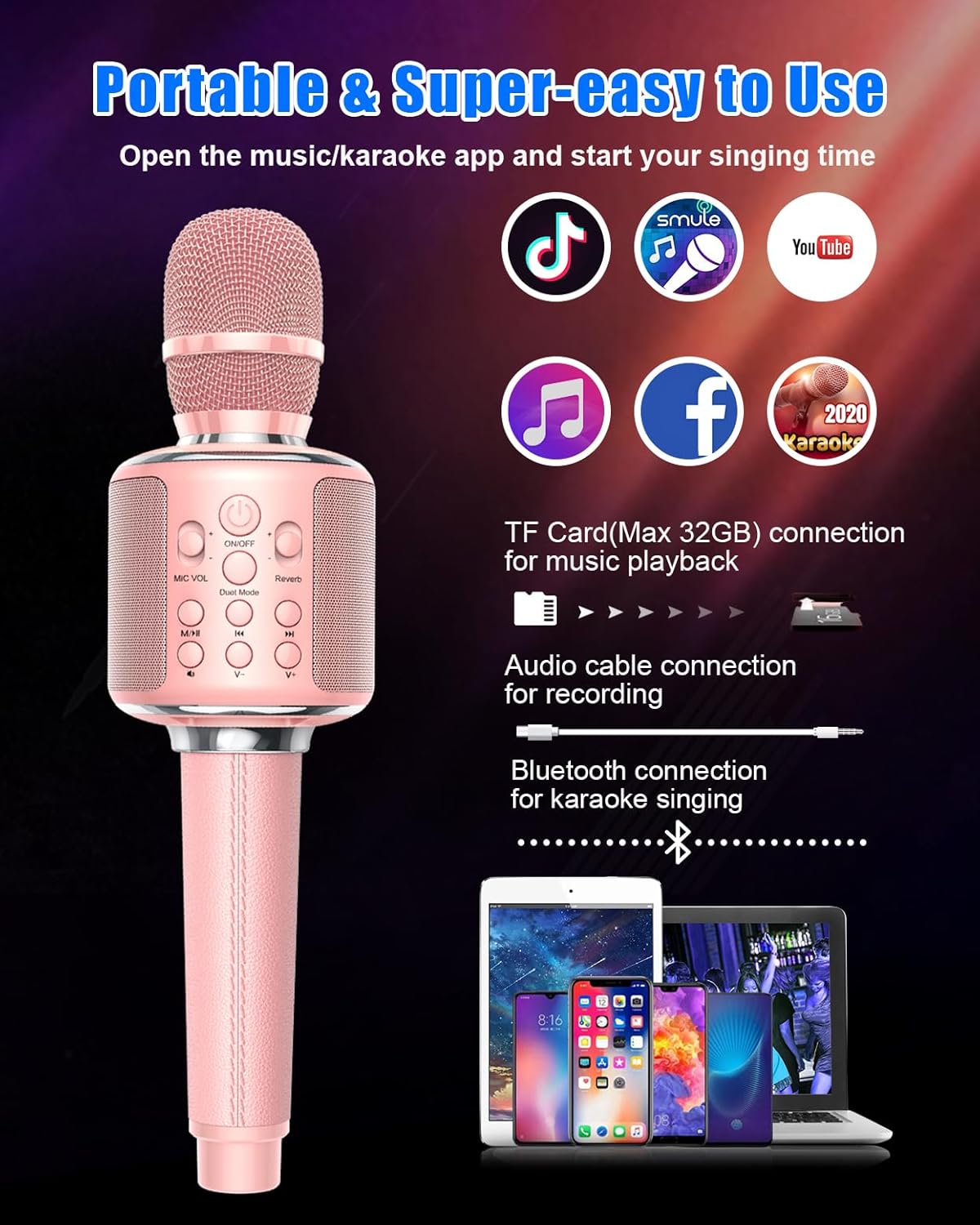
Figure 5: Package Contents
4. Button Descriptions
Familiarize yourself with the microphone's controls for optimal use:

Figure 6: Button and Port Layout
- ON/OFF Button: Press and hold to power on/off. Short press to switch modes.
- MIC VOL: Adjusts microphone volume.
- Reverb: Adjusts the echo effect level.
- Duet Mode: Activates or deactivates duet singing mode.
- Play/Pause: Plays or pauses music playback.
- Previous/Next Track: Skips to the previous or next song.
- Music Volume +/-: Adjusts the volume of the background music.
- Vocal Remove: Reduces or removes vocals from a song (functionality may vary by track).
- Charging/Recording Port: USB port for charging and connecting for recording.
- Headphone Jack: For private listening or monitoring.
- TF Card Slot: Insert a TF (MicroSD) card for music playback.
5. Setup
5.1 Charging the Microphone
- Connect the charging cable to the Charging/Recording Port on the microphone.
- Connect the other end of the cable to a USB power adapter (not included) or a computer's USB port.
- The indicator light will show charging status (e.g., red for charging, off when fully charged).
- A full charge typically takes 2-3 hours.
5.2 Bluetooth Pairing
- Press and hold the ON/OFF button to power on the microphone. A voice prompt will indicate it's ready for pairing.
- Enable Bluetooth on your smartphone, tablet, or other compatible device.
- Search for available Bluetooth devices and select "XZL Y11S" (or similar name) from the list.
- Once connected, a voice prompt will confirm successful pairing.
- You can now play music from your device through the microphone's speaker.
5.3 TF Card Insertion
- Locate the TF Card Slot on the microphone.
- Gently insert a TF (MicroSD) card (up to 32GB) with pre-loaded music into the slot until it clicks into place.
- The microphone will automatically switch to TF card playback mode.
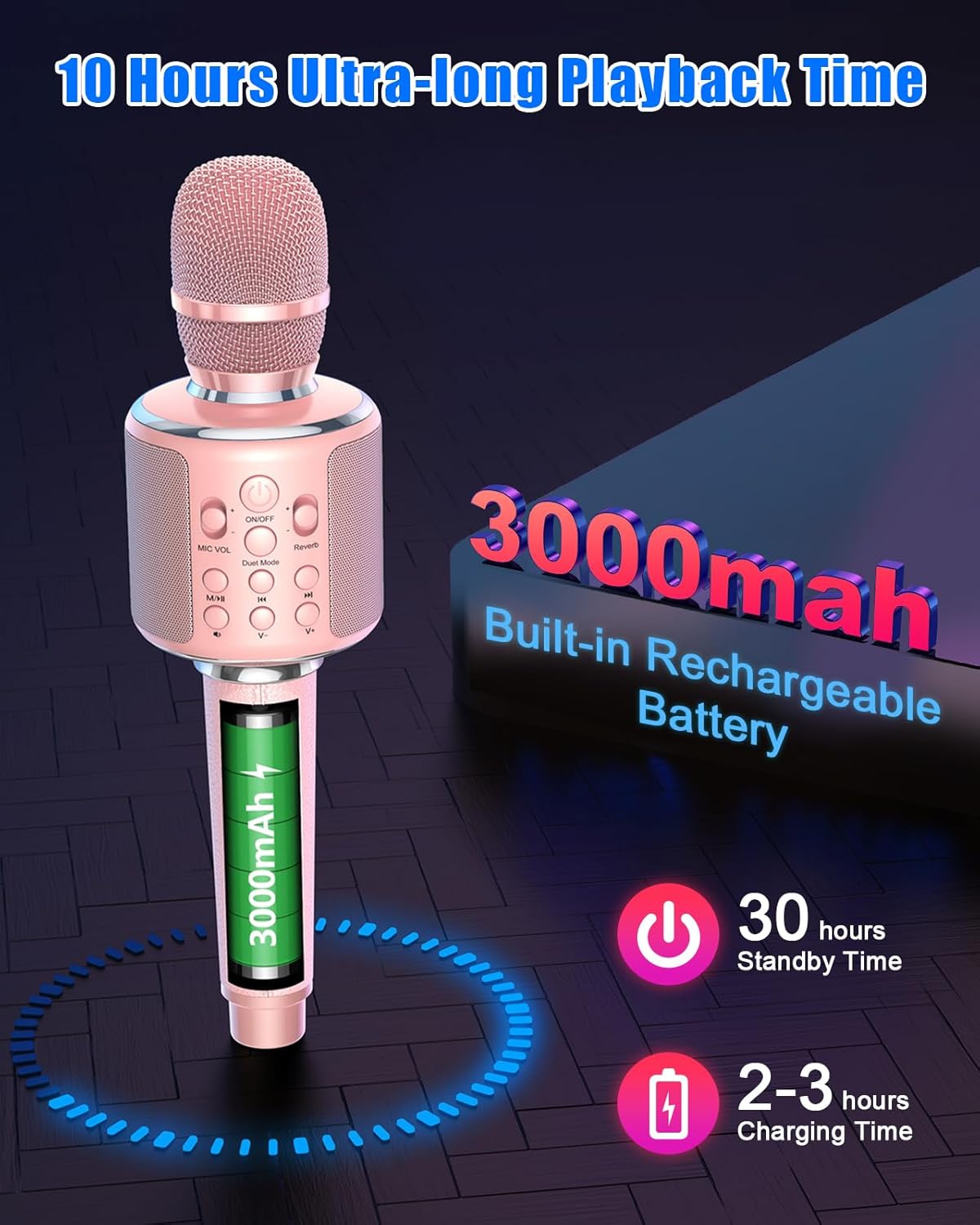
Figure 7: Connectivity Options
6. Operating Instructions
6.1 Power On/Off
Press and hold the ON/OFF button for approximately 3 seconds to power the microphone on or off.
6.2 Music Playback
- Bluetooth Mode: After successful Bluetooth pairing, open your music app on your connected device and start playing music. Use the Play/Pause, Previous/Next Track, and Music Volume +/- buttons on the microphone to control playback.
- TF Card Mode: Insert a TF card with music. The microphone will automatically play music from the card. Use the Play/Pause, Previous/Next Track, and Music Volume +/- buttons to control playback.
- Audio Cable Mode: Connect your device to the microphone's Charging/Recording Port using the provided audio cable. Music will play through the microphone's speaker.
6.3 Karaoke Mode
- Singing: Once music is playing, adjust the MIC VOL and Reverb controls to achieve your desired vocal and echo effects.
- Vocal Remove: Press the Vocal Remove button to attempt to reduce or eliminate vocals from a playing track. Effectiveness may vary depending on the song's original recording.
- Duet Mode: To use Duet Mode, ensure two XZL Y11S microphones are powered on. Connect the first microphone to your device via Bluetooth. Then, press the 'Duet Mode' button on both microphones simultaneously. They should pair with each other, allowing two people to sing together through one music source.
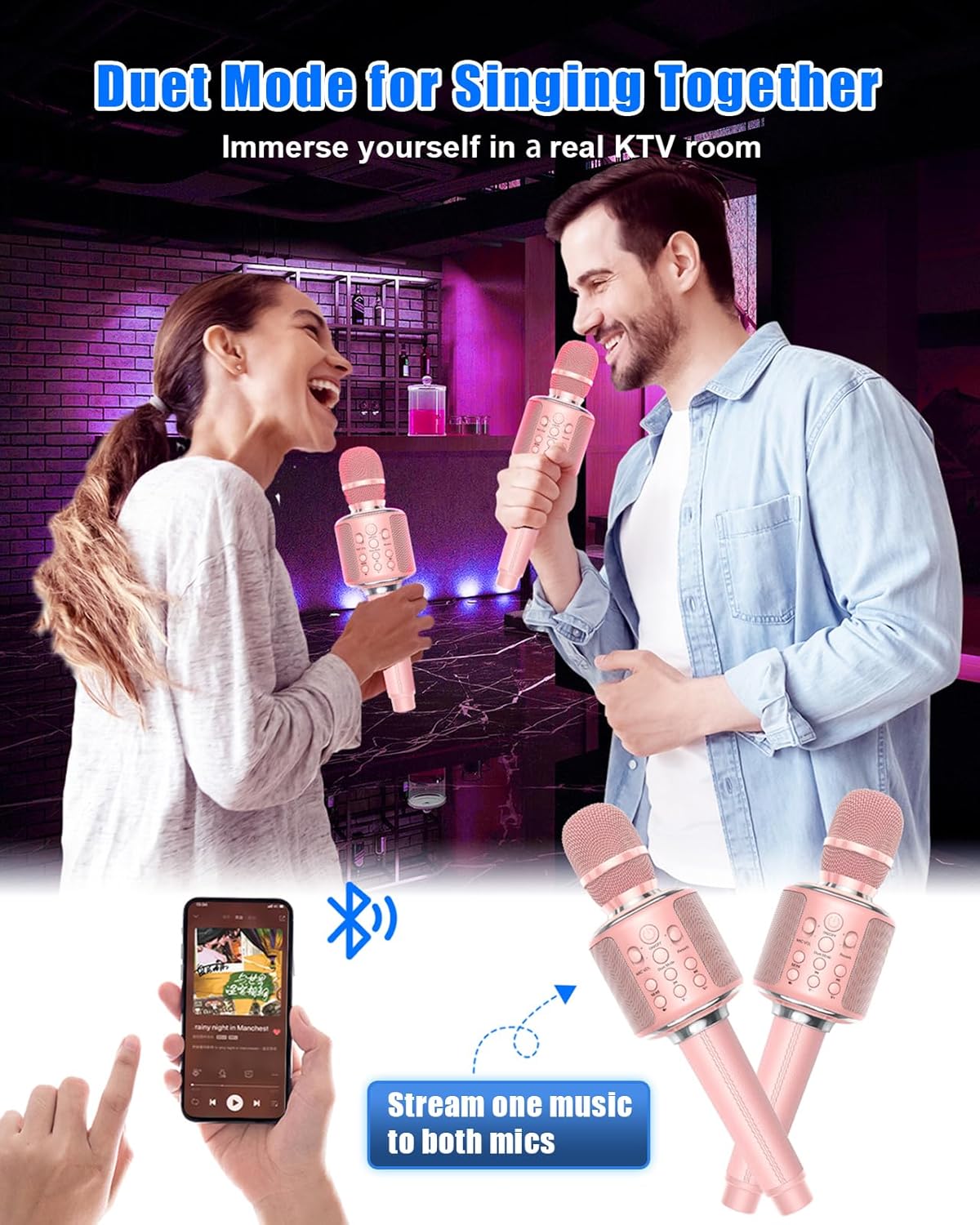
Figure 8: Duet Mode in Use
6.4 Recording
To record your singing:
- Connect the microphone to your smartphone or recording device using the audio cable (from the Charging/Recording Port to your device's audio input).
- Open a recording application on your device.
- Start playing music and singing into the microphone.
- Initiate recording within your chosen application.
7. Maintenance
- Cleaning: Wipe the microphone with a soft, dry cloth. Do not use harsh chemicals or abrasive cleaners.
- Storage: Store the microphone in its provided PU storage case when not in use to protect it from dust and damage. Keep it in a cool, dry place away from direct sunlight and extreme temperatures.
- Battery Care: To prolong battery life, avoid fully discharging the battery frequently. Charge it regularly, even if not in use for extended periods.
- Foam Mic Cover: Use the foam mic cover to reduce plosives and protect the microphone head. Clean or replace as needed.
8. Troubleshooting
| Problem | Possible Cause | Solution |
|---|---|---|
| Microphone does not power on. | Battery is low or depleted. | Charge the microphone for 2-3 hours. |
| Cannot connect via Bluetooth. | Bluetooth is off on your device; microphone is not in pairing mode; too far from device. | Ensure Bluetooth is enabled on your device. Power cycle the microphone to enter pairing mode. Move closer to the device (within 10 meters). |
| No sound from speaker. | Volume is too low; microphone is muted; incorrect mode. | Increase Music Volume and MIC VOL. Check if the microphone is in the correct playback mode (Bluetooth, TF Card, or Audio Cable). |
| Echo effect is too strong/weak. | Reverb level is incorrectly set. | Adjust the Reverb button to your preference. |
| Cannot record. | Incorrect cable connection; recording app not configured. | Ensure the audio cable is correctly connected to the Charging/Recording Port and your device's audio input. Verify settings in your recording application. |
9. Specifications
| Feature | Specification |
|---|---|
| Model Number | Y11S |
| Microphone Form Factor | Mini |
| Power Source | Battery Powered (3000mAh) |
| Hardware Platform | PC, Smartphone, Tablet |
| Number of Channels | 1 |
| Frequency Response | 10 KHz |
| Item Weight | 1.52 pounds |
| Package Dimensions | 12.4 x 5 x 3.7 inches |
| Connectivity Technology | Bluetooth |
| Connector Type | USB |
| Special Features | Mute Function, Volume Control, Echo, Duet Mode, Recording, Vocal Remove |
| Compatible Devices | Speaker (integrated), Smartphones, Tablets, PCs |
| Color | Pink |
| Included Components | Microphone, PU Storage Case, Audio Cable, Charging Cable, Foam Mic Cover, User Manual |
| Polar Pattern | Unidirectional |
| Audio Sensitivity | 110 Decibels |
10. Warranty and Support
For warranty information and customer support, please refer to the documentation included with your purchase or contact XZL customer service through their official channels. Keep your proof of purchase for any warranty claims.