
1. Introduction
The Linsoul KZ ZS10 Pro In-Ear Monitors (IEMs) are designed for high-fidelity audio reproduction, featuring a hybrid driver configuration for a balanced and detailed sound experience. This manual provides essential information for the proper setup, operation, and maintenance of your KZ ZS10 Pro IEMs.

2. What's in the Box
Upon opening your KZ ZS10 Pro package, please verify that all the following components are included:
- KZ ZS10 Pro In-Ear Monitors (1 pair)
- Detachable 3.5mm Audio Cable (1 unit)
- Silicone Ear Cushions (S/M/L sizes, 3 pairs total)
- User Manual (this document)

3. Product Features and Components
The KZ ZS10 Pro IEMs are engineered with advanced audio technology and durable materials:
- Hybrid Driver Configuration: Features an upgraded 4BA+1DD setup, including two 30095 balanced armatures for highs and two 50060 balanced armatures for mids, alongside a second-generation Tesla double magnetic dynamic unit for robust bass.
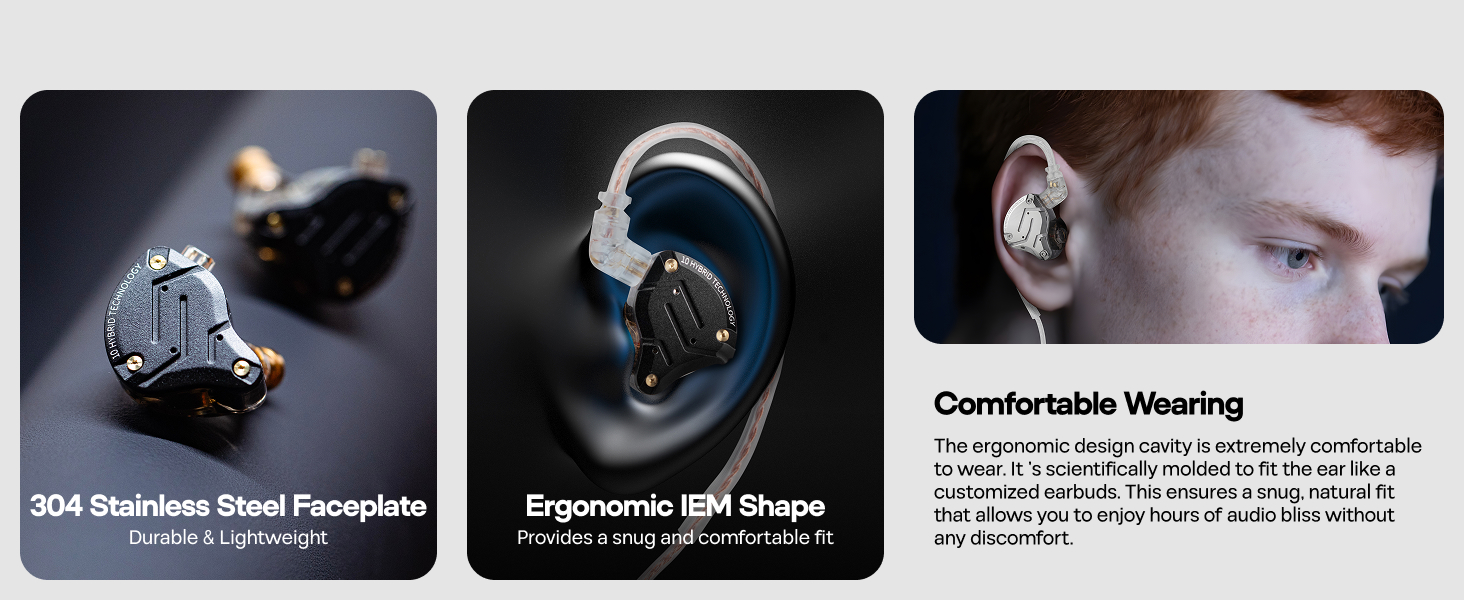
- Exquisite Craftsmanship: The faceplate is constructed from 304 stainless steel, while the cavity is made from imported resin, ensuring both aesthetic appeal and durability.
- PCB Dividing Board: Integrates a PCB board to optimize the performance of all drivers, delivering a smooth, detailed, and balanced sound.
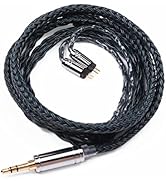
- Detachable Cable: Equipped with a gold-plated 2-pin ODC detachable cable, allowing for easy replacement or upgrade. The design includes limit slot protection to prevent pin damage.
- Ergonomic Design: The earphone cavity is shaped based on extensive cochlea data, providing a secure and comfortable fit for extended listening sessions and effective noise isolation up to 26dB.

4. Setup Guide
4.1 Attaching the Cable
- Identify the left (L) and right (R) earpieces and the corresponding connectors on the detachable cable. The cable connectors are typically marked.
- Align the 2-pin connector of the cable with the receptacle on the earpiece. Ensure the pins are correctly oriented to avoid damage.
- Gently push the connector into the earpiece until it clicks securely into place. Do not force the connection.
- Repeat for the other earpiece.

4.2 Selecting and Installing Ear Tips
Proper ear tip selection is crucial for sound quality and comfort. Experiment with the included S, M, and L silicone ear tips to find the best fit for your ears.
- Gently remove any pre-installed ear tips from the earpieces.
- Select an ear tip size that provides a snug seal in your ear canal without causing discomfort. A good seal enhances bass response and noise isolation.
- Push the chosen ear tip onto the nozzle of the earpiece until it is securely seated.
5. Operating Instructions
5.1 Wearing the IEMs
- Insert the earpieces into your ears, ensuring the cable loops over the top of your ear for a secure and comfortable fit. The ergonomic design is intended to conform to the shape of your ear.
- Adjust the earpieces until you achieve a good seal and comfortable position.
5.2 Connecting to Audio Source
Plug the 3.5mm jack of the cable into the headphone output of your audio device (e.g., smartphone, digital audio player, computer, gaming console).

5.3 Using the In-line Microphone and Controls (if applicable)
If your KZ ZS10 Pro model includes an in-line microphone and controls, you can manage calls and music playback:
- Play/Pause: Press the button once.
- Next Track: Press the button twice.
- Previous Track: Press the button three times.
- Answer/End Call: Press the button once during an incoming call or active call.
- Reject Call: Press and hold the button during an incoming call.

5.4 Official Product Video
6. Maintenance
- Cleaning: Regularly wipe the earpieces and cable with a soft, dry cloth. For ear tips, remove them and clean with mild soap and water, then rinse and dry thoroughly before reattaching.
- Storage: When not in use, store your IEMs in a protective case to prevent tangling and damage to the cable or earpieces.
- Cable Care: Avoid sharp bends or excessive pulling on the cable, especially near the connectors, to prolong its lifespan.
- Moisture: The KZ ZS10 Pro is not water resistant. Avoid exposure to moisture, sweat, or liquids.
7. Troubleshooting
| Problem | Possible Cause | Solution |
|---|---|---|
| No sound or low volume |
|
|
| Distorted sound |
|
|
| Earphones fall out easily |
|
|
8. Specifications
| Feature | Detail |
|---|---|
| Model Name | KZ ZS10 PRO |
| Driver Type | Hybrid Driver (4 Balanced Armature + 1 Dynamic Driver) |
| Frequency Response | 7-40000 Hz |
| Impedance | 24 Ohm |
| Sensitivity | 111 dB |
| Headphones Jack | 3.5 mm Jack |
| Connectivity Technology | Wired |
| Cable Feature | Detachable |
| Noise Control | Sound Isolation |
| Material | Plastic (Resin Cavity), 304 Stainless Steel (Faceplate) |
| Item Weight | 0.06 Kilograms (approx. 2.11 ounces) |
| Water Resistance Level | Not Water Resistant |
| Product Dimensions | 3.74 x 2.76 x 1.18 inches |

9. Warranty and Support
For warranty information and customer support, please refer to the official Linsoul website or contact your point of purchase. Keep your proof of purchase for any warranty claims.
For additional resources and product information, visit the Linsoul Store on Amazon.