
1. Introduction
Thank you for choosing the Philips Gadwall LED Desk Lamp 66049. This lamp is designed to provide versatile and adjustable lighting for your workspace, featuring a dual-mode base/clamp for flexible placement. It offers tunable color temperature and adjustable light intensity to suit various tasks and preferences.

Figure 1: Philips Gadwall LED Desk Lamp in clamp configuration.
2. Safety Information
Please read all safety instructions carefully before using the product. Failure to follow these instructions may result in electric shock, fire, or serious injury.
- Ensure the power supply voltage matches the lamp's requirements.
- Do not disassemble, repair, or modify the lamp. Contact qualified service personnel for repairs.
- Keep the lamp away from water or other liquids. Do not use in damp environments.
- Avoid looking directly into the LED light source for extended periods, as it may cause eye strain.
- Do not cover the lamp with cloth or other materials during operation to prevent overheating.
- Unplug the lamp from the power outlet before cleaning or when not in use for a long time.
- This lamp is designed for indoor use only.
3. Package Contents
Verify that all items are present in the package:
- 1 x Philips Gadwall LED Desk Lamp
- 1 x Desk Clamp Attachment
- 1 x Desk Base Attachment
- 1 x Power Adapter
4. Setup Instructions
The Philips Gadwall LED Desk Lamp offers two installation options: a desk clamp or a stable desk base.
4.1. Clamp Installation
- Attach the clamp mechanism to the bottom of the lamp arm. Ensure it is securely fastened.
- Position the clamp on the edge of your desk or shelf.
- Tighten the screw on the clamp until the lamp is firmly secured and stable. Do not overtighten.

Figure 2: Detail of the desk clamp attachment.

Figure 3: Lamp installed using the clamp.
4.2. Base Installation
- Attach the desk base to the bottom of the lamp arm. Ensure it is securely fastened.
- Place the lamp with the attached base on a flat, stable surface.
- Ensure the base is fully seated and the lamp is balanced before connecting power.
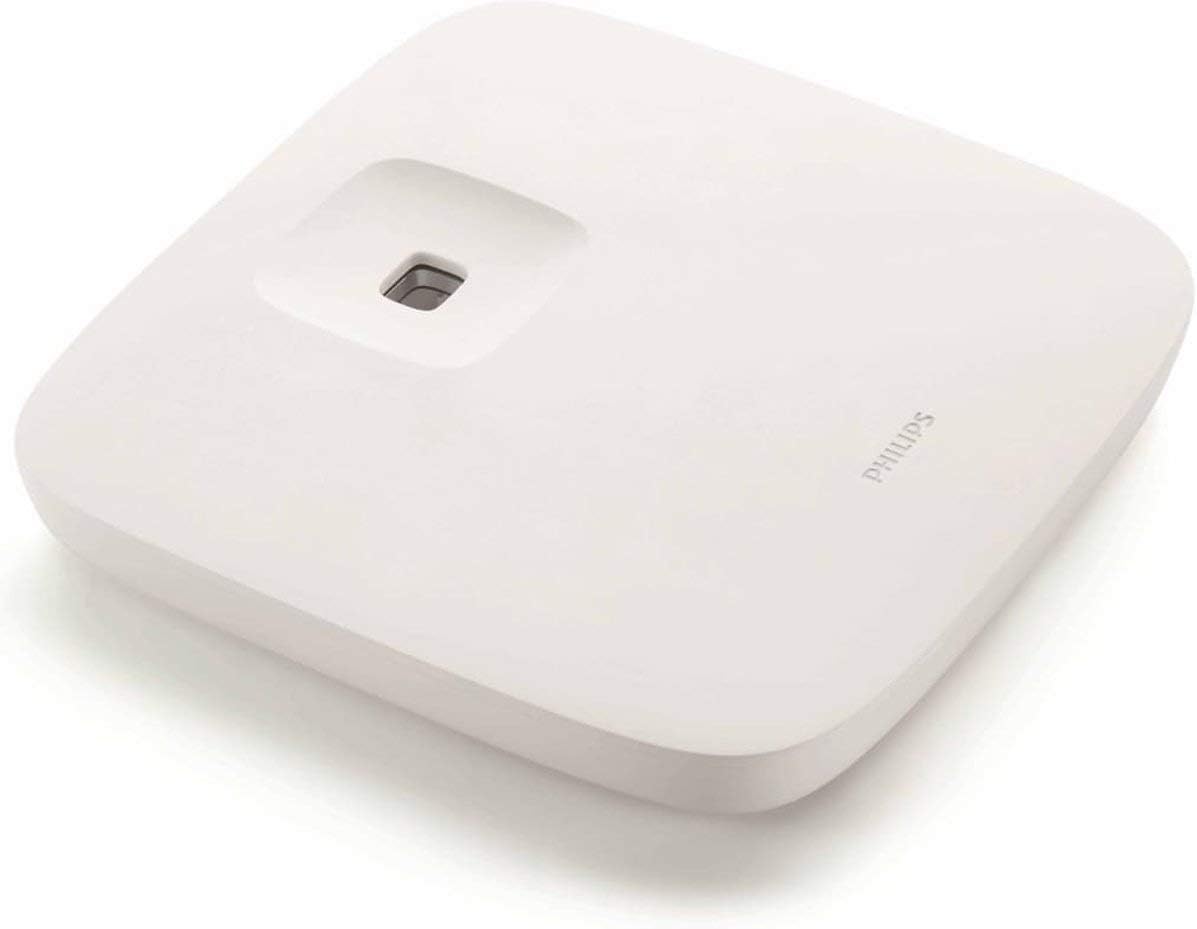
Figure 4: Detail of the desk base attachment.

Figure 5: Lamp installed using the base, demonstrating adjustable arm positions.
4.3. Power Connection
- Once the lamp is securely installed (either by clamp or base), connect the power adapter to the lamp's power input port.
- Plug the power adapter into a suitable electrical outlet.
5. Operating Instructions
The Philips Gadwall LED Desk Lamp features intuitive touch controls located on the lamp head.

Figure 6: Touch control panel for power, brightness, and color temperature.
- Power On/Off: Touch the ⏻ (Power) icon to turn the lamp on or off.
- Brightness Adjustment: Touch the □ (Brightness) icon repeatedly to cycle through different brightness levels. The lamp offers multiple intensity settings.
- Color Temperature Adjustment: Touch the ☽ (Color Temperature) icon repeatedly to cycle through various color temperatures, from warm white to cool daylight.
- Arm Adjustment: The lamp arm is highly flexible. Adjust the angle and height of the lamp head to direct light precisely where needed.
Note: This lamp is compatible with external dimmer switches (not included) for additional light intensity control. Refer to Philips' official support for a list of compatible dimmers.
6. Maintenance
Proper maintenance ensures the longevity and optimal performance of your Philips Gadwall LED Desk Lamp.
- Cleaning: Disconnect the power before cleaning. Use a soft, dry cloth to wipe the lamp's surface. Do not use abrasive cleaners, solvents, or harsh chemicals, as these may damage the finish.
- Storage: If storing the lamp for an extended period, ensure it is clean, dry, and stored in a cool, dry place away from direct sunlight.
- LEDs: The LED light source is integrated and not user-replaceable. Do not attempt to replace the LEDs.
7. Troubleshooting
If you encounter issues with your lamp, refer to the following common problems and solutions:
| Problem | Possible Cause | Solution |
|---|---|---|
| Lamp does not turn on. | No power supply; loose connection; faulty outlet. | Check if the power adapter is securely plugged into both the lamp and the wall outlet. Test the outlet with another device. |
| Light flickers or is dim. | Unstable power supply; incorrect dimmer switch (if used). | Ensure the power connection is stable. If using an external dimmer, ensure it is compatible with LED lights. Try adjusting brightness settings. |
| Touch controls are unresponsive. | Temporary software glitch; dirty sensor. | Unplug the lamp for 30 seconds, then plug it back in. Clean the touch control area with a soft, dry cloth. |
If the problem persists after trying these solutions, please contact Philips customer support.
8. Specifications
| Feature | Detail |
|---|---|
| Model Number | 66049 |
| Brand | Philips |
| Lamp Type | Light Emitting Diode (LED) |
| Power Consumption | 7W (Note: Some listings may indicate 11.4W, refer to product packaging for exact rating) |
| Color Temperature | Tunable (Warm to Cool Light) |
| Lifetime Hour | 15,000 hours |
| Material | Aluminium (Base), Plastic (Shade) |
| Finish Type | Lacquered |
| Color | White |
| Switch Type | Touch (Dimmer compatible) |
| Item Weight | 2.89 Kilograms |
| Batteries Required | No |
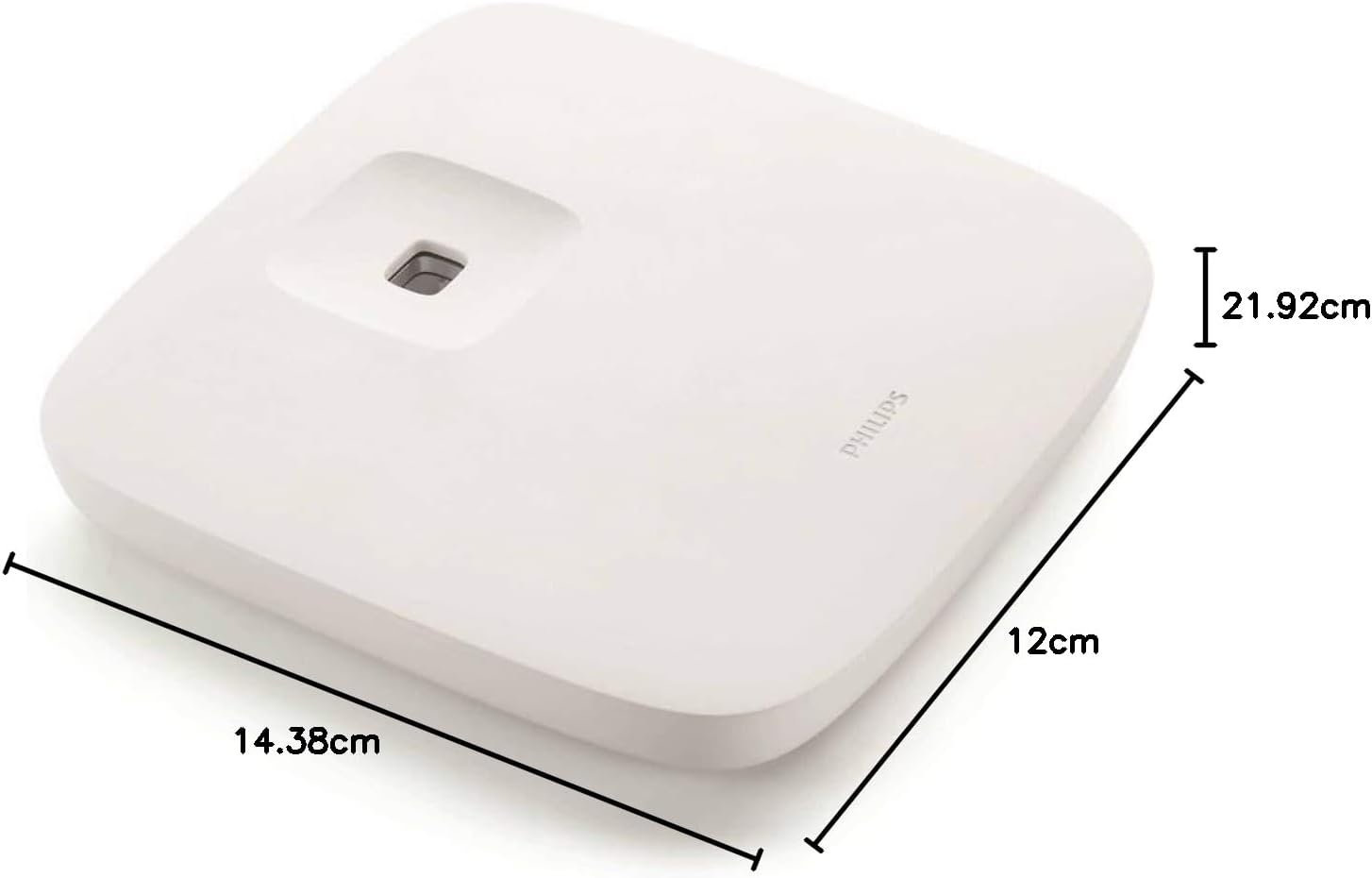
Figure 7: Base dimensions (approx. 14.38cm x 12cm).
9. Warranty Information
This Philips Gadwall LED Desk Lamp 66049 comes with a 2 Year Local (Singapore) Manufacturer Warranty.
Please retain your proof of purchase for warranty claims. The warranty covers defects in materials and workmanship under normal use. It does not cover damage caused by misuse, accidents, unauthorized repairs, or normal wear and tear.
For detailed warranty terms and conditions, please refer to the official Philips website or contact their customer service.
10. Customer Support
For further assistance, technical support, or to inquire about compatible dimmer switches, please contact Philips customer service:
- Visit the official Philips support website for your region.
- Refer to the contact information provided on the product packaging or warranty card.


