
1. Introduction
This manual provides essential information for the safe and effective use of the Cylewet CYT1117 100dB Electronic Buzzer Alarm Sounder. Please read these instructions carefully before installation and operation. This product is designed to produce a continuous sound when power is applied, suitable for various alarm and notification applications.
2. Safety Information
- Ensure the power source voltage is within the specified range (3-24V DC) to prevent damage to the device.
- Do not expose the buzzer to excessive moisture or extreme temperatures.
- Handle wires carefully to avoid short circuits.
- Installation should be performed by individuals familiar with basic electronics and wiring practices.
- The sound output is 100dB, which can be loud. Avoid prolonged exposure to the sound at close range to prevent hearing discomfort.
3. Package Contents
Verify that all items are present in your package:
- 6 × Cylewet CYT1117 100dB Electronic Buzzer Alarm Sounder

4. Specifications
| Feature | Specification |
|---|---|
| Rated Voltage | 12V DC |
| Voltage Range | 3-24V DC |
| Rated Current | 12mA (at 12VDC) |
| Sound Pressure Frequency | 100dB (at 12VDC) |
| Diameter | 5cm / 2 inches |
| Wire Length | 15.8cm / 6.2 inches |
| Mounting Type | Wall Mount (via integrated tabs) |
| Model Number | CYT1117 |
| UPC | 751940149839 |

5. Setup
Follow these steps to set up your electronic buzzer:
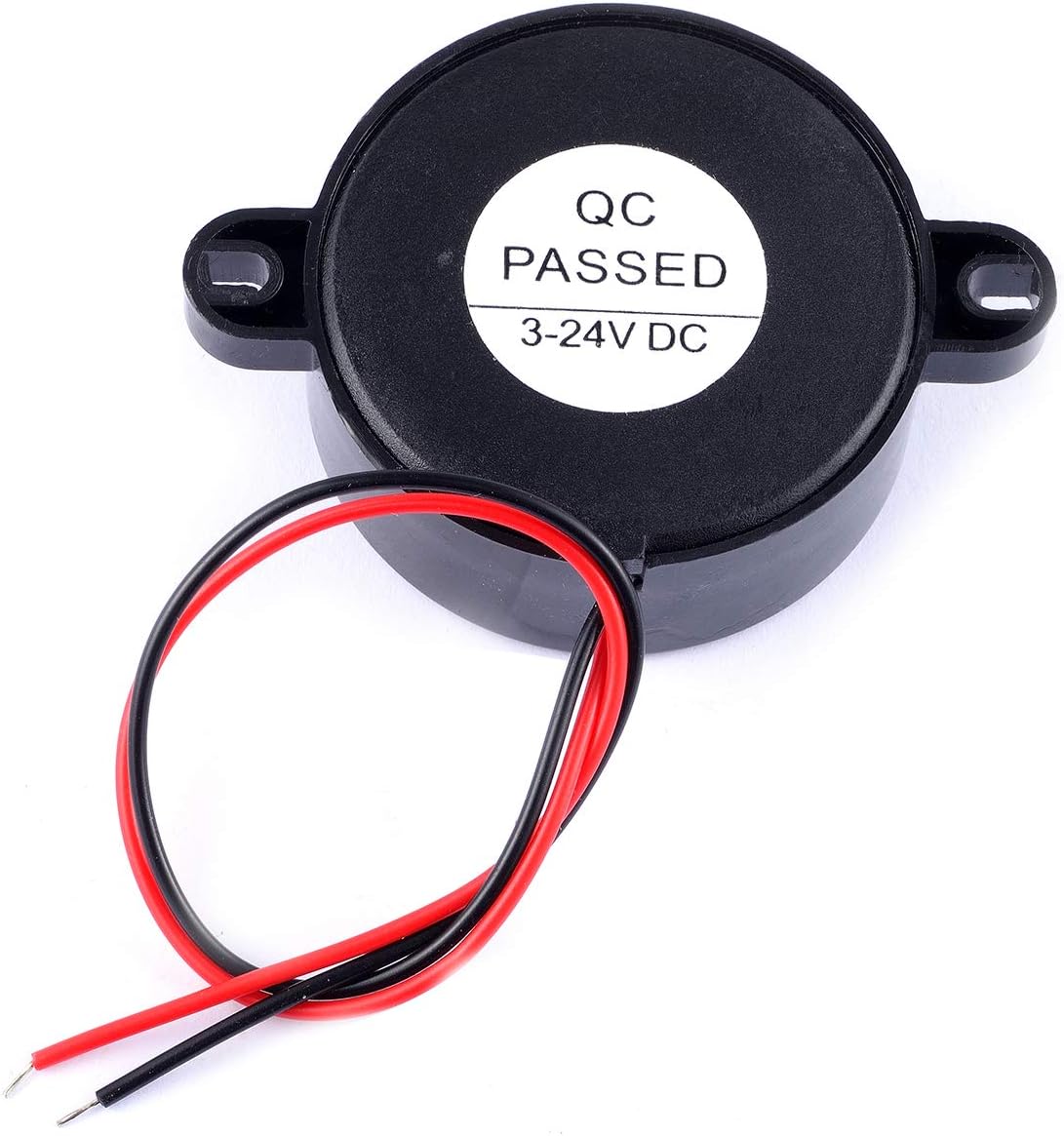
- Identify Wires: The buzzer has two wires: one red and one black. The red wire is for the positive (+) terminal, and the black wire is for the negative (-) terminal.
- Power Source: Connect the red wire to the positive (+) output of your DC power source and the black wire to the negative (-) output. Ensure your power source provides a voltage between 3V and 24V DC.
- Mounting: The buzzer features integrated mounting tabs. Use appropriate screws (not included) to secure the buzzer to a flat surface. Refer to Figure 4.1 for dimensional details to plan your mounting.
- Testing: Once connected, apply power to the circuit. The buzzer should emit a continuous sound.

6. Operating Instructions
The Cylewet CYT1117 buzzer operates on a simple principle:
- When a DC voltage within the 3-24V range is applied to the red (+) and black (-) wires, the buzzer will emit a continuous sound at approximately 100dB.
- The sound will cease when the power supply is disconnected.
- This buzzer is designed for applications requiring a constant audible alert, such as security alarms, notification systems, or DIY electronic projects.

7. Maintenance
The Cylewet CYT1117 electronic buzzer requires minimal maintenance:
- Keep the device clean and free from dust and debris. Use a soft, dry cloth for cleaning.
- Ensure all wire connections remain secure.
- Avoid exposing the buzzer to water or other liquids.
- Do not attempt to open the buzzer housing, as it contains no user-serviceable parts and doing so may damage the device.
8. Troubleshooting
| Problem | Possible Cause | Solution |
|---|---|---|
| No sound from buzzer |
|
|
| Weak or intermittent sound |
|
|
9. Warranty and Support
Specific warranty information for the Cylewet CYT1117 electronic buzzer is not provided in the product data. For any issues or support inquiries, please contact your retailer or the manufacturer, Cylewet, directly. Retain your proof of purchase for any warranty claims.