1. Introduction
This manual provides comprehensive instructions for the setup, operation, and maintenance of your TechniSat TECHNISTAR S5 HD+ digital satellite receiver. Please read this manual thoroughly before using the device to ensure proper functionality and to maximize your viewing experience. The TECHNISTAR S5 HD+ is designed for receiving digital satellite television in HDTV quality, offering features such as integrated HD+ decryption, PVRReady for recording, and Timeshift functionality.
2. Safety Information
WARNING: To reduce the risk of electric shock, do not open the device casing. Refer all servicing to qualified service personnel.
- Ensure the device is placed on a stable, level surface.
- Do not expose the device to rain or moisture.
- Avoid placing the device near heat sources such as radiators, heat registers, stoves, or other apparatus (including amplifiers) that produce heat.
- Only use attachments/accessories specified by the manufacturer.
- Unplug the device during lightning storms or when unused for long periods.
- Keep ventilation openings clear to prevent overheating.
3. Package Contents
Verify that all items are present in the package:
- 1 x TechniSat TECHNISTAR S5 HD+ Receiver
- 1 x Remote Control
- 1 x Power Supply Unit
- 1 x User Manual (this document)
- 2 x AAA Batteries (for remote control)
4. Product Overview
4.1 Front Panel
The front panel of the TECHNISTAR S5 HD+ features essential controls and indicators.

Image 4.1: Front view of the TechniSat TECHNISTAR S5 HD+ satellite receiver. It shows the display, power button, channel up/down buttons, and the HD+ logo.
- Display: Shows channel number or time.
- Power Button: Turns the device on/off or to standby.
- Channel Buttons (V / ^): Navigates through channels.
- HD+ Logo: Indicates HD+ compatibility.
4.2 Rear Panel and Connections
The rear panel provides all necessary ports for connecting the receiver to your television, satellite dish, and other devices.

Image 4.2: Rear view of the TechniSat TECHNISTAR S5 HD+ satellite receiver, illustrating the various connection ports. These include Smartcard (Conax), CI+ slot, Ethernet, LNB (Sat-Eingang), USB, HDMI Out, A/V Out, S/PDIF Out, and Power input.
- Smartcard (Conax): Slot for Conax smartcards.
- CI+ Slot: Common Interface Plus slot for CI+ modules (e.g., for HD+ or Sky).
- Ethernet: For network connection and UPnP streaming.
- LNB (Sat-Eingang): Input for the satellite dish cable (F-connector).
- USB: For connecting external storage devices (USB stick or hard drive) for PVRReady and Timeshift functions.
- HDMI Out: High-Definition Multimedia Interface output for connecting to your TV.
- A/V Out: Analog audio/video output (requires specific TechniSat adapter, optional).
- S/PDIF Out: Digital audio output (electrical).
- Power: Input for the external power supply unit.
5. Setup
5.1 Connecting the Receiver
- Satellite Connection: Connect your satellite dish cable to the "LNB (Sat-Eingang)" port on the rear panel.
- TV Connection: Connect the receiver to your TV using an HDMI cable. Insert one end into the "HDMI Out" port on the receiver and the other into an available HDMI input on your TV.
- Power Connection: Connect the power supply unit to the "Power" input on the receiver, then plug the power adapter into a wall outlet.
- Optional Connections:
- USB Storage: For recording and Timeshift, connect a USB stick or external hard drive to the "USB" port.
- Network: For UPnP and other network features, connect an Ethernet cable to the "Ethernet" port.
- CI+ Module: If you have a CI+ module (e.g., for HD+ or Sky), insert it into the "CI+ Slot".
5.2 First Installation (AutoInstall)
Upon first power-on, the receiver will guide you through an automatic installation process. This "AutoInstall" feature simplifies the initial setup, including channel search and basic settings.
- Turn on your TV and select the correct HDMI input.
- Power on the TECHNISTAR S5 HD+.
- Follow the on-screen instructions to select your language, country, and perform a channel scan. The receiver will automatically search for available satellite channels.
- The ISIPRO feature will assist with automatic station search and updates.

Image 5.2: TechniSat Comfort Services, highlighting features like SFI (Electronic Program Guide), ISIPRO (Program List Manager), AutoInstall (Easy First Installation), Password-protected User Profiles, and ISI Mode (Simplified Menus with Large Font).
6. Operating the Receiver
6.1 Basic Functions
Use the provided remote control to navigate menus and control the receiver.
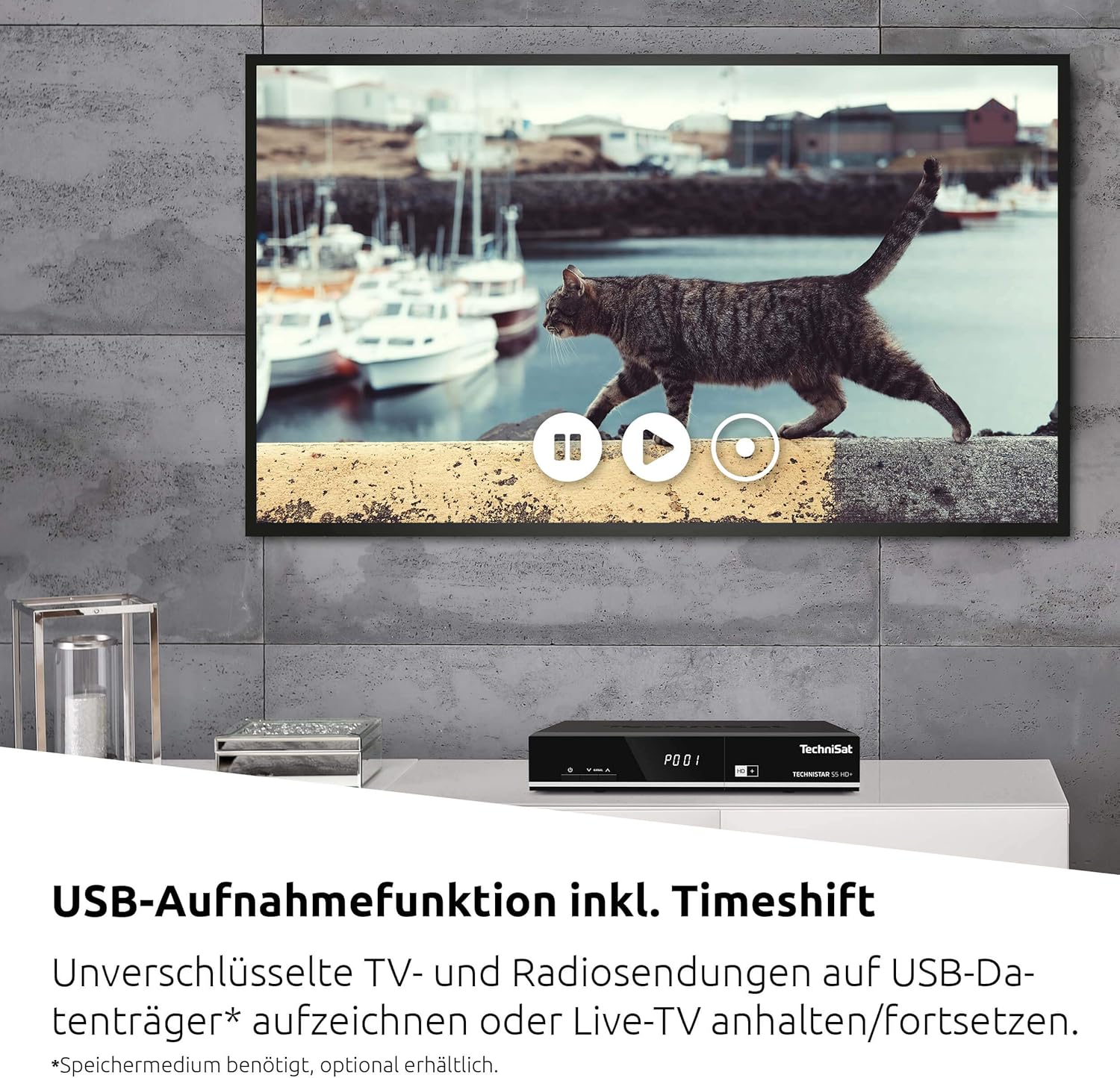
Image 6.1: The TechniSat remote control alongside a smartphone displaying the TechniSat Connect app interface, demonstrating both traditional and modern control methods.
- Channel Selection: Use the number buttons or the CH+/CH- buttons to change channels.
- Volume Control: Use the VOL+/VOL- buttons.
- Menu Navigation: Use the directional arrows and OK button to navigate through the on-screen menus.
- SFI (Service Information): Access the electronic program guide (EPG) to view program schedules and information.
- ISIPRO: This feature automatically manages and updates your channel list, ensuring you always have the latest channel lineup.
- ISI Mode: A simplified menu mode with larger fonts, useful for users who prefer a less complex interface or as a child safety feature.
6.2 Recording (PVRReady) and Timeshift
The TECHNISTAR S5 HD+ supports recording of unencrypted digital TV and radio programs to an external USB storage device (PVRReady). It also features Timeshift, allowing you to pause and resume live television.

Image 6.2: A television screen displaying a paused live broadcast, demonstrating the Timeshift function. The on-screen controls for play, pause, and rewind are visible.
- To Record: Connect a USB storage device (formatted as FAT32 or NTFS). While watching a program, press the "Record" button on your remote control.
- Timeshift: Press the "Pause" button during live TV to temporarily pause the broadcast. Press "Play" to resume from where you left off.
- Playback: Access recorded programs through the receiver's menu.
6.3 HD+ Features
The TECHNISTAR S5 HD+ includes an integrated decryption system for HD+.
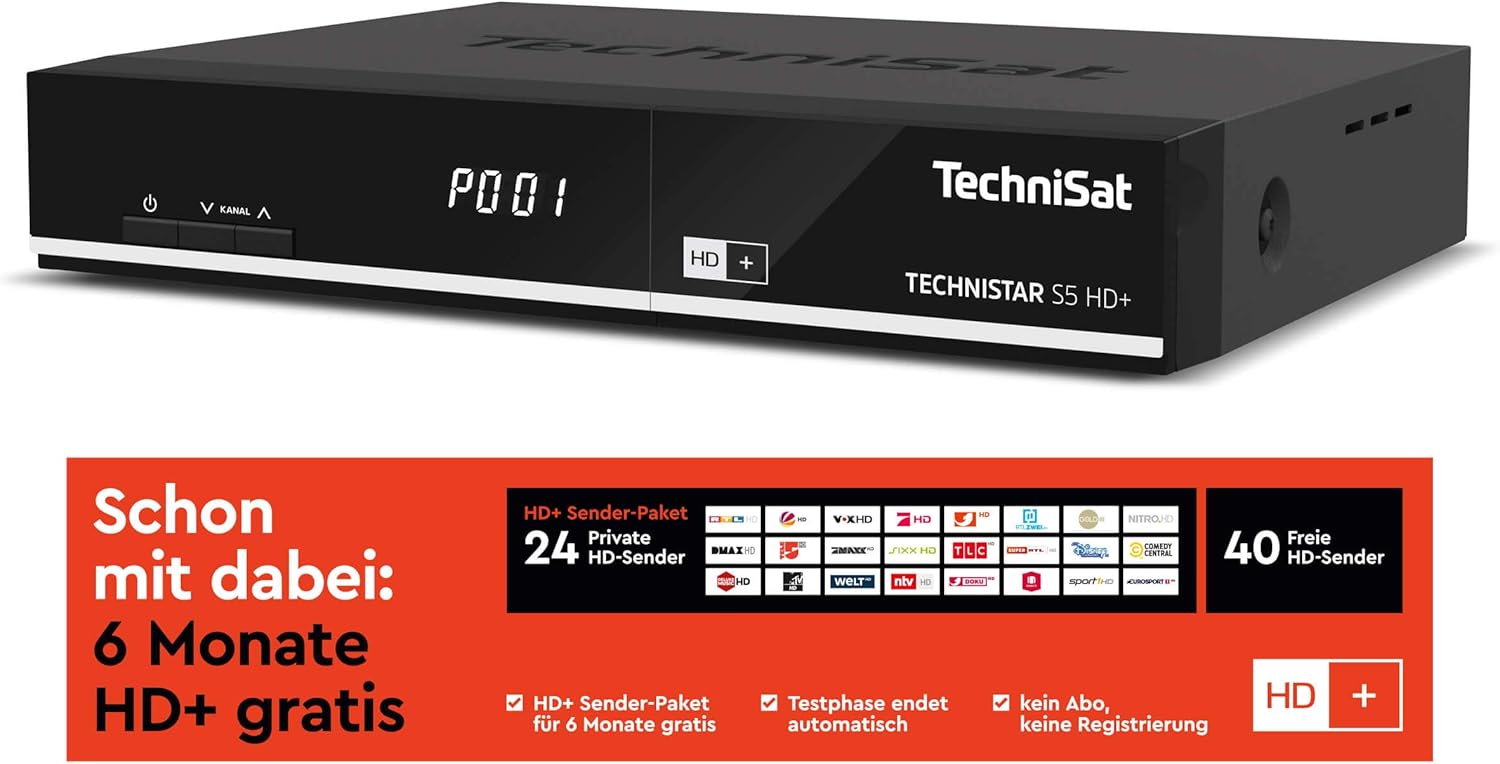
Image 6.3: Information regarding the HD+ channel package, indicating 6 months of free HD+ access, 24 private HD channels, and 40 free HD channels. It also states that the test phase ends automatically with no registration required.
- The device comes with 6 months of free HD+ access for 23 HD quality channels.
- Additional pay-TV offers, such as Sky, can be accessed via the CI+ interface with a compatible CI+ module and subscription.
6.4 TechniSat Connect App
The TechniSat Connect app can be used as a universal remote control for your receiver, offering convenient control from your smartphone or tablet.
- Download the TechniSat Connect app from your device's app store.
- Ensure your smartphone/tablet and the receiver are connected to the same local network.
- Follow the app's instructions to pair it with your TECHNISTAR S5 HD+.
7. Maintenance
- Cleaning: Disconnect the power before cleaning. Use a soft, dry cloth to clean the exterior of the receiver. Do not use liquid or aerosol cleaners.
- Ventilation: Ensure that the ventilation slots on the device are not blocked to prevent overheating.
- Software Updates: Periodically check the TechniSat website or the receiver's menu for available software updates to ensure optimal performance and access to new features.
8. Troubleshooting
If you encounter issues with your TECHNISTAR S5 HD+, refer to the following common solutions:
- No Picture/Sound:
- Check all cable connections (HDMI, LNB, power).
- Ensure your TV is set to the correct HDMI input.
- Verify the receiver is powered on and not in standby mode.
- No Satellite Signal:
- Check the LNB cable connection.
- Ensure your satellite dish is correctly aligned.
- Perform a new channel scan via the receiver's menu.
- Remote Control Not Working:
- Check and replace the batteries (2x AAA).
- Ensure there are no obstructions between the remote and the receiver.
- Recording Issues:
- Ensure the USB storage device is properly connected and has sufficient free space.
- Verify the USB device is formatted correctly (FAT32 or NTFS).
- Note that only unencrypted programs can be recorded.
For more detailed troubleshooting or persistent issues, please consult the full online manual on the TechniSat website or contact customer support.
9. Specifications
| Brand | TechniSat |
| Model Number | 0000/4716 |
| Color | Neutral (Black) |
| Connectivity Technology | Ethernet, HDMI, USB |
| Total USB Ports | 1 |
| Total HDMI Ports | 1 |
| Audio Output Mode | Surround |
| Voltage | 5 Volts |
| Frequency Range | 950 MHz - 2150 MHz |
| Item Weight | 600 Grams |
| Included Components | Remote Control |
| Batteries | 2 AAA (included) |
| Software Updates Guaranteed Until | Information not available |
| Spare Parts Availability | Information not available |
10. Warranty and Support
For detailed information regarding warranty terms, software updates, and spare parts availability, please refer to the official TechniSat website or contact TechniSat customer support directly. Keep your proof of purchase for warranty claims.
TechniSat Official Website: www.technisat.com


