
1. Introduction
This manual provides detailed instructions for the installation, operation, and maintenance of your Raptor Series 5-inch Treadsteps Running Boards. These running boards are designed to provide a secure and convenient step for accessing your vehicle.
Compatibility: These running boards are specifically designed for Crew Cab models of the 2019-2025 Chevrolet Silverado 1500, 2019-2025 GMC Sierra 1500, and 2020-2025 Chevrolet Silverado/GMC Sierra 2500/3500 HD. Please verify your vehicle's cab type before installation.
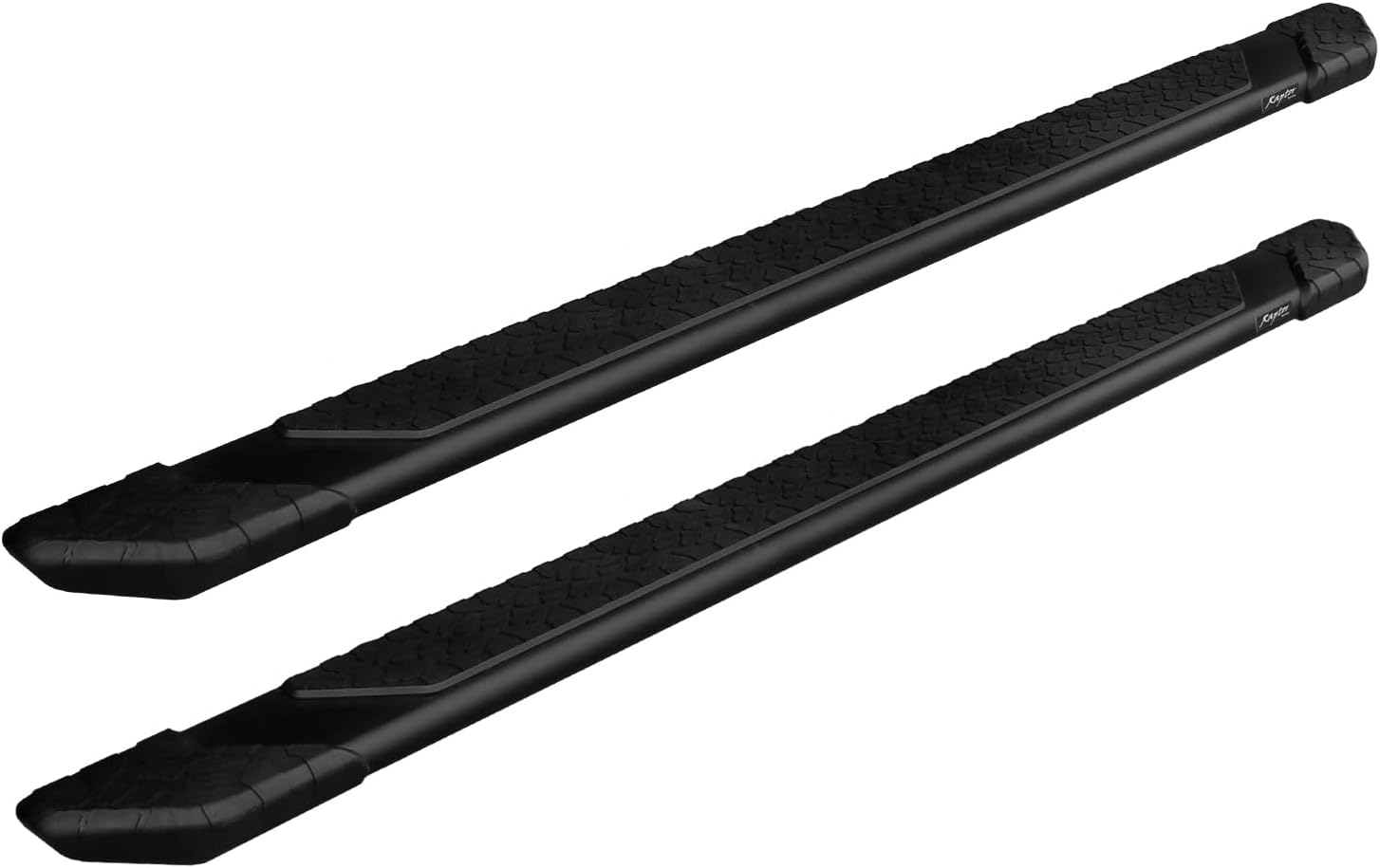
Image 1.1: Raptor Series 5-inch Treadsteps Running Boards. These black aluminum running boards feature a full-length tread for enhanced grip.
2. Safety Information
Always prioritize safety during installation and use. Read all instructions thoroughly before beginning. Wear appropriate personal protective equipment, such as safety glasses and gloves, during installation.
Proposition 65 Warning: The information provided is for general informational purposes only. Always consult local regulations and safety guidelines.
Ensure the vehicle is parked on a level surface with the parking brake engaged. Do not exceed the maximum weight limit of 400 pounds per side for these running boards.

Image 2.1: Diagram illustrating different truck cab types. This product is compatible only with Crew Cab (4 Full-Size Doors) models. Verify your truck's cab configuration to ensure proper fitment.
3. Package Contents
Your Raptor Series 5-inch Treadsteps Running Boards package includes the following components. Please inspect all items upon receipt to ensure nothing is missing or damaged. Note that the product ships in two separate boxes.
- Two (2) 5-inch Treadsteps Running Boards (Left and Right)
- Mounting Brackets (specific to your vehicle model)
- All necessary Installation Hardware (bolts, washers, nuts)

Image 3.1: A brown cardboard box labeled 'BRACKET KIT Raptor Series' with a checkbox indicating 'Brackets Included'. This image confirms that the necessary mounting brackets are part of the package.
4. Setup and Installation
Installation of these running boards is designed to be a no-drill application, utilizing existing rocker panel factory mounting points on your vehicle. The process typically takes approximately 1-2 hours.
4.1 Tools Required (Not Included)
- Socket Wrench Set
- Torque Wrench
- Measuring Tape
- Safety Glasses and Gloves
4.2 Installation Steps
- Prepare Vehicle: Park your truck on a flat, stable surface. Engage the parking brake and turn off the engine.
- Identify Mounting Points: Locate the factory mounting points along the rocker panel on both sides of your vehicle. These are typically pre-drilled holes.
- Attach Brackets: Secure the provided mounting brackets to the vehicle's frame using the supplied hardware. Do not fully tighten bolts at this stage.
- Mount Running Boards: Carefully lift each running board and attach it to the installed brackets. The unique custom slide track bracket system allows for adjustment of the board's position forward or backward to achieve your preferred step location.
- Adjust and Align: Adjust the running boards to ensure they are level and properly aligned with the vehicle's body.
- Tighten Hardware: Once satisfied with the position, progressively tighten all mounting hardware to the manufacturer's specified torque settings. Refer to your vehicle's manual for specific torque values if available, or consult a professional.
- Final Check: Double-check all connections to ensure they are secure. Test the stability of the running boards by applying pressure.
If you are unsure about any step of the installation process, it is recommended to seek assistance from a qualified professional.

Image 4.1: A white crew cab truck with the Raptor Series running boards successfully installed, providing a clear visual of the product's appearance on a vehicle.
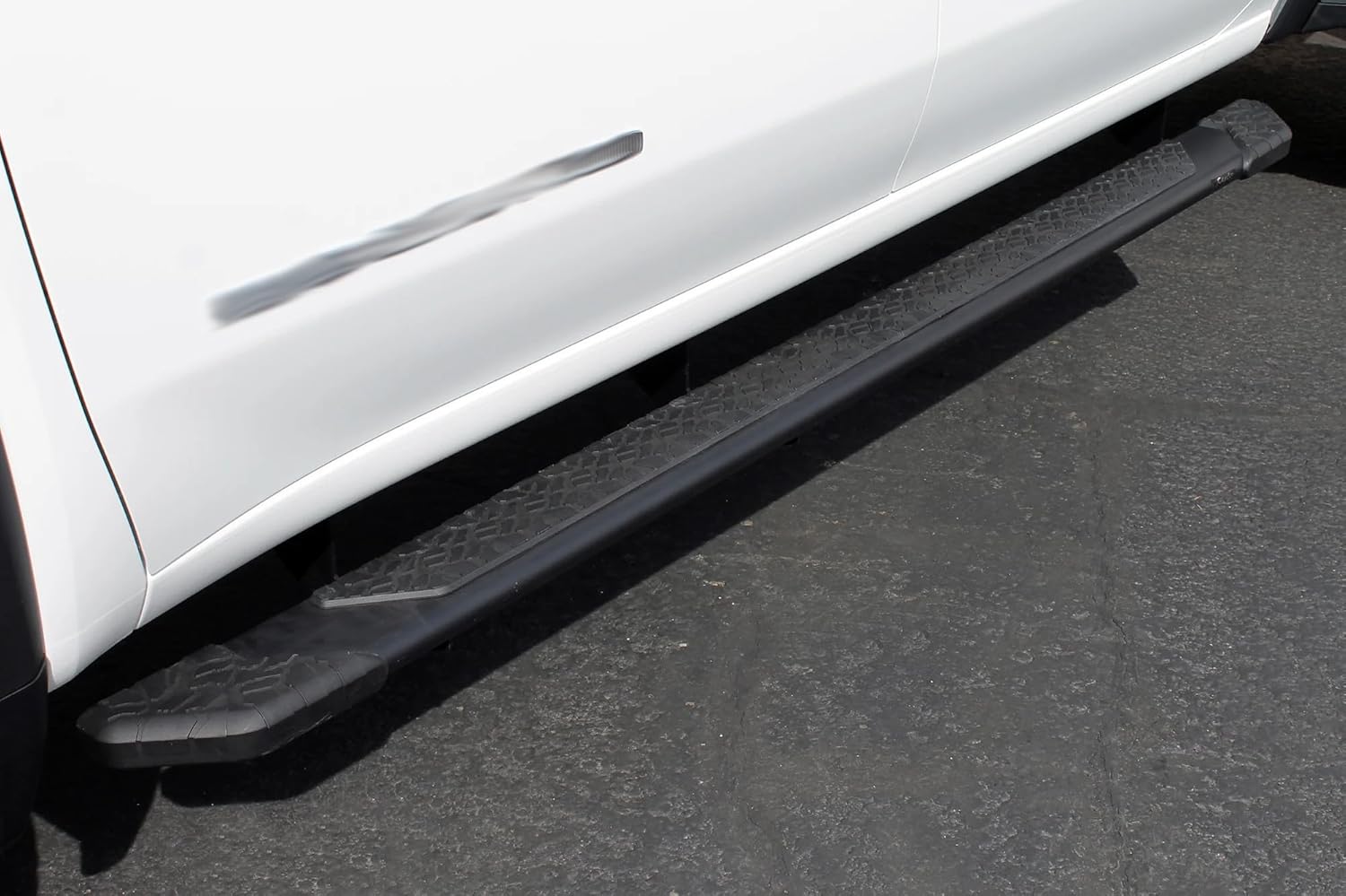
Image 4.2: A detailed view of the Raptor Series running board mounted on the side of a white truck, showcasing the fitment and integration with the vehicle's body.
5. Operation
The Raptor Series 5-inch Treadsteps Running Boards are designed for easy and safe vehicle entry and exit. The full-length 5-inch wide step area provides ample foot placement, and the slip-resistant tread pattern enhances grip, especially in wet or muddy conditions.
Simply step onto the running board when entering or exiting your truck. Ensure your footing is secure before transferring your weight.

Image 5.1: A close-up view of the rugged, slip-resistant tread pattern on the running board, designed to provide secure footing.
6. Maintenance
Regular maintenance will help preserve the appearance and functionality of your running boards.
- Cleaning: Clean the running boards regularly with mild automotive soap and water. Avoid abrasive cleaners or harsh chemicals that could damage the black powder coat finish. Rinse thoroughly and dry to prevent water spots.
- Hardware Inspection: Periodically check all mounting hardware (bolts, nuts, washers) for tightness. Vibrations from driving can sometimes loosen fasteners over time. Re-tighten as necessary to ensure the running boards remain securely attached.
- Damage Inspection: Inspect the running boards for any signs of damage, such as dents, cracks, or excessive wear on the tread. Address any damage promptly to maintain safety and appearance.

Image 6.1: A close-up of the end cap of the running board, showing its design and how it protects the ends from debris.
7. Troubleshooting
If you encounter any issues with your Raptor Series running boards, consider the following:
- Loose Boards: If the running boards feel loose or unstable, re-check all mounting hardware for tightness. Ensure all bolts are torqued to the recommended specifications.
- Unusual Noises: Squeaking or rattling might indicate loose hardware or improper installation. Inspect all contact points and fasteners.
- Fitment Issues: Double-check that your vehicle is a compatible Crew Cab model as specified in Section 1. Review the installation steps to ensure correct bracket placement and board alignment.
For persistent issues or concerns, please contact Raptor Series customer support.
8. Specifications
| Brand | Raptor Series |
| Model Name | 1901-0052BT |
| Material | Aluminum |
| Exterior Finish | Textured, Powder-Coated (Black) |
| Item Dimensions (L x W x H) | 86 x 5 x 2 inches |
| Item Weight | 22 Pounds |
| Weight Limit | 400 Pounds (per side) |
| UPC | 813443024690 |
| Vehicle Service Type | Truck |
9. Warranty and Support
These Raptor Series running boards are covered by a Manufacturer Warranty. For specific details regarding warranty coverage, terms, and conditions, please refer to the documentation included with your product or contact Raptor Series directly.
For additional support, product information, or to contact customer service, please visit the official Raptor Series store or website:


