
1. Introduction and Overview
The UKing 40W Stage Light LED Moving Head is a versatile lighting fixture designed for various events and venues, including DJ shows, home parties, ballrooms, and clubs. This compact yet powerful unit features RGBW LED lighting, 8 gobos, and 8 colors, offering dynamic visual effects. It supports multiple control modes, including DMX512, master/slave, stand-alone strobe, automatic, and sound-activated operation, providing flexibility for different scenarios. A wireless remote controller is included for convenient operation.

This image displays the UKing 40W Stage Light LED Moving Head, its included remote control, and a collage of various light patterns and colors it can project, including single-color beams, multi-color beams, and gobo patterns.
2. Safety Information
WARNING: To reduce the risk of electric shock, do not open the housing. There are no user-serviceable parts inside. Refer all servicing to qualified service personnel.
Please read this manual carefully before operating this product to ensure proper use and to prevent damage or injury.
- Maintain a minimum distance of 0.2 meters (0.65 feet) between the light's surface and any flammable materials.
- The maximum temperature of the external surface can reach 100°C (212°F). Avoid direct contact during operation.
- Ensure the product is connected to a grounded power outlet.
- Do not operate the device if the power cord is damaged.
- Keep the device away from water or high humidity environments.
- Ensure proper ventilation to prevent overheating. Do not block the cooling vents.

A caution label affixed to the product packaging, stating 'CAUTION DO NOT OPEN THE HOUSING SHOCK HAZARD' and advising users to read the manual carefully before operation.
3. Package Contents
Please check the package contents upon unboxing to ensure all items are present and undamaged:
- 1 x Moving Head Stage Light
- 1 x Power Cord (Region-specific plug)
- 1 x Mounting Bracket
- 2 x Mounting Screws
- 1 x Wireless Remote Control
- 1 x User Manual (English)

This image lists and visually represents the items included in the product package: one power cord, one mounting bracket, one remote control, one stage light unit, two mounting screws, and one user manual.
4. Product Features
- Lighting Effects: Features 8 distinct colors and 8 fixed gobos. The pattern effect focus can be adjusted by manually rotating the lens.
- Control Modes: Supports DMX512 (9 or 11 Channels), Remote control, Auto-run, Sound Activated, and Master-slave modes.
- Movement: Offers 540° Pan (X-axis) and 270° Tilt (Y-axis) movement with automatic error correction.
- Dimming: Electronic dimming from 0% to 100% (when used with DMX).
- Display: Equipped with an LED display for mode selection and settings.
- Cooling: Integrated thermostat fans for efficient cooling.
- Material: Durable aluminum alloy and PVC shell.

A series of nine images showcasing different light patterns and color combinations achievable with the UKing stage light, demonstrating its versatility in creating dynamic visual effects.
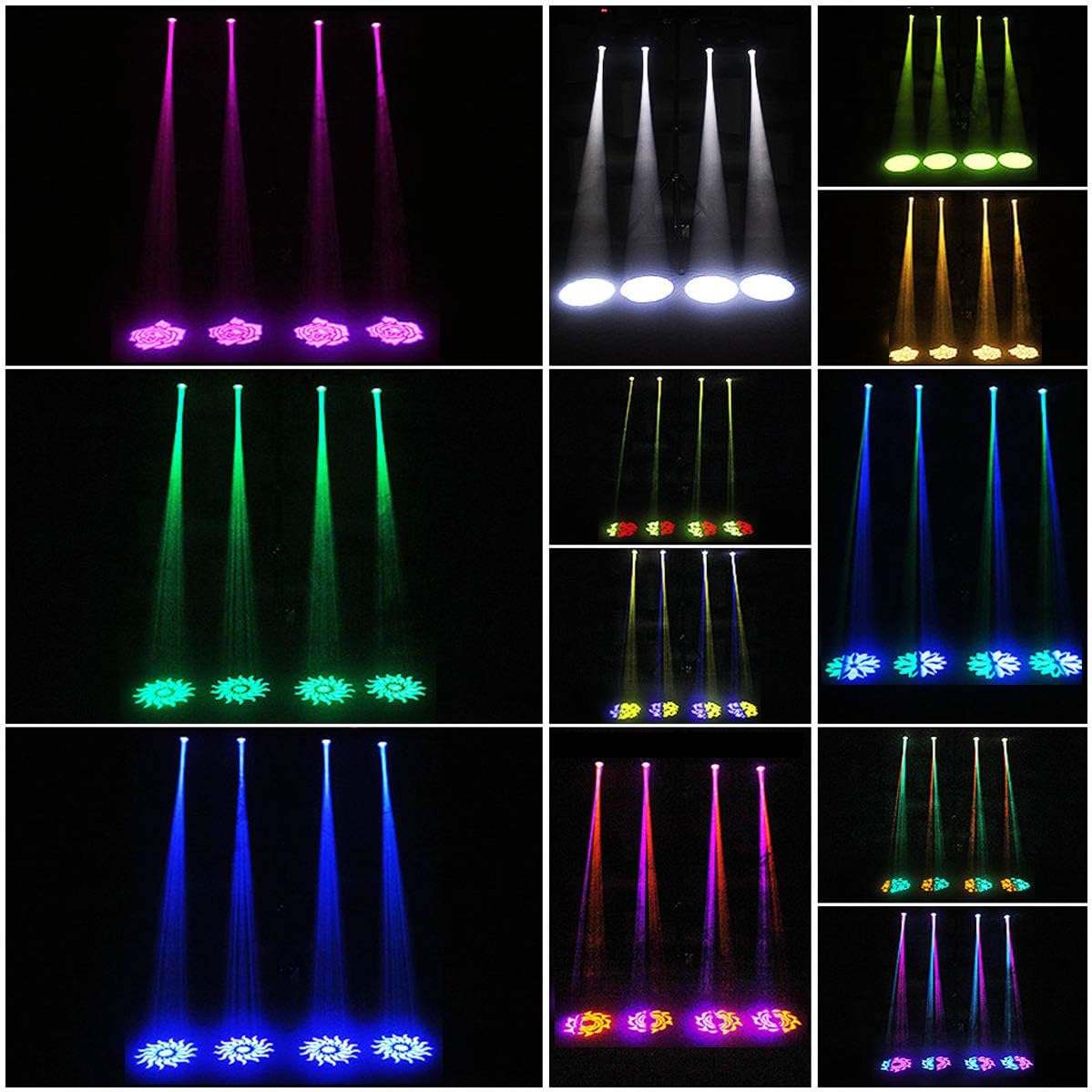
This image provides further examples of the diverse light patterns and color mixes, including single beams and complex gobo designs, that the UKing moving head light can produce.
5. Setup
5.1 Installation
The stage light can be installed in various ways:
- Surface Placement: Place the light on a stable, flat surface such as a floor or stage.
- Mounting: Use the provided mounting bracket and screws to hang the light from a truss, ceiling, or stand. Ensure the mounting surface can support the weight of the fixture and that it is securely fastened. The angle of the stand can be adjusted as needed.
5.2 Power Connection
Connect the provided power cord to the power input on the rear of the unit and then to a suitable AC 100-240V/50-60Hz power outlet.
5.3 DMX Connection (Optional)
For DMX control, connect a DMX cable from your DMX controller's output to the DMX INPUT of the first light. For multiple lights, daisy-chain them by connecting the DMX OUTPUT of the first light to the DMX INPUT of the next, and so on.

A detailed view of the stage light's front and rear panels. The front panel shows the LED display, MENU, UP, DOWN, ENTER buttons, and MIC input. The rear panel features DMX INPUT, DMX OUTPUT, POWER input, and ventilation vents, indicating the cooling system.

This diagram illustrates the physical dimensions of the UKing 40W Stage Light, showing its height (21.2cm/8.3in) and width (17.2cm/6.8in). It also highlights the 540-degree pan (X-axis) and 270-degree tilt (Y-axis) movement ranges, along with the product weight of 2.5kg.
6. Operating Instructions
6.1 Control Panel Operation
The LED display and buttons on the front panel allow for direct control and setting adjustments:
- MENU: Press to cycle through different menu options (e.g., DMX address, control modes).
- UP/DOWN: Use to navigate through menu options or adjust parameter values.
- ENTER: Confirm selection or save changes.
- MIC: Integrated microphone for sound-activated mode.
6.2 Control Modes
The light offers several operational modes:
- DMX512 Mode: For professional control using a DMX console. Set the DMX address via the control panel. The light supports 9 or 11 DMX channels. It is recommended to use a physical DMX console for operation rather than internet-downloaded DMX systems.
- Master/Slave Mode: Connect multiple units via DMX cables. Set one unit as 'Master' and others as 'Slave' to synchronize their movements and effects.
- Stand-alone Strobe Mode: Activates a continuous strobe effect without external control.
- Automatic Mode: The light runs through pre-programmed sequences and patterns automatically.
- Sound Activated Mode: The light reacts to ambient sound or music detected by its built-in microphone, changing patterns and movements in sync with the beat.
6.3 Remote Control Operation
The wireless remote control provides convenient access to key functions from a distance of 10-30 meters. Note that the remote control is primarily for self-propelled, voice-activated, positioning, and fixing figure modes, and cannot fully substitute a DMX console.

An annotated image of the wireless remote control, detailing the function of each button, including ON/OFF, Stroboscopic (FLASH), Auto modes (0/1/2), Sound modes (0/1/2), Save, Color adjustment (COLOR +/-), Color changing speed (RGSP +/-), Gobo selection (GOBO +/-), Pattern switching speed (RGSP +/-), and Pan/Tilt movement controls (X-/X+, Y-/Y+).
- ON/OFF (Switch): Powers the unit on or off.
- FLASH (Stroboscopic): Activates the strobe effect.
- AUTO 0/1/2: Selects different automatic program modes.
- SOUND 0/1/2: Selects different sound-activated modes.
- SAVE: Saves current settings or scene.
- COLOR +/-: Changes the color of the light.
- RGSP +/- (Color Changing Speed): Adjusts the speed of color transitions.
- GOBO +/- (Manual Positioning Switch): Cycles through different gobo patterns.
- RGSP +/- (Pattern Switching Speed): Adjusts the speed of gobo pattern changes.
- X-/X+ (Pan Running): Controls horizontal (pan) movement.
- Y-/Y+ (Tilt Running): Controls vertical (tilt) movement.
7. Maintenance
Regular maintenance ensures the longevity and optimal performance of your stage light:
- Cleaning: Periodically clean the lens and exterior with a soft, dry cloth. Do not use harsh chemicals or abrasive materials.
- Ventilation: Ensure that the cooling vents are clear of dust and debris to allow for proper airflow and prevent overheating. The unit uses thermostat fans for cooling.
- Storage: When not in use for extended periods, store the light in a dry, dust-free environment.
- Inspection: Regularly inspect the power cord and DMX cables for any signs of damage. Replace immediately if damaged.
8. Troubleshooting
| Problem | Possible Cause | Solution |
|---|---|---|
| Light does not power on | No power supply; Damaged power cord; Unit malfunction | Check power connection and outlet; Replace power cord if damaged; Contact customer support if issue persists. |
| No light output | Light in standby mode; LED failure; Incorrect DMX settings | Ensure unit is not in standby; Check DMX address and channel settings; Contact customer support. |
| Remote control not working | Battery low/dead; Obstruction; Out of range | Replace remote control battery; Ensure clear line of sight to the light; Operate within 10-30m range. |
| Light not responding to DMX | Incorrect DMX address; Faulty DMX cable; DMX controller issue | Verify DMX address setting on the light; Check DMX cable connections; Test with a different DMX cable or controller. |
| Overheating | Blocked vents; Insufficient ventilation | Ensure vents are clear; Provide adequate space around the unit for airflow. |
9. Specifications
| Feature | Specification |
|---|---|
| Model Number | ZQ-B257-BLACK |
| Voltage | AC 100-240V / 50-60Hz |
| LED Quantity | 1 x 40W LED |
| Power Consumption | 40W |
| Control Modes | DMX512 (9/11 CH), Remote, Auto, Sound Activated, Master/Slave |
| Pan/Tilt Movement | 540° Pan (X-axis) / 270° Tilt (Y-axis) |
| Electronic Dimming | 0-100% |
| Focus Mode | Manual Focus |
| Shell Material | Aluminum Alloy, PVC |
| Cooling System | Thermostat Fans |
| Remote Control Range | 10-30 meters (Wireless) |
| Product Dimensions | 21.08 x 17.27 x 21.08 cm (approx. 8.3 x 6.8 x 8.3 inches) |
| Product Weight | 2.45 kg (approx. 5.4 lbs) |
| Manufacturer | UKing |
10. Warranty and Support
For warranty details, please refer to the documentation provided with your purchase or contact U`King customer support directly. Support contact information can typically be found on the manufacturer's official website or on your purchase receipt.