
1. Introduction
This manual provides comprehensive instructions for the installation, operation, and maintenance of your XTRONS Waterproof Car Rear View Camera. This camera is designed to enhance vehicle safety by providing a clear, wide-angle view of the area behind your vehicle, assisting with reversing and parking maneuvers. Please read this manual thoroughly before installation and use to ensure proper function and safety.
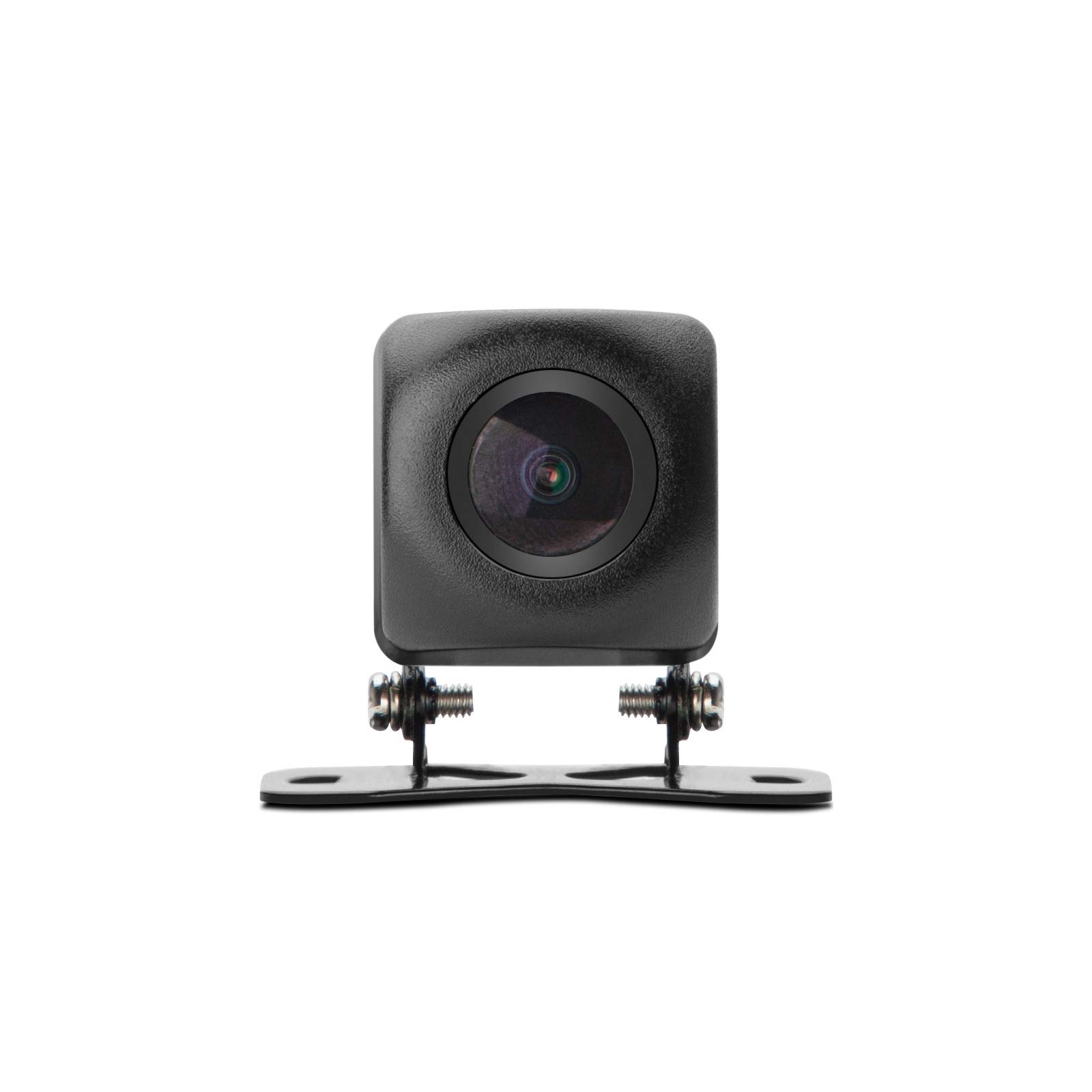
Figure 1.1: XTRONS Waterproof Car Rear View Camera. This image shows the compact design of the camera with its adjustable mounting bracket and integrated cable.
2. Safety Information
- Always ensure your vehicle is turned off and the battery is disconnected before performing any electrical installation.
- Consult a professional if you are unsure about any installation steps, especially electrical wiring.
- Do not obstruct the driver's view or interfere with vehicle controls during installation or operation.
- This camera is an aid for reversing and parking; it does not replace the need for careful driving and checking mirrors.
- Ensure all cables are securely routed and protected from heat, sharp edges, and moving parts.
3. Package Contents
Please verify that all items are present in your package:
- 1 x XTRONS Waterproof Car Rear View Camera
- 1 x Video Cable (RCA type)
- 1 x Power Cable

Figure 3.1: Included cables. This image displays the video cable (yellow RCA connectors) and the power cable (red and black wires with a DC barrel connector) that come with the camera.
4. Product Features
The XTRONS Waterproof Car Rear View Camera offers several key features for reliable performance:
- High Definition Image: Equipped with a high-end chip for 720P image processing, displaying a 1280*720 resolution image.
- 170° Wide Viewing Angle: Reduces blind spots and provides a comprehensive view of the car's rear side for effective reversing and parking.
- Adjustable 90° Rotation: The camera lens can be manually adjusted up to 90 degrees to achieve the optimal viewing position.
- Waterproof Design (IP67): Designed to withstand various outdoor weather conditions, ensuring consistent performance.
- Wide Compatibility: Compact design suitable for mounting on various vehicles including cars, trucks, RVs, and mini-vans.

Figure 4.1: Example of a high-definition image. This image illustrates the clarity and detail provided by the camera's output.

Figure 4.2: Diagram illustrating the 170-degree wide viewing angle. This graphic shows how the camera captures a broad perspective behind the vehicle.
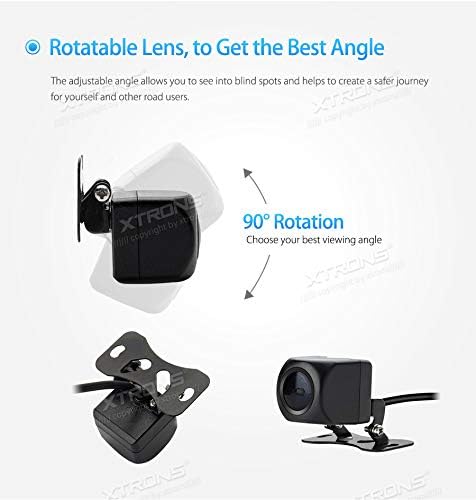
Figure 4.3: Diagram showing the 90-degree rotatable lens. This image demonstrates the camera's ability to adjust its vertical viewing angle.
5. Setup and Installation
Follow these general steps for installing your rear view camera. Specific vehicle wiring may vary.
- Mount the Camera: Choose a suitable flat surface at the rear of your vehicle, typically above the license plate or on the bumper. Secure the camera using its adjustable bracket.
- Route the Video Cable: Connect the video cable (RCA) to the camera and route it through the vehicle's interior to your monitor or aftermarket car stereo. Ensure the cable is protected from damage.
- Connect to Monitor: Plug the RCA video cable into the 'Video-In' input of your compatible monitor or car stereo.
- Connect Power: Connect the camera's power cable to a 12V DC power source. It is recommended to connect it to the vehicle's reverse light circuit so the camera activates automatically when the vehicle is put into reverse gear. The red wire is typically positive (+12V) and the black wire is ground (GND).
- Test Functionality: Once all connections are made, turn on your vehicle and engage reverse gear to test the camera's display on your monitor.
- Adjust Lens: If necessary, adjust the camera lens's 90-degree rotation to achieve the desired viewing angle.

Figure 5.1: Easy Installation Diagram. This diagram illustrates the three main connection points: (1) Monitor, (2) Camera Power (GND, +12V), and (3) Camera.
6. Operating Instructions
The XTRONS Rear View Camera operates automatically when correctly installed.
- Automatic Activation: When the camera's power cable is connected to the reverse light circuit, the camera will automatically power on and send a video signal to your monitor when you shift your vehicle into reverse gear.
- Viewing the Feed: The video feed from the camera will appear on your connected monitor or car stereo display.
- Lens Adjustment: If the initial view is not optimal, you can manually adjust the camera's lens by rotating it within its bracket to fine-tune the vertical viewing angle. Ensure the vehicle is stationary and safe to approach the camera for adjustment.
7. Maintenance
To ensure the longevity and optimal performance of your XTRONS camera, follow these maintenance guidelines:
- Cleaning the Lens: Regularly clean the camera lens with a soft, damp cloth to remove dirt, dust, or water spots that may obscure the view. Avoid abrasive cleaners.
- Cable Inspection: Periodically check all cables and connections for signs of wear, fraying, or corrosion. Ensure they remain securely fastened.
- Mounting Security: Verify that the camera's mounting bracket is still securely attached to the vehicle and that the camera itself is firmly in place.
- Waterproof Integrity: While the camera is IP67 waterproof, avoid directing high-pressure water jets directly at the camera for extended periods during car washes.
8. Troubleshooting
If you encounter issues with your camera, refer to the following common problems and solutions:
- No Image on Monitor:
- Check if the camera is receiving power. Ensure the power cable is correctly connected to a 12V source and ground.
- Verify the video cable (RCA) is securely connected to both the camera and the monitor's 'Video-In' port.
- Ensure your monitor is set to the correct video input source.
- If connected to reverse lights, ensure the vehicle is in reverse gear.
- Poor Image Quality (Fuzzy, Distorted, or Dark):
- Clean the camera lens.
- Check for loose or damaged video cable connections.
- Ensure adequate lighting conditions. The camera has a minimum illumination of 0.11 Lux, but extremely dark environments may still affect image clarity.
- Verify the power supply is stable (11-12V DC). Fluctuations can affect image quality.
- Note that while the camera processes 720P, the final display quality can be influenced by the monitor's resolution and the analog RCA connection.
- Camera Not Activating in Reverse:
- Confirm the camera's power wire is correctly tapped into the vehicle's reverse light circuit and receiving 12V only when reverse gear is engaged.
- Check the fuse for the reverse light circuit.
9. Specifications
Detailed technical specifications for the XTRONS Waterproof Car Rear View Camera:

Figure 9.1: Specification Table. This image provides a visual summary of the camera's technical specifications.
| Feature | Specification |
|---|---|
| Brand | XTRONS |
| Model | B07QDMVRS4 |
| Video Format | PAL/NTSC |
| Effective Pixel | 1280*720 |
| Resolution | 1000TVL |
| Minimum Illumination | 0.11 Lux |
| Viewing Angle | 170 Degrees |
| Operation Environment Temperature | -20°C to +70°C (95% RH Max) |
| Storage Environment Temperature | -30°C to +80°C (95% RH Max) |
| Waterproof Index | IP67 |
| Operating Voltage | 11-12V DC |
| Operation Current | ≤100mA |
| Dynamic Range | 60dB |
| Compatible Devices | Monitor |
| Installation Type | Surface Mount |
| Item Weight | 100 Grams |
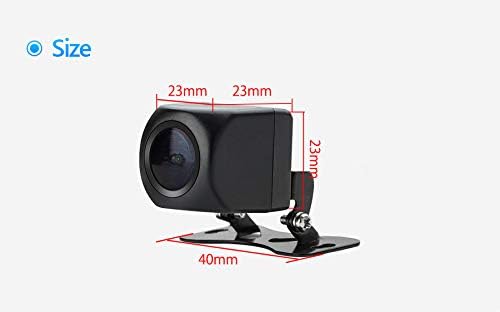
Figure 9.2: Camera Dimensions. This diagram provides the physical measurements of the camera unit, showing its compact size (23mm x 23mm x 40mm).
10. Warranty and Support
For warranty information or technical support, please refer to the documentation provided at the time of purchase or contact XTRONS customer service directly. Keep your purchase receipt as proof of purchase.
For further assistance, you may visit the official XTRONS website or contact their support channels.