
Waterdrop WD-PT-04B
Waterdrop Classic 10-Cup Water Filter Pitcher
Model: WD-PT-04B
Introduction
Thank you for choosing the Waterdrop Classic 10-Cup Water Filter Pitcher. This manual provides essential information for the proper setup, operation, maintenance, and troubleshooting of your new water filter pitcher. Please read these instructions carefully before use to ensure optimal performance and longevity of the product.

Image: The Waterdrop Classic 10-Cup Water Filter Pitcher, showcasing its design and components, including the filter and wooden handle.
What's in the Box
Verify that all components are present before proceeding with setup:
- Water Filter Pitcher System (1)
- Pitcher Filter Replacement (1)
- User's Manual (1)
Setup Instructions
- Initial Cleaning: Wash the pitcher, lid, and reservoir with mild detergent and warm water. Rinse thoroughly. Do not wash the filter with detergent.
- Filter Preparation: Submerge the new filter in cold water for 10 minutes to remove any air bubbles. This ensures proper water flow and filtration.

Image: A water filter cartridge being submerged in water to prepare it for use.
- Install Filter: Insert the prepared filter firmly into the designated opening in the reservoir until it is securely seated.

Image: A hand pressing the water filter cartridge into the pitcher's reservoir for installation.
- Rinse Pitcher: Fill the pitcher with tap water and allow it to filter through. Discard the first two pitchers of filtered water to flush out any carbon dust.

Image: A hand holding the pitcher under a running faucet to rinse it.
- Reset Filter Indicator: After installing a new filter, press and hold the button on the lid for 5 seconds until the blue light flashes. This resets the filter life tracking.
Operating Instructions
Using your Waterdrop filter pitcher is straightforward:
- Filling: The pitcher features a hands-free automatic water inlet. Simply place the pitcher under a faucet, and the lid will open automatically for refilling. This design helps prevent dust ingress and contact contamination.
- Filtration: Water will filter through the cartridge into the main pitcher reservoir. The filtration process is designed to be fast, providing purified water quickly.
- Pouring: Pour water as needed. The dust-proof spout helps maintain water purity.
- Smart Life Indicator: The LED indicator on the lid monitors the filter's lifespan.
- Blue when tapped: Filter is in good condition (more than 10 days remaining).
- Flash red: Filter needs replacement soon (10 days or less remaining).
- Solid red: Filter needs immediate replacement (0 days remaining).

Image: A comparison diagram illustrating the automatic water inlet and dust-proof spout of the Waterdrop pitcher versus manual handling and potential dust contamination in other designs.
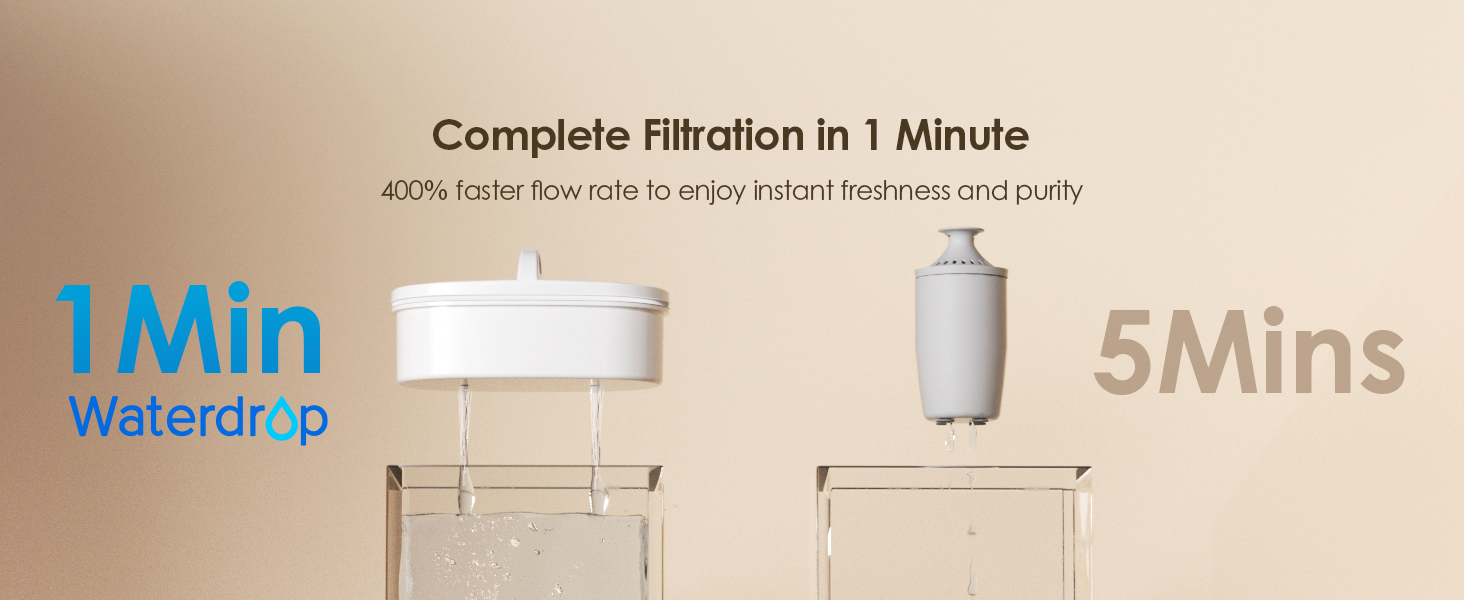
Image: A close-up of the pitcher lid showing the smart life indicator with blue, flashing red, and solid red states, indicating filter status.
Maintenance
Cleaning the Pitcher
Regular cleaning of your pitcher ensures optimal hygiene and performance. Wash the pitcher, lid, and reservoir with mild detergent and warm water. Rinse all parts thoroughly. The wooden handle should be wiped clean and not submerged in water for extended periods to preserve its integrity.
Filter Replacement
The filter (Model: WD-PF-01A) has a lifespan of up to 200 gallons or approximately 3 months, depending on water quality and usage. Replace the filter when the Smart Life Indicator shows a solid red light or when you notice a decrease in filtration speed or water quality.
- Remove the old filter from the reservoir.
- Prepare the new filter by soaking it in cold water for 10 minutes.
- Insert the new filter firmly into the reservoir.
- Discard the first two pitchers of filtered water.
- Reset the filter indicator by pressing and holding the button on the lid for 5 seconds until the blue light flashes.

Image: A finger pressing the reset button on the pitcher lid to reset the filter life indicator.

Image: A bar chart comparing the 200-gallon/3-month lifespan of the Waterdrop filter to a 40-gallon filter.
Troubleshooting
| Problem | Possible Cause | Solution |
|---|---|---|
| Slow filtration rate | Filter not properly primed; filter nearing end of life; high sediment in water. | Ensure filter was soaked for 10 minutes before first use. Replace filter if indicator is red. |
| Water tastes unusual | First few pitchers not discarded; filter nearing end of life; improper filter installation. | Discard the first two pitchers after new filter installation. Replace filter. Re-install filter securely. |
| Black particles in water | Carbon dust from new filter. | This is normal for the first few uses. Ensure the filter was properly flushed by discarding the first two pitchers of filtered water. Particles should disappear after a few uses. |
| Indicator light not working | Battery issue; not reset properly. | Ensure the button was held for 5 seconds to reset. If issue persists, contact customer support. |
Specifications
| Feature | Detail |
|---|---|
| Model Number | WD-PT-04B |
| Capacity | 10-Cup |
| Product Dimensions (L x W x H) | 10.4" x 5" x 10.1" |
| Item Weight | 2.3 Pounds |
| Filter Lifespan | Up to 200 Gallons or 3 Months |
| Replacement Filter Model | WD-PF-01A |
| Certifications | NSF 42, NSF 372 |
| Material | BPA-Free, Food-Grade Materials |
| Contaminant Reduction | Chlorine (up to 97.4%), PFOA/PFOS, Odor, Iron, Metal Ions (according to third-party testing) |
| Power Source | Non-Electric |
| Upper Temperature Rating | 100 Degrees Fahrenheit |

Image: A diagram illustrating the multi-stage filtration layers of the Waterdrop filter, including non-woven fabric, coconut shell activated carbon, ion-exchange resin, and activated carbon fiber.

Image: Icons representing various contaminants reduced by the filter, such as Chlorine, Iron, Calcium, Magnesium, PFOS, PFOA, Taste and Odor, Metal Ions, Copper, and Mercury.
Warranty and Support
Waterdrop products are manufactured to high-quality standards. For specific warranty details, please refer to the warranty card included with your product or visit the official Waterdrop website. If you encounter any issues or have questions regarding your Waterdrop Classic 10-Cup Water Filter Pitcher, please contact Waterdrop Customer Support for assistance.
Contact Information: Please visit the official Waterdrop website for the most up-to-date customer support contact details, including phone numbers, email, or live chat options.
Related documentsWD-PT-04B


Ask a question about this manual
Ask about setup, troubleshooting, compatibility, parts, safety, or missing instructions. Manuals+ will review the question and use this page’s manual context to help answer it.