
Introduction
This manual provides essential information for the safe and effective operation of your Boulder Pro 36x10W RGBW LED Moving Head Wash Beam Stage Light. Please read these instructions thoroughly before installation, operation, or maintenance to ensure proper use and to prevent damage to the unit or injury to personnel. Keep this manual for future reference.
Safety Information
- Electrical Safety: Always connect the unit to a grounded power outlet. Disconnect power before any service or maintenance. Ensure the power supply voltage matches the unit's requirements (AC90-260V 50/60Hz).
- Installation: This device is designed for indoor use only. Ensure proper ventilation around the unit. Do not expose to rain or moisture.
- Handling: Avoid direct eye exposure to the light source. Do not operate the unit if the housing is damaged.
- Temperature: Operate within an ambient temperature range of -20°C to 45°C.
Product Overview
The Boulder Pro 36x10W RGBW LED Moving Head Wash Beam Stage Light is a versatile lighting fixture featuring 36 high-power 10W 4-in-1 RGBW LEDs. It offers a motorized zoom function, allowing for beam angles from 8° to 60°, and provides various control options for dynamic lighting effects.
Key Features:
- 36 x 10W 4-in-1 RGBW LEDs for rich color mixing.
- Motorized linear zoom from 8° to 60°.
- High light output: 1130 LUX (8°) and 320 LUX (50°) at 5 meters (full RGBW).
- Multiple control modes: DMX512, master-slave, sound activated, and auto operation.
- 14 DMX channels (USITT DMX-512).
- Individual LED ring control for complex color sections and mixing.
- Effects include LED shutter, variable speed strobe, pulse, smooth LED dimmer, and rainbow effects.
- Efficient fan cooling system and blue LCD display.

Figure 1: The Boulder Pro 36x10W RGBW LED Moving Head Wash Beam Stage Light from the front, showcasing its compact design and the array of 36 RGBW LEDs.
Setup
Unpacking
Carefully remove the fixture from its packaging. Inspect the unit for any damage that may have occurred during transit. Ensure all components listed in the packing list are present. If any damage or missing parts are found, contact your supplier immediately.
Mounting
The Boulder Pro stage light is designed for floor mounting. Ensure the mounting surface is stable and capable of supporting the unit's weight (9.18 kg net weight). Use the provided 1/4 turn fastening Omega clamp and safety attachment point for secure installation if suspending the unit (professional installation recommended for suspended setups).
Connections

Figure 2: The rear panel of the stage light, highlighting the Powercon IN/OUT and 3-pin DMX IN/OUT connectors, along with the power switch and fuse.
- Power Connection: Connect the Powercon IN cable to a suitable AC90-260V 50/60Hz power source. The Powercon OUT port allows for daisy-chaining power to other compatible units.
- DMX Connection: Use a 3-pin DMX cable to connect the DMX OUT of your DMX controller to the DMX IN of the first fixture. For multiple fixtures, connect the DMX OUT of the first fixture to the DMX IN of the next, and so on.
Operating Modes
The Boulder Pro stage light offers several operating modes, selectable via the blue LCD display on the unit's base.
DMX512 Control
This mode allows for precise control over all fixture functions using a DMX controller. The unit utilizes 14 DMX channels (USITT DMX-512). Refer to the DMX channel chart (typically found in a separate DMX protocol document or appendix) for specific channel assignments and values.
Master-Slave Mode
In this mode, one fixture acts as the 'master' and controls other 'slave' fixtures. Connect the DMX OUT of the master unit to the DMX IN of the first slave unit, and continue daisy-chaining. Set the master unit to an auto or sound-activated mode, and set slave units to slave mode.
Sound Activated Mode
The fixture can react to ambient sound, changing patterns and colors in sync with music or audio input. Select this mode via the LCD display.
Auto Operation Mode
The fixture can run pre-programmed internal sequences and patterns without external control. Various auto programs can be selected via the LCD display.
Specific Effects
- Color Mixing: The 4-in-1 RGBW LEDs allow for a wide spectrum of colors.
- Zoom: Motorized zoom adjusts the beam angle from 8° (narrow spot) to 60° (wide wash).
- Strobe: Variable speed strobe effect, up to 25 flashes per second, including pulse effects.
- Dimmer: Smooth LED dimmer for all four colors (RGBW) from 0-100%.
- Ring Control: The LEDs are divided into three controllable rings (inner, middle, outer), allowing for complex multi-color patterns and chases.
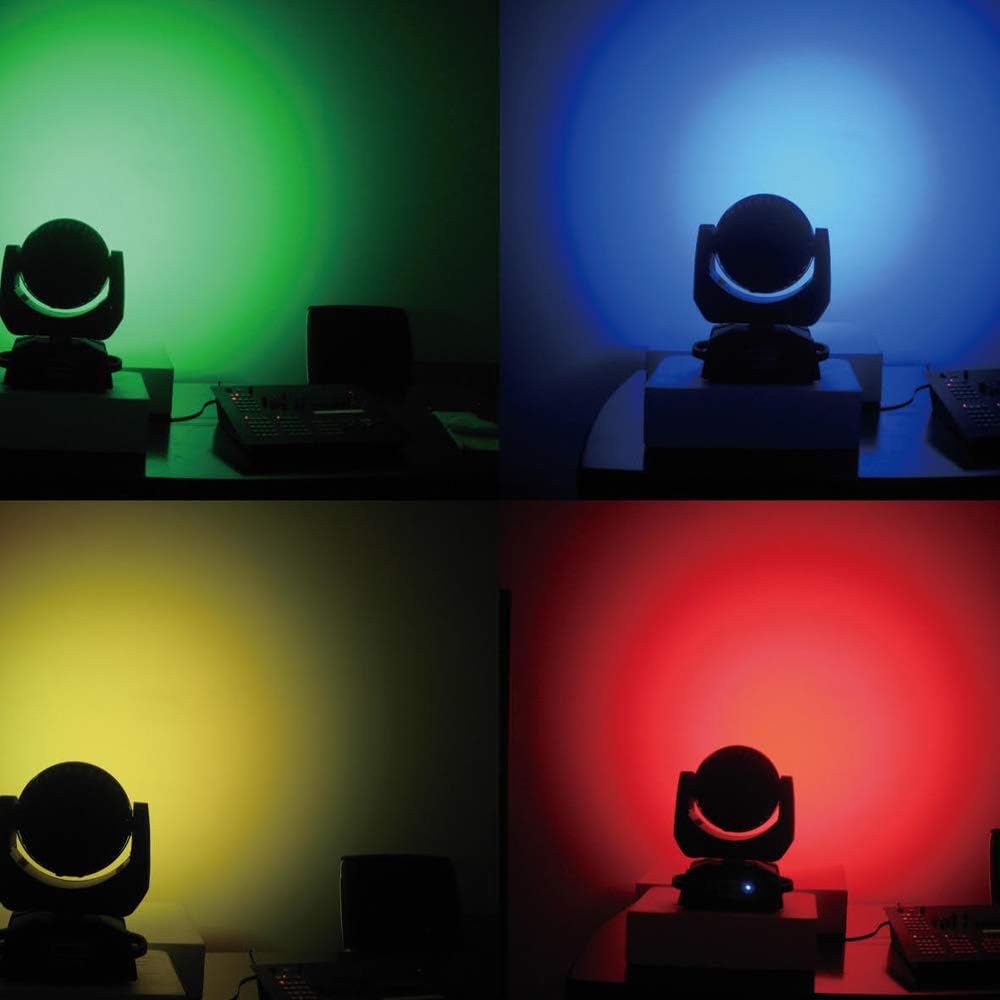
Figure 3: This image illustrates the versatile color output of the stage light, showing examples of green, blue, yellow, and red light beams projected onto a surface.
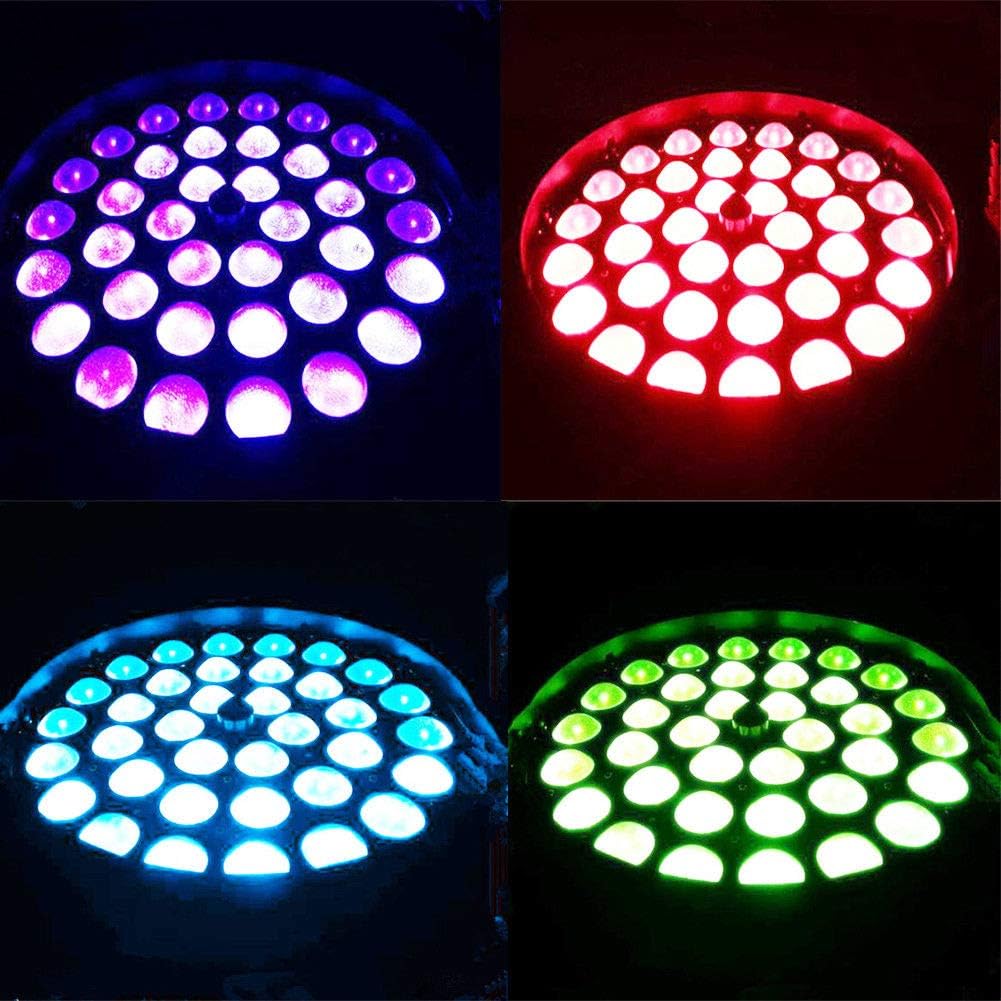
Figure 4: A detailed view of the LED array, demonstrating the individual RGBW LEDs illuminated in different color combinations, showcasing the ring control capability.
Maintenance
Regular maintenance ensures optimal performance and extends the lifespan of your stage light.
- Cleaning: Periodically clean the lenses and exterior housing with a soft, lint-free cloth. Do not use abrasive cleaners or solvents. Ensure the unit is powered off and cooled down before cleaning.
- Cooling System: The unit features an efficient fan cooling system. Ensure the fan vents are clear of dust and debris to prevent overheating. Regular inspection and cleaning of the vents are recommended.
- Cable Inspection: Regularly check power and DMX cables for any signs of wear or damage. Replace damaged cables immediately.
Troubleshooting
This section addresses common issues you might encounter with your Boulder Pro stage light.
- No Power:
- Check if the power cable is securely connected to both the unit and the power outlet.
- Verify the power switch on the unit is in the 'ON' position.
- Check the fuse on the rear panel and replace if blown (refer to specifications for fuse type).
- No DMX Control / Incorrect Behavior:
- Ensure DMX cables are correctly connected (DMX OUT to DMX IN).
- Verify the DMX address of the fixture matches the address set on your controller.
- Check for proper DMX termination at the end of the DMX chain.
- Confirm the DMX controller is functioning correctly.
- Only White Light / Incorrect Colors:
- In DMX mode, ensure the DMX values for RGBW channels are being sent correctly by your controller.
- If using ring control, verify that all ring color attributes are correctly assigned and controlled.
- Reset the fixture to factory defaults via the LCD menu, then reconfigure.
- Excessive Fan Noise:
- While some fan noise is normal for cooling, ensure the unit is not overheating due to blocked vents.
- Clean any dust or debris from the fan vents.
- If noise persists and is unusually loud, contact support.
Specifications
| Feature | Specification |
|---|---|
| Input Voltage | AC90-260V 50/60Hz |
| LED Quantities | 36 x 10W 4-IN-1 RGBW LEDs |
| Power Consumption | 370W |
| Control Signal | DMX512, master-slave, sound activated, auto operation |
| Control Channels | 14 DMX Channels (USITT DMX-512) |
| Zoom Angle | Motorized 8° - 60° |
| Light Output (RGBW @ 5M) | 1130 LUX (8°), 320 LUX (50°) |
| Lifespan | 50,000 hours (LEDs) |
| Strobe Effect | 25 flashes per second, pulse effect |
| Ambient Temperature | -20°C ~ 45°C max |
| IP Rating | IP20 |
| Connectors | Powercon IN/OUT, 3-Pin DMX IN/OUT |
| Dimensions (D*W*H) | 229mm * 330mm * 437mm (9.02"L x 12.99"W x 17.2"H) |
| Net Weight | 9.18 kg (21.4 pounds) |

Figure 5: This diagram provides photometric data, illustrating the beam angle range from 8 to 60 degrees and corresponding LUX values at various distances for different colors (R, G, B, W, RGBW).

Figure 6: A technical drawing detailing the dimensions of the stage light, including height (437mm), width (330mm), and depth (229mm), crucial for installation planning.
Warranty and Support
For warranty information, please refer to the terms and conditions provided at the time of purchase or contact your retailer. Boulder offers various protection plans for extended coverage, which can be purchased separately.
For technical support or service inquiries, please contact the manufacturer or your authorized dealer. Ensure you have your product model and purchase details available when seeking assistance.