
DEWALT DCF809C1
DEWALT ATOMIC 20V MAX* DCF809C1 Impact Driver Kit Instruction Manual
Model: DCF809C1 | Brand: DEWALT
1. Introduction
This manual provides essential information for the safe operation, maintenance, and care of your DEWALT ATOMIC 20V MAX* DCF809C1 Impact Driver Kit. Please read and understand all instructions before using the tool.
The DEWALT ATOMIC 20V MAX* Compact Brushless Impact Driver is designed for driving screws and fasteners with high torque. Its compact size allows access to tight spaces, while the brushless motor ensures efficient performance.
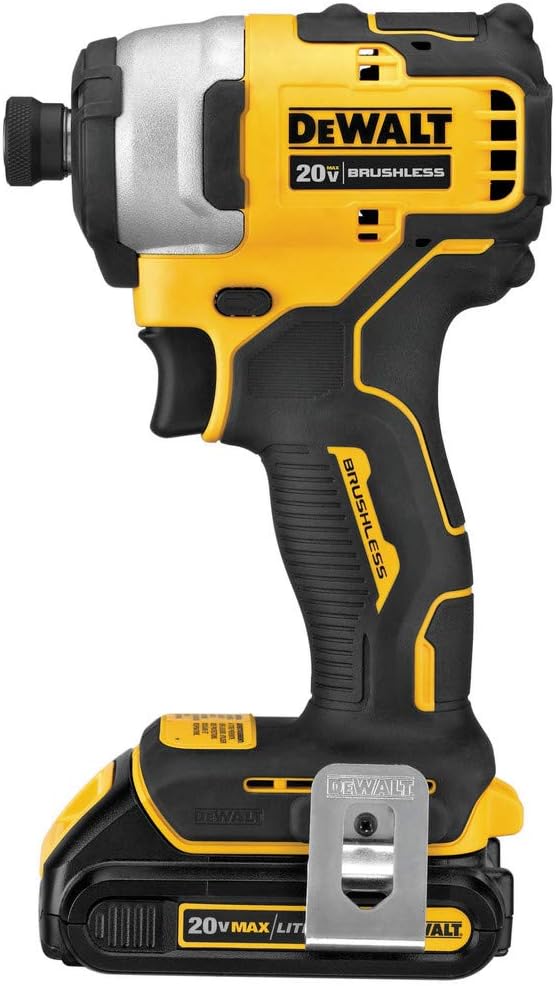
Image: The DEWALT ATOMIC 20V MAX* Impact Driver (DCF809C1) shown with a 20V MAX* Lithium Ion Battery attached.
2. Kit Contents
Your DEWALT ATOMIC 20V MAX* DCF809C1 Impact Driver Kit typically includes the following components:
- DEWALT ATOMIC 20V MAX* Impact Driver (DCF809C1)
- One 20V MAX* Lithium Ion Battery
- One Battery Charger (DCB107)
- Carrying Bag
- Removable Belt Hook and Screw
Note: Kit contents may vary. Refer to your product packaging for exact details.
3. Setup
3.1 Battery Installation and Charging
To install the battery, align the battery with the tool's base and slide it in until it clicks securely into place. To remove, press the battery release button and slide the battery out.
Before first use, fully charge the battery. Insert the battery into the charger until it clicks. The charger's indicator light will show the charging status. The DCB107 charger is included, which charges 20V MAX* batteries. Other 20V MAX* batteries are compatible.
Video: A user demonstrates installing and removing the battery from the DEWALT Impact Driver and placing the battery in the charger. The charger model DCB115 is mentioned as a faster alternative to the included DCB107.
3.2 Belt Hook Attachment
The kit includes a removable belt hook and a screw. Attach the belt hook to either side of the tool's base using the provided screw, depending on your preference for left or right-handed use.
3.3 Bit Installation and Removal
To install a 1/4-inch hex shank accessory, pull the collar forward and insert the accessory fully into the chuck. Release the collar to lock the accessory in place. To remove, pull the collar forward and pull the accessory out.
Video: A close-up demonstration of inserting and removing a drill bit from the DEWALT 1/4-inch impact driver's chuck.
4. Operating Instructions
4.1 Variable Speed Trigger
The impact driver features a variable speed trigger, allowing you to control the speed and torque for precise applications. Press the trigger gently for lower speeds and apply more pressure for higher speeds and increased torque.
4.2 LED Work Lights
Three bright LED lights are integrated into the tool to illuminate your workspace, providing optimum visibility in dimly lit areas. The lights activate when the trigger is pressed.

Image: The DEWALT ATOMIC 20V MAX* Impact Driver being used in a tight space, demonstrating the effectiveness of its integrated LED work lights.
4.3 Impact Driver Functionality
An impact driver delivers high rotational force (torque) and rapid, short bursts of impact to drive fasteners. This mechanism helps prevent cam-out and reduces strain on the user compared to a standard drill, especially when driving long or large fasteners into dense materials.
Video: A detailed review of the DEWALT ATOMIC 20V MAX* Impact Driver Kit, explaining its features, components, and the difference between an impact driver and a drill.
5. Performance and Usage Examples
The DCF809C1 Impact Driver delivers 1700 in-lbs of torque, making it suitable for a wide range of applications. Its compact design (only 5.1 inches front to back) allows it to fit into tight spaces where larger tools cannot.
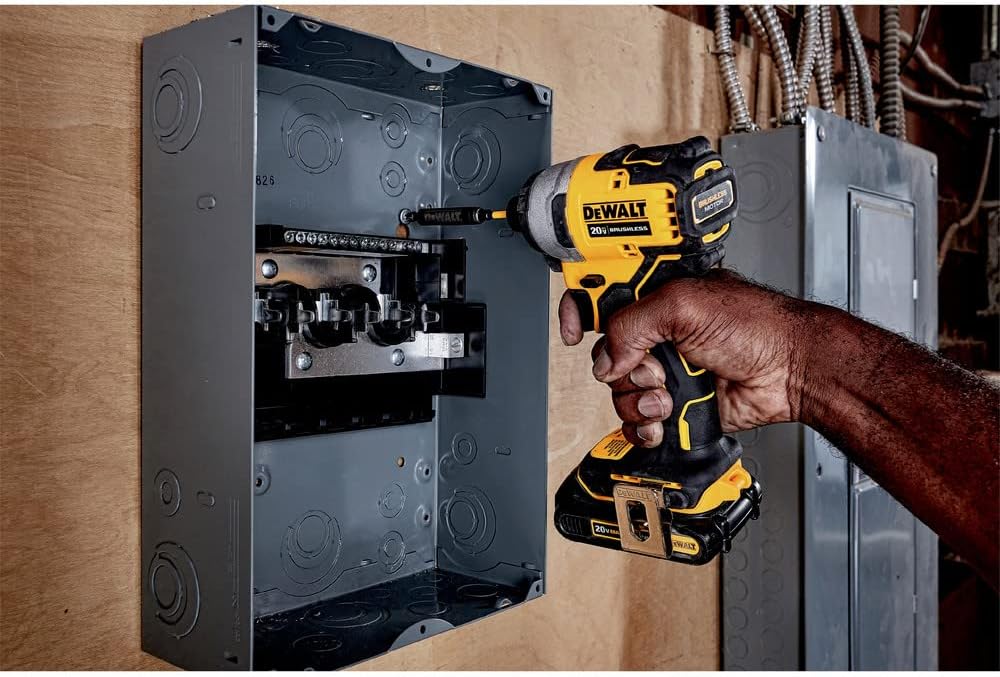
Image: The DEWALT ATOMIC 20V MAX* Impact Driver being used to drive a screw into an electrical panel, showcasing its power and versatility.

Image: The DEWALT ATOMIC 20V MAX* Impact Driver driving a lag bolt into a wooden post, demonstrating its high torque capability.
Video: A user reviews the DEWALT 20V Impact Driver, highlighting its quality, performance, lightweight design, and suitability for home use.
Video: A user provides insights on what to consider before purchasing this DEWALT impact driver, discussing its features and benefits.
Video: A user describes the DEWALT 20V Cordless Compact Impact Driver as "awesome," highlighting its compact size and power.
6. Maintenance
- Cleaning: Keep the tool clean and free of debris. Use a clean cloth to wipe down the exterior. Do not use solvents or harsh chemicals.
- Battery Care: Store batteries in a cool, dry place away from direct sunlight. Do not store batteries in a discharged state for extended periods.
- Inspection: Regularly inspect the tool for any signs of damage, loose parts, or wear. Ensure the chuck operates smoothly.
- Brushless Motor: The brushless motor design requires less maintenance compared to brushed motors, as there are no carbon brushes to replace.
7. Troubleshooting
- Tool Not Operating: Ensure the battery is fully charged and properly inserted. Check for any obstructions in the chuck or trigger mechanism.
- Reduced Performance: A partially discharged battery can lead to reduced power. Ensure the battery is fully charged. Using incorrect or worn bits can also affect performance.
- Overheating: If the tool feels excessively hot, allow it to cool down before further use. Avoid continuous heavy-duty operation without breaks.
For more detailed troubleshooting or repairs, contact DEWALT customer service or an authorized service center.
8. Specifications
| Feature | Specification |
|---|---|
| Brand | DEWALT |
| Model Number | DCF809C1 |
| Power Source | Battery Powered |
| Voltage | 20 Volts MAX* |
| Maximum Torque | 1700 Inch Pounds |
| Length (Front to Back) | 5.1 inches |
| Motor Type | Brushless |
| Special Feature | Variable Speed, 3 LED Lights |
| Item Weight | 3.1 Ounces (tool only, without battery) |
| Included Components | Impact Driver, 20V battery, charger, tool bag |
9. Warranty and Support
The DEWALT ATOMIC 20V MAX* Impact Driver Kit (DCF809C1) is backed by a DEWALT 3-year limited warranty. For warranty claims, service, or technical support, please refer to the official DEWALT website or contact their customer service department.
Always use genuine DEWALT replacement parts and accessories to maintain product performance and warranty validity.
Related documentsDCF809C1


Ask a question about this manual
Ask about setup, troubleshooting, compatibility, parts, safety, or missing instructions. Manuals+ will review the question and use this page’s manual context to help answer it.