
MSI GF63 THIN 9SC-068
MSI GF63 Thin 9SC-068 15.6" Gaming Laptop User Manual
Model: GF63 THIN 9SC-068
Introduction
This manual provides essential information for setting up, operating, maintaining, and troubleshooting your MSI GF63 Thin 9SC-068 gaming laptop. The MSI GF63 Thin 9SC-068 is a high-performance 15.6-inch gaming laptop featuring an Intel Core i5-9300H processor, NVIDIA GeForce GTX 1650 graphics, 8GB DDR4 RAM, and a 256GB NVMe SSD. Please read this manual thoroughly to ensure optimal performance and longevity of your device.
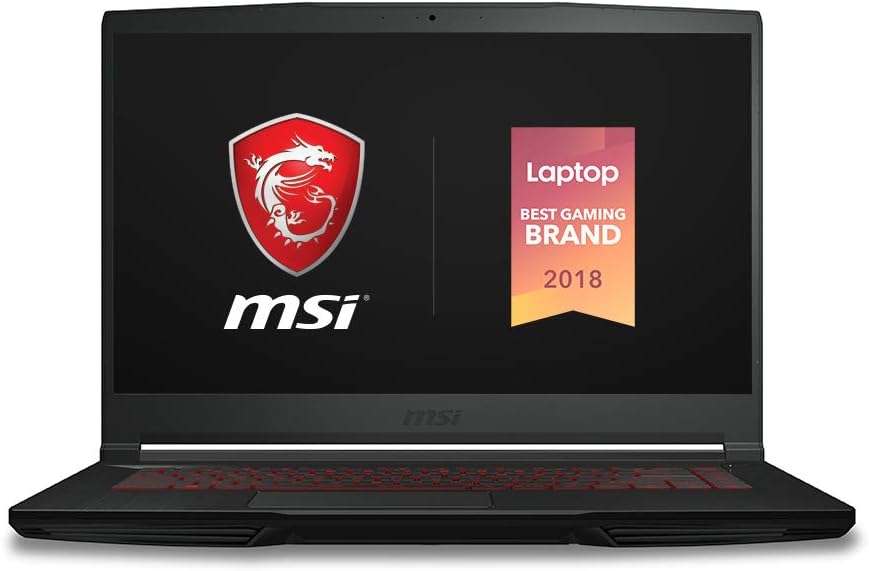
Figure 1: MSI GF63 Thin 9SC-068 Gaming Laptop.
What's in the Box
Verify that all items are present upon unboxing:
- MSI GF63 Thin 9SC-068 Laptop
- Power Adaptor
- User Manual (this document)
Setup
1. Connecting Power
- Connect the AC power adapter to the power jack on the side of your laptop.
- Plug the power cord into an electrical outlet.
- The battery will begin charging automatically. It is recommended to fully charge the battery before initial use.
2. Initial Boot and Windows Setup
- Open the laptop lid and press the power button, typically located above the keyboard.
- Follow the on-screen instructions to complete the Windows operating system setup. This includes selecting your region, language, creating a user account, and connecting to a network.
- Ensure your laptop is connected to the internet to download necessary updates during the setup process.
Operating Your Laptop
Keyboard and Touchpad
The MSI GF63 Thin features a full-size keyboard with a crimson red backlight. The touchpad supports multi-touch gestures for intuitive navigation.
- Backlight Control: Use the function keys (Fn) in combination with specific keys (e.g., Fn + F10/F11) to adjust keyboard backlight brightness.
- Touchpad Gestures: Refer to Windows settings for customizing multi-touch gestures like scrolling, zooming, and switching applications.

Figure 2: Crimson Red Backlit Keyboard.
Display Features
The 15.6-inch Full HD (1920x1080) IPS-level display features a thin bezel design, maximizing screen real estate for an immersive viewing experience.

Figure 3: Razor Thin Bezel Display.
Performance Components
Your laptop is equipped with an Intel Core i5-9300H processor and NVIDIA GeForce GTX 1650 graphics for enhanced performance in gaming and demanding applications.

Figure 4: Intel Core i5 9th Gen Processor.

Figure 5: NVIDIA GeForce GTX 1650 Max-Q Graphics.
Ports and Connectivity
The laptop provides various ports for connecting peripherals and external displays:
- USB 3.0 Ports: 4
- HDMI Output
- Ethernet (RJ45) Port
- Audio Jacks (Headphone/Microphone)
- Power Input
Cooling System (Cooler Boost 5)
The Cooler Boost 5 technology ensures efficient heat dissipation with dedicated GPU and CPU heatpipes, featuring 2 fans, 4 exhausts, and 7 heatpipes to maintain optimal temperatures during intensive use.

Figure 6: Cooler Boost 5 System and Laptop Ports.
Maintenance and Care
Cleaning
- Use a soft, lint-free cloth to clean the screen and exterior surfaces.
- For stubborn marks, dampen the cloth slightly with water or a screen-safe cleaner. Avoid harsh chemicals.
- Regularly clean the keyboard and touchpad to remove dust and debris.
- Ensure ventilation grilles are free from dust buildup to maintain efficient cooling.
Battery Management
- To prolong battery life, avoid frequently discharging the battery completely.
- Store the laptop in a cool, dry place if not used for extended periods.
- It is normal for battery capacity to decrease over time.
Software Updates
Regularly update your operating system, drivers, and MSI utilities to ensure optimal performance, security, and compatibility.
Troubleshooting Common Issues
Power Issues
- Laptop not turning on: Ensure the power adapter is securely connected to both the laptop and a working electrical outlet. Check if the power adapter's indicator light is on.
- Battery not charging: Verify the power adapter connection. Try a different outlet. If the issue persists, contact support.
Display Problems
- No display on screen: Connect an external monitor to check if the display output is working. If the external monitor works, the laptop screen may require service.
- Flickering or distorted display: Update your graphics drivers. Adjust display resolution and refresh rate in Windows settings.
Performance Issues
- Slow performance: Close unnecessary applications. Check for background processes consuming high CPU or RAM. Ensure sufficient free storage space on the SSD.
- Overheating: Ensure ventilation grilles are clear. Use the laptop on a hard, flat surface. Consider using MSI's Dragon Center software to monitor temperatures and adjust fan speeds.
Connectivity Problems
- Wi-Fi not connecting: Restart your router and laptop. Check Wi-Fi settings and ensure the correct network is selected and password entered. Update wireless drivers.
- USB devices not recognized: Try connecting the device to a different USB port. Update USB drivers.
Technical Specifications
| Feature | Specification |
|---|---|
| Model Name | GF63 THIN 9SC-068 |
| Display | 15.6 Inches, FHD (1920x1080), IPS-Level, 60Hz, Thin Bezel |
| Processor | Intel Core i5-9300H (2.4 - 4.1GHz) |
| Graphics | NVIDIA GeForce GTX 1650 Max-Q, 4GB GDDR5 |
| RAM | 8GB DDR4 2666MHz (Max 64GB, 2 Sockets) |
| Storage | 256GB NVMe SSD |
| Operating System | Windows 10 Home |
| USB Ports | 4x USB 3.0 |
| Wireless Type | 2.4 GHz Radio Frequency |
| Average Battery Life | 7 Hours |
| Dimensions (LxWxH) | 15 x 15.99 x 0.67 inches |
| Weight | 0.282 ounces (approx. 0.8 kg) |
| Color | Black |
Warranty and Support
Your MSI GF63 Thin 9SC-068 laptop comes with a standard manufacturer's warranty. Please refer to the warranty card included with your product for specific terms and conditions, including warranty duration and coverage details. Registering your product with MSI may provide additional benefits or extended warranty options.
For technical support, driver downloads, or service inquiries, please visit the official MSI support website. You can typically find support resources by searching for your specific model number (GF63 THIN 9SC-068) on the MSI website.
Online Support: www.msi.com/support
Related documentsGF63 THIN 9SC-068


Ask a question about this manual
Ask about setup, troubleshooting, compatibility, parts, safety, or missing instructions. Manuals+ will review the question and use this page’s manual context to help answer it.