
Unknown BOSXM3MSVPMSVHJJRIRQ
Universal Car Sun Visor Phone Holder
Instruction Manual
1. Introduction
This manual provides detailed instructions for the installation, operation, and maintenance of your Universal Car Sun Visor Phone Holder. This device is designed to securely hold your smartphone on your car's sun visor, providing convenient access for navigation or hands-free communication without obstructing your view of the road.
Please read this manual thoroughly before use to ensure proper installation and safe operation.
2. Package Contents
- 1 x Universal Car Sun Visor Phone Holder
Note: No additional tools are typically required for installation.
3. Safety Information
- Always ensure the holder and your phone are securely attached before driving.
- Do not install the holder in a position that obstructs your view of the road, mirrors, or any vehicle controls.
- Avoid adjusting the holder or phone while driving. Pull over to a safe location if adjustments are necessary.
- Ensure the phone holder does not interfere with the deployment of airbags.
- This product is designed for use with standard smartphones. Do not attempt to use it with oversized or excessively heavy devices.
4. Setup and Installation
Identify Installation Location:
Choose a suitable location on your car's sun visor. Ensure the visor is clean and free of debris for optimal grip.
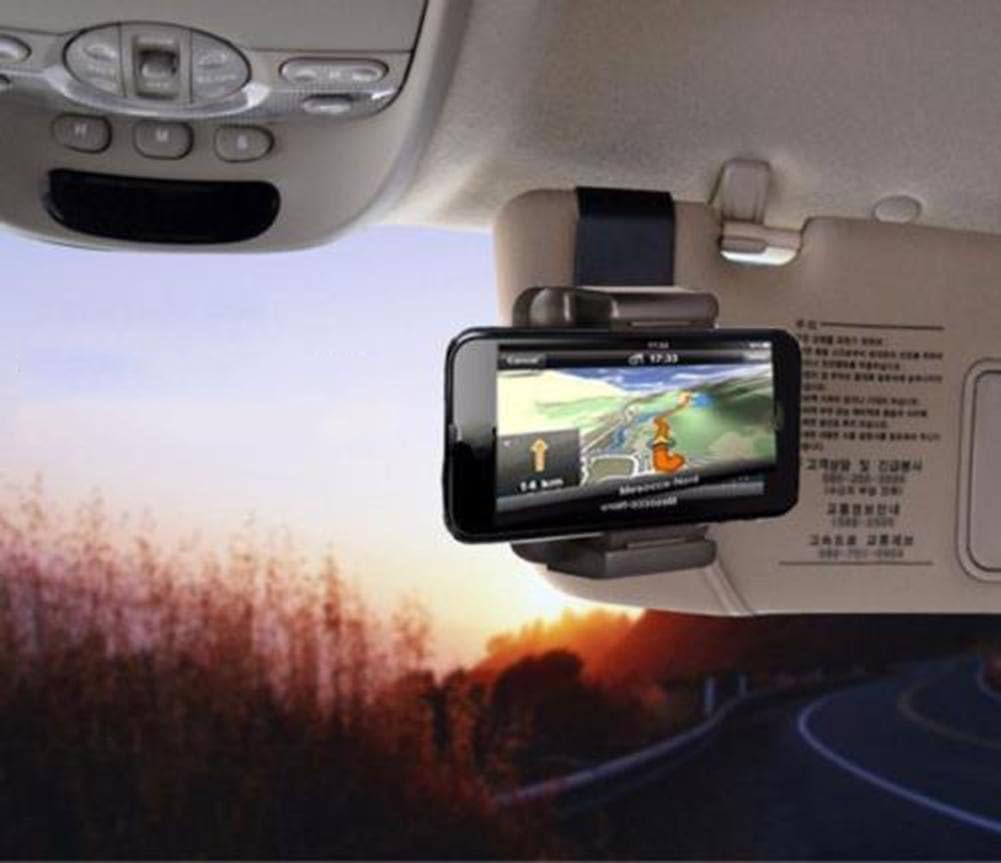
Image: The phone holder securely attached to a car's sun visor, displaying a navigation app on the phone screen. This illustrates the typical mounted position.
Attach the Holder to the Sun Visor:
Open the large clip of the phone holder. Position it over the edge of your car's sun visor and firmly press to secure the clip. Ensure it is tightly clamped to prevent movement during driving.
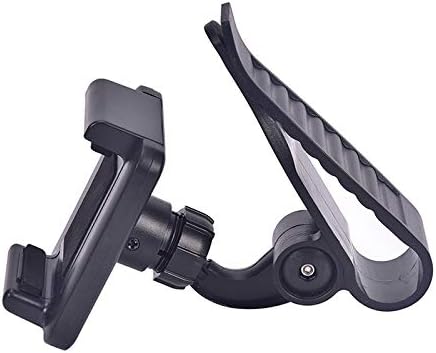
Image: A side profile of the phone holder, highlighting the robust clip designed to attach to the sun visor.
Insert Your Smartphone:
Gently pull apart the adjustable arms of the phone cradle. Place your smartphone into the cradle and release the arms, allowing them to securely grip your device. Ensure the phone is centered and stable.
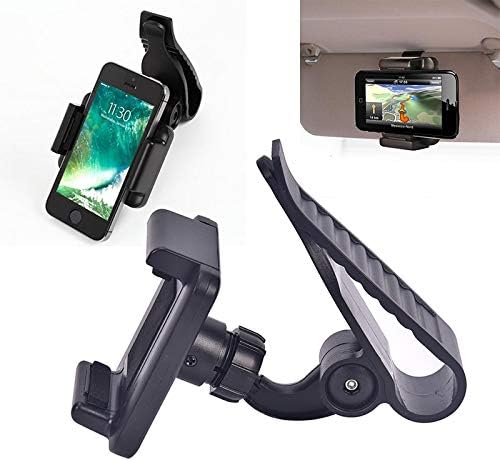
Image: The phone holder with a smartphone securely placed within its adjustable arms, demonstrating how the device is held.
Adjust Viewing Angle:
The holder features a 360-degree rotating ball joint. Loosen the locking nut slightly, adjust your phone to the desired viewing angle (portrait or landscape), and then tighten the locking nut to fix the position.

Image: A detailed view of the phone holder's rotating joint, which allows for 360-degree adjustment of the phone's position.
5. Operating Instructions
- Once installed, your phone is ready for use.
- To change the phone's orientation (e.g., from portrait to landscape), loosen the locking nut on the ball joint, rotate the phone to the desired position, and then re-tighten the nut.
- To remove your phone, gently pull apart the adjustable arms of the cradle and lift your device out.
6. Maintenance
- Clean the holder periodically with a soft, damp cloth. Do not use harsh chemicals or abrasive cleaners.
- Ensure the clamping surfaces remain clean to maintain a secure grip on both the sun visor and your phone.
- Inspect the holder for any signs of wear or damage before each use. Discontinue use if any damage is observed.
7. Troubleshooting
Problem: The holder is not securely attaching to the sun visor.
Solution: Ensure the sun visor is clean and dry. Apply firm pressure when clamping the holder onto the visor. If the visor material is too thick or thin, the holder may not be compatible.
Problem: The phone is not held securely in the cradle.
Solution: Verify that your phone's dimensions are within the compatible range for the holder's adjustable arms. Ensure the arms are fully gripping the sides of your phone. Remove any bulky phone cases that might prevent a secure fit.
Problem: The viewing angle shifts during driving.
Solution: Ensure the locking nut on the 360-degree ball joint is tightened sufficiently after adjusting the angle. Over time, vibrations may cause slight loosening; re-tighten as needed.
8. Specifications
| Attribute | Detail |
|---|---|
| Product Name | Universal Car Sun Visor Phone Holder |
| Model Number | BOSXM3MSVPMSVHJJRIRQ |
| Brand | Unknown |
| Mounting Type | Clip-on (Sun Visor) |
| Rotation | 360-degree (Ball Joint) |
| Compatibility | Universal for most smartphones |
9. Warranty and Support
As the brand is listed as "Unknown", specific warranty details are not available in this manual. For warranty claims or technical support, please contact the retailer or seller from whom you purchased this product. Retain your proof of purchase for any warranty-related inquiries.
For general product inquiries, refer to the product listing or contact the seller directly.
Ask a question about this manual
Ask about setup, troubleshooting, compatibility, parts, safety, or missing instructions. Manuals+ will review the question and use this page’s manual context to help answer it.