
TIGERKING 58JJH-BLACK
TIGERKING Heavy Duty Large Safe Box User Manual
Model: 58JJH-BLACK
Brand: TIGERKING
1. Introduction
Thank you for choosing the TIGERKING Heavy Duty Large Safe Box. This manual provides essential information for the proper setup, operation, and maintenance of your new safe. Please read this manual thoroughly before using the product to ensure optimal performance and security.
This safe is designed to provide secure storage for your valuables, featuring robust construction and advanced locking mechanisms. It is suitable for home and office environments.
Safety Precautions
- Do not store the emergency keys or battery box inside the safe. Keep them in a secure, separate location.
- Ensure the safe is placed on a stable, level surface.
- For maximum security, consider anchoring the safe to the floor or wall as described in the setup section.
- Keep the keypad clean and dry.
- This safe is not fireproof or waterproof.
2. Setup
2.1 Unboxing and Placement
Carefully remove the safe from its packaging. The safe is heavy (approximately 59.4 pounds or 27 kilograms), so it is recommended to have assistance when moving it. Unpack the safe in the area where it will be placed to minimize movement.
Place the safe on a flat, stable surface. Ensure there is enough clearance around the safe for the door to open fully.

Image: TIGERKING Safe Box with its door open, revealing the interior compartments and the digital keypad on the exterior. This image illustrates the overall appearance and initial state of the safe upon unboxing.
2.2 Battery Installation
The digital keypad requires 4 AA batteries (not included). Locate the battery compartment, typically on the inside of the safe door or behind the keypad. Insert the batteries, ensuring correct polarity.
An additional battery pack is provided for emergency power. This pack also requires 4 AA batteries.
2.3 Anchoring the Safe (Optional, Recommended)
For enhanced security, the safe can be anchored to a floor or wall using the provided expansion screws. Locate the pre-drilled holes inside the safe. Mark the drilling points on the desired surface, drill pilot holes, and secure the safe using the screws.

Image: A detailed view of the safe's interior, highlighting the solid lock bolts on the door and the internal LED lighting. This image also shows the thick steel construction and the interior lining, which are relevant for anchoring considerations.
3. Operating Instructions
3.1 Initial Opening
Upon first use, the safe can be opened using the emergency key. Insert the emergency key into the keyhole, turn it, and then turn the handle to open the door.
3.2 Setting Your Digital Code
- With the door open, locate the reset button on the inside of the door.
- Press the reset button. The keypad will illuminate, indicating it's ready to accept a new code.
- Enter your desired 3-8 digit code on the touch screen keypad.
- Press '#' to confirm the code.
- Test the new code with the door open before closing it.

Image: A close-up view of the safe's touch screen control panel, showing the illuminated numeric keypad and various indicator icons. This panel is used for setting and entering digital codes.
3.3 Opening the Safe with Digital Code
- Touch the keypad to activate it.
- Enter your 3-8 digit code.
- Press '#' to confirm.
- If the code is correct, the safe will unlock. Turn the handle to open the door.
3.4 Dual Security Modes
The safe offers two security modes:
- Standard Security Mode: Open the safe using only the digital code.
- Maximum Security Mode: Open the safe using both the digital code and the master key. This provides an additional layer of security.

Image: A visual representation of the two security modes available for the TIGERKING safe. It shows how the standard mode uses only a code, while the maximum security mode requires both a code and a master key for access.
3.5 Using the Internal Lock Box
The safe includes a built-in internal lock box for added privacy and security of smaller items. This internal box has its own key.
- Open the main safe door.
- Locate the internal lock box.
- Use the dedicated key to open or lock the internal box.

Image: An interior view of the safe, detailing its dimensions and clearly showing the separate, built-in lock box at the top. This provides a visual guide to the internal storage capabilities.
3.6 Closing and Locking the Safe
To close the safe, simply push the door shut firmly. The locking bolts will automatically engage. Ensure the handle is in the locked position.
4. Maintenance
- Regularly check the battery level and replace batteries when low to avoid being locked out.
- Clean the exterior of the safe with a soft, dry cloth. Avoid abrasive cleaners or solvents.
- Do not lubricate the locking mechanism or keypad.
- Periodically check the anchoring bolts (if installed) to ensure they are secure.
5. Troubleshooting
5.1 Dual Alarm System
The safe is equipped with a dual alarm system. Violent vibration or three incorrect entries will activate the alarm. To stop the alarm, enter the correct digital code.
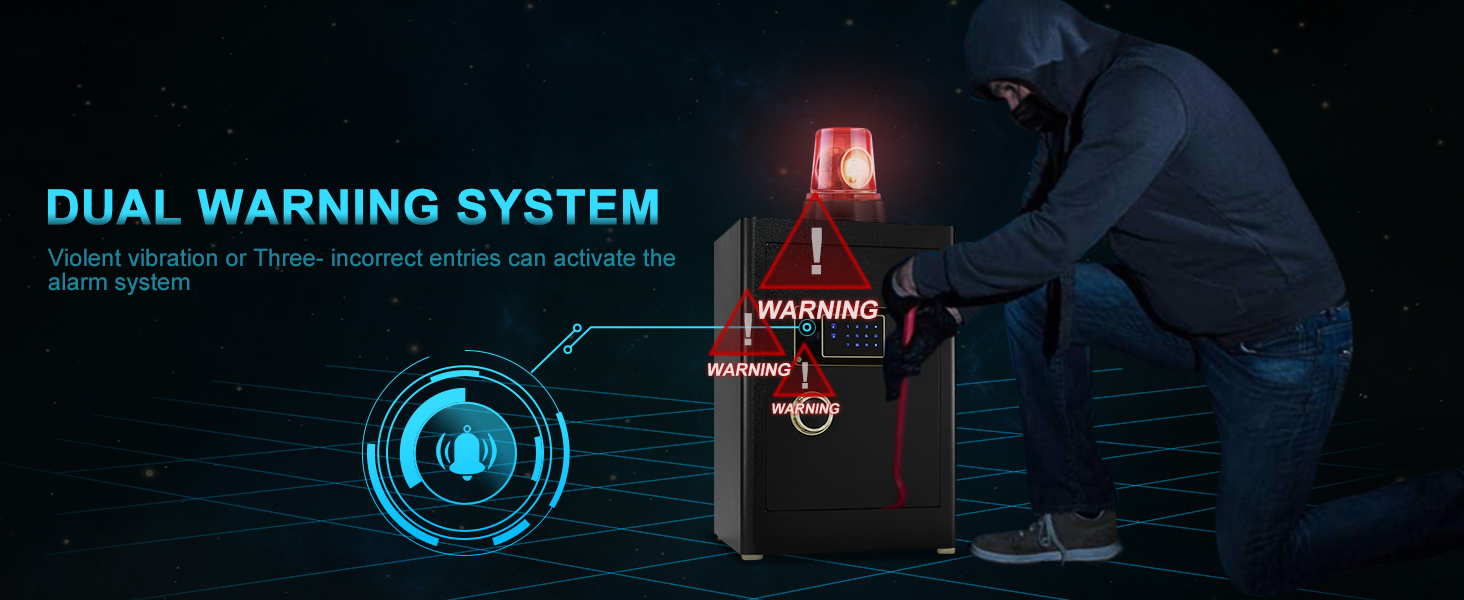
Image: A diagram illustrating the dual warning system of the TIGERKING safe, showing how both vibration and incorrect code entries can trigger the alarm for enhanced security.
5.2 Forgotten Code / Dead Batteries
In case you forget your digital code or the batteries die, you can use the emergency key to open the safe. Insert the emergency key into the keyhole and turn it while simultaneously turning the handle to open the door.
If the batteries are dead, you can also use the external emergency battery box to power the keypad temporarily. Connect the battery box to the external power port on the safe, then enter your code.
Important: Always keep your emergency keys and emergency battery box in a secure location outside of the safe.
6. Specifications
| Feature | Detail |
|---|---|
| Brand | TIGERKING |
| Model Number | 58JJH-BLACK |
| Product Dimensions | 13"D x 15.8"W x 23"H |
| Capacity | 2.05 Cubic Feet |
| Item Weight | 59.4 pounds (27 Kilograms) |
| Lock Type | Combination, Key |
| Material | Alloy Steel |
| Mounting Type | Floor Mount |
| Special Feature | Not fireproof Resistant |
| Water Resistance Level | Not Water Resistant |
| Alarm | Vibration |
| Included Components | Bolts, Keys |
| UPC | 744114639212, 639510646028, 744114637423 |
7. Warranty and Support
TIGERKING offers a 1-year warranty for this product. If you encounter any problems or have concerns about your safe, please contact TIGERKING customer service directly for a satisfactory solution.
TIGERKING is committed to providing top-notch safe solutions and excellent customer service. For further assistance, please refer to the contact information provided with your purchase or visit the official TIGERKING store online.
Video: Official TIGERKING video demonstrating the high security features of the digital safe for home and office use. This video provides a visual overview of the product's functionality and security aspects.
Related documents58JJH-BLACK

Ask a question about this manual
Ask about setup, troubleshooting, compatibility, parts, safety, or missing instructions. Manuals+ will review the question and use this page’s manual context to help answer it.