
1. Product Overview
This document provides instructions for the use and maintenance of your new replacement remote control, designed for various Pioneer AV Receiver models. This remote serves as a functional substitute for your original remote, offering essential control over your audio/video system.

Figure 1: Front view of the remote control, displaying its button layout.
2. Compatibility
This replacement remote control is compatible with the following Pioneer AV Receiver models:
- Pioneer AVH-P4450BT
- Pioneer AVH-2450BT
- Pioneer AVH-2450
- Pioneer AVH-1450
- Pioneer AVH-1450DVD
- Pioneer AVH-P3450
- Pioneer AVH-P3450DVD
- Pioneer AVH-P4450
- Pioneer AVH2450BT
Important: Please verify your AV receiver's model number against this list to ensure compatibility. If your model is not listed, this remote may not function correctly or offer full functionality.
3. Setup
3.1 Battery Installation
The remote control requires one (1) CR2 battery (not included). Follow these steps to install the battery:
- Locate the battery compartment on the back of the remote control.
- Gently slide the battery cover downwards or in the direction indicated by an arrow to open it.
- Insert the CR2 battery, ensuring the positive (+) and negative (-) terminals align correctly with the markings inside the compartment.
- Slide the battery cover back into place until it clicks securely.
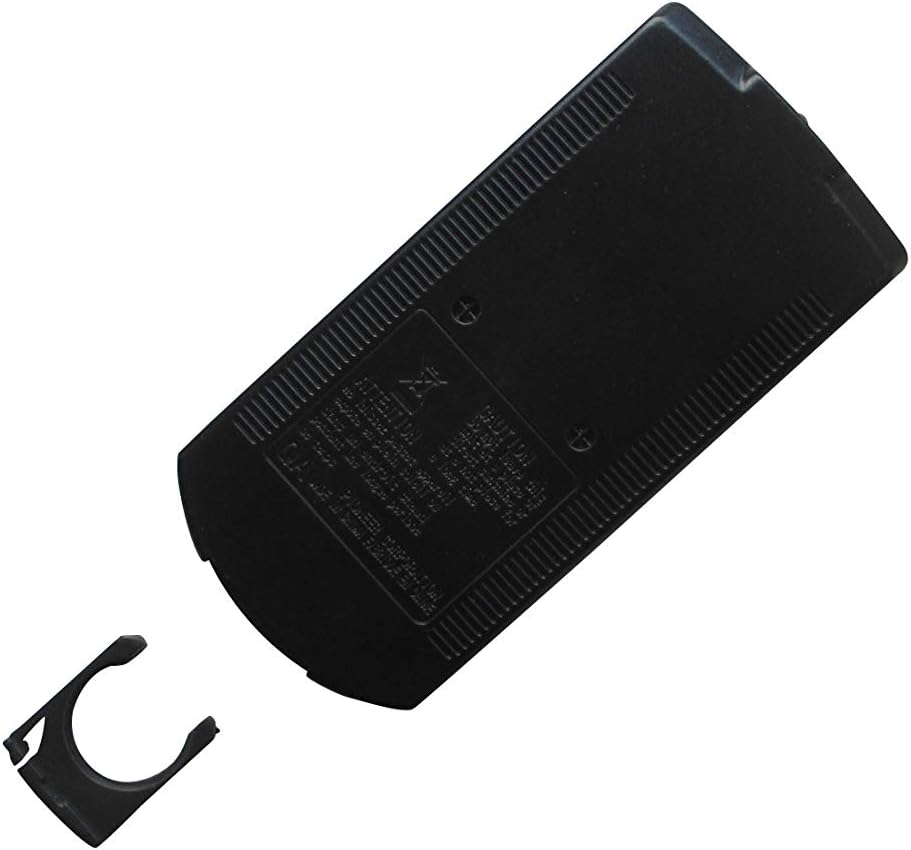
Figure 2: Back view of the remote control with the battery cover open.

Figure 3: Back view of the remote control with the battery cover closed.
Note:
- Always use the specified battery type.
- Remove batteries if the remote will not be used for an extended period to prevent leakage.
- Dispose of used batteries responsibly according to local regulations.
4. Operating Instructions
Point the remote control directly at the infrared (IR) sensor on your Pioneer AV receiver. Ensure there are no obstructions between the remote and the receiver.
4.1 Key Functions
| Button | Function |
|---|---|
| -OFF / SRC | Power On/Off (long press for off) and Source selection. |
| VOLUME +/- | Adjusts the audio output volume. |
| MUTE | Mutes or unmutes the audio. |
| MODE | Switches between different operational modes. |
| MENU | Accesses the main menu of the AV receiver. |
| TOP MENU | Accesses the top menu of a DVD/Blu-ray disc. |
| Navigation (Up/Down/Left/Right) & ENTER | Navigates through menus and confirms selections. |
| RETURN | Goes back to the previous menu or screen. |
| ANGLE | Changes the viewing angle on compatible discs. |
| Play/Pause (►/▮▮) | Plays or pauses media playback. |
| Stop (■) | Stops media playback. |
| Skip (►► / ◄◄) | Skips to the next or previous track/chapter. |
| Fast Forward/Rewind (►►► / ◄◄◄) | Fast forwards or rewinds media playback. |
| AUDIO | Changes audio tracks or languages. |
| SUBTITLE | Toggles or selects subtitle options. |
| FOLDER/P.CH | Navigates through folders or preset channels. |
| ESC / BAND | Escapes from a menu or changes radio bands. |
Note: Specific button functionalities may vary slightly depending on your Pioneer AV receiver model and the current operating mode. Refer to your AV receiver's original manual for detailed function descriptions.
5. Maintenance
- Cleaning: Wipe the remote control with a soft, dry cloth. Do not use abrasive cleaners or solvents.
- Battery Replacement: Replace the battery when the remote's range decreases or it stops responding. Follow the battery installation steps in Section 3.1.
- Storage: Store the remote in a cool, dry place away from direct sunlight and extreme temperatures.
6. Troubleshooting
| Problem | Possible Cause | Solution |
|---|---|---|
| Remote not responding. | Dead or incorrectly installed battery. | Replace the battery (CR2) and ensure correct polarity. |
| Remote has limited range or intermittent response. | Weak battery; Obstruction between remote and receiver; Remote not pointed directly at receiver's IR sensor. | Replace the battery; Remove any obstructions; Ensure direct line of sight to the receiver's IR sensor. |
| Some functions do not work. | Remote is not fully compatible with your specific AV receiver model; Function not supported by the replacement remote. | Verify your AV receiver model against the compatibility list (Section 2). This replacement remote may not offer all functions of your original remote. |
7. Specifications
- Brand: Easytry123
- Connectivity Technology: Infrared (IR)
- Compatible Devices: Pioneer AVH-P4450BT, AVH-2450BT, AVH-2450, AVH-1450, AVH-1450DVD, AVH-P3450, AVH-P3450DVD, AVH-P4450, AVH2450BT AV Receivers
- Number of Buttons: 25
- Battery Type: 1 x CR2 (required, not included)
- Special Feature: Replacement remote, ergonomic design
- Country of Origin: China
8. Warranty and Support
As a replacement product, specific warranty terms may vary. Please refer to the seller's return policy or contact the seller directly for information regarding warranty coverage and support for this remote control.
For detailed operational instructions specific to your Pioneer AV receiver, please consult the original manual provided with your receiver.