
STAPLES 51465 CC
STAPLES Emerge Vortex Bonded Leather Ergonomic Gaming Chair User Manual
Model: 51465 CC
Introduction
Thank you for choosing the STAPLES Emerge Vortex Bonded Leather Ergonomic Gaming Chair. This manual provides essential information for the proper setup, operation, maintenance, and troubleshooting of your new gaming chair. Please read this manual thoroughly before assembly and use to ensure optimal performance and longevity of your product.

Image: Front view of the STAPLES Emerge Vortex Bonded Leather Ergonomic Gaming Chair in black and red.
Safety Information
WARNING: This product can expose you to chemicals including Di(2-ethylhexyl)phthalate (DEHP), which is known to the State of California to cause cancer and birth defects or other reproductive harm. For more information, go to www.P65Warnings.ca.gov/furniture.
- Always follow assembly instructions carefully.
- Do not stand on the chair.
- Do not use the chair if any parts are missing or damaged.
- Ensure all bolts and screws are tightened before use. Periodically check and re-tighten as needed.
- This chair is designed to support up to 275 lbs. Do not exceed this weight limit.
Product Features
The STAPLES Emerge Vortex Gaming Chair is designed for comfort and ergonomics, featuring:
- Bonded Leather Upholstery: Durable black and red faux leather with color-contrast stitching.
- Ergonomic Design: Built-in padded headrest and lumbar support for extended comfort.
- Adjustable Tilt and Height: Customize your seating position for optimal ergonomics.
- Flip-up Arms: Allows for easier positioning under a desk and versatile use.
- Durable Base: Sturdy five-star base with wear-resistant 360° casters.
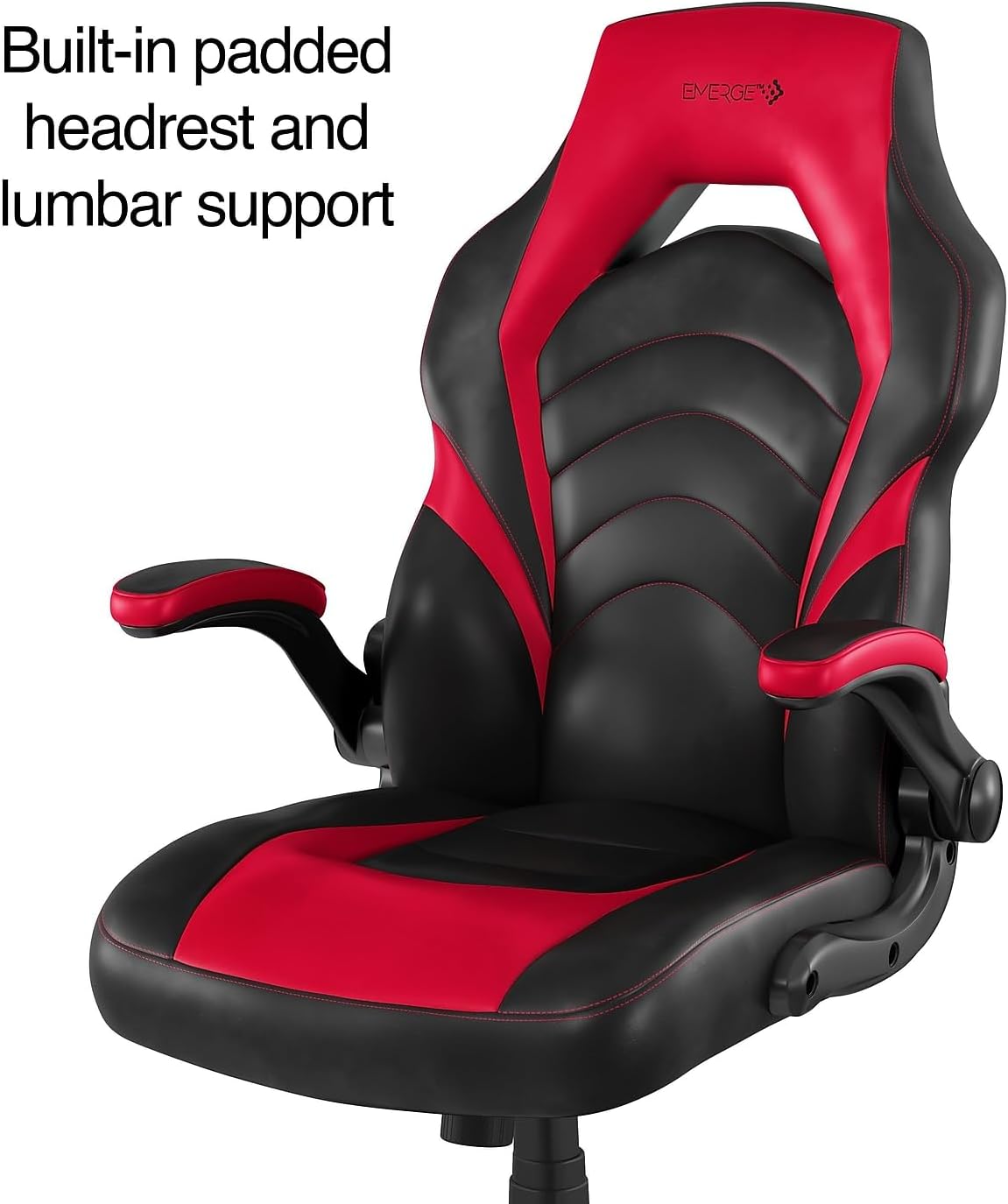
Image: Close-up of the chair's backrest showing built-in padded headrest and lumbar support.

Image: Side view illustrating the adjustable tilt and height functionality of the chair.

Image: Front view of the chair with an inset showing the flip-up armrests.

Image: Underside view of the chair's five-star base and wear-resistant 360° casters.
Setup and Assembly
While specific assembly steps are not detailed here, general assembly for gaming chairs involves the following:
- Unpack Components: Carefully remove all parts from the packaging and lay them out on a clean, soft surface to prevent scratches. Verify all components are present according to the included parts list.
- Attach Casters to Base: Insert the casters into the holes at the end of each leg of the chair base. Push firmly until they click into place.
- Insert Gas Lift: Place the gas lift cylinder into the center hole of the chair base.
- Assemble Seat and Backrest: Attach the backrest to the seat using the provided screws and brackets. Ensure proper alignment.
- Attach Armrests: Secure the armrests to the seat and/or backrest using the designated screws.
- Connect Mechanism to Seat: Attach the tilt mechanism to the underside of the seat using screws. Ensure the front of the mechanism faces the front of the seat.
- Place Assembled Top onto Gas Lift: Carefully place the assembled seat and backrest onto the gas lift cylinder, ensuring it is centered and stable.
- Final Check: Before use, ensure all screws are tightened and the chair is stable.

Image: The gaming chair positioned in a room with a desk and computer setup, demonstrating its intended use environment.
Operating Instructions
Your STAPLES Emerge Vortex Gaming Chair offers several adjustments for personalized comfort:
- Height Adjustment: Locate the lever on the right side, under the seat. Pull the lever up to raise the seat, or pull it up while seated to lower the seat. Release the lever at the desired height.
- Tilt Adjustment: The same lever used for height adjustment often controls the tilt lock. Push the lever in to lock the tilt mechanism in an upright position, and pull it out to allow the chair to recline.
- Tilt Tension Control: A round knob located under the front of the seat controls the tilt tension. Turn clockwise to increase tension (making it harder to recline) or counter-clockwise to decrease tension (making it easier to recline).
- Flip-up Armrests: To move the armrests out of the way, simply lift them upwards. They will lock into an upright position. To return them, pull them down.
Maintenance and Care
Proper care will extend the life of your gaming chair:
- Cleaning: Spot clean the faux leather upholstery with a damp cloth and mild soap. Do not use harsh chemicals or abrasive cleaners.
- Regular Checks: Periodically check all bolts and screws to ensure they are tight. Re-tighten as necessary to maintain stability and safety.
- Avoid Direct Sunlight: Prolonged exposure to direct sunlight can cause the faux leather to fade or crack.
- Weight Limit: Adhere to the maximum weight capacity of 275 lbs to prevent damage to the chair's components.

Image: Detailed close-up of the chair's upholstery, highlighting the bonded leather, color-contrast stitching, and thick foam padding.
Troubleshooting
| Problem | Possible Cause | Solution |
|---|---|---|
| Chair wobbles or feels unstable. | Loose screws or uneven assembly. | Check and tighten all assembly screws. Ensure the chair is on a flat, even surface. |
| Height adjustment not working. | Gas lift cylinder issue or lever malfunction. | Ensure the lever is fully engaged. If the issue persists, the gas lift may need replacement. |
| Chair does not tilt or recline. | Tilt lock engaged or tension too high. | Disengage the tilt lock lever. Adjust the tilt tension knob counter-clockwise to loosen. |
| Casters not rolling smoothly. | Debris in casters or damaged casters. | Clean any hair or debris from the caster wheels. If damaged, casters may need replacement. |
Specifications
| Brand | STAPLES |
| Model Name | Luxura (51465 CC) |
| Color | Red / Black |
| Overall Dimensions (H x W x D) | 45.9-49.7"H x 28.4"W x 30.1"D |
| Seat Dimensions (W x D x H) | 22"W x 18.6"D x 17.9-21.6"H |
| Arm Dimensions (H x W) | 28.3"-32.1"H x 21.3"W (Flip-up adjustable arm) |
| Weight Capacity | Up to 275 lbs |
| Material | Bonded Leather (Faux Leather), Sponge Fill |
| Item Weight | 42.1 pounds |
| Special Feature | Adjustable, Built-in Headrest and Lumbar Support, Flip-up Arms |
| Product Care Instructions | Spot Clean |

Image: Technical drawing showing detailed dimensions of the STAPLES Emerge Vortex Gaming Chair from front and side views.
Warranty and Support
For warranty information or technical support, please refer to the documentation included with your purchase or visit the official STAPLES website. Keep your purchase receipt for warranty claims.
You can visit the STAPLES Store for more products and information: STAPLES Store on Amazon
Related documents51465 CC

Ask a question about this manual
Ask about setup, troubleshooting, compatibility, parts, safety, or missing instructions. Manuals+ will review the question and use this page’s manual context to help answer it.