
1. Overview
The Fosi Audio T20 is a compact Bluetooth 5.0 tube amplifier designed to deliver high-resolution audio for home passive speakers and headphones. It features a QCC3031 chip supporting aptX and aptX HD codecs, providing 24-bit music quality. The amplifier offers 50 watts per channel output, making it suitable for various speakers from 16-64ohm. It includes 5654W vacuum tubes for a warmer sound, which can be replaced with compatible tube models like 6K4, 6J1, 6A2, 6AK5, 6Ж1П, 6BC5, 403A/B, EF40, and EF95.

Image 1.1: The Fosi Audio T20 Bluetooth Tube Amplifier connected to passive speakers, with a smartphone streaming music via Bluetooth.
2. What's in the Box
- T20 Bluetooth tube amplifier x1
- 24V/4.5A power supply x1
- Bluetooth antenna x1
- User manual x1
- 5654W tubes x2

Image 2.1: All components included in the Fosi Audio T20 package.
3. Product Features
- Superior Audio Quality: QCC3031 chip with aptX and aptX HD codecs for 24-bit high-resolution audio.
- Versatile Compatibility: Supports 16-64ohm headphones and various passive speakers (outdoor, bookshelf, computer, desktop, ceiling, floor standing). Connects to phones, MP3 players, TVs, CD players, or streaming media players.
- Powerful Performance: 50 watts per channel output to drive most home passive speakers.
- Upgraded Classic Tube Amplifier: Features 5654W vacuum tubes for a warmer sound. Compatible with various tube models for customization.
- Multiple Inputs: Bluetooth and RCA input options.
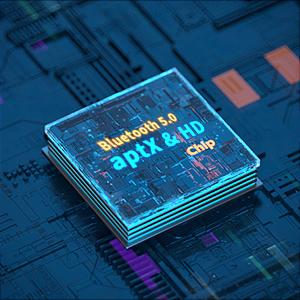
Image 3.1: The QCC3031 Bluetooth 5.0 chip, enabling aptX and aptX HD audio.
4. Controls and Interfaces

Image 4.1: Front and Rear Panel Layout of the T20 Amplifier.
Front Panel:
- Power Switch: Turns the unit on or off.
- Power Indicator Light: Indicates power status.
- 3.5mm Headphone Output: Connect headphones for private listening.
- Bass Control: Adjusts low-frequency output.
- Treble Control: Adjusts high-frequency output.
- Volume Control: Adjusts overall output volume.
Rear Panel:
- Bluetooth Input (RF): Connects to the Bluetooth antenna.
- Input Mode Switch (SELECT BT AUX): Toggles between Bluetooth and RCA input.
- RCA Input (AUDIO IN R/L): Connects external audio sources via RCA cables.
- Speaker Output (SPK OUT R/L): Connects to passive speakers.
- Power In (DC 12-24V): Connects to the power adapter.
- Bluetooth Antenna: For wireless Bluetooth reception.
5. Setup
5.1 Connecting Passive Speakers
- Ensure the amplifier is powered off.
- Connect your passive speakers to the "SPK OUT R/L" terminals on the rear panel of the T20 using appropriate speaker wire. Ensure correct polarity (red to red, black to black).
5.2 Connecting Audio Sources
RCA Input:
- Connect your audio source (e.g., CD player, TV, MP3 player) to the "AUDIO IN R/L" RCA inputs on the rear panel using RCA cables.
- Set the "SELECT BT AUX" switch to "AUX".
Bluetooth Input:
- Screw the Bluetooth antenna firmly into the "RF" connector on the rear panel.
- Set the "SELECT BT AUX" switch to "BT".
5.3 Powering On
- Connect the 24V/4.5A power supply to the "DC 12-24V" input on the rear panel.
- Plug the power supply into a wall outlet.
- Flip the "Power Switch" on the front panel to the ON position. The power indicator light will illuminate.
Video 5.1: This video demonstrates how to connect the Fosi Audio T20 amplifier to a stereo system for streaming Hi-Fi music. It shows the process of connecting speakers and an audio source.
Video 5.2: This video provides instructions on how to connect a turntable to an amplifier, including scenarios with and without a phono preamp, using the Fosi Audio T20.
6. Operating Instructions
6.1 Bluetooth Pairing
- Ensure the "SELECT BT AUX" switch is set to "BT".
- On your Bluetooth device (e.g., smartphone, tablet), search for "FOSI AUDIO" in the Bluetooth settings.
- Select "FOSI AUDIO" to pair. Once paired, the amplifier is ready to receive audio.
6.2 Input Selection
Use the "SELECT BT AUX" switch on the rear panel to choose between Bluetooth (BT) and RCA (AUX) inputs.
6.3 Volume, Bass, and Treble Control
- Volume: Rotate the "VOL" knob on the front panel to adjust the overall sound level.
- Bass: Rotate the "BASS" knob to increase or decrease low-frequency sounds.
- Treble: Rotate the "TREBLE" knob to increase or decrease high-frequency sounds.
6.4 Headphone Usage
- Connect your headphones to the 3.5mm headphone output on the front panel.
- Adjust the volume using the "VOL" knob. Note that connecting headphones will typically mute the speaker output.

Image 6.1: The T20 amplifier used with headphones and a laptop for personal audio listening.
7. Tube Replacement
The Fosi Audio T20 uses 5654W vacuum tubes, which can be replaced to customize the sound. Compatible tube models include 6K4, 6J1, 6A2, 6AK5, 6Ж1П, 6BC5, 403A/B, EF40, and EF95.
- Ensure the amplifier is powered off and unplugged from the power outlet.
- Allow the existing tubes to cool down completely before handling.
- Gently pull the existing tubes straight up from their sockets. Avoid twisting or bending.
- Carefully align the pins of the new compatible tubes with the holes in the sockets.
- Gently push the new tubes straight down into the sockets until they are seated firmly. Do not force them.
- Reconnect power and turn on the amplifier to test the new tubes.

Image 7.1: A 5654W vacuum tube, which can be replaced for sound customization.
8. Troubleshooting
| Problem | Possible Cause | Solution |
|---|---|---|
| No sound output. |
|
|
| Bluetooth connection issues. |
|
|
| Distorted sound. |
|
|
9. Specifications
- Model: T20
- Brand: Fosi Audio
- Bluetooth Version: 5.0 (QCC3031 chip)
- Supported Codecs: aptX, aptX HD
- Output Power: 50 Watts per channel (Total 100 Watts)
- Number of Channels: 2
- Speaker Impedance: 16-64 ohms (for headphones), suitable for most home passive speakers.
- Vacuum Tubes: 5654W (replaceable with 6K4, 6J1, 6A2, 6AK5, 6Ж1П, 6BC5, 403A/B, EF40, EF95)
- Inputs: Bluetooth, RCA
- Outputs: Speaker terminals, 3.5mm Headphone Output
- Power Supply: DC 24V/4.5A (Maximum Supply Voltage: 24 Volts DC)
- Item Dimensions (L x W x H): 5.06 x 3.86 x 1.35 inches (128.5 x 98.2 x 33 mm)
- Item Weight: 910 Grams
- Mounting Type: Freestanding
10. Warranty and Support
Fosi Audio products typically come with a manufacturer's warranty. Please refer to the warranty card included in your product packaging or visit the official Fosi Audio website for detailed warranty terms and conditions. For technical support, troubleshooting assistance, or any product-related inquiries, please contact Fosi Audio customer service through their official channels.
Contact Information: Refer to the Fosi Audio official website or the contact details provided in your product documentation.


